
MTW
Well-known member
I wanted to make a post regarding sharing internet access with wireless technology. I want to state that I’m no microwave network expert, but I do have some experience in setting up many wireless links from building to building and house to house. I’m self-taught and learned most things through study and first hand experimentation with many devices as the budget allows.
In my early days I started with consumer grade hardware and modifications. Such as different antennas and homemade reflectors coupled to USB radios or wireless routers. Aftermarket firmware on routers such as DD-WRT, and even consumer grade repeaters. All of this was a fun and valuable learning experience but ultimately proved to be insufficient for my needs for a robust and reliable connections under all conditions of use.
I finally stumbled across some WISP (wireless internet service provider) gear that fills the bill, and at an affordable price. These radios are weatherproof and meant to be externally mounted and require 1 ethernet cable for power and communications. There are now many brands and models to choose from, as well as frequency 2.4 or 5 GHz, compatibility B,G,N,AC,MIMO (multiple input multiple output). The 2 brands I have used are EnGenius and Ubiquiti. I started with EnGenius equipment but the performance was lacking for my needs, I tried some Ubiquiti units and have never looked back, as they have satisfied all of my needs.


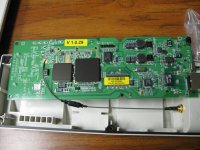
A radio pair installed outdoors with a self-contained panel antenna is usually the most cost efficient and reliable approach in most situations. With 2 of these you can reliably connect from across the street to a mile down the road, if you have a clear line of sight. With a partial line of sight (trees) expect less, with buildings in the path poor, with metal obstructions none. WiFi is microwave and is attenuated by solid objects, foliage, metal and water (fog, rain, snow). In my experience one of these radios will connect across the street to a normal home router buried in the other house with good speed and throughput. Two of these properly mounted and configured will make rock solid connection in all weather conditions, even if there is a lot of radio congestion in the vicinity.
My preferred setup to extend internet coverage would go something like this. Look over the site from each end. Can you find a place to mount the units so that they can see each other clearly, height above the ground is very important, especially the farther you go. Higher is better to avoid obstructions and the earth clipping the Fresnel zone. The Fresnel zone is a cone shaped area with the pointed end at the radio source and the largest end halfway between the radios. If this large end circle is obstructed by the ground signal will be lost. If you can see the other radio location clearly, it should work well.
Figure out how you are going to mount, cable and power them for a permanent installation. The units are designed to be mast mounted, and many types of mounts are available, from window suction cup, metal standoff brackets, plastic standoff swivel brackets, and tripods. Sometimes I fabricate my own for unusual or aesthetic consideration.


The units do require some setup programming to get them working, as they come with many features and modes of operation. I was familiar with normal router configurations when I started, so I worked my way through it. The way they need to be configured depends on your physical layout and what mode they need to be in to suit your purposes.
The basic modes are Access Point, Client, Bridge, and Wireless Distribution System WDS.
AP mode is equivalent to your existing wireless router, it provides multiple wireless device connections, and connects them back to a single uplink port (internet or other network).
Client mode is equivalent to your laptop, tablet or phone it receives a connection from an access point.
Bridge mode is equivalent to a wired extension cable, it passes data back and forth but provides for no other device connections.
WDS mode is a combination of bridge and access point, the units talk to each other as well as accept connections from other WDS units and clients.
For most internet extension type setups you would want the radio at the internet source end to be configured as an access point, and the radio at the remote end in client mode. With this type setup other devices may also connect to the access point, such as a phone or tablet, in the space between the radios, or another radio at a different outbuilding. The beam spread is about 60° with the horizon and 30° on the vertical, so at a distance it can cover a pretty good area. If you want the access point signal to be compatible with the maximum variety of devices it should be at 2.4 GHz and compatible with type G, N. There are other settings and frequencies (5GHz) that can increase performance and throughput but won’t be compatible with other devices you may want to connect. If all you need is the single connection, the bridge mode and 5 GHz would be a better choice. 2.4 GHz is pretty crowded in most places, so 5 GHz can be less crowded and better reception, however not compatible with most consumer devices.
At the client end (outbuilding) I usually build a little “repeater board” with the necessary rudiments, to keep the install at the site to a bare minimum. I make a backboard to install a normal wireless router (whatever is at hand) and an outlet to power both the indoor and outdoor radios from. From the outlet I attach a pre-molded 120V chord to reach an existing outlet in the building. The secondary router provides for wired and wireless connections in the remote building. The board also contains the DC power injector for the outside radio. Having the power injector and the router next to each other simplifies the ethernet connection, just a short jumper required. Having everything mounted to the board makes mounting at the site easy, just screw to the wall or trusses as required, and plug it in. Run a ethernet cable to the outdoor mounted radio and call it done.


If you know nothing about networking and its settings, like configuring a router, you will need some assistance from someone who does, or a crash course on your part to get it configured correctly. You must get the radios set up and communicating correctly before you ever try to install them in their final location.
I have installed many systems like this over several years and they are all working beautifully. I use one myself for my own connection. The link is about ¼ mile or 1320’ in an industrial environment with 2) 2.4Ghz units MIMO. It achieves throughput of 240 to 300 Mbps on an encrypted connection, many times faster than my humble DSL connection. It has a repeater board at each end to supply users with wired and wireless connections. Mounting heights are 20’ one side and 30’ on the other. There is some industrial ductwork piping in the Fresnel zone between the radio units, but works well when the center beam area is clear. It’s been running for 2 years without the need for any service or frequent reboots. I can access all 4 radios across the network for checking their status and the DSL modem at the front end. Normally the only time it goes down is from the DSL modem at the front end choking on high data flows. The wireless links still function correctly and allow remote reset of the hung DSL modem.
Many other services can be run over this wireless ethernet connection. VOIP or skype calls. IP security cameras. Cell phone providers can provide an adapter to place your cell calls over the internet for places with no or poor signals. Control signals for far flung equipment and sensors. Streaming of audio and video files from your network. Did I mention surfing the net, from multiple devices and locations?
In my early days I started with consumer grade hardware and modifications. Such as different antennas and homemade reflectors coupled to USB radios or wireless routers. Aftermarket firmware on routers such as DD-WRT, and even consumer grade repeaters. All of this was a fun and valuable learning experience but ultimately proved to be insufficient for my needs for a robust and reliable connections under all conditions of use.
I finally stumbled across some WISP (wireless internet service provider) gear that fills the bill, and at an affordable price. These radios are weatherproof and meant to be externally mounted and require 1 ethernet cable for power and communications. There are now many brands and models to choose from, as well as frequency 2.4 or 5 GHz, compatibility B,G,N,AC,MIMO (multiple input multiple output). The 2 brands I have used are EnGenius and Ubiquiti. I started with EnGenius equipment but the performance was lacking for my needs, I tried some Ubiquiti units and have never looked back, as they have satisfied all of my needs.
A radio pair installed outdoors with a self-contained panel antenna is usually the most cost efficient and reliable approach in most situations. With 2 of these you can reliably connect from across the street to a mile down the road, if you have a clear line of sight. With a partial line of sight (trees) expect less, with buildings in the path poor, with metal obstructions none. WiFi is microwave and is attenuated by solid objects, foliage, metal and water (fog, rain, snow). In my experience one of these radios will connect across the street to a normal home router buried in the other house with good speed and throughput. Two of these properly mounted and configured will make rock solid connection in all weather conditions, even if there is a lot of radio congestion in the vicinity.
My preferred setup to extend internet coverage would go something like this. Look over the site from each end. Can you find a place to mount the units so that they can see each other clearly, height above the ground is very important, especially the farther you go. Higher is better to avoid obstructions and the earth clipping the Fresnel zone. The Fresnel zone is a cone shaped area with the pointed end at the radio source and the largest end halfway between the radios. If this large end circle is obstructed by the ground signal will be lost. If you can see the other radio location clearly, it should work well.
Figure out how you are going to mount, cable and power them for a permanent installation. The units are designed to be mast mounted, and many types of mounts are available, from window suction cup, metal standoff brackets, plastic standoff swivel brackets, and tripods. Sometimes I fabricate my own for unusual or aesthetic consideration.
The units do require some setup programming to get them working, as they come with many features and modes of operation. I was familiar with normal router configurations when I started, so I worked my way through it. The way they need to be configured depends on your physical layout and what mode they need to be in to suit your purposes.
The basic modes are Access Point, Client, Bridge, and Wireless Distribution System WDS.
AP mode is equivalent to your existing wireless router, it provides multiple wireless device connections, and connects them back to a single uplink port (internet or other network).
Client mode is equivalent to your laptop, tablet or phone it receives a connection from an access point.
Bridge mode is equivalent to a wired extension cable, it passes data back and forth but provides for no other device connections.
WDS mode is a combination of bridge and access point, the units talk to each other as well as accept connections from other WDS units and clients.
For most internet extension type setups you would want the radio at the internet source end to be configured as an access point, and the radio at the remote end in client mode. With this type setup other devices may also connect to the access point, such as a phone or tablet, in the space between the radios, or another radio at a different outbuilding. The beam spread is about 60° with the horizon and 30° on the vertical, so at a distance it can cover a pretty good area. If you want the access point signal to be compatible with the maximum variety of devices it should be at 2.4 GHz and compatible with type G, N. There are other settings and frequencies (5GHz) that can increase performance and throughput but won’t be compatible with other devices you may want to connect. If all you need is the single connection, the bridge mode and 5 GHz would be a better choice. 2.4 GHz is pretty crowded in most places, so 5 GHz can be less crowded and better reception, however not compatible with most consumer devices.
At the client end (outbuilding) I usually build a little “repeater board” with the necessary rudiments, to keep the install at the site to a bare minimum. I make a backboard to install a normal wireless router (whatever is at hand) and an outlet to power both the indoor and outdoor radios from. From the outlet I attach a pre-molded 120V chord to reach an existing outlet in the building. The secondary router provides for wired and wireless connections in the remote building. The board also contains the DC power injector for the outside radio. Having the power injector and the router next to each other simplifies the ethernet connection, just a short jumper required. Having everything mounted to the board makes mounting at the site easy, just screw to the wall or trusses as required, and plug it in. Run a ethernet cable to the outdoor mounted radio and call it done.
If you know nothing about networking and its settings, like configuring a router, you will need some assistance from someone who does, or a crash course on your part to get it configured correctly. You must get the radios set up and communicating correctly before you ever try to install them in their final location.
I have installed many systems like this over several years and they are all working beautifully. I use one myself for my own connection. The link is about ¼ mile or 1320’ in an industrial environment with 2) 2.4Ghz units MIMO. It achieves throughput of 240 to 300 Mbps on an encrypted connection, many times faster than my humble DSL connection. It has a repeater board at each end to supply users with wired and wireless connections. Mounting heights are 20’ one side and 30’ on the other. There is some industrial ductwork piping in the Fresnel zone between the radio units, but works well when the center beam area is clear. It’s been running for 2 years without the need for any service or frequent reboots. I can access all 4 radios across the network for checking their status and the DSL modem at the front end. Normally the only time it goes down is from the DSL modem at the front end choking on high data flows. The wireless links still function correctly and allow remote reset of the hung DSL modem.
Many other services can be run over this wireless ethernet connection. VOIP or skype calls. IP security cameras. Cell phone providers can provide an adapter to place your cell calls over the internet for places with no or poor signals. Control signals for far flung equipment and sensors. Streaming of audio and video files from your network. Did I mention surfing the net, from multiple devices and locations?
Last edited:


