To avoid these ads, REGISTER NOW!

LiftMaster 8500 adding additional wall controls

Dakota00

Well-known member
Joined
Mar 9, 2008
Messages
1,078
Location
Woodbridge, Ontario
Today I got the high lift conversion done to my garage door. While talking to the door installer he said you cannot run additional wall controllers to operate the door. Is this true?

My last opener had 3 door bell controllers that operated the opener, which I would like to retain with the new 8500 if possible.

Thanks!
 
To avoid these ads, REGISTER NOW!

gasaxeman

Well-known member
Joined
Feb 9, 2012
Messages
196
Location
Hodag Country. Rhinelander,WI
I have the liftmaster 3800.
I am pretty sure it said in the instructions that only the wired control could be used. I have the one that has time,temp ,light control, motion light control and main operation button.
I would have put a door bell button on each side of the door otherwise.That is why I used the wireless one.
 
OP
D

Dakota00

Well-known member
Joined
Mar 9, 2008
Messages
1,078
Location
Woodbridge, Ontario
^^^ Thanks for the link. The thing is I want to retain the existing switches I have.
I made a custom wall plate for inside the house which has the garage door controls and monitor lights when the doors are left open shown in pic
View media item 33796
I could care less for this My Q tech BS. I'm wondering if I could downgrade the wall controller so I can retain the existing buttons?
 

justsam

Well-known member
Joined
Aug 20, 2010
Messages
1,267
Location
Penngrove, California
I like your in home control and indicator. Neat and functional.

I fear the days of simple momentary contact door bell like switches are over.

There is actually a data signal sent to open/close the door. The only way I can see doing what you want to do, is to dissect one of the controllers, and find the actual momentary switch interface, and run yuour switch from there.

I too do not need yet another panel telling the time, date, temperature, etc. but that is the way it is going. Automation and smartphone control is where it is at today, and it is also more secure than just a contact closure.
 
OP
D

Dakota00

Well-known member
Joined
Mar 9, 2008
Messages
1,078
Location
Woodbridge, Ontario
^^^ Thanks man!!

There must be a way some how. I just want it simple, I don't need to have my garage door opener talking to me, give me the weather or talk to my smartphone. It's just more **** in the end that can be hacked. Or God forbid the phone gets stolen, yeah no thanks!
 

MN4x4

Well-known member
Joined
Sep 5, 2010
Messages
1,443
Location
Minnesnowta
Yes, you can wire in extra buttons, BUT it's not a simple task. As justsam said, you would need to dissect the controller and find the actual momentary contacts and connect to them.

Be aware, though, that there might be other issues caused by running long wires back to the controller. Instead of connecting buttons directly to the controller, you might need to incorporate a relay at the controller, and then you can wire the rest of the system using DC power, either from a battery or a simple DC supply. You could then add as many buttons as you desire, anywhere you want them.
 
To avoid these ads, REGISTER NOW!
OP
D

Dakota00

Well-known member
Joined
Mar 9, 2008
Messages
1,078
Location
Woodbridge, Ontario
Thanks Justsam and MN4x4,

I found this thread in a search on the LM3800, hopefully the same will work for the LM8500.

http://www.garagejournal.com/forum/showthread.php?t=45527

Be aware, though, that there might be other issues caused by running long wires back to the controller. Instead of connecting buttons directly to the controller, you might need to incorporate a relay at the controller, and then you can wire the rest of the system using DC power, either from a battery or a simple DC supply. You could then add as many buttons as you desire, anywhere you want them.

I appreciate the help!!
 

JakeKohl

Well-known member
Joined
Feb 23, 2012
Messages
1,365
Location
Greenville, SC
That's not too bad. Just solder a couple of small wires to the upper two legs of that momentary switch (in parallel). It doesn't appear that the lower contact legs are used.

Still, though, you could just a neat installation of this unit and retain all of that functionality without the trouble.

829LM_CW_detail.jpg


http://www.liftmaster.com/lmcv2/accessorydetail/9571/garage-and-gate-monitor/
 
OP
D

Dakota00

Well-known member
Joined
Mar 9, 2008
Messages
1,078
Location
Woodbridge, Ontario
That's not too bad. Just solder a couple of small wires to the upper two legs of that momentary switch (in parallel). It doesn't appear that the lower contact legs are used.

I've noticed the lower legs were not being used, but it's still tied into the switch wouldn't it still work if I wire off of them?
 

dipper

Well-known member
Joined
Jun 27, 2007
Messages
759
Location
Rochester, NY
it's just a contact closure, so it should still work with another button wired off the top 2 legs of SW3.
 
OP
D

Dakota00

Well-known member
Joined
Mar 9, 2008
Messages
1,078
Location
Woodbridge, Ontario
Thanks dipper

I found this interesting while going through the manual and reading the "Troubleshoot Section" came across this bit of info at the 3 Flashes part: about touching the controller wires together to activate the opener.

View media item 39794
 

JakeKohl

Well-known member
Joined
Feb 23, 2012
Messages
1,365
Location
Greenville, SC
That is certainly interesting. It would seem that the communications are on some frequency while the open/close circuit is still just a normal connection between the two wires...Your doorbell buttons might just work afterall...
 
OP
D

Dakota00

Well-known member
Joined
Mar 9, 2008
Messages
1,078
Location
Woodbridge, Ontario
Update....

I installed the 8500 yesterday. Hooked everything up and got the opener setup with the supplied control panel. I then removed the control panel wires from the opener and hooked up the existing wires I had for the 3 button setup. All the wall controls worked, I was extremely pleased! That's until I hit the remote control, nothing happened, the door didn't move. Damn it!!! So I hooked up the supplied control panel with my 3 button setup to see what would happen. The control panel wouldn't start up and program itself, it just beeps, but my doorbell buttons worked, lol! Amazing how it knows that there is extra doorbell buttons hooked up.

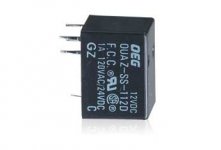
Back to the drawing board, I'll probably run a wire off the momentary switch on the control panel and wire that up to a relay and hook up the rest of my doorbell switches.
 
OP
D

Dakota00

Well-known member
Joined
Mar 9, 2008
Messages
1,078
Location
Woodbridge, Ontario
^^^ I had too much time and energy invested in the setup I have. So dropping more money on a wireless panel for an easy fix that I didn't need or like wasn't going to cut it.

The reason why I updated this thread is for future LM8500 users who do a search will come across this thread regarding adding more hardwired doorbell buttons if they like. Due to an error on my part, this afternoon I was able to get all 3 doorbell switches and the control panel to work in perfect harmony.
 
To avoid these ads, REGISTER NOW!
Top Bottom