OP
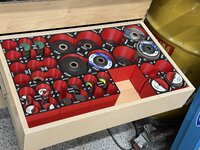
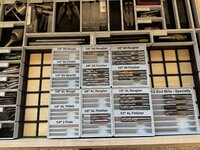
Not sure yet. I’m more or less playing a game of Tetris with piles of options on the counter trying to figure out where everting goes. The width is about 1/4” too narrow to fit a another set of 2” abrasives so I’ll have to go thru what I have and figure out how to utilize that space. I do have some 4.5” grinder guards and some backing plates that would fit nicely there. If I do tho, I’ll probably shift everything forward and put them in the rear since I almost never use them.You are really on a roll! Are you making filler strips for the open area, front left of drawer? I may need to upgrade my storage space, this is so frickin efficient!
Talking about the double holders here. Is there a reason? If it was mentioned I missed itScrewy ain’t it![]()
Let's back up just a bit...I think I missed something that is messing up my OCD
Talking about the double holders here. Is there a reason? If it was mentioned I missed it
#6 L --> R, #6 & #7 L -->R, #7 R --> L, #8 R -->L, #8 L -->R, #8 L -->R,My head is hurting. I hope to see these all layed out in a drawer maybe then it'll make sense to me.
Edit: I guess it would have been easier to ask why the #7 & #8 wood screw 3/4" and 5/8" containers seem backwards.
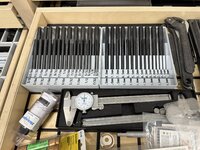
I can’t describe it. It’s crazy. It’s just so much better using tools that are organized. These transfer punches work fin in the holders they came in and even took up less space but I never could get the one I wanted on the first grab. With these organizers it’s only one grab every time.Goood laaawd! This is incredible. I thought a 3d printer would be fun for all my day to day garage shinanigans but this is cray.

![]()
Let's back up just a bit...I think I missed something that is messing up my OCD
Talking about the double holders here. Is there a reason? If it was mentioned I missed it
#6 L --> R, #6 & #7 L -->R, #7 R --> L, #8 R -->L, #8 L -->R, #8 L -->R,My head is hurting. I hope to see these all layed out in a drawer maybe then it'll make sense to me.
Edit: I guess it would have been easier to ask why the #7 & #8 wood screw 3/4" and 5/8" containers seem backwards.
Whatcha want? I decided that I will not share up into the maker sites but I’ll share here. I’ve contemplated consolidating all of the Amazon links too under an affiliate account which I could use to support my new filament addiction (seriously).Ok, I have come up with a plan. I am just going to buy all the same items that @lilscorpion has and hope he will share the files to save some time.You really are covering everything.

Appreciate it. Probably won't be till this fall/winter till I get up and running. I think the printer will end up as my black Friday pickup this year.Whatcha want? I decided that I will not share up into the maker sites but I’ll share here. I’ve contemplated consolidating all of the Amazon links too under an affiliate account which I could use to support my new filament addiction (seriously).
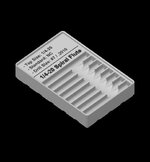
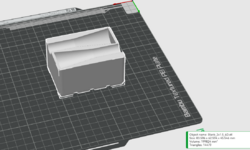
I’ve been messing with tap storage for the past few days. Printing now…
![]()
Somebody would be all over these pieces if you posted on a maker site, for their eBay or Etsy account. If you made royalty that would be one thing but to do the work and post it for free would be another IMHO.Whatcha want? I decided that I will not share up into the maker sites but I’ll share here. I’ve contemplated consolidating all of the Amazon links too under an affiliate account which I could use to support my new filament addiction (seriously).
I’ve been messing with tap storage for the past few days. Printing now…
![]()
That’s how I got mine. Any savings helps.Appreciate it. Probably won't be till this fall/winter till I get up and running. I think the printer will end up as my black Friday pickup this year.
Thanks. I’m getting more and more familiar with Bambu Studio and it turns out there’s quite a bit of functionality built in. Has some nasty bugs/glitches too. Eventually I’ll move to a full blown CAD software for other reasons, but for now, works goodSomebody would be all over these pieces if you posted on a maker site, for their eBay or Etsy account. If you made royalty that would be one thing but to do the work and post it for free would be another IMHO.
Every time I look at your creations I think they can’t get better, but they do. The letting, two colors, etc. is all next level.
Thanks. I’m getting more and more familiar with Bambu Studio and it turns out there’s quite a bit of functionality built in. Has some nasty bugs/glitches too. Eventually I’ll move to a full blown CAD software for other reasons, but for now, works good
Well yeah, it’s like right there and after all, Gridfinity is just a bunch of squares!Hold up....
You're designing all this directly in the slicer??? By using the "add primitive" command in Bambu then just doing negative cutouts and scaling sizes? If so....holy hell
I will often do lettering directly in the slicer as I find it's easier to make 8 or 10 of something for screws sizes etc just changing the text in slicer vs doing it in CAD, but I've never considered doing the actual design of the item there. But I also always had a CAD software available....so I used the tool I had and knew....hum.....


Fusion isn’t free….unless I’m doing it wrong. My trial expired and it’s like $50/mo IIRC.Jesus man, Fusion is free. I let the comment slide last night thinking there's no way I read that right. That's insane to think you've done all that directly in the slicer. Have you gotten into any of the model builders in MakerLab yet? Theres some pretty neat programs there that I haven't needed just yet, but will be handy at some point, I'm sure.
It’s better but not always easier. An example is text per @XJSuperman comment. Adding a word/string in the slicer to a base object takes seconds allowing me to reprint the same model with different words. Here’s an example: there’s only 3 different models I’m use for end mill holders but reprint them with diffent words to identify different tools. Super fast and easy.I had seen the comments about him adding text using Bambu but figured maybe that was it. That said the text creation on your items looks way nicer than a lot I have seen people make online.
I was definitely, leaning towards using Fusion when I get into it but don't know anything about the Bambu Slicer to know if it is better or worse option here.
In for learning more here.

Fusion can be used free for hobbyists. There are some features turned off with it and you can only have 10 editable models at a time active so you have to shuffle things around.Fusion isn’t free….unless I’m doing it wrong. My trial expired and it’s like $50/mo IIRC.
I am using a bunch of the makers tools primarily the ones specific to Gridfinity (any bin, any configuration). They’re really handy if you don’t want to or need to use cad.
It’s better but not always easier. An example is text per @XJSuperman comment. Adding a word/string in the slicer to a base object takes seconds allowing me to reprint the same model with different words. Here’s an example: there’s only 3 different models I’m use for end mill holders but reprint them with diffent words to identify different tools. Super fast and easy.
![]()
Have you gotten into any of the model builders in MakerLab yet? Theres some pretty neat programs there that I haven't needed just yet, but will be handy at some point, I'm sure.
autodessys.com


Recently, OnShape started to allow parametric modeling, merged with STL meshes. You can click any "face" of the mesh to create a sketch plane, and then it is the same interface as people are used to. Really helps when trying to deeper editing tools on a .STL mesh!There are then full "free" platforms like Tinkercad, Onshape, Freecad but I've got no experience with any of them
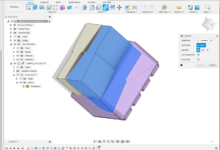
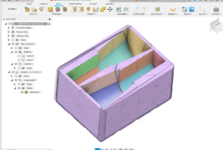
I’ll need to get fusion 360 so I can use the sheet metal, post for my CNC mill, post for plasma…and router. I should just get it. For whatever reason I really struggle with the learning curve even though everyone says it’s not so bad. @slodat even walked me thru it. I guess I’l old struggle with new. It’s truly the inertia to start more so than the work or mental effort. I’d probably seriously benefit from a class (but I’m cheap and don’t want to pay)…hahaTo my knowledge, the following are the major "professional" engineering targeted CAD programs with free/reduced cost licenses for personal/hobbyist usage:
Fusion 360-Probably the most common one or at least one with most social/youtube mentions:
SolidWorks-One of the defacto standards in engineering CAD/3d modeling systems of components/systems/assemblies etc....it's not free but 50/year so equivalent to 2-3 rolls of filament
SolidEdge(different then SolidWorks, owned by Siemens)-Less common then SolidWorks, but still a common-ish commercial engineering CAD package and has a free option:
Free CAD Software for Hobbyists and Makers | Solid Edge | Siemens
Eligible hobbyists and makers can apply for free access to software and resources through our Solid Edge startup program with one-year subscriptions.solidedge.siemens.com
The common thread here with these is in exchange for the reduced price, you get a reduced feature set and generally reduced privacy on files. Last I played with them, all (3) of those still had .stl or .stp file type export in their free version, but a personal expectation of mine is that at some point in the future Autodesk(maker of Fusion) will put that export behind a paywall to try and convert the hobbists to paid users. They're doing similar things to existing corporate users moving away from floating network licenses on Autocad...when the money is attractive enough I think it happens here too.
There are then full "free" platforms like Tinkercad, Onshape, Freecad but I've got no experience with any of them
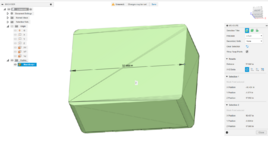
As I've thought thru this more....I've moved from "wth" to "I kinda love it" in probably 30 minutes. The big challenge with the 3d sharing sites of printables, makerworld etc is even if they share the native CAD files, you've got to have that software to really do anything with it. Sharing .stl's are great until you need to modify it and anything outside of basic scale operations or adding a hole/feature is challenging and often results in just remodeling it anyway. Doing it natively in the slicer allows anyone to modify it and adjust sizes...and for the most part we're just making blocks, rounding corners then putting some combinations of rectangles/spheres in as relief cuts
Whole heartedly agree with text being generally faster and easier to manage in slicer as well....which brings me to
I'm going to give designing stuff directly in the slicer a try. I just started a new job last week and as expected didn't take much effort to convince the new boss (who I've worked with for years) that a 3D printer would be very helpful for his 5S goals in our warehouse and shop. So I printed a couple pretty straight forward things, brought them in and was asked how fast I could have one in house....it shows up next week
My next challenge was what was I going to use for modeling as at this time they don't have any 3D modeling software for this application...but for basic tool holders, it's been well proven here that it's not hard to do directly in Bambu! So I'll give it a try
thanks for mentioning MakerLab! I kinda remember hearing about it but didn't dig in and had forgotten all about it. For those curious....see link below and dive in. Trying to solve some of the "I want this customized but don't have CAD skills/software" challenge
And going back a bit farther....whenever @lilscorpion decides to sell a .zip folder of all this amazing stuff or just setup a Patreon account I'll gladly jump in line to help pay for printer food in exchange for the assortment of files you've come up with. Stellar work
I've printed some of Pat's stuff he's loaded on GrabCAD and bought the sets just to drop in there as it was easier/faster then modeling my own etc
4 FN 27 | CAD Models | GrabCAD
3D CAD models designed by GrabCAD Community member 4 FN 27grabcad.com
I'm in the same boat -- I even installed Fusion and started using it, then stalled out.For whatever reason I really struggle with the learning curve even though everyone says it’s not so bad.
That's it for me -- I used 2D Autocad back in the dark ages, and I really just don't like the Fusion interface (parametric and timeline history). I've downloaded SolidWorks and I'm using that to restart my inertia.It’s truly the inertia to start more so than the work or mental effort.
That's a great reason for it. Before I retired I tried to get my department to switch over to VisualCAM inside of Rhino.I’ll need to get fusion 360 so I can use the sheet metal, post for my CNC mill, post for plasma…and router. I should just get it. For whatever reason I really struggle with the learning curve even though everyone says it’s not so bad. @slodat even walked me thru it. I guess I’l old struggle with new. It’s truly the inertia to start more so than the work or mental effort. I’d probably seriously benefit from a class (but I’m cheap and don’t want to pay)…haha


Not really. SketchUp is a pencil in 3D space. Fusion 360 is a parametric CAD software, where things are drawn on 2d planes, then brought into 3D via extrusion, revolving, etc. MOST parametric modelers behave similarly (F360, SW, OnShape, Inventor, etc), with some workflow differences.***** their update disrupted your work flow.
Taking notes here now. Sounds like it is worth it to get Fusion360 installed and start playing with well before I get the printer when I have a free moment.
Wonder if the tools are remotely similar to SketchUp.
Curious if the printer software or the computer "Auto-updated". Or did you accept an update without realizing the change it would have? Or was the first half "forced"?a new version is released and I have no choice but to take it because the printers needed version parity.