To avoid these ads, REGISTER NOW!

Resize jumbo picture attempt

Shadowdog500

Well-known member
Joined
Dec 7, 2009
Messages
9,927
Location
Down the shore
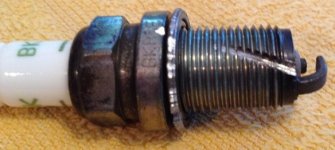
Not resized

15vxj
 
To avoid these ads, REGISTER NOW!

theoldwizard1

Well-known member
Joined
Feb 22, 2011
Messages
43,588
Location
SE MI
How to resize and post without having a hosting site !


  • Windows Paint has simple, easy to use resize capability. First, you need the file on your PC. Copy it to a second file (so you don't mess up the first one).
  • RIGHT CLICK the file name and use "Open with ..." to open it with Paint.
  • Resize is near the top to the left.
  • The amount you have to resize depends on how big the original was. I usually start with 66%. If that does not work, click UNDO and try a smaller number (the example was 25% of the original). Repeat until you get the desirable results.
  • Attach it to your post using "Manage attachments" (below your editing window).
  • Click "Preview Post"
  • Place your mouse pointer on the thumbnail and RIGHT CLICK. Click "Open image in new tab".
  • In that new that, select and copy the URL.
  • Use the "mountain" icon on the second row of the editing window menu and paste in that URL.


attachment.php


Cropping down to the "relevant" part is nice also !

attachment.php
 

Attachments

  • vx.jpg
    vx.jpg
    65.4 KB · Views: 53
  • vx.2jpg.jpg
    vx.2jpg.jpg
    69.6 KB · Views: 53
Last edited:
OP
S

Shadowdog500

Well-known member
Joined
Dec 7, 2009
Messages
9,927
Location
Down the shore
Get a free copy of PhotoScape and easily resize to 640x480 on your own computer, then post as an attachment here, or place it on a hosting site and point to it with a link.

http://www.photoscape.org/ps/main/index.php


Thanks, but I was looking for a way to resize linked photos from the web without having to pull them onto my computer.

Vbulliten used to let you put the desired image size on the first box. I was trying to see if the current host has that feature. If it does , I haven't found it.
Thanks,
Chris
 

theoldwizard1

Well-known member
Joined
Feb 22, 2011
Messages
43,588
Location
SE MI
Vbulliten used to let you put the desired image size on the first box. I was trying to see if the current host has that feature. If it does , I haven't found it.[/QUOTE]

Vbulletin DOES allow this [I](and I think you had the correct syntax)[/I], but it is either in a latter version than what Atomic Industries hosting site is running, or it is "turned off".


Pain in the **** doing it the other way, but I do it, if the pic is important to the thread.
 

DenisG

Well-known member
Joined
Jul 14, 2013
Messages
1,278
Location
Milwaukee
From one of your attempts, if I go to
http://imageshack.com/i/15vxj
I can see the picture in your album.

If I right click on the picture and select "Copy Image Location", then open up a new Tab in my browser and paste the copied image location:
http://imagizer.imageshack.us/v2/706x530q90/41/vx.jpg
I see your picture alone (not in your imageshack album).

In the image location address there is "706x530". That is the pixel size (which is fine for posting here). I can also change those numbers to "640x480" to change the picture size directly.
 
To avoid these ads, REGISTER NOW!
Top Bottom