To avoid these ads, REGISTER NOW!

Run ethernet cable or do wireless?

wyliesdiesels

Well-known member
Joined
Aug 14, 2012
Messages
19,983
Location
Modesto, CA
No, now you are using a circular argument... As I wrote earlier, the PC version of the Controller software will also not recognize the device if it has old firmware, and the user is back to SSH updates.

AGAIN, Ubiquiti is nice equipment for the price. And again I have deployed it at home, and set up long distance Ubiquiti backbones. I only set up the backbone because I had no other choice to get internet access; I'm not a pro.

BUT Ubiquiti is not always a good idea for the average consumer, who may also not be a pro, because it is often not as easy to deploy as consumer gear like TP-Link, which works just fine for most non-enterprise uses.

In THIS instance, I still stand by the recommendation that the OP use ethernet cable in the conduit, and a local consumer AP or wireless router for the garage network. For blasting wifi around the yard, there are several choices there, including the Ubiquiti Mesh unit, but the above caveats apply.

Hmmm I did not experience that on the last install i did utilizing software controller. It was an existing system and the AP had older firmware. It saw it an updated it just fine. Maybe you had really old firmware.
 
To avoid these ads, REGISTER NOW!

Deude_Mann

Well-known member
Joined
Feb 7, 2020
Messages
113
Location
Laredo, TX
I forget the version numbers (old vs new) but yes the Controller would not recognize the AP until I performed a manual command line update via SSH with a laptop and a USB ethernet adapter. Once I did that, everything worked well without changing anything else.

It's too bad because otherwise the AP would have been PnP except for the usual security configs and what not. I came about this -><- close to returning it. Right now I have the Unifi Mesh and an AC-AP-LR working in parallel using a common SSID (for handoff).

I also have a TP-Link CPE510 AP running in the same area. Even though it is not dual-band (5G only) I am using it to broadcast into a narrow area for long-range. I am getting 150mbps up and down from 550 feet away using a freaking cell phone as the client. Pretty great for the price. Four or six of these configured in a circular array could blast wifi over a huge area (with LOS). But then again, at that price one could get a high-power AP with a high gain omni and do the same thing.
 
Last edited:

Ralf11

Well-known member
Joined
Feb 29, 2016
Messages
2,275
do what the big boys do and run tubes, put some cord in there and CAT6 wire or 7 or fiber cable

keep your kids happy

I wouldn't tear a wall apart as you can do WiFi, but since you in construction stages on this, set it up so no one has to tear the wall out in the future
 

Git

Well-known member
Joined
May 18, 2008
Messages
6,894
Location
S Cal
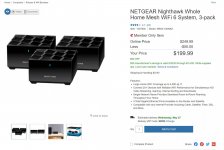
For you Netgear fans:

attachment.php
 

Attachments

  • TRI-418.jpg
    TRI-418.jpg
    115.6 KB · Views: 171

Crazyjake8493

Well-known member
Joined
Sep 26, 2014
Messages
3,949
Location
Upstate NY
I like to do wired anywhere it's remotely feasible. I'd run Cat6 to the shop then use an Ubiquiti AP in there for the wireless service.
 

wyliesdiesels

Well-known member
Joined
Aug 14, 2012
Messages
19,983
Location
Modesto, CA
I think the decision between wireless or cable, it depends on your use case. Personally I found it likes to have both, especially if I am working from home.

Even normally, a normal Wireless works greats if you are not far from the router, when working, in meetings like Zoom or similar ***** a lot the connection. However, using an ethernet cable directly to the router, it is working great for meetings. But that is my opinion, and because of it feets great in my case.

Having 2 network connections on a host can create all sorts of problems and is not a good idea.
 

Git

Well-known member
Joined
May 18, 2008
Messages
6,894
Location
S Cal
Having 2 network connections on a host can create all sorts of problems and is not a good idea.

It sounds like to me that when he is using Zoom (usually on a laptop) he likes to use a hardwired connection to the Router, not the Modem
 

Showkey

"MEMBER EMERITUS"
Joined
Aug 9, 2014
Messages
8,638
Location
Wausau WI
Can you guys explain a bit more those problems? By definition, a cable will be always faster than wireless, so I guess that if there are problems, should be related to config problems (but I would love to learn some of those situations when a solution does not work :) )

Most internet speed or capacity is capped by the service provider example they sell you a package with 5, 10,20, 50, 100, 200 Mbps or 1 gig service.

Often the wired or a decent wireless connection will be the same speed and bandwidth because the connection method is NOT the limiting factor.

Obviously more devices and people using the same connection will have its limits and may become the bottle neck. Of course....The type of use also plays a part streaming 4k vs email as an example.
 

jeepxj

Well-known member
Joined
Mar 2, 2008
Messages
17,831
Can you guys explain a bit more those problems? By definition, a cable will be always faster than wireless, so I guess that if there are problems, should be related to config problems (but I would love to learn some of those situations when a solution does not work :) )

the crappy consumer wifi routers have slow/tiny processors in them. they can handle a few connections at line speed fine. toss them 5-10 devices and latency goes up drastically due to the processing bottleneck. "prosumer" level of devices have much better hardware that can manage numerous connections without a noticeable drop in performance.
 
To avoid these ads, REGISTER NOW!

Salmanslim

Member
Joined
Jul 26, 2018
Messages
24
Location
Sacramento
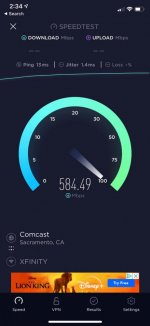
IMG_0579.jpg61204907291__A3230303-92BF-45E0-BA91-C320B1206A8F.jpgIMG_7292.jpg
61204921682__9316C25A-1A54-46D7-8F10-1B0072BE5D7F.jpg

Run cables and go with systems like ubiquiti / meraki type systems where all network appliances are separate and not all in one consumer solutions. 61179307832__DFD95724-B10E-4632-8CBC-3EAF5ACE4502.jpg


Sent from my iPhone using Garage Journal
 

Denwood

Well-known member
Joined
Sep 22, 2014
Messages
4,180
Location
Thunder Bay, Ontario, Canada
do what the big boys do and run tubes, put some cord in there and CAT6 wire or 7 or fiber cable

keep your kids happy

I wouldn't tear a wall apart as you can do WiFi, but since you in construction stages on this, set it up so no one has to tear the wall out in the future

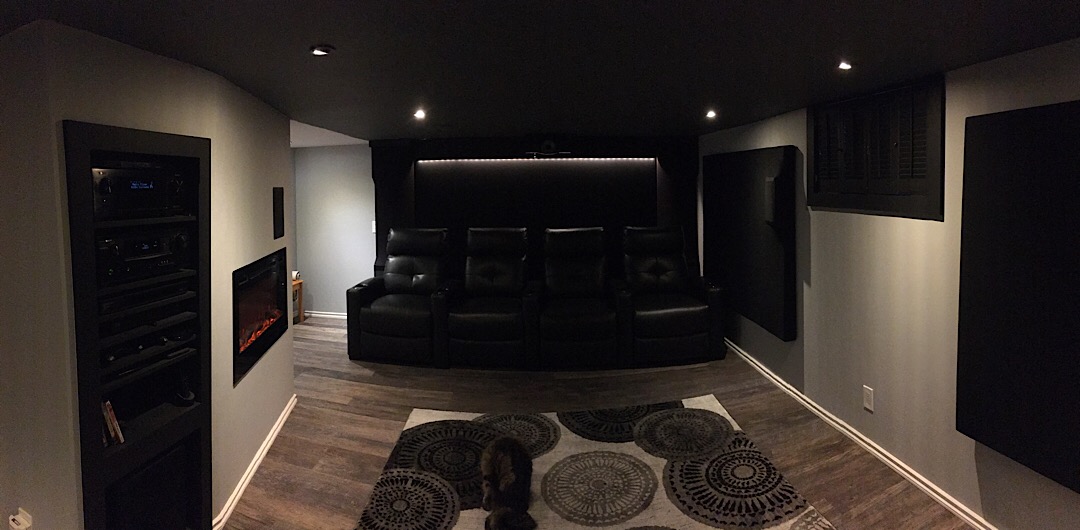
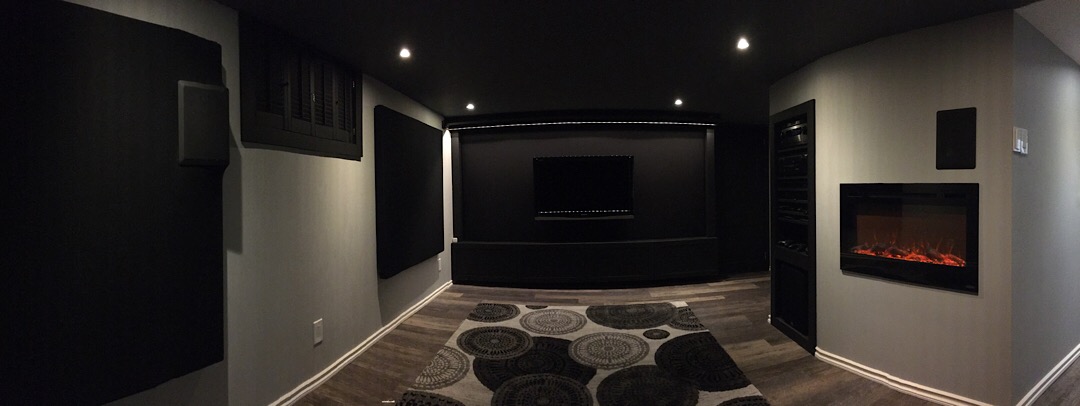
In my theater install, I ran all the wire for various components in the wall (power, HDMI, LAN, speaker cable etc), and ceiling. 2" conduit is run from the media rack to mechanical room and both ends of the theater where hidden acoustic wall panels give you full access. The conduit is empty. That's the way to future proof :)

Clean install with easy access for whatever the next level of HDMI, network, fiber etc. requires :) This is a 100 year old house so access is always an issue...

theatre2019_01_03.jpg


theatre2019_01_04.jpg


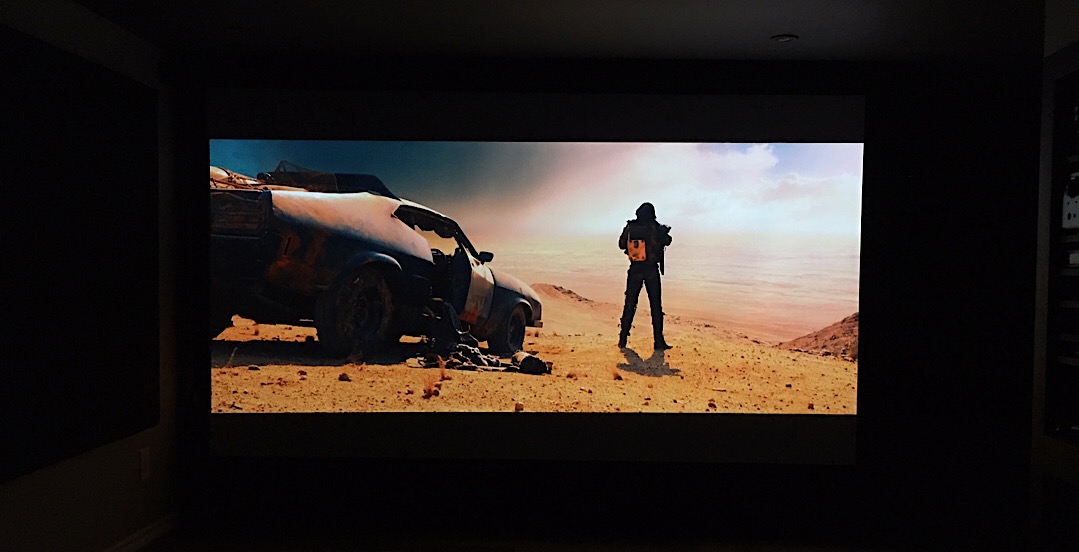
Screen dropped...

theatrescreendown2019.jpg
 
Last edited:

jeepxj

Well-known member
Joined
Mar 2, 2008
Messages
17,831
Totally agree, but how is connecting more than 10 devices at his home? I guess if you want more than that, it is because you want to prepare an office or similar to provide the internet. In that case, there are much other alternatives

I have 44 devices on my network.

wifi cameras
rokus
tv's
laptops
ipads.
IOT things which dont have much impact but they're there.
 

jeepxj

Well-known member
Joined
Mar 2, 2008
Messages
17,831
In my theater install, I ran all the wire for various components in the wall (power, HDMI, LAN, speaker cable etc), and ceiling. 2" conduit is run from the media rack to mechanical room and both ends of the theater where hidden acoustic wall panels give you full access. The conduit is empty. That's the way to future proof :)

Clean install with easy access for whatever the next level of HDMI, network, fiber etc. requires :) This is a 100 year old house so access is always an issue...

theatre2019_01_03.jpg


theatre2019_01_04.jpg


Screen dropped...

theatrescreendown2019.jpg


if you're building then certainly put 2" conduit from the network area to the attic and to points of central access in the main area. you can then smurf tube off of that to areas like near the main TV's, office, etc.
 

wyliesdiesels

Well-known member
Joined
Aug 14, 2012
Messages
19,983
Location
Modesto, CA
Totally agree, but how is connecting more than 10 devices at his home? I guess if you want more than that, it is because you want to prepare an office or similar to provide the internet. In that case, there are much other alternatives

I have at least 50 at my house.

TVs, streaming devices, cameras, network equipment, computers, IOT outlets, etc etc
 

Git

Well-known member
Joined
May 18, 2008
Messages
6,894
Location
S Cal
I use pfSense to do most of the heavy work. I have just over 100 static IP mappings. About 40 of those are for wifi devices, but usually, there are only about 25 connected at any one time. The rest are hardwired and normally 30 or so of those devices are online.
 

u3b3rg33k

Well-known member
Joined
Dec 18, 2017
Messages
4,047
Totally agree, but how is connecting more than 10 devices at his home? I guess if you want more than that, it is because you want to prepare an office or similar to provide the internet. In that case, there are much other alternatives

I mean everyone? what's not online?

a couple smart TVs, one cellphone & laptop per person, smart thermostat, etc.
ten happens pretty fast. I'd bet the average millennial household has 3-5 devices per person MINIMUM.
 

jeepxj

Well-known member
Joined
Mar 2, 2008
Messages
17,831
I use pfSense to do most of the heavy work. I have just over 100 static IP mappings. About 40 of those are for wifi devices, but usually, there are only about 25 connected at any one time. The rest are hardwired and normally 30 or so of those devices are online.

why on earth are you doing 100 statics at your house?
 

niget2002

Well-known member
Joined
Oct 2, 2012
Messages
11,115
Location
Josephine, TX
I think I might have weighed in on this conversation already, but just for giggles...

I'd run the wire. If for no more reason than one day you might decide to stick a security camera out there. Trying to feed a live feed out of the shop to the house over wifi 24x7 plus normal usage from a cell phone or laptop inside the shop could saturate the link.

I'm in the boat where I run wired for anything that won't be moved much. I even have wired to my desk for when I'm sitting there with my laptop.

Most laptops will disconnect from Wifi and prefer the wired.

My router shows I currently have 36 devices connected to the network with IPs. Granted, I do have 1 server running Esxi that has half a dozen VMs on it. Married couple with 2 kids... that's 2 cell phones, 2 ipads, 2 nintendo switches, and a couple of laptops. Then we start looking at the number of Rokus, alexas, wifi switches, etc etc... it adds up pretty fast.

As great as Wifi is, you can never go wrong running wired when it's easy to do so. The last house I had very little devices wired. It was a 2 story house and it wasn't setup with ethernet on the lower floor to begin with. I wasn't about to deal with that headache, so I just made sure I had full Wifi coverage.
 
To avoid these ads, REGISTER NOW!
Top Bottom