To avoid these ads, REGISTER NOW!

Security Cameras

Git

Well-known member
Joined
May 18, 2008
Messages
6,894
Location
S Cal
... I thought a 2TB recorder would record for a long time? I am actually planning on adding a couple of cameras or lets say I was to add 4 more cameras inside/outside the house, what would be the best way to do that, 4 individual CAT 5 cables, one to each camera? My NVR is 8 channels, it was just came with 4 cameras.

There are a number of things that will effect how much storage space is required.

Resolution, Frame Rate, Picture Quality, how many hours per day are you recording, etc - but it all controlled by the maximum bitrate. I am not sure your camera has that setting, but check to see if it does and what is it?

There are a number of online calculators out there - here is one that uses the more common settings I mentioned
http://www.ezwatch.com/nvr-storage-calculator

Here is a chart that shows some bitrates
http://www.hikvision.msk.ru/_fr/0/IP_Camera_Recom.pdf

Hikvision has some a program you can download that uses the bitrate
http://www.hikvision.com/it/download_more.asp?id=1080
 
To avoid these ads, REGISTER NOW!

Git

Well-known member
Joined
May 18, 2008
Messages
6,894
Location
S Cal
People tend to get caught up in MegaPixel and FrameRates. Here is a pretty decent video showing you what different frame rates look like. Remember - higher frame rates require more storage


bfr57

Well-known member
Joined
May 31, 2013
Messages
133
Since you have power at the gate this sounds like a good job for a Ethernet over Powerline system (HomePlug). Also be careful on Lorex Cameras. I have some that are essentially expensive paperweights now because their consumer cams don't do RTSP which my DVR system needs.


Sent from my iPhone using Tapatalk

Tell me more about Homeplug please!
 

Pwrgeek

Well-known member
Joined
Oct 18, 2015
Messages
288
Location
Texas USA
Tell me more about Homeplug please!


HomePlug is the current best standard for Ethernet over your power wiring. I use it in a couple of places. The nice thing is that it is manufacturer independent (everyone's gear plays nice with everyone else's). The way it works is there is a unit that plugs into your outlet (about the size of a wall wart) that has an Ethernet jack on it. You plug one in near where you have available Ethernet and connect it to your network. You can then plug as many others in as you want to any outlet fed from the same utility transformer and the Ethernet jack on those units will use the first one to get back to your network. Link to the ones I used but they are all pretty much the same.


http://www.amazon.com/dp/B00AWRUICG/?tag=atomicindus08-20


Sent from my iPhone using Tapatalk
 
OP
C

checkthisout

Well-known member
Joined
Sep 5, 2008
Messages
5,232
What should I check if I am all of sudden getting a bunch of noise on both cameras? The Hikvision and the Reolink both just got "fluffy".

Both are on same switch. I don't know if it's isolated to just night mode or what.
 

bfr57

Well-known member
Joined
May 31, 2013
Messages
133
HomePlug is the current best standard for Ethernet over your power wiring. I use it in a couple of places. The nice thing is that it is manufacturer independent (everyone's gear plays nice with everyone else's). The way it works is there is a unit that plugs into your outlet (about the size of a wall wart) that has an Ethernet jack on it. You plug one in near where you have available Ethernet and connect it to your network. You can then plug as many others in as you want to any outlet fed from the same utility transformer and the Ethernet jack on those units will use the first one to get back to your network. Link to the ones I used but they are all pretty much the same.


http://www.amazon.com/dp/B00AWRUICG/?tag=atomicindus08-20


Sent from my iPhone using Tapatalk

They had me until the last sentence of the product description, "Please ensure the adapters are connected on the same circuit". If their definition of a circuit is one that's on a circuit breaker in your main box, I can't do that with my configuration and I don't see how many could. How many times is the same electrical circuit is run, in let's say the kitchen and in a bedroom at the same time? Can't do it with NEC. Most household circuits are run according to a room, or 2 and the load. Am I missing something?
 

dclassical

Well-known member
Joined
Sep 25, 2008
Messages
1,130
They will work on different circuits. However they will not work if plugged behind a power surge protector (the signal is put on top of the 60Hz AC carrier and the power surge protector will remove it).
 

JohnnieMo

Well-known member
Joined
Nov 25, 2014
Messages
1,175
Location
Calgary, Alberta
Anyone use the Lorex from costco? Pretty cheap at 520 canadian. That's like 200 USD.
350-877588-894__1.jpg


http://www.costco.ca/.product.10023...rypageHorizontalTop|PopularProductsInCategory
I bought this exact kit for $499 at Costco. I had been tracking prices for a while and when I saw this for that price I jumped on it.

It is 1080p but it is still analog. So it isn't perfect. However I would say that you can make out people, day or night. It really depends how far away they are from the camera.

The only complaint I have is the software. The local terminal is poor at best. The app is pitiful. I work for a SW company so perhaps I'm overly critical. I've owned the system for at least 6 months and I still don't know how to use it well.

Here are some sample images:


Overall, no regrets. At that price it is easily worth it. 2TB plus 6 1080 cams..... No brainer.

Sent from my BlackBerry Priv
 
Last edited:

Pwrgeek

Well-known member
Joined
Oct 18, 2015
Messages
288
Location
Texas USA
They had me until the last sentence of the product description, "Please ensure the adapters are connected on the same circuit". If their definition of a circuit is one that's on a circuit breaker in your main box, I can't do that with my configuration and I don't see how many could. How many times is the same electrical circuit is run, in let's say the kitchen and in a bedroom at the same time? Can't do it with NEC. Most household circuits are run according to a room, or 2 and the load. Am I missing something?


They work fine as long as you are fed from the same power company transformer. May or may not have used them to "share" internet with a neighbor while AT&T was taking their sweet time doing his install.


Sent from my iPhone using Tapatalk
 

TonkaJoe

Well-known member
Joined
Dec 19, 2014
Messages
410
Location
Southern ON, Canada
Recently purchased this for my home after a number of thefts in the area.. one key incident left a man dead after he was confronted by the home owner while stealing a truck and shot. ( here in Canada you can't protect anything you own) :dunno: So this is my next best alternative..

4 Foscam HD cameras, 720P H 264 video compression, Motion detection, POE RJ45 port ( transfers power and data via single cable), 1 NVR , 4-ch 720P/960P HD IP camera access, H.264 main profile video compression, Supports HDMI and VGA local display. I'll also be running blue iris software to my phone etc.

A good family friend installs these systems, and should have it installed next week. The system, installed and configured along with reprogramming my computer etc will still have me just under $1000 which won't break the bank for some extra piece of mind while I'm away at work. Plus I have the option of adding cameras which I'll likely do in the near future after I get the hang of this!.


Well.. Here's an update on this bs... Family friend is not so much anymore, as it's been 5 months since I paid for the product and have had him cancel the installation numerous times using varying excuses. ( I'm apparently too nice)

I finally put my foot down and said forget the install, I'll be coming over to your place to pick my money up, I don't want to deal with excuses anymore!. SO.. now that I've learned a lot more on here from everyone regarding systems, do's and do not's, I'll be starting from scratch and getting a VERY good camera set up...
 

dw1

Well-known member
Joined
Jan 26, 2015
Messages
1,335
Location
Ky
Well.. SO.. now that I've learned a lot more on here from everyone regarding systems, do's and do not's, I'll be starting from scratch and getting a VERY good camera set up...
Install it yourself, its not that hard and if you get a POE system, you only need to run one cable to each camera. The Reolink system I bought is working pretty good, I realize there are better systems out there, but it suits my setup great and is working very well. If you can place your HD somewhere (Closet/Garage ect) and run a cable from it to each camera, thats the hard work, set up is easy. My camera system is on my barn (a mile down the road from my house), I have the NVR inside a gangbox. I have 2 cameras in and 2 out, they cover the drive coming in, I can look back at video and snap a pic if I want to, I can monitor on my phone.
Good Luck, its really not that bad to install!!
 

TonkaJoe

Well-known member
Joined
Dec 19, 2014
Messages
410
Location
Southern ON, Canada
Install it yourself, its not that hard and if you get a POE system, you only need to run one cable to each camera. The Reolink system I bought is working pretty good, I realize there are better systems out there, but it suits my setup great and is working very well. If you can place your HD somewhere (Closet/Garage ect) and run a cable from it to each camera, thats the hard work, set up is easy. My camera system is on my barn (a mile down the road from my house), I have the NVR inside a gangbox. I have 2 cameras in and 2 out, they cover the drive coming in, I can look back at video and snap a pic if I want to, I can monitor on my phone.
Good Luck, its really not that bad to install!!
I have the know how to run wires in concealment and get all the cameras installed etc.. the part I think I'll run into trouble with is the networking side of things.. I'm not a huge whiz on the computer with that kind of stuff so I might need someone for some assistance setting up the proper ports, configuration etc!. I think the furthest shot I'd like to have a really clear picture of is 50' or so on my one out building. I've been doing a lot of reading on these threads and trying to compile the attributes that I want in a system.. now it's finding a complete camera system that houses everything I'm looking for at the best bang for my buck!

Sent from my SGH-I747M using Tapatalk
 

dw1

Well-known member
Joined
Jan 26, 2015
Messages
1,335
Location
Ky
I have the know how to run wires in concealment and get all the cameras installed etc.. the part I think I'll run into trouble with is the networking side of things.. I'm not a huge whiz on the computer with that kind of stuff so I might need someone for some assistance setting up the proper ports, configuration etc!. I think the furthest shot I'd like to have a really clear picture of is 50' or so on my one out building. I've been doing a lot of reading on these threads and trying to compile the attributes that I want in a system.. now it's finding a complete camera system that houses everything I'm looking for at the best bang for my buck!

Sent from my SGH-I747M using Tapatalk
I ran my 4 cables from the NVR, one to each camera, I ran an ethernet cable from NVR to my modem, inserted the disc that came with my system, went online and registered my system and did the setup, it was really easy. I have since toyed with the cameras and figured a few things out as far as settings.
All in all, it was easy to install, plus there are a few on here that have more info/knowledge than I do and can help if you run into a problem
 

tonydanzah

Well-known member
Joined
Nov 14, 2009
Messages
5,275
Location
the champagne of people
Howdy, after reading through this there is so many options. Can anyone recommend a setup for 2 maybe 3 cameras with a dvr that can send email alerts. Can be mix and match with decent cameras.
 

eastbaysubaru

Well-known member
Joined
Dec 6, 2009
Messages
340
Location
NorCal
So I just picked up a mixed bag of Amcrest POE cameras that I plan on using with a PC running Blue Iris for management/remote access through their app. The reviews I've read/watched have been very positive for both the cameras and the software. Does anyone on here have familiarity with either the Amcrest cameras or Blue Iris? These are the ones I picked up:

https://www.amazon.com/gp/product/B01CZ1E9PI/?tag=atomicindus08-20

https://www.amazon.com/gp/product/B01E7LXPT0/?tag=atomicindus08-20

https://www.amazon.com/gp/product/B01H2JFE5W/?tag=atomicindus08-20

-Brian
 

PhantomEB

Well-known member
Joined
Feb 6, 2006
Messages
6,682
Location
Medicine Hat, AB, Canuckistan
JohnnieMo, I WILL be picking up one of those as my Christmas present!

Can I get pics thru phone? It be great relief to my sanity to check up on the place daily when up north. 2 -3 will be inside the garage and one at each door of the house way the hell up high where no one would tell where the cameras are until it's too late.
 

smalltown

Well-known member
Joined
Jul 9, 2015
Messages
985
Location
Western Maine
Very interested, and a very interesting thread.
I'm Just nibbling around the edges of security camera knowledge. Reading the specs on the few cameras I have seen I've noticed that they were not rated for cold environments. In Western Maine I can experience -20 below F. I'm not sure if that means the camera will cease to function until the temp rises or permanently ruin the camera?

Also I remember reading somewhere on here about inferred cameras regarding the "reflecting" of the inferred back from the license plates obscuring the license plate numbers. What's the work around for that issue ? Motion lighting, and a camera that does not use inferred?
 

dw1

Well-known member
Joined
Jan 26, 2015
Messages
1,335
Location
Ky
JohnnieMo, I WILL be picking up one of those as my Christmas present!

Can I get pics thru phone? It be great relief to my sanity to check up on the place daily when up north. 2 -3 will be inside the garage and one at each door of the house way the hell up high where no one would tell where the cameras are until it's too late.

I can "Capture" images on my phone, it will save the images in my photos
Here is one:


Very interested, and a very interesting thread.
I'm Just nibbling around the edges of security camera knowledge. Reading the specs on the few cameras I have seen I've noticed that they were not rated for cold environments. In Western Maine I can experience -20 below F. I'm not sure if that means the camera will cease to function until the temp rises or permanently ruin the camera?

Also I remember reading somewhere on here about inferred cameras regarding the "reflecting" of the inferred back from the license plates obscuring the license plate numbers. What's the work around for that issue ? Motion lighting, and a camera that does not use inferred?
Thank Goodness it doesn't get -20* here, but I have not had any issues yet with my 2 outdoor or 2 indoor (not heated yet) barn. Its gets in the low teens here some.
 

Attachments

  • IMG_0032.JPG
    IMG_0032.JPG
    95 KB · Views: 68

JayCar

New member
Joined
Mar 15, 2016
Messages
2
Is that a scaled down image? If not, do you think it would be possible to clearly read a license plate?
 

Git

Well-known member
Joined
May 18, 2008
Messages
6,894
Location
S Cal
About the only way your going to capture a license plate is to have a dedicated camera setup and zoomed in just for that purpose
 
To avoid these ads, REGISTER NOW!

JohnnieMo

Well-known member
Joined
Nov 25, 2014
Messages
1,175
Location
Calgary, Alberta
JohnnieMo, I WILL be picking up one of those as my Christmas present!

Can I get pics thru phone? It be great relief to my sanity to check up on the place daily when up north. 2 -3 will be inside the garage and one at each door of the house way the hell up high where no one would tell where the cameras are until it's too late.
Yes the app will show you live or recorded video on your phone. You can then get snapshots.


Mine only works when I'm at home (on the same network) but it is supposed to be accessible through the Internet. The terminal needs a wired Ethernet connection.

Sent from my BlackBerry Priv
 

TonkaJoe

Well-known member
Joined
Dec 19, 2014
Messages
410
Location
Southern ON, Canada
Figured I'd post an update on my whole run around... I got completely screwed by the first installer ( JS Lemac Computers) Scott had the wool pulled over my eyes from the start by suggesting a Foscam system ( which I knew nothing about at the time) until I started doing my research online.
It took 8 months to finally get my money back after police involvement. I'm ever so thankful that my credit card company went to bat for me as I'd otherwise never have seen my money again. Scott was able to go on a Caribbean cruise, a second trip, have his yard work done by a local company, order out on a regular basis etc.. but couldn't somehow show up to put my cameras up, pay me back, or return any of my calls, texts, emails once I started to question why he was continually putting me off. Even upon visit to his home requesting my money he was rude and belligerent, screaming at me when I showed him a print off from a website where former clients had told the story of being ripped off by him in the exact same fashion as he was doing to me.
When I also mentioned that the OPP had informed me that he was red flagged by them regarding possible Fraud allegations he lost it and called the police on me ordering me off his property telling them that his wife and daughter were fearing for their lives because I had shown up there requesting my money back... He welcomed legal actions by me stating "you'll get your money when I get around to it".
Thankfully with the advice of some peers I went to my credit card company asking for help. They took action after I decided that I didn't want to lose more time from my job due to Scott and his last minute installation cancellations. They handled the situation very well, and he now has to deal with the creditors. Sadly after all of this he still continues to rip people off with his fraudulent actions.

During this time I've learned a hell of a lot about camera systems and managed to order a Hikvision 8 camera NVR system. Cameras are 4mp DS-2CD2342WD-I turrets with 4mm lens
NVR is DS-7608NI-E2/8P and CAT6 cable. Quality is excellent on these cameras from what I've seen so far. Can't wait to get them installed!


Sent from my SM-G903W using Tapatalk
 

dw1

Well-known member
Joined
Jan 26, 2015
Messages
1,335
Location
Ky
Is that a scaled down image? If not, do you think it would be possible to clearly read a license plate?

Yes, that is a saved, scaled down image from my phone.

About the only way your going to capture a license plate is to have a dedicated camera setup and zoomed in just for that purpose

I have had my wife pull in there while I was looking from my laptop, I can take the saved image and zoom in and read the license plate.
 

dw1

Well-known member
Joined
Jan 26, 2015
Messages
1,335
Location
Ky
No, it was on her way home from work. I will see if I can get a night time pic and read the license plate. You can zoom in on the pic.
 

wyliesdiesels

Well-known member
Joined
Aug 14, 2012
Messages
19,983
Location
Modesto, CA
They had me until the last sentence of the product description, "Please ensure the adapters are connected on the same circuit". If their definition of a circuit is one that's on a circuit breaker in your main box, I can't do that with my configuration and I don't see how many could. How many times is the same electrical circuit is run, in let's say the kitchen and in a bedroom at the same time? Can't do it with NEC. Most household circuits are run according to a room, or 2 and the load. Am I missing something?

They didnt word that correctly.

The units need to be on the same hot leg of the service. This may take some moving around of circuit breakers as every other space in most panels is the same leg.
 

wyliesdiesels

Well-known member
Joined
Aug 14, 2012
Messages
19,983
Location
Modesto, CA
What should I check if I am all of sudden getting a bunch of noise on both cameras? The Hikvision and the Reolink both just got "fluffy".

Both are on same switch. I don't know if it's isolated to just night mode or what.

Trying power cycling them

When does this happen? night or day?

I bought this exact kit for $499 at Costco. I had been tracking prices for a while and when I saw this for that price I jumped on it.

It is 1080p but it is still analog. So it isn't perfect. However I would say that you can make out people, day or night. It really depends how far away they are from the camera.

The only complaint I have is the software. The local terminal is poor at best. The app is pitiful. I work for a SW company so perhaps I'm overly critical. I've owned the system for at least 6 months and I still don't know how to use it well.

Here are some sample images:

Overall, no regrets. At that price it is easily worth it. 2TB plus 6 1080 cams..... No brainer.

Sent from my BlackBerry Priv

Ive installed lots of those for people.

$499 is the non sale price for those at our costco and includes 8 cams.

Install it yourself, its not that hard and if you get a POE system, you only need to run one cable to each camera. The Reolink system I bought is working pretty good, I realize there are better systems out there, but it suits my setup great and is working very well. If you can place your HD somewhere (Closet/Garage ect) and run a cable from it to each camera, thats the hard work, set up is easy. My camera system is on my barn (a mile down the road from my house), I have the NVR inside a gangbox. I have 2 cameras in and 2 out, they cover the drive coming in, I can look back at video and snap a pic if I want to, I can monitor on my phone.
Good Luck, its really not that bad to install!!

analog only needs one cable as well. its called siamese and combines power wires and signal wire(rg59) into one cable

Honeywell%20Wire%20RG59%20and%2014-2%20Siamese-800x1000.png


It can be bought pre-terminated or in bulk and be terminated in the field

I have the know how to run wires in concealment and get all the cameras installed etc.. the part I think I'll run into trouble with is the networking side of things.. I'm not a huge whiz on the computer with that kind of stuff so I might need someone for some assistance setting up the proper ports, configuration etc!. I think the furthest shot I'd like to have a really clear picture of is 50' or so on my one out building. I've been doing a lot of reading on these threads and trying to compile the attributes that I want in a system.. now it's finding a complete camera system that houses everything I'm looking for at the best bang for my buck!

Sent from my SGH-I747M using Tapatalk

The networking portion is really not that hard. I find many are afraid of port forwarding but its not hard. I do it everyday.

One of us can help u.

Very interested, and a very interesting thread.
I'm Just nibbling around the edges of security camera knowledge. Reading the specs on the few cameras I have seen I've noticed that they were not rated for cold environments. In Western Maine I can experience -20 below F. I'm not sure if that means the camera will cease to function until the temp rises or permanently ruin the camera?

Also I remember reading somewhere on here about inferred cameras regarding the "reflecting" of the inferred back from the license plates obscuring the license plate numbers. What's the work around for that issue ? Motion lighting, and a camera that does not use inferred?
]/b]

Both can happen. U can get box cameras that install in a housing with a heater. In your environment this is what u will need.

Many PTZs come with their own heaters if u plan on buying a PTZ.

Infrared is necessary if u want to see things at night that have little or no illumination from other sources such as motion lights or street lighting.

If u use cameras without infrared, then u wont see anything in the dark.

Is that a scaled down image? If not, do you think it would be possible to clearly read a license plate?

If consistent readable license plate capture is important, there is special cameras that can do that. They have to be mounted in the right position to capture plates.

Of course a regular camera can do this as well if its position correctly.

Yes the app will show you live or recorded video on your phone. You can then get snapshots.

Mine only works when I'm at home (on the same network) but it is supposed to be accessible through the Internet. The terminal needs a wired Ethernet connection.

Sent from my BlackBerry Priv

U need to setup port forwarding and then enter your public IP address in the app if u want to be able to view cameras while you are away from your home.

I can help u with this if youd like.
 

JohnnieMo

Well-known member
Joined
Nov 25, 2014
Messages
1,175
Location
Calgary, Alberta
U need to setup port forwarding and then enter your public IP address in the app if u want to be able to view cameras while you are away from your home.

I can help u with this if youd like.

Wylie,

I certainly could use some help. I have done port forwarding before and had no issue, but this rig is something else. I must say, the Lorex hardware is excellent and well priced. However their software is about 15 years out of date. I would be embarrassed selling that stuff.

They recommend setting up a DDNS, which I did. However it just doesn't work.

My dropcam, on the other hand, just works with the app. No port forwarding... no fooling around... it just works. Same thing with my Plex media server. This stuff shouldn't be so hard.

If you have any tricks, I'd be thrilled to know them.
 

wyliesdiesels

Well-known member
Joined
Aug 14, 2012
Messages
19,983
Location
Modesto, CA
Wylie,

I certainly could use some help. I have done port forwarding before and had no issue, but this rig is something else. I must say, the Lorex hardware is excellent and well priced. However their software is about 15 years out of date. I would be embarrassed selling that stuff.

They recommend setting up a DDNS, which I did. However it just doesn't work.

My dropcam, on the other hand, just works with the app. No port forwarding... no fooling around... it just works. Same thing with my Plex media server. This stuff shouldn't be so hard.

If you have any tricks, I'd be thrilled to know them.

I have setup tons of Lorex DVRs and NVRs for port forwarding with no issues.

Yes the OS is a bit annoying but its basic so once u get use to it its second nature.

Without knowing specifics, i can only suggest that u should make sure u have a static address set on the DVR/NVR, check to see which ports are setup in the DVR, make any changes if there are conflicts with other hosts on the network and then log into your router/gateway, and enter the ports.

Unfortunately without knowing what router or gateway u have, i cant give u specifics on how to do the port forwarding for your gateway.
 

JohnnieMo

Well-known member
Joined
Nov 25, 2014
Messages
1,175
Location
Calgary, Alberta
Well here is what I've got. The DVR is a LHV2000 - 8 channel. It is wired directly into my local router. The router always assigns it to 192.168.0.10. I originally had it set to use DHCP but it obviously wasn't working.


So next I tried setting it to static and using the settings from the router.


This still hasn't made it work.

For reference, here are the DDNS settings (note I commented out the URL)


And then here are my modem settings. It is a Hitron. (a what you ask?? Ya that's what I thought. The ISP forces me to use this piece of garbage)


If you see any mistakes here, I'm all ears.
 
Last edited:

wyliesdiesels

Well-known member
Joined
Aug 14, 2012
Messages
19,983
Location
Modesto, CA
Well u didnt post a pic of your port configuration on thr NVR but i see an issue already.

Why are u forwarding public port 80 to private port 35000?

Thats why its not working.

The public port and private port should be the same:
80--->80, 35000--->35000, etc

U will most likely need 3 different ports. 80 is default for HTML and I always change that to 81 or something else as a security precaution.

On one of my cleints Lorex NVRs Im using 81, 35000, and 35001

post a screenshot of the port config page.

And ditch the DDNS. I never bother with that. Waste of time.

As far as IP address assignment, u want to start with DHCP, then change to static using same address. This way u have no IP conflicts.

And u want it to be static because if its not and gets a new IP address via DHCP then port forwarding and thus remote viewing wont work.
 
Last edited:

JohnnieMo

Well-known member
Joined
Nov 25, 2014
Messages
1,175
Location
Calgary, Alberta
Well u didnt post a pic of your port configuration on thr NVR but i see an issue already.

Why are u forwarding public port 80 to private port 35000?

I have an easy answer for that: I have no idea what I'm doing.

--

I set the ports as you described for HTTP, UDP and TCP. Here is a pic of the DVR.


The Web page now works (only in IE) however the app does not. How does the app know where to look? Is there a setting somewhere?

Of note my router doesn't allow me to set http to any port other than 80. No idea why.

Thanks for the help.


Sent from my BlackBerry Priv
 

JohnnieMo

Well-known member
Joined
Nov 25, 2014
Messages
1,175
Location
Calgary, Alberta
How does the app know where to look? Is there a setting somewhere?

Of note my router doesn't allow me to set http to any port other than 80. No idea why.

Thanks for the help.


Sent from my BlackBerry Priv

Nevermind. I just went in to the device manager in the app and set the IP to my WAN and it connected right up!

This isn't too complicated but the user manual explains none of it.

Sent from my BlackBerry Priv
 

wyliesdiesels

Well-known member
Joined
Aug 14, 2012
Messages
19,983
Location
Modesto, CA
I have an easy answer for that: I have no idea what I'm doing.

--

I set the ports as you described for HTTP, UDP and TCP. Here is a pic of the DVR.


The Web page now works (only in IE) however the app does not. How does the app know where to look? Is there a setting somewhere?

Of note my router doesn't allow me to set http to any port other than 80. No idea why.

Thanks for the help.


Sent from my BlackBerry Priv

Yes the app needs to know the public IP.

When u add a device, there is a box where u can select device ID or IP address. Select IP address and then type in your public IP.

As far as your router goes, dont select HTTP just add the ports needed. Is there a custom setting?

Post a pic of your router page.

So u got it working on your phone?
 

JohnnieMo

Well-known member
Joined
Nov 25, 2014
Messages
1,175
Location
Calgary, Alberta
Yes, it is working completely. Thanks for your help. I am over 100km from home right now and here is my screenshot.


When I get home I will try to change the router setting as you suggest.

Sent from my BlackBerry Priv
 

jblnut

ALLIANCE MEMBER
Joined
Jan 17, 2015
Messages
6,962
Location
In the Middle of MN
I am very surprised no one has mentioned Ubiquiti's cameras. I have installed over 150 of them on dairy farms in the last two years. They are a 24v POE camera, come with their own injectors and are $125ish each. The controller software can be run on Linux or Windows or you can purchase their NVR for $300ish. The Gen3 cams are full 1080p and rival the build quality and picture quality of a much more expensive camera.

There is no port forwarding BS to deal with as they can be logged into through a cloud based service. It just works. I'd go with Ubuntu 14 on the NVR PC as it just works. I have a few Windows 10 based installs out there and they work fine but are a PITA to keep running for more than a month at a time between reboots. The first Ubuntu machine I installed has been running for 400+ days without a reboot. Not bad.

I don't do security installs as a full time job and I don't claim to know it all by any means so take my opinions with a grain of salt. I have used a few other brands of equipment and found the Ubiquiti Unifi Video line to be the best bang for the buck, easiest to install and easiest to support.

This is one of my cams running on my Windows 10 based HTPC at my place.
30843217152_ed6dbe6503_b.jpg
 
Last edited:

Git

Well-known member
Joined
May 18, 2008
Messages
6,894
Location
S Cal
There is no port forwarding BS to deal with as they can be logged into through a cloud based service.

Post up a link to one of their cameras

I looked into it a little bit - it looks like your "UniFi Cloud access" uses these outgoing ports:

port 80/tcp, 3478/udp, 8543/tcp and 11143/tcp

Surely you don't have UPnP turned on in your router - because that is the only way those ports (other than 80) are going to get opened unless you do it manually

Yes, UPnP is by design insecure.

UPnP is a protocol designed to automatically open ports in a firewall to allow an outsider to access a hosted server on a local machine that is protected by said firewall.

UPnP is like mounting a lock on a door and then leaving the key in the keyhole. What's the point of mounting a lock then?

UPnP effectively makes the firewall useless. Any trojan could then set up a listening IRC server, RAT server or anything other suspicious and then ask the firewall to open the port for them.

If you have a router which supports UPnP, disable the protocol immediately. I haven't yet stumbled upon a router which does not permit disabling UPnP, so in all routers it should be possible. It might be some ISP locked down router that has customer administration completely disabled, but then you should be able to ask your ISPs customer service to have UPnP disabled.
 

jblnut

ALLIANCE MEMBER
Joined
Jan 17, 2015
Messages
6,962
Location
In the Middle of MN
Amazon sells the bullet cam for $179, I get them from Ubiquiti as a reseller for much less. A Google search is easy, do your own for Ubiquiti UVC-G3.

When you refer to "Unifi Cloud Access" you are referring to their Unifi Cloud Key or the Unifi Controller on a PC, which is used on the switching/routing side of things, not the Unifi Video side of things.

UPnP is turned off. That is the first thing that should be done with any router when it is setup. Aside from turning UPnP off on a customers router (I of course tell them why it's necessary) the only thing I do to the router is to reserve the the local IP's of the installed equipment.
30659937920_a8f41baffb_b.jpg
 
Last edited:

jeffmoss26

Well-known member
Joined
May 25, 2011
Messages
12,851
Location
Cleveland, Ohio
I have worked on the Ubiquiti stuff for a customer. He did the configuration, I ran the wires and installed the cameras. Had to make up some brackets to mount to beams in the warehouse, but everything works nicely. He is using their POE switches so no need for the injectors.
 

Frontierajl

Well-known member
Joined
Oct 31, 2015
Messages
292
Location
Northern California
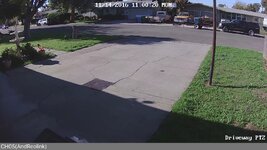
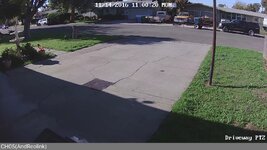
I really like the ReoLink ones on Amazon for the price and quality. I installed them a few months ago. Ran the CAT 5e cable myself which was a pain since we don't have an attic. Well worth it though. They've held up great so far and have a nice picture. This pic was a screen shot of their app from my phone while at work. It's much clearer at full resolution on the NVR. 2236ffaac7b921657cca98d4bda93c00.jpg


Sent from my iPhone using Tapatalk
 

Attachments

  • 2236ffaac7b921657cca98d4bda93c00.jpg
    2236ffaac7b921657cca98d4bda93c00.jpg
    431.4 KB · Views: 0
To avoid these ads, REGISTER NOW!
Top Bottom