Same questions here thinking of jumping in, but don't want to limit myself or overbuy. Mostly small parts, and one-offs.
p2s with AMS
IMO best bang for buck for general purpose

Same questions here thinking of jumping in, but don't want to limit myself or overbuy. Mostly small parts, and one-offs.
I've read mixed reviews about the actual run-times when going dual nozzle with a dedicated support filament vs a single nozzle setup and many report that they see no real world difference.
Something about the other nozzle not being able to run as fast, it's limitation when it comes to filaments, and whatever else I may be forgetting or haven't thought about.
I run a P1S and while there is zero reason to upgrade at all, I thought I'd look into getting a P2S or X2C.
I guess it depends on how much support material the print needs vs the non-support filament. If the print uses a considerable amount of support then the time can be greatly reduced. The bigger win is the amount of wasted filament due to purging. I have a tri-color print that took 19 hours on my X1C and wasted close to 1/4 of a spool of filament between the three colors due to purging. With some strategic spool placement, that same print on my H2C takes ~15 hours BUT the filament wasted fit in my hand with plenty of space left.
I don't see any info about the X2C, are you confusing and mixing up the names between the X1C and the X2D?

Correct, that’s how i do it, works well. Sometimes. Sometimes i use the same filament. The real time **** is purging every time it chamges filament.Isn't the most efficient way to use the second material just for the support interface, not the whole support structure? That way it isn't switching material every layer, just the interface layers. Unless there is a specific need for the dissolvable filaments for internal structures...
I haven't played with that at all, just going off of the little I've read about it.
From a guy that has never printed anything and figuring out which printer would be best. The X2D with ams is only 150 dollars more then the p2s with ams I believe. I have no clue if the second head for supports is needed for what I want to print but my thought was I don't want to spend 750 for the p2s and then find out down the road the x2d would have been better. That extra 150 seems like a good idea to spend now and have the capability in case I need it. Is there any downside to getting the x2d over the p2s if you don't ever use the second head besides the price? I just hate when I spend money on something and later wish I had spent a few more bucks to have more features.p2s with AMS
IMO best bang for buck for general purpose

Need a little help please. Just got a P1S, trying to use it for the first time. Did a test print, it’s ok. But trying to do a chair part i’m getting confusing data. As you can see in the picture, i have selected the p1s and the 0.4 nozzle. That agrees with what the printer shows on its on-board control screen.
.
But when you look down below, it shows a 0.2 nozzle on a x1c. And the x1c is the only printer available to choose. What’s going on?
.
.4 is the diameter of the nozzle and .2 is the layer height. Two different things.
 i knew that. Really … i did.
Can’t help you specifically with your question, but that is the approach that I took when I selected the X1C over the P?S. I have absolutely no regrets.From a guy that has never printed anything and figuring out which printer would be best. The X2D with ams is only 150 dollars more then the p2s with ams I believe. I have no clue if the second head for supports is needed for what I want to print but my thought was I don't want to spend 750 for the p2s and then find out down the road the x2d would have been better. That extra 150 seems like a good idea to spend now and have the capability in case I need it. Is there any downside to getting the x2d over the p2s if you don't ever use the second head besides the price? I just hate when I spend money on something and later wish I had spent a few more bucks to have more features.

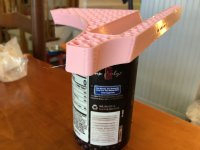
You may want to hold off. The H3C might be coming soon.I really want to buy an H2D or H2C, but need to make more room somewhere for it first.

I am sure an H3 would be an upgrade but honestly, the H2 is pretty fancy. Maybe if the H3 is dropping the prices will come down on the H2.You may want to hold off. The H3C might be coming soon.
https://www.reddit.com/r/BambuLab/comments/1wemnus
Yeah, I have an H2D and I am most definitely not going to upgrade to the H3D no matter what its specs are. I only do functional prints and have not been limited by the H2D's specs yet.I am sure an H3 would be an upgrade but honestly, the H2 is pretty fancy. Maybe if the H3 is dropping the prices will come down on the H2.
I wouldn't mind something with 2 print nozzles though, this thing does two color pretty fast compared to my P1S. I don't know that I could personally ever justify a H2 though. The X2D is looking tempting though.
On the voids … that’s what happens when you install a new 0.6 nozzle and fail to update the printer via the on-board control screen. No matter how many times you select 0.6 on the slicer … it doesn’t take.Next question. What is causing the voids on the corners? What test should i run to determine which settings to asjust? And going back to the previous question a little, i selected 3d honeycomb infill but it printed gyroid. Why?
.
I use my all the time for that sort of stuff. I just made a couple of spacers for Blink camera mounts. I could have cut them out of wood but a quick model and 30 minutes of print time and I was done.Thinking of getting a printer to make some small parts for the bikes that are unobtanium, and some jigs for rebuilding speakers. I'm sure there are other things in the future that could justify the expense, and space.