To avoid these ads, REGISTER NOW!

Wifi and mesh systems

Reit38

Well-known member
Joined
Nov 12, 2011
Messages
626
Location
Iowa
Getting new internet hooked up in our new to us house. Provider will be CenturyLink (unfortunately only one available) my pole building shop is 100ft from the house. And would like to get wifi out there

Would a mesh system work for my situation ? Never used it before and some research has led me to think it might be the easiest way
 
To avoid these ads, REGISTER NOW!

loganb

ALLIANCE MEMBER
Joined
Dec 29, 2011
Messages
5,508
Location
Omaha, NE
Assuming no interest in trenching a fresh cable there and no existing phone line or open conduit there?

Yes, 100' away shouldn't be a problem, big improvement in strength if you use exterior rated units and mount both the house and shop units outside so that the walls aren't absorbing the signal strength. If there aren't significant trees between house and shop you may be able to get away with just an exterior mounted access point on the shop side of the house, but if not could then put shop one in as well
 

skamp

Well-known member
Joined
Jul 20, 2007
Messages
644
Location
Cypress, TX
Use a point to point bridge like this. Get two of these. Less than $200 for both. Easy and reliable.


or this


Here is a good article on point to point bridges. If you are only 100 feet away a mesh config may work but a point to point will definitely work.


Steve
 
Last edited:

My Old Tools

Well-known member
Joined
Jun 4, 2014
Messages
5,427
Location
Hamrick Lake, TX
Getting new internet hooked up in our new to us house. Provider will be CenturyLink (unfortunately only one available) my pole building shop is 100ft from the house. And would like to get wifi out there

Would a mesh system work for my situation ? Never used it before and some research has led me to think it might be the easiest way
Yes, I do the same with a Google mesh. Put one near a window closest to the shop, another in a shop window closest to the house. Works fine for me.
 

Showkey

"MEMBER EMERITUS"
Joined
Aug 9, 2014
Messages
8,638
Location
Wausau WI
Same here on Orbi Mesh multiple level home, garage, surrounding acre and detached shop 100’ distance. One base and two satellite.

Only wild card with pole building is the metal siding ? That can be a problem.
 

fuggle

Well-known member
Joined
Apr 9, 2013
Messages
83
Location
Way North in California
I had problems with asus routers running in mesh mode. The main problem was when I moved a device from the house to the shop. The connection was unreliable. It acted like it didn't want to switch between nodes. At work we had cisco wireless routers and they seemed to work well. I prefer running ethernet. Second would be the Ubiquiti wireless point-to-point mentioned above. A more expensive solution.
 

nadogail

Well-known member
Joined
Jan 23, 2009
Messages
31,928
Location
Coronado, CA
My IT consultant fitted me up with a Linksys (sp) system, he is my trusted pro and that was his recommendation. Your results may vary.
 

FredWanaker

Well-known member
Joined
Mar 27, 2021
Messages
1,470
Location
NorCal
maybe if the ground wasn't too hard or rocky, I might bury a cat 6 cable a few inches deep and be happy with that until I could trench something deeper in conduit. Very reliable. Kinda wonder why there aren't spare conduits running between the house and workshop. That is the first thing I might consider doing when building a workshop. Could be for any future utility.
 
OP
R

Reit38

Well-known member
Joined
Nov 12, 2011
Messages
626
Location
Iowa
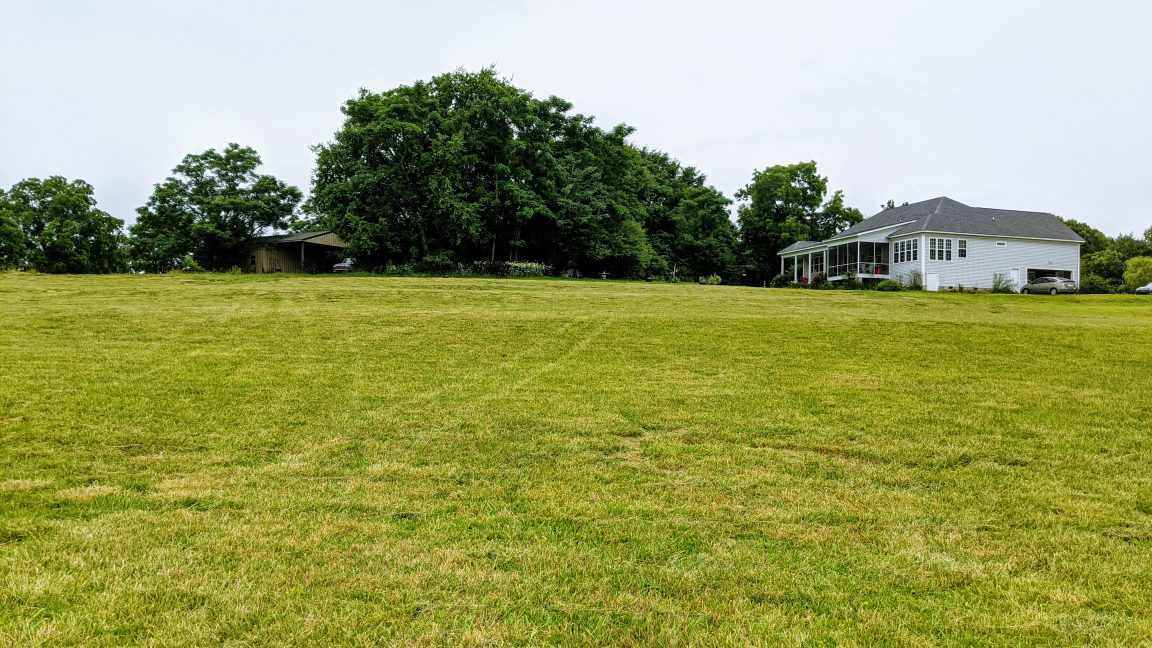
I'm trying to stay away from trenching. More of a time issue then anything right now. No real big trees in the way other then 2 overgrown apple trees but they will be coming down soon. Then shed side closest to the house does not have any windows and the shed is insulated and has osb on inside walls
 

duneslider

Well-known member
Joined
Jan 20, 2013
Messages
2,247
Location
Riverton, Utah
The consumer level mesh may work okay at that distance but in the long run something more pro level like the ubiquiti stuff posted above will give you better results.

I have a ubiquity access point mounted in the eave of my covered patio and I can get internet really far away in some directions. It works considerably better than the google home wifi it replaced.
 

Bad Habit

Well-known member
Joined
Mar 19, 2014
Messages
1,983
Location
Chumstick WA
I have a Netgear ORBI system. It's not a mesh, it uses a backhaul channel to the satellites/remotes, which then are APs. It was the only system I found that also had an ethernet port at the remote where I could hook up a POE switch to power cameras. It also doesn't require internet service to make changes, etc which a lot of systems seem to want (i.e. all stored on the cloud). We have a ripping 2-3mbs connection that goes down a lot. Internal network speeds are great, just have to crawl to see the outside would.
 

Git

Well-known member
Joined
May 18, 2008
Messages
6,894
Location
S Cal
I'm trying to stay away from trenching. More of a time issue then anything right now. No real big trees in the way other then 2 overgrown apple trees but they will be coming down soon. Then shed side closest to the house does not have any windows and the shed is insulated and has osb on inside walls
$60 and a little work and your done. Extremely reliable wired system. Direct burial cable, just put it a couple of inches down if you have to.

T- 628.jpg

T- 629.jpg
 

JazzBlueRT

Well-known member
Joined
Jun 11, 2017
Messages
1,215
Getting new internet hooked up in our new to us house. Provider will be CenturyLink (unfortunately only one available) my pole building shop is 100ft from the house. And would like to get wifi out there

Would a mesh system work for my situation ? Never used it before and some research has led me to think it might be the easiest way

The further out the signal goes, the easier it will be to get compromised. It takes literally less than 5 minutes to run easily downloaded scripts and run them to get usernames ands passwords.

If you go with such a system, you will need to lock down the wifi to known mac addresses.
 
OP
R

Reit38

Well-known member
Joined
Nov 12, 2011
Messages
626
Location
Iowa
20211004_191501.jpg

Picked this up tonight hopefully it's strong enough. Price seemed to be right also 🤔
 

davecz

Member
Joined
May 14, 2021
Messages
21
Location
Indiana
Interested to see how well that works, Im between the bridge route or mesh. Barn is about 100 ft from garage, wifi signal reaches but very weak. If I could do bridge without outdoor mounts I would do that.
 
OP
R

Reit38

Well-known member
Joined
Nov 12, 2011
Messages
626
Location
Iowa
It'll be awhile before I know how it works. Century link was out yesterday and said that our service is bad so they'll have to redo it
 
To avoid these ads, REGISTER NOW!

tthornto

Well-known member
Joined
Mar 11, 2011
Messages
743
Century Link may not be your only option for very long. I would sign up here now to try and get Starlink, SpaceX is launching satellites and expanding their coverage very rapidly. https://www.starlink.com/

From the site:
"Starlink is now delivering initial beta service both domestically and internationally, and will continue expansion to near global coverage of the populated world in 2021.
During beta, users can expect to see data speeds vary from 50Mb/s to 150Mb/s and latency from 20ms to 40ms in most locations over the next several months as we enhance the Starlink system. There will also be brief periods of no connectivity at all.
As we launch more satellites, install more ground stations and improve our networking software, data speed, latency and uptime will improve dramatically."

I personally think this will soon be the best internet option for most rural areas worldwide.
 

Bad Habit

Well-known member
Joined
Mar 19, 2014
Messages
1,983
Location
Chumstick WA
Still gonna be a while before it's readily available. Threw my name into the hat sometime last year. Put down my $99 to confirm my commitment in February. Just last week I got notified my ticket got pulled and sent them another $505. Now just waiting for them to ship. Looking like week of 10/25, but that's always subject to change (I have a Bronco on order to, so use to having delays...)
 

eastbaysubaru

Well-known member
Joined
Dec 6, 2009
Messages
340
Location
NorCal
I've been signed up for Starlink since March (I live in Northern California). Not expecting anything soon, but when it comes it will be night and day. The only reasonable option for internet here is a concatenated two-dsl line setup that tops out at 16Mbps. Starlink can't come fast enough.

I'll also second burying a line (either in a conduit (Best), or direct burial (Better)). It will ultimately be much more reliable than anything wireless.

-Brian
 

davecz

Member
Joined
May 14, 2021
Messages
21
Location
Indiana
So I set up the wifi in my barn today. Barn is about 100ft from the closest part of my house (probably 200 from where the actual router is) What I ended up doing is getting a wifi bridge and an access point, each cost about $60 from amazon and the internet speed is just as fast in the barn as in the house. It took some tinkering because the bridge I got had horribly translated Chinese instructions. Quick version is power both sides of the bridge so they link, plug home bridge into router, put slave bridge in barn, plug access point into bridge in barn, configure access point to have same SSID and password as main wifi for seamless transition, and done. Even with both bridges inside it has a speed of 60+ mbps, can probably get it faster if I mount it outside the barn but not worth the hassle at this point.

Hope this helps, a lot cheaper than a mesh system and I think faster speeds.
 

MattN03

Well-known member
Joined
Nov 4, 2007
Messages
601
Location
KY
So I set up the wifi in my barn today. Barn is about 100ft from the closest part of my house (probably 200 from where the actual router is) What I ended up doing is getting a wifi bridge and an access point, each cost about $60 from amazon and the internet speed is just as fast in the barn as in the house. It took some tinkering because the bridge I got had horribly translated Chinese instructions. Quick version is power both sides of the bridge so they link, plug home bridge into router, put slave bridge in barn, plug access point into bridge in barn, configure access point to have same SSID and password as main wifi for seamless transition, and done. Even with both bridges inside it has a speed of 60+ mbps, can probably get it faster if I mount it outside the barn but not worth the hassle at this point.

Hope this helps, a lot cheaper than a mesh system and I think faster speeds.

Do you have Amazon links for us IT illiterate type folk?
 

liliysdad

Well-known member
Joined
Jul 18, 2008
Messages
5,379
I'm running an Amazon Eero gen 1 system, and it works great. My shop is a steel pole barn about 150' from the nearest beacon, and a beacon in the shop works well enough for streaming music and television.
 

jshillin

Well-known member
Joined
Nov 9, 2008
Messages
5,593
Location
PA
Is the electric in your shop fed from your house or is it separate? If it's fed from your house, get a set of powerline ethernet adapters and put a WAP or router in the building. That's how I have my garage setup and it's been rock solid for years.
 

u3b3rg33k

Well-known member
Joined
Dec 18, 2017
Messages
4,047
The further out the signal goes, the easier it will be to get compromised. It takes literally less than 5 minutes to run easily downloaded scripts and run them to get usernames ands passwords.

If you go with such a system, you will need to lock down the wifi to known mac addresses.
That's not how any of this works.

unless your password is on this list:

and mac address locking is trivial to bypass. don't even need a script to do it, just read the man page for ifconfig.
 

Dodge

Well-known member
Joined
Feb 8, 2008
Messages
557
Location
Illinois
Is the electric in your shop fed from your house or is it separate? If it's fed from your house, get a set of powerline ethernet adapters and put a WAP or router in the building. That's how I have my garage setup and it's been rock solid for years.
Could you explain in more detail how you did this install, please? I have heard of it, but not sure how to accomplish this. Thanks
 

jshillin

Well-known member
Joined
Nov 9, 2008
Messages
5,593
Location
PA
Could you explain in more detail how you did this install, please? I have heard of it, but not sure how to accomplish this. Thanks
It's actually pretty simple. Buy a set like this: https://www.bestbuy.com/site/netgea...77&gclid=CImO9b_G-_QCFYH2swodptgPtA&gclsrc=ds

Plug one in the wall near your router, run a network cable from your router to the adapter. Plug the other adapter in your garage, run a network cable from the adapter to another router or WAP. It simply uses your electric lines from the house to the external building to carry the signal.
 

Metal-Marc

Well-known member
Joined
Aug 31, 2009
Messages
7,140
Location
Foothills of the Adirondacks
$60 and a little work and your done. Extremely reliable wired system. Direct burial cable, just put it a couple of inches down if you have to.

T- 628.jpg

T- 629.jpg
This comes up all the time. If you run cat6 cable between two buildings, you run the real risk to fry the electronics at both ends if there is a nearby lightning strike.
 

Metal-Marc

Well-known member
Joined
Aug 31, 2009
Messages
7,140
Location
Foothills of the Adirondacks
It's actually pretty simple. Buy a set like this: https://www.bestbuy.com/site/netgea...77&gclid=CImO9b_G-_QCFYH2swodptgPtA&gclsrc=ds

Plug one in the wall near your router, run a network cable from your router to the adapter. Plug the other adapter in your garage, run a network cable from the adapter to another router or WAP. It simply uses your electric lines from the house to the external building to carry the signal.
I'm using this setup to bring the internet to my garage from the house including phone service (voip). It works great.
 

Git

Well-known member
Joined
May 18, 2008
Messages
6,894
Location
S Cal
This comes up all the time. If you run cat6 cable between two buildings, you run the real risk to fry the electronics at both ends if there is a nearby lightning strike.
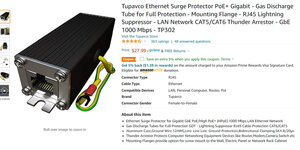
Or you if you live in area with a lot of rain and lightning (I don't), you could simply buy a surge protector :dunno:

I have a POE IP Cam with about 300' of outdoor rated Cat6 running to it in my backyard, and I have never had a problem


TRI-008.jpg
 

Metal-Marc

Well-known member
Joined
Aug 31, 2009
Messages
7,140
Location
Foothills of the Adirondacks
Or you if you live in area with a lot of rain and lightning (I don't), you could simply buy a surge protector :dunno:

I have a POE IP Cam with about 300' of outdoor rated Cat6 running to it in my backyard, and I have never had a problem
Good for you. I wish you the best of luck for the future. As long as you don't experience a somewhat close hit, you're good.

I'm just putting the info out there for those who are interested in doing it the right way.

Lightning arrestors are only as good as your grounding sysyem, which most residential buildings don't have.

C.F. the Motorola grounding bible.
 

Dodge

Well-known member
Joined
Feb 8, 2008
Messages
557
Location
Illinois
It's actually pretty simple. Buy a set like this: https://www.bestbuy.com/site/netgea...77&gclid=CImO9b_G-_QCFYH2swodptgPtA&gclsrc=ds

Plug one in the wall near your router, run a network cable from your router to the adapter. Plug the other adapter in your garage, run a network cable from the adapter to another router or WAP. It simply uses your electric lines from the house to the external building to carry the signal.
That does sound simple and easy. Thanks, jshillin
 
To avoid these ads, REGISTER NOW!
Top Bottom