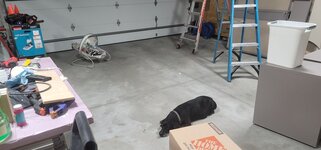
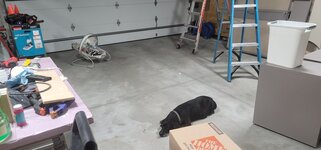
It's helpful to make sure the printer is someplace that if you get kicked to the doghouse you can easily use it without disturbing her

And at least here it makes gift ideas easier and she just tells me to "order some fun filament" as part of bday/

/fathers day etc!
Somewhat similar routine here, getting them to daycare is on me but the wife is home still as she's out the door about 7:30 but on Monday I'm going to start turning the light on in the 3 year olds room about 10 minutes earlier as she has her mother's "love" for mornings and is highly in the "I do it" phase and we just need more time for her to do it as she wants, at the pace she generally wants while I work with little brother. It's way faster if I get her dressed....but if she's slow but gets it done and we leave the house smiling over crying...that's a win!
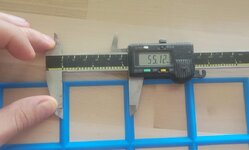
I'm pretty clueless about modifying existing .stl, from what I can tell Fusion plays with it "nicer" or maybe "easier" than SolidWorks, but I'm in the process of designing the "bottom" of the boxes to mate up with the grid in Solidworks myself so I can easily do my own. He tossed a couple boxes up on Thingiverse and there is a "remix" of his boxes on the Prusa Printers page here
https://www.prusaprinters.org/prints/55929-assortment-boxes-with-grid
A number of his designs I'll likely use "as is" but for most of the tool holders they'll need to be custom and I was struggling with how to do it "intelligently" but here is what I'm trying:
The base of all the boxes are a repeating pattern of the same element, so to minimize work one should be able to design that "element" then use the pattern tool in Solidworks to generate the desired grid size....well here goes!
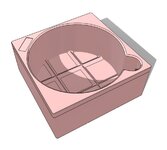
Started with the base "element", this is a simple square profile that was then chamfered on the bottom, "shelled" out for the wall thickness and then some fillets for the corners:
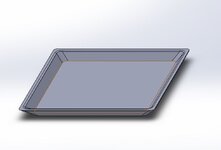
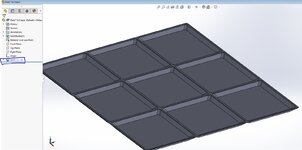
Next up is making a pattern of the desired size. In this case I did 3x3 as that's the size I need for the first item I want to design some holders for and the larger size will show any stacked up dimensional issues easier than a 1 x 2 or 2 x 2 grid. The largest I can print on my Prusa is 3 x 4

In the left hand part "tree" it shows this as a pattern with 9 iterations of the same part...this is a problem in 3D printer land as it "sees" those as 9 separate parts instead of a larger, single component so next I need to fix that
This step probably took me the most time as my Solidworks experience is seriously rusty but with the help of Google I eventually got the "join" command to do what I wanted....once I found the command in the right sequence it was super easy!
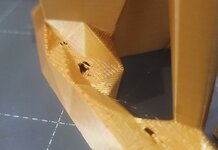
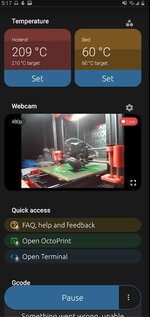
So that got me a .stl file I could then import into the Prusa....and a trek down the stairs to the basement later I've got this running right now:

Going to try and stay up until it comes off to see how it fits....it's only a 75 minute print since it's so short so it won't be too much past my bedtime since it's not a school night
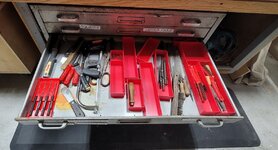
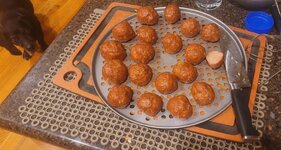
And some unorganized, future organizational candy to help those who need encouragement to jump in the rabbit hole:

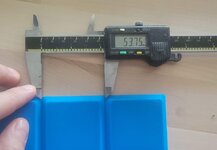
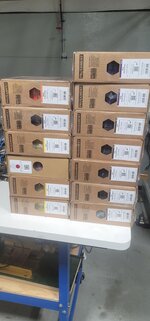
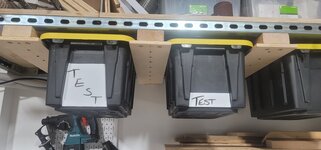
My box of completed bins straight out of the Chappell files. There are also (10) of the finished "grid" bases as well ready to be used...hoping this weekend I get a couple installed and into real usage....maybe??