To avoid these ads, REGISTER NOW!

Between 265 & 485 SQ/FT Made By Miller Studios

Workspaces sized between 265 and 485 squarefeet.

nicholam77

Well-known member
Joined
Dec 18, 2016
Messages
2,655
Location
Minneapolis, MN
Looks good to me! Did you resize the image at all (crop it tight and then scale it up?). If so, you'll definitely get some softness from that. I don't mind the clarity and contrast of the edited version... it's pretty cool! Honestly I wouldn't expect too much more out of a 250mm zoom lens and a DSLR. The moon is pretty dang far away lol.

Yes, the tripod would be best on a flat sturdy surface. Also, if you have a way to remotely trigger the shutter so you don't disturb the camera, that could help. Those are my amateur .02!

Maybe @wreckdiver1321 has some thoughts!
 
To avoid these ads, REGISTER NOW!
OP
M

MadeByMiller

Well-known member
Joined
Dec 29, 2018
Messages
1,230
Location
Rapid City, SD
Looks good to me! Did you resize the image at all (crop it tight and then scale it up?). If so, you'll definitely get some softness from that. I don't mind the clarity and contrast of the edited version... it's pretty cool! Honestly I wouldn't expect too much more out of a 250mm zoom lens and a DSLR. The moon is pretty dang far away lol.

Yes, the tripod would be best on a flat sturdy surface. Also, if you have a way to remotely trigger the shutter so you don't disturb the camera, that could help. Those are my amateur .02!

Maybe @wreckdiver1321 has some thoughts!
Thank you!

I cropped the image but I did not scale it up. The original was 5184x3456 and when I tightened it up I made it 1500 pixels square. I'm happy with the shot overall, but I did have better focus in the viewfinder momentarily, I just couldn't keep it stable enough on the carpet. I did set up a 2 second delay on the capture so I could press the button and not have my hand disturb the camera, but even just standing near the tripod triggered a lack of focus.

I really appreciate the comments Nick!
 

RickP

Well-known member
Joined
Jan 15, 2013
Messages
1,547
Location
Annapolis, MD
I'm pretty amateur with DSLRs, but I think I remember ISO 100 rolls of film were used for bright sunlight, and ISO 1000 was for shooting inside without a flash. If you increase the ISO setting, you might be able to decrease the exposure time enough to get a more steady shot. Also, can you turn off auto focus? That may be getting confused by shooting through glass at night. If you can set the focus at max, then you'll only need to worry about the tripod vibrations.

I think those moon photos look pretty good. Good luck!
 
OP
M

MadeByMiller

Well-known member
Joined
Dec 29, 2018
Messages
1,230
Location
Rapid City, SD
I'm pretty amateur with DSLRs, but I think I remember ISO 100 rolls of film were used for bright sunlight, and ISO 1000 was for shooting inside without a flash. If you increase the ISO setting, you might be able to decrease the exposure time enough to get a more steady shot. Also, can you turn off auto focus? That may be getting confused by shooting through glass at night. If you can set the focus at max, then you'll only need to worry about the tripod vibrations.

I think those moon photos look pretty good. Good luck!
Thank you for the comments! I turned the ISO all the way down because it was my understanding that it offers the least noise in the image, but I'll try bumping it up next time and see what happens. I did have auto focus turned off, I could manually focus it in the viewfinder and momentarily it would be very crisp, but only momentarily. It seems that having the tripod on the carpet was just not a rigid enough surface for it to stay focused clearly, even with the two second time delay I had on the image capture. I also had the window open, so no glass in the way.
 

wreckdiver1321

Well-known member
Joined
Aug 12, 2021
Messages
1,039
Location
Billings, MT
I think you did pretty well honestly. A lot of clarity loss could be the lens, which has a tendency to fall off in clarity at the extreme ends of zoom. F/16 is probably higher than needed when you're just photographing the moon. If you have other subjects in, getting that aperture as tight as possible is really important. Less so when it's a single subject like that. I'd probably do f/8 for the clarity and higher shutter speed, and keep the ISO as low as you possibly can. Focus to infinity, then back off a bit. Usually you overshoot at infinity.

As far as the tripod wobble, use the self-timer function on a low delay, like 2s or 5s if you have it. Hit the shutter, take your hands off the camera, and let the camera do it's thing. That's the method I use and it works pretty well.

45410304141_0b1f43955c_b.jpg

45410306401_860d0fae85_b.jpg

As far as editing goes, that's a really personal thing. The way I did it was find a photographer (Steve McCurry in my case) whose style I loved, then worked on emulating that to a certain extent. I also did a few other editing styles before I kind of fell into what I do now. Make presets but don't be afraid to have multiple and tweak the individual image as you need. Once you get a feel for the images you like, you can adjust your approach and even change your style a bit to reflect what you want to see. Keep toying with the images and find out the effect everything will have.

I really like more punchy photos as a rule. I'm less taken by dramatic contrast of black and whites in color photos. I'm big on color contrast. You'll see that in my work. Take away the color and I'm all about punchiness. But that's me. Everyone has their own style. I think your photo of the moon looks great.

Keep it up!
 

gearhead1960

ALLIANCE MEMBER
Joined
Mar 21, 2019
Messages
1,799
Location
Manassas, VA, a small blot in history
@wreckdiver1321 While settings are very important, I think the composition and framing of the subject are equally as important if not more so. If you frame or compose the shot badly, doesn't matter how good the settings will be. One piece of advise I always share harkens back to the film days. I learned from a friend that everyone will think you are a great photographer if you only show them the good shots. He suggested that before you ever show your pictures, you know, the ones you got printed, to throw away the bad shots and only show the good ones. These days, that's easier done....delete, delete, delete or if you are **** and have to keep the bads ones, just move them to a folder somewhere you can forget about..... :beer:
 

wreckdiver1321

Well-known member
Joined
Aug 12, 2021
Messages
1,039
Location
Billings, MT
@wreckdiver1321 While settings are very important, I think the composition and framing of the subject are equally as important if not more so. If you frame or compose the shot badly, doesn't matter how good the settings will be. One piece of advise I always share harkens back to the film days. I learned from a friend that everyone will think you are a great photographer if you only show them the good shots. He suggested that before you ever show your pictures, you know, the ones you got printed, to throw away the bad shots and only show the good ones. These days, that's easier done....delete, delete, delete or if you are **** and have to keep the bads ones, just move them to a folder somewhere you can forget about..... :beer:
Absolutely! Great point. I'd definitely say more important.

My thoughts above were mainly about the technical side of shooting a photo of the moon, in this case a more close-up "portrait" of it. Not a lot of composition involved there. :lol: I also wanted to touch on editing since it was mentioned. Astrophotography is it's own discipline.

But I absolutely agree, you can take great photos with crappy settings on bad equipment if you got the eye for it. I trained myself a lot of composition by shooting for a year with only a prime lens, and forcing myself to not look at the LCD screen until I had shot a "roll" or 36 photos. Constraints breed creativity.

The most important part of a camera is the 18 inches behind it.

And yeah, I delete more photos than I edit and share. By a huge margin.
 
OP
M

MadeByMiller

Well-known member
Joined
Dec 29, 2018
Messages
1,230
Location
Rapid City, SD
I really appreciate your thoughtful messages @wreckdiver1321 , and thank you for the encouragement! I did have the f-stop set lower and when I was experimenting with the settings I thought I noticed an improvement in clarity by increasing it to 16, but I'm sure now that must not have been the case. On the shutter self-timer, I actually was using a two second delay. It just would not stay perfectly in focus no matter what I did.

I do have an interest in learning more about photography and I'm having fun learning by trial and error, but advice from pros really helps accelerate the learning process.

Those photos you attached are captivating by the way, thank you for sharing! I appreciate your advice on editing and composition as well guys!
 
OP
M

MadeByMiller

Well-known member
Joined
Dec 29, 2018
Messages
1,230
Location
Rapid City, SD
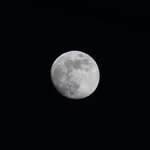
A few evenings ago we had another nice, clear night with a big bright moon. Armed with the knowledge of my previous attempts and what was generously shared here, I set the camera up to try again. This time, I went outside to set the tripod on solid ground rather than the carpet floor in my office, and that did the trick! I could now dial in the manual focus and it would hold clearly. I experimented with the settings, but the best shot here was taken with a focal length of 250mm, ISO at 100, f-stop at 8, and the shutter speed at 1/125. I'm pleased with the result and honestly I'm not sure if I can improve upon it with my current lens.

As before, here is the cropped raw, unedited photo:
IMG_4580cropped.jpg

And here it is after some editing to deepen the contrast and bring out some more detail:
IMG_4580_01.jpg

A quick note about editing, this time I set my camera to capture in both .jpeg and RAW image formats so I could try my hand at editing a RAW image. It didn't go great, and after spending quite a bit of time editing it, I still preferred the unedited .jpeg. As always, I welcome any advice!

Oh, and here is the moon shot I posted earlier for a comparison. The moon was a much more warm tone in the more recent shoot, and it's neat to see the moon's positioning is slightly different as well.
Unedited:
IMG_4547 cropped.jpg

Edited:
IMG_4547_01.jpg
 

jcarapet

Well-known member
Joined
May 22, 2017
Messages
276
Location
Texas
That is a heck of a shot. I have had zero luck in not over exposing shots of the moon still after many attempts.

One other suggestion. I am not sure if your camera has it but I believe Bulb setting will flip up the shutter, then you can use a remote trigger to get the clear non vibrated photos. Obviously requires buying more equipment, but don't think I spent more than $60 for a decent remote trigger. Quite useful as well for group family photos.

An example from a Big Bend trip a few years back.
IMG_6109.JPG
 
OP
M

MadeByMiller

Well-known member
Joined
Dec 29, 2018
Messages
1,230
Location
Rapid City, SD
That is a heck of a shot. I have had zero luck in not over exposing shots of the moon still after many attempts.

One other suggestion. I am not sure if your camera has it but I believe Bulb setting will flip up the shutter, then you can use a remote trigger to get the clear non vibrated photos. Obviously requires buying more equipment, but don't think I spent more than $60 for a decent remote trigger. Quite useful as well for group family photos.

An example from a Big Bend trip a few years back.
IMG_6109.JPG
Thank you very much! It does have a bulb settings, but to be honest I don't understand what it does. I've been using a two second shutter delay to help eliminate the unsteadiness of my hands on the camera.

That's a really cool picture by the way, thank you for sharing!

That's the best moon shots that I've seen in a long time
Well thank you, that's very kind of you to say! Seeing the moon up close like that is fascinating to me, some day I'll get a lens with longer focal length to take even more detailed shots.
 
OP
M

MadeByMiller

Well-known member
Joined
Dec 29, 2018
Messages
1,230
Location
Rapid City, SD
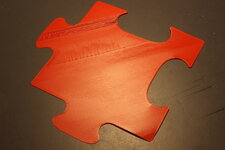
My good friend and super talented designer Dave (@davemoneysign on Instagram) recently designed and uploaded these sorting trays to his Printables account. I thought they were really neat so I printed a set of four. When they were finished I needed to photograph them properly, so I whipped out the fancy DSLR to try to get some good shots. I'm not entirely happy with all of them, and I probably shouldn't have cluttered up the shots with all the other stuff, but I learned some things to try differently next time. I was bringing in those small objects and placing them in the dead space of the images to try to make them more interesting and also to see the effects of f-stop settings on objects in different spots, but in the end they're just too distracting and like I said, they clutter up the shot.

IMG_4593.JPG
IMG_4594.JPG
IMG_4597.JPG
IMG_4600.JPG
IMG_4604.JPG
IMG_4608.JPG
IMG_4602.JPG
 
OP
M

MadeByMiller

Well-known member
Joined
Dec 29, 2018
Messages
1,230
Location
Rapid City, SD
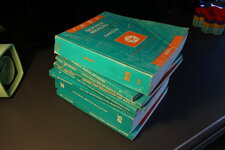
While I had the camera set up, I took some pictures of a new acquisition: a set of FSM's (Factory Service Manuals) for my 1995 Dodge Dakota. I recently learned about the existence of FSM's thanks to Mike @zmotorsports wonderful thread. After doing the recent work on the Dakota with a Haynes repair manual and being unimpressed, I decided to make the investment. I found a set of six in one lot on Ebay, and then got a second lot of two that were missing from the first lot. The second lot I only needed one of the books (EFI manual for my 5.2L) but the seller wouldn't separate them and offered me a $10 discount instead to buy the pair. I ended up having some troubles with the seller on the lot of six and had to open up a case with Ebay to receive them, and with that being said I highly recommend NOT buying from Ebay seller manualbasket. Eventually, I ended up with what I think is a complete set of FSM's for my truck, but I'm really not sure how I can verify that. They are in pretty good condition for the age too, and flipping through them I'm really excited about how thorough they are. Thank you Mike for introducing them to me!

IMG_4612.JPG
IMG_4613.JPG
IMG_4614.JPG
IMG_4621.JPG
IMG_4623.JPG

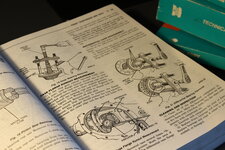
I think the TSB book is pretty fascinating and I've been enjoying flipping through it and reading the bulletins that were reported. All of the technical drawings are really neat as well.
IMG_4622.JPG

Speaking of technical drawings, I found one of @zmotorsports favorite pages in the service manual, setting up the rear differential!
IMG_4618.JPG

Sharp eyed Garage Journalers would have also caught the vise used in Figure 19 and 21 of the same page, a Wilton bullet vise!
IMG_4619 cropped.jpg

The manuals will live in my office on my bookshelf here:
IMG_4624.JPG
 

zmotorsports

ALLIANCE MEMBER
Joined
Oct 20, 2009
Messages
21,312
Location
Northern Utah
Thank you Mike! Do you know of a way to verify whether or not I do in fact of a full set of manuals for my truck?

I don't know of any way to confirm that you do in fact have all of the manuals for a particular year/make/model other than knowing what is available through the manufacturer and comparing to what you have. Seeing as how this is an older vehicle you may try calling the dealership and see if they still show one and if so, how many books are in the set.

Now I know Helm Inc. prints the vast majority of factory service manuals so you may try contacting them and seeing if they can tell you how many are in the full set.
 
OP
M

MadeByMiller

Well-known member
Joined
Dec 29, 2018
Messages
1,230
Location
Rapid City, SD
@nicholam77 and I were discussing first layers/initial Z height over on his thread, and rather than clutter up his stuff I thought I'd post some more details here.

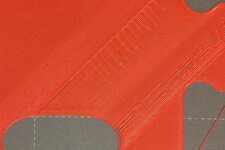
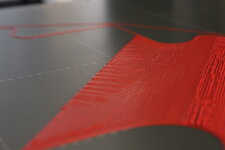
Nick was mentioning the difficulty of establishing a "proper" Z offset for the first layer. Too high and the extrusions will have space between them and not adhere well to the build plate; too low and they extrusions will squish too much into the build plate causing extrusion width to be too large and a raised blobby effect in the print. To try to better illustrate this, I printed the first layer of one of the puzzle trays I posted recently in this thread since they cover a large surface area on the build plate. I did my best to photograph what it will look like when the nozzle is too high, too low, almost right, and just right. Keep in mind, my build plate is quite flat after my recent nylock mod I posted here earlier, but if it's not flat you will have to find a happy medium.

I paused mid print here to try to capture what I'm talking about. The print starts left and is working right. To begin, the offset is good. I then raised the Z height to a point in which there was space between the extrusions and they were barely if even sticking to the build plate. I then lowered the offset back down to a good height, and kept lowering it as it went. You can see the raised blobby ripples get more pronounced as I lower the Z height more and more.
IMG_4641.JPG

Here is a close-up shot of the section where Z was too high:
IMG_4644.JPG

And a close up of the section where it is too low:
IMG_4645.JPG

Here are some low angle shots taken after the entire first layer is complete. It's hard to tell, but after the section with Z offset too low, I raised it back up for about 3/4" where it was almost good, but actually a little too high. After that I lowered it a bit an established a good initial Z height.
IMG_4659.JPG

You can more clearly see where I established my final Z height in the lower left hand corner of this image, right at the apex of the corner where the print gets slightly darker.
IMG_4660.JPG

Here are some shots taken from directly above. Hopefully you can see each transition where the adjustments were made.
IMG_4661.JPG
IMG_4663.JPG

And a close up of the problem areas:
IMG_4662.JPG
IMG_4667.JPG

Here I'm trying to show the section right after the low area where it's almost right - but just a bit too high. You can see some space in-between the extrusions in the lower center-left of the image. I dropped the Z height about .01mm to establish the optimal height.
IMG_4666.JPG

I'll continue on the next post...
 
OP
M

MadeByMiller

Well-known member
Joined
Dec 29, 2018
Messages
1,230
Location
Rapid City, SD
I peeled the first layer print off of the build plate and backlit it to really emphasize what's happening. You can clearly see the areas where the Z height was too high, causing the extrusions not to squish enough and resultingly, there are gaps. You can also see extra dark areas where the Z height was too low and the extrusions were overlapping each other excessively.
IMG_4670.JPGIMG_4671.JPG

This is the underside of the print, or what would be down on the build plate. I was trying to show here how you can read your Z height based on the definition of the extrusions. The areas that are too low have almost no definition between the extrusions, except where Z is so low that it is actually scraping off some filament as it's laying it down - this is what is happening in the rippled section.
IMG_4675.JPG
IMG_4676.JPG

Lastly, here is a shot of the top side of the first layer in some harsh overhead lighting:
IMG_4678.JPG

So that's it, hopefully that helps @nicholam77 and anyone else who stumbles across this. I know there are some folks who think that you can set initial Z height by using a slip of paper or something, but it really comes down to just adjusting on the fly and looking for the issues I've tried to show here as it prints. Kind of like tuning a carburetor or focusing a lens, go too far in either direction as you're adjusting so you understand how the adjustments are affecting things.

Thanks for looking!
 
To avoid these ads, REGISTER NOW!

nicholam77

Well-known member
Joined
Dec 18, 2016
Messages
2,655
Location
Minneapolis, MN
Thank you for doing that Austin, great pics, and yes, that is very helpful! I haven't had a chance to do a calibration print yet but I will use this as a guide! My issue with the ridges/blobs looks just like when yours was set too low, so I'm sure that's the issue.

🍻
 
OP
M

MadeByMiller

Well-known member
Joined
Dec 29, 2018
Messages
1,230
Location
Rapid City, SD
I don't know of any way to confirm that you do in fact have all of the manuals for a particular year/make/model other than knowing what is available through the manufacturer and comparing to what you have. Seeing as how this is an older vehicle you may try calling the dealership and see if they still show one and if so, how many books are in the set.

Now I know Helm Inc. prints the vast majority of factory service manuals so you may try contacting them and seeing if they can tell you how many are in the full set.
Thank you! It looks like Helm didn't print any Chrysler products unfortunately.

Great writeup and excellent pictures sir!
Thank you!

Thank you for doing that Austin, great pics, and yes, that is very helpful! I haven't had a chance to do a calibration print yet but I will use this as a guide! My issue with the ridges/blobs looks just like when yours was set too low, so I'm sure that's the issue.

🍻
No problem, I'm glad it's helpful!
 
OP
M

MadeByMiller

Well-known member
Joined
Dec 29, 2018
Messages
1,230
Location
Rapid City, SD
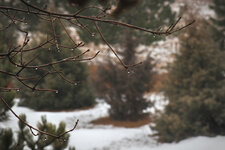
Today was a beautiful day to get the fancy camera out and try to take some nice photos. Here are the best from the memory card:
IMG_4686.JPG
IMG_4710copy.jpg
IMG_4717.JPG
IMG_4693copy.jpg

I really would like to get an even longer focal length lens for shots like the last one, longer than my 55-250mm lens. I had to crop the photo to make the birds more prominent, and taking the photo was really difficult (I failed) to get them really sharply in focus, even with 10x magnification on the LCD screen. It would also enable me to get even clearer moon shots! So if anyone has a recommendation for a Canon EF-S mounting long focal length (400mm+) I'm all ears! Also am interested in a true macro lens as well for really close detail images. Thanks!
 
OP
M

MadeByMiller

Well-known member
Joined
Dec 29, 2018
Messages
1,230
Location
Rapid City, SD
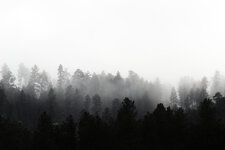
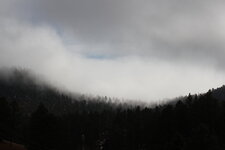
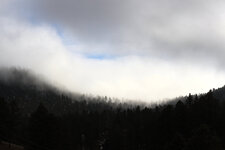
Today turned out to be another interesting day for landscape wannabe photography, so out came the Canon once again. I was aiming about 3/4 of a mile to the south of my back porch where there's a creek causing some nice dense fog - that same fog is now blanketing our meadow and I can't even see my neighbors house! The first shot was taken at 250mm, ISO 100, 1/100 sec, and f/22. The second was at 55mm, ISO 100, 1/250 sec, and f/16. As always I was messing around with the settings all throughout the "shoot" to see how things were being affected.

I have been slowly trying to teach myself Darktable photo editing software, and here are the pre and post-editing images:
PRE
IMG_4728.JPG
POST
IMG_4728copy.jpg

PRE
IMG_4732.JPG

POST
IMG_4732copy.jpg
 
OP
M

MadeByMiller

Well-known member
Joined
Dec 29, 2018
Messages
1,230
Location
Rapid City, SD
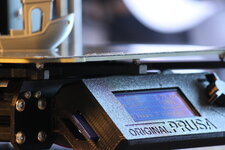
Yesterday I got the new Prusa I ordered on Black Friday assembled and operational. I opted to install the nylock mod that I performed on my old machine in the initial assembly rather than hope for the best and have to do it later, but I still need to connect to OctoPrint to dial in the leveling. Also, I cleaned the oil out of the bearings they're shipped with and repacked them with Super Lube, don't listen to Prusa and run them with the oil as they come. The assembly, while time consuming (I think it took me about 11 hours) and tedious was pretty uneventful, and I think I did a bit neater of a job assembling this one vs. my first.
IMG_4740.JPG
IMG_4743.JPG

Of course the first print was a Benchy. Looks like what I've come to expect from a Prusa! The filament I've got loaded is actually the original spool of silver Prusament PLA that came with my first printer almost two years ago, hence the stringing (it's pretty wet).
IMG_4742.JPG

These images are off of my fancy camera with my 55-250mm lens. I really need to practice more handheld so I'm not so reliant on the tripod, but I have a hard time holding still. I bumped up the ISO to 1600 so I could increase the shutter speed to offset my shakiness.

Next I need to assemble the enclosure, but that will be for another day. I'm a little annoyed that I have to partially disassemble my freshly assembled printer to work with the enclosure. It would make sense for Prusa to alter the printer assembly instructions for those installing them with their enclosure, but oh well...
 
OP
M

MadeByMiller

Well-known member
Joined
Dec 29, 2018
Messages
1,230
Location
Rapid City, SD
That's a good looking Benchy!

Are you using a separate Octoprint server for this machine? Or just swapping them back and forth? If new server what are you using for hardware since RPi's are pretty much impossible to get?
Hey Nick, I'm not sure how I'm going to setup OctoPrint now that I have two machines. I used my old laptop to run the server, so no RPi here yet. I don't mind using SD cards for file transfer and I don't have a camera setup for monitoring, so the only thing I've used OctoPrint for so far is for the nylock mod add in when I did it on my last machine. I'll be looking more into exactly your questions though so feel free to drop any insight you have!

better late than never...I thought those moon shots were impressive!

Jay
There's no such thing as being too late for a compliment, thank you very much! Some day I will buy a longer focal length lens so I can get even better captures.
 
OP
M

MadeByMiller

Well-known member
Joined
Dec 29, 2018
Messages
1,230
Location
Rapid City, SD
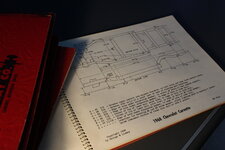
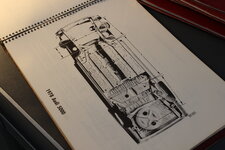
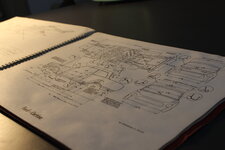
There was a rare local online auction on Monday afternoon, and by that I mean it actually contained some items I was interested in. In my browsing of the catalog I came across these really neat books filled with drawings and dimensions for chassis from '68, '70-'75, and '78. Whether or not they have any practical value to me is really beside the point as I really just love looking at the drawings. I spend so much of my time in the often sterile digital world in CAD and the accompanying drawings, seeing these old prints drawn and annotated by hand makes me feel warm and fuzzy. I snagged this set of 9 for the low price of $17.50. Of course I brought out the fancy camera for some super wannabe dramatic shots.
IMG_4747.JPG
IMG_4773.JPG
IMG_4750.JPG
IMG_4763.JPG
IMG_4760.JPG
IMG_4754.JPG
IMG_4751.JPG

Some surprising dimensional precision on this equivalents page!
IMG_4759.JPG

The books themselves are just wonderful, but these added details like the order form, hand written notes, and the hand applied seller info stamp really make them even more alive!
IMG_4765.JPG
IMG_4755.JPG
 
OP
M

MadeByMiller

Well-known member
Joined
Dec 29, 2018
Messages
1,230
Location
Rapid City, SD
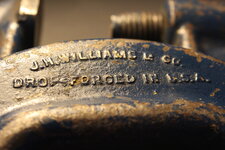
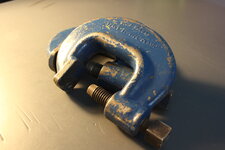
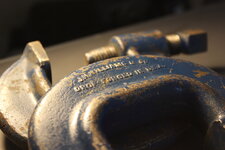
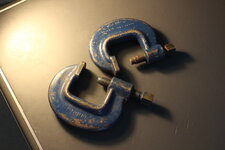
Aside from the books I also picked up these clamps for $13.25. They were in a flat with some junk tools that will hit the scrap bin, but these ultra heavy duty gems I'll always welcome to the collection. One is a Williams and the other is simply marked "CHICAGO USA". Maybe these clamps were used in conjunction with the prior featured books to pull some frames straight.
IMG_4786copy.jpg
IMG_4788.JPG
IMG_4775.JPG
IMG_4790.JPG
IMG_4783.JPG
IMG_4781.JPG
IMG_4785.JPG

I also tried to score a Wilton toddler bullet vise, but the man that won wanted it just a bit more than I. The buyer and I were the only ones bidding after $150, and I bid him up to $200. I asked the auctioneer about the vise when I went to pick up my loot and he informed me that the buyer was nearly topped out as well. Another couple of bids and I probably would have won it, but even though it ended at a fair price I'm more of a pennies on the dollar guy for things that I don't need.

On the way home I stopped for an impromptu bath for the Dakota. I'm glad I did because it was a lot more dirty than I thought. Since I didn't plan it I didn't have my tools to hand wash and dry, so it just got thoroughly sprayed off with extra attention paid to the crevices and undercarriage to flush out road salt and debris.
IMG_20230124_150756570_HDR.jpg
 
OP
M

MadeByMiller

Well-known member
Joined
Dec 29, 2018
Messages
1,230
Location
Rapid City, SD
Those drawings are cool. What do you think the express purpose of the manuals are for? My suspicion is for a body or frame shop to use in repair of these models.
Yes, that is indeed their intended use. The books are quite comprehensive when it comes to make and model, even including many import vehicles for each year, which I have to assume were not common to see on the roads here.
 

zmotorsports

ALLIANCE MEMBER
Joined
Oct 20, 2009
Messages
21,312
Location
Northern Utah
Those drawings are cool. What do you think the express purpose of the manuals are for? My suspicion is for a body or frame shop to use in repair of these models.

Exactly. Back when I was in Jr. High and High School my cousin had a frame rack at his dad's (my uncle's) automotive shop. I used to enjoy watching him pull frames after a collision. He straightened multiples for me over the years and he would have the bars hanging below and used the spec's in the books similar to the ones Austin posted to pull the frame to spec. He was an artist at it and it was a pleasure to hang panels on a car or truck after he did the frame work. He was widely known in our area as "the frame guy" and always had a backlog of work. It was nice being related to him because when I needed a frame pulled he would always find a way of "squeezing me in" between other jobs. ;)
 
OP
M

MadeByMiller

Well-known member
Joined
Dec 29, 2018
Messages
1,230
Location
Rapid City, SD
Exactly. Back when I was in Jr. High and High School my cousin had a frame rack at his dad's (my uncle's) automotive shop. I used to enjoy watching him pull frames after a collision. He straightened multiples for me over the years and he would have the bars hanging below and used the spec's in the books similar to the ones Austin posted to pull the frame to spec. He was an artist at it and it was a pleasure to hang panels on a car or truck after he did the frame work. He was widely known in our area as "the frame guy" and always had a backlog of work. It was nice being related to him because when I needed a frame pulled he would always find a way of "squeezing me in" between other jobs. ;)
That's neat Mike, I assume the same cousin and uncle you spoke of in your thread that you gifted the pen to? I wonder how much the art of frame straightening has changed with modernity, and I also wonder what the frequency of repair vs. scrap is in this age of crumple zones and repair costs/insurance.
 

zmotorsports

ALLIANCE MEMBER
Joined
Oct 20, 2009
Messages
21,312
Location
Northern Utah
That's neat Mike, I assume the same cousin and uncle you spoke of in your thread that you gifted the pen to? I wonder how much the art of frame straightening has changed with modernity, and I also wonder what the frequency of repair vs. scrap is in this age of crumple zones and repair costs/insurance.

The cousin I made the pen for was actually his older brother. Their dad, my uncle, is the one who owned the shop and also the one who introduced my wife and I to our love or RV'ing. As he got a bit older it was harder for him to crawl around under cars and trucks and when my uncle passed and my cousin took over the shop he sold the frame rack to make room for another 2-post lift in which to do mechanical work with. I have a lot of memories of both their old shop and the new one that they built back in the late 90's as I spent a lot of time there after school and scrounging through their junkyard boxcar looking for OPE parts.
 

gearhead1960

ALLIANCE MEMBER
Joined
Mar 21, 2019
Messages
1,799
Location
Manassas, VA, a small blot in history
Yes, that is indeed their intended use. The books are quite comprehensive when it comes to make and model, even including many import vehicles for each year, which I have to assume were not common to see on the roads here.
Interestingly enough, I probably would know most import models in these books. My dad drove imports: Renaults, VWs, Audis, and BMWs long before they became popular. He imparted a love of cars to me. Growing up in the 60's and 70's I knew all the import cars along with the dreaded domestic Land Yachts...... :ROFLMAO:
 

Denwood

Well-known member
Joined
Sep 22, 2014
Messages
4,180
Location
Thunder Bay, Ontario, Canada
The photos are looking really good. Not sure on your lens setup, but I'm assuming the larger has a shoe mount, no? As you get to the bigger glass, the lens goes to the tripod, not the DSLR body. You should find yourself a remote bulb/timer for the camera. I'm out of the loop, but for our 5D MKII's, we used the Canon remote which worked great. I sold all of the kit (there was a lot!) with the business 4 years ago. Looking over the pics of our kids, the ones that clearly stand out were the ones taken with the 5Ds. We used an f2.8 28-70 and 70-200 L series glass for about everything. Nikon lent us a D3s /glass for a year or so and I loved that setup as well.

You are generally going to find less chromatic aberration and sharpness in that f4 to f8 range. ISO as low as possible as you've figured out :)
 
To avoid these ads, REGISTER NOW!
Top Bottom