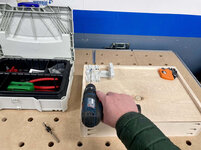
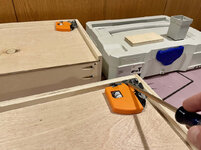
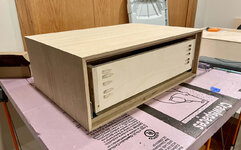
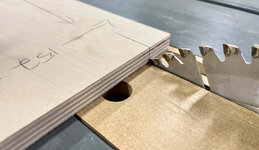
A shaper would be a nice addition.. you can make your own domino's and notch your drawer boxes with it..

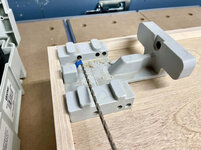
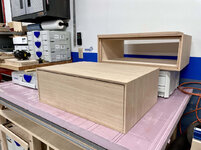
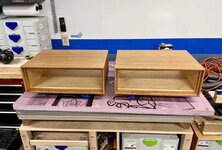
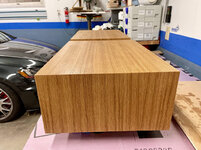
1/2 plywood and the kreg jig never seemed to work out well. Even with my pc/castle machine ill get an ocassional proud screw head. It's rare they absoutley need to be flush for my process but when they do (and they aren't) I just grind them with a 4.5" angle grinder and a flap wheel.

Yeah I've often had minor issues with 1/2" plywood and pocket screws, but these were sticking out way farther than usual. Angle grinder is a good idea but that's another tool I don't have.
___________________________________
Happy Halloween (last night)!!
This weekend I got around to the board swap on my 3D printer. It took me about two hours.
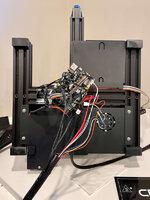
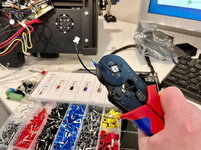
Creality puts hot glue on their connections, so I had to carefully remove some of them. I also stripped fresh connections (removing the solder) and put the shoelace ferrules on the bare wire connections, which added some time, but I only want to be doing this once!
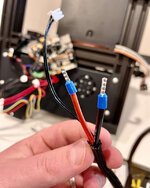
After swapping each connection to the new board one-by-one and putting everything back together, I booted up. And this happened:
It was going absolute bonkers.
I shut it down and figured I needed firmware. I spent another 30min or more just trying to figure out what the heck to download. Creality has two websites that have links to firmware downloads, and one is hosted in a Google Drive. It's
super confusing as they don't stick to a naming convention. I made my best guess and threw it on a microSD card.
It appeared to take, and with bated breath I turned the machine on again. This time it didn't go crazy, and I could see changes in the LCD display (highlight select is a contrasting gold color, and the LCD dims after a timeout), both kind of nice.
The first thing I did was preheat the nozzle and bed and monitor on the LCD and in Octoprint. It behaved normally and no thermal runaway.
I set up a 20mm XYZ, leveled the bed, and off to the races.
No issues and it's actually one of the cleanest XYZ cubes I've had since I first got the printer:

Since, I've had a few issues.
— attempted to print a larger model tool tray with some supports, and there were some gooey buildups in areas (not enough retraction?) that led to the model disconnecting from the bed and a minor spaghetti monster
— after that my next attempted print I had a nozzle clog and skipping extruder. I was able to solve this by leaving the nozzle heated for a bit and then extruding by hand until it was flowing good
— I attempted a temperature tower that I made from the Teaching Tech github calibration website, and that resulted in a spaghetti monster after a few levels (it was changing temperatures)
I've never had great luck with temperature towers.
@Bakafish do you have the name of that Cura calibration plugin you use? I looked back through my thread and can't find it.
My all-metal hot end suggested printing at the high end of the filament range, which for my Overture PLA is 220°. It's been leading to stringing in the infill area and some messiness. I tried another XYZ cube with the Ender 3
default settings in Cura, and it did just fine with that. Honestly I might just use that for a bit instead of my custom profile, and make tweaks as necessary.
I'm not going to go so far as to say everything is perfect now, but at least I'm back in business!