I've had the K3, K4, and currently K5. The K5 master system is well thought out, and have features the other two lack. The K4 is, imo, a poor design by Kreg, possibly a cost cutting move. The handle layout is not convenient to use, among other disadvantages, compared to the K3 and K5.
I like the quick clamping mechanism of the K5, and it is truly a well thought out design and very user friendly pocket hole jig. I enjoyed using the K3, but the K5 has added features that make it the best out of the bunch.
Agree on the above analysis, I'll add a few thoughts:
PorterCable unit- nice and works well. Auto material width adjustment is sick. Secondary pockets hole sits on a plastic screw which allows you to adjust the width between the fixed and secondary pocket hole guide. Problem is there's slop in the secondary screw so the pressure of the bit causes it to deflect. Other than this fun little feature, it's a sweet setup. I like it's a self-contained fixture as well. No parts to attach/un-attach.
Kreg R3 - slick little pocket hole jig you can take to the project (doesn't require fixture to setup).
https://www.amazon.com/dp/B01G3VP3N8/?tag=atomicindus08-20. Small format fits in a little carry case. Though I have a few of Kreg's jigs, I really like this one and use it frequently when I need to do just a few. It' just so simple and the depth setting never slips. There is no dust collection so it never jams up. Messy as hell though.
Kreg K5 - I like this jig. Switching between material thicknesses is easy if you buy a second bit and stop. if you're going up one size (say 1/2" to 3/4") you might just need to swap the bit and lower the guide block. You can also swap in different sized pocket hole fixtures (micro, standard, large) for different pocket hole screw sizes. Micro is great for thinner materials and the large one works for construction grade sized materials (2x's and whatnot). All you do to change between sizes is replace the guide block and you can buy these different guide block assemblies separate when you need them (or don't if you never do). There are a few things that annoy me on it.
- the pin that allows you to set the depth slips every so often and slips to the thinner material setting which means the pocket hole it will cut on this setting will have less meat in it/deeper screw hole. If you get to jammin', you can miss that it moved.
- the dust port *****. It's not a common size for the hoses I have in the shop so I needed to come up with (or you'll need to find) an adapter that works. The location of the dust port isn't ideal, I find the hose is in the way a bit as I use the machine. The evacuation of the chips is only through a few small holes so if you lose suction it plugs quick.
Kreg Foreman - though this machine is a little more than the others ~$450 on Amazon (
https://www.amazon.com/dp/B00KXVBOQU/?tag=atomicindus08-20), it's a really really nice machine.
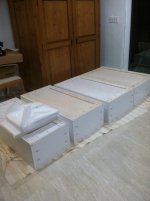
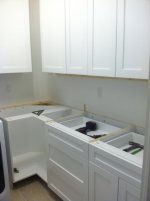
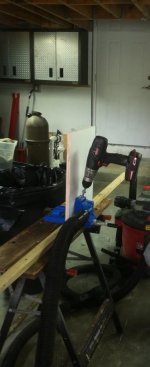
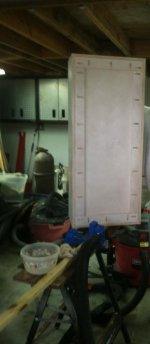
It's fairly easy to setup and change material thicknesses and, once you're setup, you can crush some pocket holes. I built about 26 shaker doors for our office cabinets and used pocket holes for joinery. Once I had the setup I don't think I spent more than a few minutes doing 12 pocket holes on each door. The effort was so insignificant that I can honestly stay the cost is easily worth the efficiently gain. Some Cons
- I you get to moving too fast you can easily break the bits. The most common mistake I make is the retraction step of the bit doesn't happen before I start to move the material..."ting", need a new bit.
- the dust hose port on this machine is goofy size too.
- switching between material thicknesses isn't hard but it's not fast/easy. if this machine has a weakness it's this. You have to adjust the backstop, adjust the depth of the plunge of the bit, and adjust the depth of the material holding foot. There's no detents so there's no fast way.