To avoid these ads, REGISTER NOW!

Rebuilding a monarch 10ee lathe

OP
G

Grant Gunderson

Well-known member
Joined
May 17, 2013
Messages
2,320
Location
Bellingham, WA
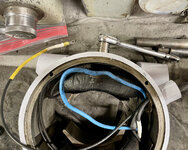
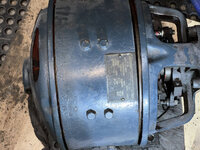
I then worked my way around both sides using a long cold chisel to tap each bell off.
IMG_3083.jpeg
The two ends will then easily pull right apart. Note, the rear with the rotor attached is VERY heavy!


IMG_3085.jpeg
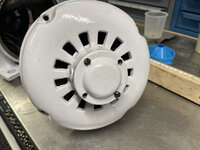
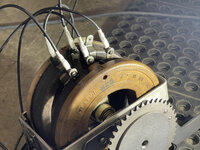
The motor is actually in really good shape and relatively clean, especially compared to the generator!
IMG_3087.jpeg
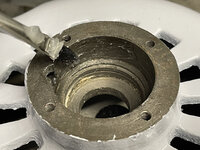
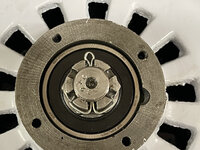
In the center of the rear plate, is a small Reliance branded plug. This can easily be removed with a splunger tool. This will provide access to press the shaft of the rotor out.
IMG_3092.jpeg

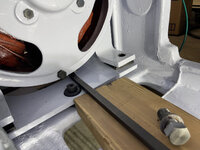
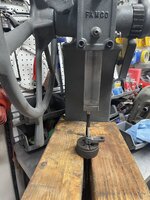
I'll need to cut some large wooden blocks to support the bell before I proceed with removing the shaft. Hopefully that will be tomorrow.

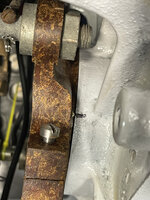
Moving on to the front bell end. There is an alignment mark on the brush holder and the front bell that needs to be noted so the brush unit can be reinstalled with the correct orientation.
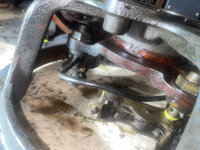
IMG_3099.jpeg
Just like on the generator there is a small clamp screw that holds the whole brush unit on the bell end.
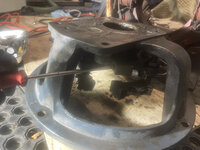
IMG_3101.jpeg
I then put the entire brush unit into my ultrasonic cleaner for 30 minutes. It cleaned it right up!
IMG_3110.jpeg
It is in really good shape other than some significant spark welding on it from the previous owner running it with the brushes being completely worn out. It shouldn't affect its performance once I install new brushes. I then used a few cans of contact cleaner to clean the inside of the motor as best as possible. It's not perfect, but its good enough for me. Also, the front bell is stamped RE&E with number W70975.
IMG_3105.jpeg
It also has a G stamped into its mounting flange. I'm guessing thats another fitters mark.
IMG_3106.jpeg
 
Last edited:
To avoid these ads, REGISTER NOW!
OP
G

Grant Gunderson

Well-known member
Joined
May 17, 2013
Messages
2,320
Location
Bellingham, WA
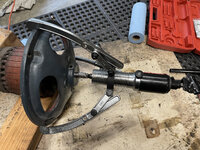
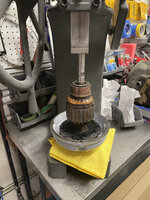
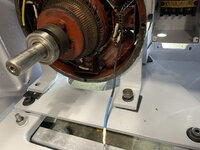
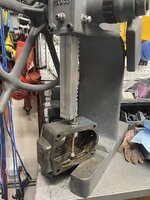
I ended up borrowing a hydraulic ram from a friend today to get the rotor out of the end bell. It worked super slick! A ⅝ socket was the perfect size to use as a drift.
IMG_3149.jpeg

This motor has grease zerks on the bell ends. I think the original bearings where open, so you could routinely flush new grease in.
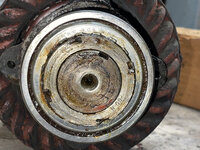
Here is what the rear bearing looked like after I pressed it out of the bell end.
IMG_3152.jpeg
I appears that someone had the conical nut and lock washer off before. Notice how the notches on the nut are mangled. Interesting.

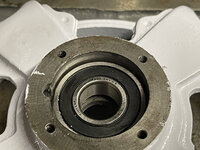
I cleaned up the old grease, and low and behold, there is a fully shielded bearing in there!
IMG_3163.jpeg
The bearing is a MRC 309SFF, now I am no bearing expert, but with a fully shielded bearing, I dont see the point in still packing the end bell recess full of grease. That bearing still feels like new.

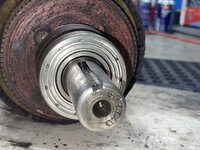
On the output shaft end, it appears that someone has previously replaced that bearing as well.
IMG_3165.jpeg
It is also a fully shielded bearing. SKF6207 2Z. It feels ok, but could probably be refreshed. They are only $17, so I will probably order new one.

The insulation on all of the jumper wires, is cracking.
IMG_3116.jpeg
So I decided, to proceed with replacing all of the jumper wires, with new 10AWG machine tool wire. I have been warned about possibly killing the motor by being too rough with the wires, so I worked with extra caution and only removed one connection at a time, to eliminate any possibility of screwing up the connections. First step when removing a wire, is to clean the contact seats. I used a contact cleaner brush, and followed that with some electrical cleaner spray. We want to make sure the new wires have good contact.
IMG_3120.jpeg
For the wire terminal rings, I am using marine grade, solder filled crimps. These are superior to any other wire crimps on the market, and its all I use these days. Where applicable I place either a heat shrink label over the top of the finished crimp, or an extra piece of black heat shrink.
IMG_3123.jpeg
Here is a shot with all of the jumper wires replaced. Note, I also added color coded heat shrink to the wires that connect to the brushes.
IMG_3157.jpeg
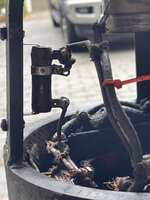
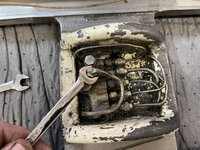
With the wiring project completed, I then removed the terminal box for painting. In order to do that, I had to remove the contact block, and then used a ratcheting bit driver to get access to its mounting screws.
IMG_3161.jpeg
My plan for tomorrow is to paint the DC motor and the Exciter. I also ordered a Commutator Cleaning Stone and some clear Electrical Insulating Varnish to treat the windings with from McMastercarr .
 
Last edited:
OP
G

Grant Gunderson

Well-known member
Joined
May 17, 2013
Messages
2,320
Location
Bellingham, WA
I managed to get a handful of parts painted yesterday, then let the paint cure today while I took advantage of the first day it hasn't rained in over a week to get a bike ride in.

First project of the day is to get the DC motor mounting plate back in the lathe. It is held down by 3 bolts with vibration isolating rubber sandwiching the plate.
IMG_3167.jpeg
Those bolts and washers look less the stellar after I cleaned them in the ultrasonic cleaner. So I am going to blue them.
I typically use Birchwood Casey Super blue when I need to blue an item. I'm not a gun guy, but I imagine those guys may have other solutions they prefer, but this works for me.
IMG_3168.jpeg
The process is pretty simple clean the parts with isopropyl alcohol to get any grease off of them. I then scuff them with some fine steel wool. Then they get a 30 second soak in in the blueing solution followed by 30 seconds in water to neutralize the acid.
IMG_3170.jpeg
To get a more even finish, I then repeat the process a second time. After the second round, I then clean with the isopropyl again and then wipe them down with Boeshield T9. Here is a shot of the finished process along with the vibration dampening rubber mounts.
IMG_3175.jpeg
The small rubber disks get pressed into the recesses in the top of the mounting plate.
IMG_3177.jpeg
Next, I used a ½-13 tap to clean out the threaded holes in the lathe casting. I gotta say anytime I use a Starrett tap handle after struggling for years with the ****** hardware store kit ones, it puts a smile on my face.
IMG_3179.jpeg
That did a good job of cleaning any paint out of the threads, as well as a bunch of other junk.
IMG_3181.jpeg
Next, I placed the thicker rubber mounts over there perspective holes. It is interesting that the single rear hole uses a thinner but wider rubber mount. I am guessing Monarch calculated that the two front holes take more of the weight with the back gear box attached to the front of the motor.
IMG_3183.jpeg
I then dropped the plate in, and hand tightened the bolts to make sure all where properly aligned.
IMG_3185.jpeg
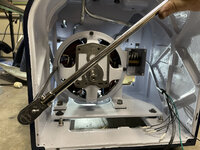
Finally I torqued them all down.
IMG_3188.jpeg
After months of tearing the lathe down and having parts spread over every flat surface in my garage work shop, it sure feels nice to actually put something back together!
 
OP
G

Grant Gunderson

Well-known member
Joined
May 17, 2013
Messages
2,320
Location
Bellingham, WA
Next up its time to start to put the Exciter back together.

I dropped the fields back into the main housing. I then referenced my photos from the disassembly and made sure the field with the 7763 tag went on the same side as the Exciter's feet and that I remembered to use the short bolts for that field.
IMG_3189.jpeg
I then loosely tightened the bolts for the other field.
IMG_3192.jpeg
Finally I checked the alignment of the all of the wiring and then tightened down the top field. It was a bit of a struggle to get the heat shrink wrapped wring through the port of the case.
IMG_3194.jpeg
Next up is installing new bearings into the end caps. The Exciter previously used bearings that one only shielded on one side an used a grease injection system to periodically fill with new grease. Because of this Monarch had to install a felt wiper bellow the bearings. I have decided to replace the bearings with new Timken fully sealed bearings #6204-2RS-C3. So I omitted the felt wipers. I am going to keep them in my parts cabinet in a Monarch drawer in case I ever want to revert back, I can cut new ones. Since the lathe will only be used in a home environment, I dont think I will be putting the stress on these bearings requiring the grease injection system. This will keep things cleaner, and worse case the bearings are not that difficult or expensive to replace. Before installing the bearings I added a light coat of super lube grease to the bore.
IMG_3195.jpeg
I then used a large socket as a drift in my arbor press to seat the bearings.
IMG_3197.jpeg
This may be common knowledge to most, but I found it interesting when I leaned that bearings always get installed with the side that has the bearing # facing out. Its easy to remember, as you are helping the next guy out, since they can then read the # before removing. I'm also a bit **** about the rotation of the bearings. I always like to press them in, with the number top center so you don'
t have to stand on your head to read them.
IMG_3199.jpeg
I cleaned the brush holder in my Ultrasonic cleaner. Here is a before and after shot:
Exciterbrusholder.jpg
IMG_3205.jpeg
I then installed the brush holder in the front bell of the motor and aligned it using my previous mark.
IMG_3206.jpeg
Hopefully the commutator cleaning stone I ordered arrives tomorrow and I can finish the assembly.
 

merkyworks

Well-known member
Joined
Nov 11, 2016
Messages
587
Location
Texas
Rebuild Is looking great!

I’m addicted to following this rebuild, checking for updates daily LOL.
 
OP
G

Grant Gunderson

Well-known member
Joined
May 17, 2013
Messages
2,320
Location
Bellingham, WA
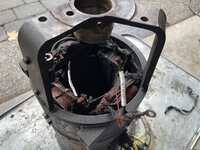
While waiting for UPs to drop off the commutator cleaning stone and a few other items I ordered I decided to finally deal with the 3 Phase AC motor/ Generator. Also known as Pandoras Box. For those following along, you will remember it was absolutely caked in grease when I pulled the rotor from it.
IMG_2914.jpeg
IMG_2908.jpeg
So at the very least I need to get the grease and crud out of it. First step is to label and remove all of the leads from the connector box on the side of the motor. Once again, I labeled all of them with permeated heat shrink labels. Many of them already have factory metal tags on the wires, but some only had factory paper tags and those where practically following off.
IMG_3211.jpeg
While labeling the wires, I noted that, the leads labeled GA2 bad wire and Ga1 felt like they may be broken.
I also noted that on the connector panel, T4 is not used.
T3 connects to wires #9 and #3
T2 connects to wires #8 and #2
T1 connects to wires #7 and #1
Wires #4,5,6 are connected together as an external star point.
As my machine is currently setup for 3 Phase 220 V.

Once the wires where all labeled, I removed the connector strip.
IMG_3214.jpeg
I then removed the junction box.
IMG_3218.jpeg
And then the box's mounting brackets and the mounting bolts for the Exciter.
IMG_3220.jpeg
Cal Haines on Practical Machinist has put together a really good thread on diagnosing issues with the DC Exciter.
I found that info very helpful for the next step.

On the end of the generator there is a variable resistor mounted. This is the Shunt resistor for the Exciter. From Cal's thread it is a 250Ω Ohmite 210 series resistor, about 25W Ohmite part number D25K250E.

IMG_3223.jpeg
I removed the leads to the resistor and labeled them according to the side they where connected to.
IMG_3227.jpeg
I could then pull the resistor to test it. End to end it should read the full value of 250Ω.
IMG_3238.jpeg

Mine only read 239.1Ω It had obvious corrosion on it, so no surprise its bad. According to Cal's thread it should be set to 150Ω.
IMG_3234.jpeg

Mine is reading 207.2Ω. so I need to order a new one. With that out of the way, I used 4 cans of Electrical part cleaner, so that I could at least see what I was working with a bit.
 
OP
G

Grant Gunderson

Well-known member
Joined
May 17, 2013
Messages
2,320
Location
Bellingham, WA
It was then painfully clear the only way I was going to get this thing cleaned out, was to pull the DC fields. So I scribed a unique set of reference marks for each coil and a reference on the casting.
IMG_3245.jpeg
The field coils are held in by 4 sets of two bolts each. All of the bolts are identical. I removed the set of two above the wires first, incase that fields was anchoring any of the wires in place.
IMG_3246.jpeg
I then gently pulled the foam grommet from the wire bundle. When doing so, several of the wires, felt like they had some compromised insulation. This is not good.
IMG_3249.jpeg
I then laid the generator unit on its side, and removed the rest of the bolts holding in the other 3 fields. I could then remove all of the fields. Note, there was a equal number of shims behind each field.
IMG_3251.jpeg
I set the DC fields aside. I will need to clean and most likely replace the jumper wires.
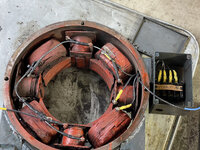
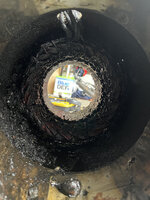
Now to have a look to see how much crud was taped between the DC and AC fields.
IMG_3254.jpeg
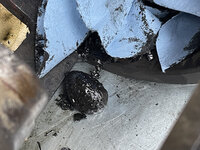
And, yes that blob in the lower center of the photo is a chestnut. What the hell is a chestnut doing inside of a generator.
IMG_3264.jpeg
I pulled several pounds worth of metal chips out of there along with multiple chestnuts and even a couple of walnut shells out. Something was clearly living in there at sompoint. Remember the mouse nest I found living above the gear box? A few cans of Electrical parts cleaner kills Hanta Virus right?

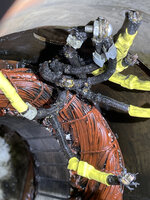
I used a couple more cans of electrical cleaner to flush out what I could. I could then have a closer look at the wire bundle for the AC motor.
IMG_3273.jpeg
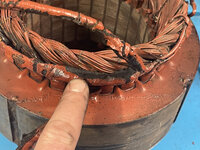
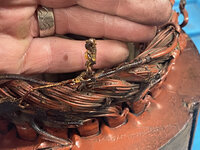
I dont know about you, but I have reservations about hooking up 3Phase power to anything that has wires clearly missing chunks of insulation. Well ****, that means the AC coil has to come out.

The AC coil is held in by a single dog point setscrew on the side.
IMG_3281.jpeg
With that removed, its just a light press fit that holds the field in place. It can easily be pushed out by some long wooden dowels. I did this with the motor on its side.
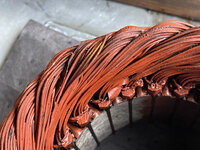
IMG_3286.jpeg
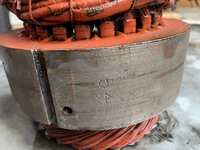
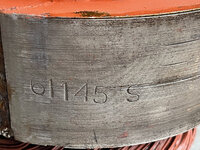
I used another 6 cans of electrical cleaner on it. Here are a few markings I found on it.
IMG_3294.jpeg
 
OP
G

Grant Gunderson

Well-known member
Joined
May 17, 2013
Messages
2,320
Location
Bellingham, WA
IMG_3300.jpeg
IMG_3303.jpeg
No idea what any of them mean.
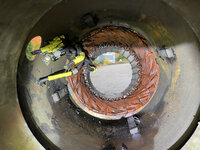
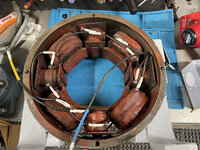
Now lets look at the winding it's self.IMG_3301.jpeg
IMG_3305.jpeg
There are several spots where it is lacking the insulating varnish.

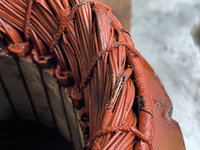
Now lets have a closer look at the wire harness leads
IMG_3310.jpeg
It's amazing this lathe powered up when I bought it. Sure looks like what ever was living in there was also chewing on the wires.

Now the question is to what to do next. When I checked prior to starting on the motor generator the local motor shop wanted a fortune just to inspect it. I need to see how much they would charge just to replace th leads / redid. The second option is I replace the leads and possibly follow this thread to re-wire it to single phase which would also ave me money on a VFD. The third option is my original plan B and just replace the whole motor Gen / DC motor with a modern 7.5 HP AC motor. Either way, time for a beer, and some contemplation of options.
 

tarmy

Well-known member
Joined
May 28, 2014
Messages
4,690
Location
Nor Cal
Been following this thread and love it…keep posting! Thanks.

on that latest set of photos of the various windings and issues…is there any sense to use a updated/ new internais inside of the old housings to keep the appearances? That may be a blasphemous suggestion but just throwing it out there…flame suit on!

I have seen some restoration threads (not sure if on this forum) where there are guys that will re-build the windings (somewhat as a hobby but they do charge for it) and get things working properly.

good luck, love this build.
 
OP
G

Grant Gunderson

Well-known member
Joined
May 17, 2013
Messages
2,320
Location
Bellingham, WA
Been following this thread and love it…keep posting! Thanks.

on that latest set of photos of the various windings and issues…is there any sense to use a updated/ new internais inside of the old housings to keep the appearances? That may be a blasphemous suggestion but just throwing it out there…flame suit on!

good luck, love this build.
Thanks. I'm starting to consider an AC to DC solid state drive conversion. I know nothing about them, so starting to do some research. I'd like to find something that still retains all factory controls with the newer tech box hidden in the beast of the machine. We will see.... lots of research to do.
 
OP
G

Grant Gunderson

Well-known member
Joined
May 17, 2013
Messages
2,320
Location
Bellingham, WA
A friend called yesterday am, asking if I could help him with his bike, thinking it would be a quick fix told him to come over and then put him to work helping me lift the bed on to the lathe.

First, I put a thin coat of way oil on the matting surface of the base casting. I then checked the shim position in my tear down photos and placed it.
IMG_3351.jpeg
We then lifted the bed using the engine hoist and lowered it down to close to the base casting. Once it got close I threaded the bed bolts in, and we then dropped it the bed onto the lathe. I then tightened all 6 bolts down.

IMG_3354.jpeg
Turns out my friends bike needed a ton of work, including a new rear rim, so I sent him to the local bike shop with a shopping list.

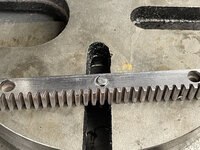
While he was away I polished the bed rack, and then pushed the pins back into the rack using my arbor press.

IMG_3357.jpeg
Next, I used a long handled Starrett tap wrench with a ¼-20 tap to clean out the bolts holes in the bed. While a standard tap handle would work, I like using a long one for this, as I can spin it faster since we are not cutting threads.
IMG_3360.jpeg
Finally I used a handheld reamer to clean up the entrances for the pin holes. I bought this PBSwiss one in Switzerland a few years back for something like $10. I dont use it that much, but it does come in handy.
IMG_3361.jpeg
I used all new ¼-20 by 1" socket head cap screws to reattach the racks. They are identical, so orientation doesn't matter. The fitting is very precise, so you have to tighten all of the bolts evenly to install.
IMG_3363.jpeg
There is some organge peel on the bed casting. I will correct that in a week or so once the paint cures a bit longer.
I have a bunch of parts ready to go back on the lathe, but first I need to get the carriage back on. So I started cleaning it up.

Here it is after an hour long soak in degreaser.
IMG_3371.jpeg
All of my flare wrenches are metric, so I used a standard ⅜ wrench to disconnect all of the compression fittings from the oil lines.
IMG_3373.jpeg
The spacing on the lines is so tight, you need to disconnect the nearest first and then do them in order.
IMG_3374.jpeg

They also all appear to have different markings on the meetering valves. So once I got it out, I put the entire unit in the ultrasonic cleaner on high-heat. Once I get the gunk off of it and can see what I am working with I will pull the valves themselves for cleaning or replacement. I then went by one line at a time and flushed them all out with brake cleaner. This worked really well. Most where still flowing with a bit of restriction. By the time I was done the brake fluid was running out at full power.

Another key to the puzzle that needs to get done sooner than latter is hooking all of the wiring back up. So I polished the conduit tubing. Here you can see the first one done. What a difference a minute or two on the baldour buffer does!
IMG_3376.jpeg
At this point my friend finally made it back from the bike shop with all of the correct parts and a bunch of beer. So spent the rest of the day drinking his beer, setting up a new wheel set for him, and then redoing all of his suspension and drivetrain.
 
OP
G

Grant Gunderson

Well-known member
Joined
May 17, 2013
Messages
2,320
Location
Bellingham, WA
It is easier to install and run the wiring now, before I reinstall any of the drive system, regardless of what I end up doing with the DC drive.

First step is to reinstall the plug and the conduit mounts. I blued the factory hardware prior to installing it.
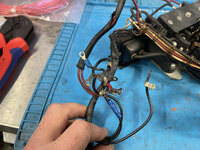
IMG_3392.jpeg
Next I need to reinstall the main contractor and its wiring harness.
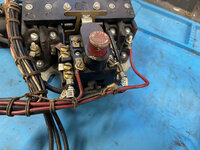
IMG_3382.jpeg

I was originally going to leave it alone, but upon closer inspection there was a few sketchy crimps on it.
IMG_3384.jpeg
I decided since it will never be easier to replace this wiring now, and since I have to snake it all back through the various conduits, nows the time to take care of it. The factory did a beautiful job of hand tying the wires together.
IMG_3386.jpeg
For those, that do not know knots, those are clove hitches. I recognized them right away, as every year, I help the local ski area get set up at the beginning of the season and literally tie thousands of them over a course of two days. At the ski area we use them to tie boundary ropes to bamboo poles. They are the best knot any time you need to secure a line in multiple places. Plus once its set its really easy to go back and tighten it more if need be.

I snipped the wire harness apart, and methodically went wire by wire and replaced them with modern Machine Tool Wire. I labeled each wire with permatex heat shrink labels with the connectors on each end. So if there is ever a problem I won't have to go back and trace each wire.
IMG_3391.jpeg
The main contractor and the transformer next to it, get mounted to the lathe with grommets on the screws to isolate them.

Here is a shot of it all fully installed.
IMG_3402.jpeg
I used high temperature twine to tie it all together. The twine is fiberglass with a PTFE coating on it. I didnt have any as thick as what the factory used, so I doubled it up and used two strands as one. The nice thing about hand tying the wires, is you can get the bundles way tighter than you could with zip ties and without putting any undue stain on the wires. One of the keys to doing proper clove hitches is keeping the run between each knot straight. I had few variations, but I think overall it turned out pretty well. The ends should be very secure, but just to make sure I sprayed them with EL600 insulating varnish.

I then pulled the wires through the conduits to the various places they need to go. While I was at it I also pulled a 10AWG ground wire. While the factory didnt ground the indivudal motors and contact panels, I am going to do it anyways.
IMG_3407.jpeg
IMG_3406.jpeg
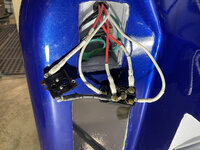
Then wires up the knee panel switches.
IMG_3404.jpeg
I was really glad I had taken the time to proper label all of the contacts and wires prior to disassembly. It made hooking everything back up go really quick and with zero confusion. There is now no factory wiring left on the lathe.
 
OP
G

Grant Gunderson

Well-known member
Joined
May 17, 2013
Messages
2,320
Location
Bellingham, WA
The commutator stone finally arrived, so time to get back to work on the Exciter. First step is to chuck the rotor in my mill. As you can see the commutator is pretty filthy.
IMG_3315.jpeg
I held the stone to it while running it at a low speed. It only took a few seconds to see a noticeable improvement.
IMG_3319.jpeg
I then dusted it off an air gun and then wiped it down with electronic cleaner.
IMG_3325.jpeg
I then attached the end cap to the end bell, to secure the bearing.
IMG_3340.jpeg
Next, I pressed the rotor into the bearing in the end bell using my arbor press.
IMG_3440.jpeg
I then dropped the whole unit into the main frame for the exciter with it supported from bellow by some 4x6 blocks. I then screwed the end bell down. Here is a shot after I flipped it back over.
IMG_3347.jpeg
I then lowered the front end bell on to the shaft and checked again to make sure the alignment marks lined up.
IMG_3350.jpeg

The front end bell then gets pressed on. I used a large impact socket over the end of the shaft to press the bell back on.
IMG_3348.jpeg
I then finished securing the screws for the front bearing cap, and flipped the unit over one more time. I then removed the rear end cap and installed the castle nut. and put a cotter pin through to secure.
IMG_3467.jpeg
I like to bend the ends of the cotter pin back into the castle nuts. This eliminates any chance from them rattling or scraping against the end cap.

Once that was all done I could simply reinstall all 4 of the brushes. The brushes from Monarch are stamped H45 and come pre-beveled ready to install.
IMG_3469.jpeg
 
Last edited:

garfieldzzz

Well-known member
Joined
Jun 30, 2014
Messages
306
Location
BY
That thing will look flash, looking forward to see it finished.
Awesome detail work.
 
OP
G

Grant Gunderson

Well-known member
Joined
May 17, 2013
Messages
2,320
Location
Bellingham, WA
A while back, it was suggested that I use Motor lead wire instead for the DC motor jumpers. I had a hell of a time finding it. I then learned that what I actually needed was SRML wire. Which is Silicone Rubber Motor Lead wire. This is Essentially Machine Tool wire, but has an additional Fiberglass outer sheath. Its an exact match for what the factory used. So I re-did all of the jumpers. The nice thing about doing something twice, is that it usually goes faster the second time. Plus it gives you the opportunity to do it better.
Here is a shot of the DC motor now with the proper jumper wires.
IMG_3531.jpeg
I then re-attached the junction box to the side of the motor. Instead of using the factory screws, I replaced them with new ¼-20 by ⅝ SHCS so they would be easier to install.
IMG_3533.jpeg
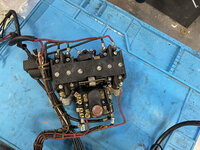
I then attached the leads to the contact bloc before I screwed the contact block to the back of the junction box. This made it easier to keep the wires nice and tidy.
IMG_3534.jpeg
I then laced the wire leads to add support. Once that was done I coated everything with EL600 clear insulating varnish.
EL600_xCan_topline-copy.jpeg
Here is a shot with the wiring all finished up.
IMG_3552.jpeg
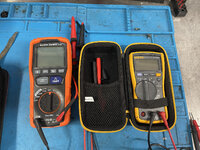
For most electrical work around the house and vehicles, I have a Fluke 117 multimeter that has served me very well for my uses. I also have a Klein ET600 Megger. I picked the Klein up when I installed heated tile floors in our laundry and guest bath, as I needed to test them before laying the tile down. It worked great for that, and is the ideal tool to rest the motor with. Overall, its almost as nice as my Fluke for half the cost. At $160 its pretty reasonable for a Megger. Only thing about the Klein is it's leads ****, so I use the Fluke ones with it.
IMG_3547.jpeg

First I checked to make sure I had continuity to from the terminals to all of the ends.

I then moved on to checking the insulation with the Meeger.

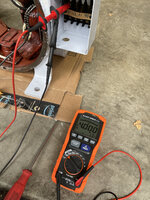
I checked between all of the motor's leads and the case, at the contact plate, and all tested at over 4000 Mega Ω
IMG_3538.jpeg
I then tested again on the motor side, to the chassis and got variations from 393.2 Mega Ω. to 3374 Mega Ω
IMG_3542.jpeg
so, at least I know there is a good chance it won't electrocute me now. I will redo these tests, once the motor is fully assembled.

EDIT, I realized when I re-did the tests with the motor fully installed, that I forgot to hold the button until they stabilize, so see bellow.
 
Last edited:
OP
G

Grant Gunderson

Well-known member
Joined
May 17, 2013
Messages
2,320
Location
Bellingham, WA
Ok, now its time to get the DC motor assembled and back in the machine.

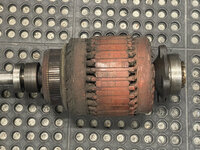
Here is a shot of the rotor. It's flighty.
IMG_3555.jpeg
Here it is after I cleaned up the commutator with the commutator stone, and cleaned the rest of it with electrical cleaner.
IMG_3558.jpeg

The large bearing on the end of the rotor is good. The front bearing is a bit gritty so I decided to replace it. I removed the old one with a 3 jaw puller.
IMG_3559.jpeg
I replaced it with the same SKF bearing number that was on there. I used the old bearing and a large socket as a drift to press it on after I lubed the shaft with Super Lube.

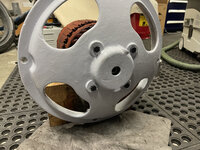
I then lubed the bearing bore on the end bell and lowered the rotor into the rear bell end. It went about half way in under its own weight.
IMG_3562.jpeg
I then used the for bolts for the bearing plate to pull it all together, by slowly tightening them all evenly.
IMG_3565.jpeg

I then inserted plugs for the grease ports as there is no need for them with fully shielded bearings.
IMG_3566.jpeg
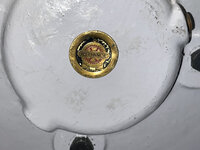
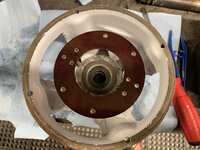
Next, I pressed the brass plug into the end bell.
IMG_3572.jpeg
Ever since I took the motor out, I had been thinking about how the hell I am going to get it back in. It's really too heavy for one person, but there isn't a lot of room for a helper. So I decided I would use a plywood sled. I cut a piece of scrap ½ baltic birch ply to fit the opening of the casting. I then placed it onto of two 4x6 blocks to get the proper height. I could then slide the motor into position using the plywood, and then once it was where I needed it, I dropped an alignment punch into the bolt hole in the back.
IMG_3587.jpeg
With the motor anchored in one of the holes, I could then slide the ply out, and easily pivot the motor to align a front bolt hole.
IMG_3588.jpeg
I could then use a block and a pry bar to lift the motor, to align the rest of the bolts and shims.
IMG_3591.jpeg
That method worked really well and was actually quite easy for one person to do.
 
OP
G

Grant Gunderson

Well-known member
Joined
May 17, 2013
Messages
2,320
Location
Bellingham, WA
IMG_3593.jpeg

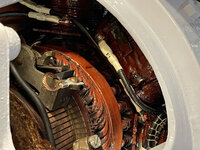
Now, I am ready to attach the front end bell. First, The brush holder needs to get installed. When I removed It I noticed these alignment marks.
IMG_3595.jpeg
Upon cleaning everything, I believe those where from a previous motor service. I believe these are the factory alignment marks. Regardless the brushes are in the same position regardless of what set you use.
IMG_3600.jpeg
I then lubed the bore for the front bearing and bushing with super lube and slid it on to the motor shaft. I then tightened the leads to the brushes, as its a lot easier to do before you align the end bell in its proper position.
IMG_3602.jpeg
Note, that rectangler hole in the bottom of the front plate is an oil passage. It allows the gear box oil to lube the front bushing. I then slowly and evening tightened all 4 bolts that hold the end bell on.
IMG_3605.jpeg
Next, its time to install the brushes. Here are the ones that Monarch sent for the DC motor. They are made by Helwig and come pre beveled. The part number is 13-371015-400-3-01
IMG_3607.jpeg
The two brushes on the right side are easy to get to and install.
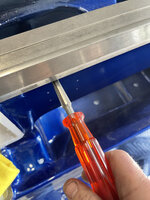
IMG_3610.jpeg
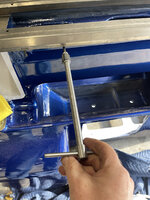
The two on the left are not so easy to get at with a screw driver, so I used a ratcheting bit driver.
IMG_3613.jpeg
 
Last edited:
OP
G

Grant Gunderson

Well-known member
Joined
May 17, 2013
Messages
2,320
Location
Bellingham, WA
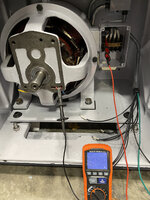
Now, its time to test the motor. This is when I remember that on this unit, you have to hold the test button until it stabilizes.
Starting with F1 I got 102.0MΩ and with the shaft at 90 degrees I also got 102MΩ
IMG_3669.jpeg
IMG_3670.jpeg
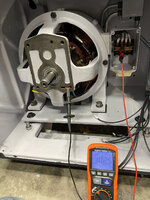
On F2 I got 101.7MΩ and wit hate soft at 90 I got 102.5MΩ
IMG_3671.jpeg
IMG_3672.jpeg
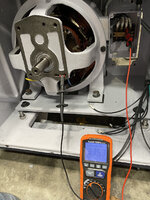
On A1 I got 3.353MΩ and with the shaft at 90 I got 3.472MΩ
IMG_3676.jpeg
IMG_3677.jpeg
And finally on A2 I got 3.475MΩ and with the shaft at 90 I got 3.480
IMG_3678.jpeg

So this confirms the insulation in the DC motor and its wiring is ok.
 
To avoid these ads, REGISTER NOW!
OP
G

Grant Gunderson

Well-known member
Joined
May 17, 2013
Messages
2,320
Location
Bellingham, WA
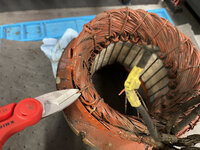
Ok, now its time to get back to pandoras box, also known as the 3 Phase motor. In case you forgot the leads on it are shot.
IMG_3483.jpeg
First step is to carefully snip the twine that holds the leads on.
IMG_3476.jpeg
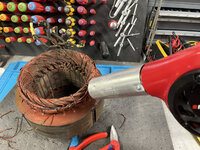
I then used a heat gun to soften the varnish, working small areas at a time to pull off the twine.
IMG_3477.jpeg
I then repeated this process to remove the leads from the windings.
IMG_3488.jpeg
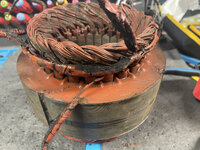
Here is a shot of all 9 leads loosened from the varnish.
IMG_3490.jpeg
This 3 Phase motor is wired with 9 leads coming out of it that can then be wired for either high or low voltage with an external star point. There is also an internal starpoint in the motor. I plan to remove this internal star point to convert it to single phase using the Steelman method. The nice thing about this conversion, is you can always just connect those 3 addition leads as an external star point to go back to 3 phase. Here is a good link on the method. https://www.practicalmachinist.com/...-3-phase-single-phase-steelman-method-274956/

Here is where the internal star point is on this motor. There are 3 leads heading into the bundle.
IMG_3494.jpeg
Using the heat gun again, I softened the glue on the tape that covers it. I then could unwind the factory tape. Here is what the internal star point looks like.
IMG_3500.jpeg
I then used a pair of dykes to cut the star point out. Leaving me with 3 unmarked wire ends. I then found marked wire lead #7 and then used my fluke meter to find which of the 3 wires from the star point had continuity with it. That then gets marked as wire #10. I then did the same for known wire #8 the unmarked end then becomes #11 and finally for known wire #9, its unmarked end becomes #12. Each of those 3 wire pairs have a resistance of 1Ω. I then checked the resistance of the remaining wire pairs so we get the following:
leads 1~4=1Ω
leads 2~5=1Ω
leads 3~6=1Ω
leads 7~10=1Ω
leads8~11=1Ω
leads 9~12=1Ω
So we now know at least none of the windings are broken internally.
 
Last edited:
OP
G

Grant Gunderson

Well-known member
Joined
May 17, 2013
Messages
2,320
Location
Bellingham, WA
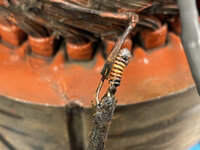
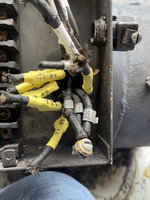
The factory attached the leads to the windings using a soldered and mechanical joint.
IMG_3526.jpeg
Here is what one looks like unwound
IMG_3525.jpeg
I have chosen to go ahead an use the same solder filled crimps that I have been using on the rest of the project. I figure if it gets so hot that these crimps fail, well then the motor is melting anyways.
IMG_3521.jpeg
The nice thing about these but connectors is that once you crimp them, you can test to make sure you have a good mechanical bond, then when you heat them, you known the solder has flowed when you get the "H" appears as in the photo above.
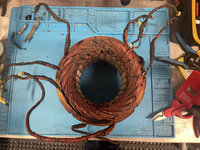
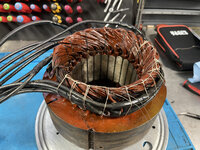
Here is the stator with 12 new leads on it. All have the number heat shrinked on to the end using permatex labels. I also transferred the factory metal wire ID tags as well.
IMG_3528.jpeg
At this point since the windings are fully open with out the leads hiding them, I gave it 4 good coats of EL600 insulating varnish. Once that dried, I then worked on tying it.

I started on the side opposite of where I marked the factory pig tails exiting. and tied toward that point, then reversed back to the starting point, so it was double tied.

IMG_3549.jpeg
I then repeated this on the other side. Finally I did another separate pass back and forth over where the pig tails exit as this is the highest stress area. Here is a shot after all tied and another coat of EL600 has been applied.
IMG_3682.jpeg
Btw, I used this micro spring tools from my time spent doing camera repairs in college to feed there high-temp twine throug the windings. It made it go way faster.
IMG_3683.jpeg

Once it arrives the stator will then get a coat of proper red insulating varnish as well.
61FHQFoMReL._SL1000_.jpg
I was hoping to use the Megger to test to the stator today, but it got late, so that will be tomorrow.
 

MBfreak

MEMBER EMERITUS
Joined
Dec 10, 2010
Messages
2,301
Location
Linkoping , Sweden
Grant.
Great job!
The one aspect I know a lot about is the electric machines, buiIt around 1938. Repaired and overhauled a 6KVA generator and 4 repulsion motors with built on gearboxes for a FUTURLINER. The only part farmed out ( a large company did it free of charge) was balancing and reinsulation the generator rotor, which weighed 210 kg.
I cleaned all motor stators and rotors in 85 C water bath with degreaser added. Oven dried at 110 C, let cool. To boil out all pockets of water I then run DC thru the winding until entire part reached 110 C. You have to make this slow so as not to overheat the insulation.
Let cool and meggered all >> 100 MOhm.
The repulsion motors are interesting. If nerdy enough, look up on the web.
And interstingly enough, about 10 years ago, ABB machines started a line of them. The rather complicated rotor with a commutator, brushes and a short circuit device was replaced by a static converter.
Very low inrush current, very high torque from standstill.

Ola
 

MBfreak

MEMBER EMERITUS
Joined
Dec 10, 2010
Messages
2,301
Location
Linkoping , Sweden
Grant.
I do not want to rain on your parade, they work you are doing is absolutely first class. Much admired. Wall tyo wall.
Read above in one of your posts that you used jumper and connection wires with some kind of silicone adddtnl insulation.
No problem in an AC machine with no sliprings or commutator.
BUT.
ASEA later ABB learned the expensive and hard way that silicone insulation of any kind is bad for electrical machines with commutators/sliprings, ie sparking designs.
The gases emitted by the silicone destroy the building up of the dark brown patina on the rotating copper/brass parts and leads to very excessive wear and breakdowns.
This was in the beginning of the eighties, and killed an otherwise well developed range of 10-500 kW DC machines that was meant to compete with the absolutely unbreakable GE marine deck motors. The entire family was withdrawn.
A friend of mine who was a chemist at the ASEA reserch labs moaned " WHY did they not ask us. This is common knowledge"

Ola
 
Last edited:
OP
G

Grant Gunderson

Well-known member
Joined
May 17, 2013
Messages
2,320
Location
Bellingham, WA
Grant.
Great job!
The one aspect I know a lot about is the electric machines, buiIt around 1938. Repaired and overhauled a 6KVA generator and 4 repulsion motors with built on gearboxes for a FUTURLINER. The only part farmed out ( a large company did it free of charge) was balancing and reinsulation the generator rotor, which weighed 210 kg.
I cleaned all motor stators and rotors in 85 C water bath with degreaser added. Oven dried at 110 C, let cool. To boil out all pockets of water I then run DC thru the winding until entire part reached 110 C. You have to make this slow so as not to overheat the insulation.
Let cool and meggered all >> 100 MOhm.
The repulsion motors are interesting. If nerdy enough, look up on the web.
And interstingly enough, about 10 years ago, ABB machines started a line of them. The rather complicated rotor with a commutator, brushes and a short circuit device was replaced by a static converter.
Very low inrush current, very high torque from standstill.

Ola
Thanks. That sounds massive! Water near anything electrical scares me, but I have heard of others doing exactly what you describe.
Grant.
I do not want to rain on your parade, they work you are doing is absolutely first class. Much admired. Wall tyo wall.
Read above in one of your posts that you used jumper and connection wires with some kind of silicone adddtnl insulation.
No problem in an AC machine with no sliprings or commutator.
BUT.
ASEA later ABB learned the expensive and hard way that silicone insulation of any kind is bad for electrical machines with commutators/sliprings, ie sparking designs.
The gases emitted by the silicone destroy the building up of the dark brown patina on the rotating copper parts and leads to very excessive wear and breakdowns.
This was in the beginning of the eighties, and killed an otherwise well developed range of 10-500 kW DC machines that was meant to compete with the absolutely unbreakable GE marine deck motors. The entire family was withdrawn.
A friend of mine who was a chemist at the ASEA reserch labs moaned " WHY did they not ask us. This is common knowledge"

Ola
Interesting. I have been advised that the Ozone created by those brushes attacks Nylon, but I believe that Silicone is pretty resistant to it. The SRML wire I used on the motor leads have a fiberglass sheath over them, and that intern gets coated in Electrical Varnish. Its the same type of wire the factory originally used there, so I am hoping it will still be ok. Especially as this is a much lower powered motor than the 10KW and above ones you are describing.
 

83VillageRepair

Well-known member
Joined
Aug 17, 2007
Messages
768
Location
Merkel, Texas
This is a fascinating read. I have a 10EE project waiting in the wings so following for future help. The work you are doing is first class.

Wade
 

merkyworks

Well-known member
Joined
Nov 11, 2016
Messages
587
Location
Texas
As usual amazing work Grant. Would have never figured a crochet hook would needed for a lathe rebuild LOL 😂
 
OP
G

Grant Gunderson

Well-known member
Joined
May 17, 2013
Messages
2,320
Location
Bellingham, WA
This is a fascinating read. I have a 10EE project waiting in the wings so following for future help. The work you are doing is first class.

Wade
Thanks. Best of luck with your 10EE
As usual amazing work Grant. Would have never figured a crochet hook would needed for a lathe rebuild LOL 😂
Thanks. Well, its actually a spring tool for cameras, but it sure does look like a crochet hook.

I didnt have a lot of time in the shop today. I had to head up to the ski area and shoot some images of the them splicing the haul rope on one of the ski lifts. Its a pretty cool and very impressive process to watch. The rope for this particular chair holds 51,000 lbs of tension! There are only a hand full of guys with the knowledge to do it. It just so happens one is good friend of mine that came out of retirement to help do it. He actually built the original lift back in 1968.
2111054138-Edit.jpg
After spending much of the day shooting them in mixed rain and snow, it felt really nice to work in my nice heated shop this evening!

Anyways, back to the stator on the 3 Phase motor. I started out testing the wire combinations with my Fluke meter. I got .8 for all of them, except for the the 9~12 wire combo that gave me a reading of 3.7Ω. Well thats not good. So I went back through and tested them again but couldn't get consistent test results on any of them. Ok, something its clearly wrong. Then it dawned on me, that I dont remember the last time I actually changed the battery in that meter. So with a fresh battery again, I got a reading of .8Ω for all of the wire combos, except for 9~12 again, and that read 1Ω. I did the tests one more time and got the same result. It's not ideal that 9~12 dont exactly match there rest, but it is an 80 year old motor.

I then Megged all of the lead pairs to the outer core of the stator. I got the following results:

1~4 .8Ω
2~5 .8Ω
3~6 .8Ω
7~10 .8Ω
8~11 .8Ω
9~12 1Ω

Lead 1 >4000MΩ
Lead 2 2886MΩ
Lead 3 583MΩ
Lead 4 3510MΩ
Lead 5 882MΩ
Lead 6 585MΩ

IMG_3689.jpeg
I got greater than 4000MΩ when I tested all of the lead combinations, for example Lead 1 and Lead 2, and Lead 1 and Lead 3 and so forth. So Correct me if I am wrong, but I think this is a sign the motor should be in serviceable condition. I am hoping when I apply the proper Red insulating varnish, the lead to ground numbers even out a bit more... we will see. If there is more tests I should do on these, or if I am missing something, I am all ears.

With that out of the way for the time being, I turned my attention to the hook up wires for the DC motor. I ran new wires for it, using the original factory ones to gauge the correct cut length. Here they are installed on the motor panel. Note I also added a 10AWG ground wire as well.
IMG_3690.jpeg

Next, I hooked up new wires to the Large POTS that control the DC motor speed. It easier to do this before installing in the machine.
IMG_3693.jpeg
I then installed the unit in the lathe.
IMG_3694.jpeg
I chose to leave the paint on the POTS the original factory as a reference. I also didnt want to screw with them after they tested fine. I did pick up some Benjamin Moore Super Superspec DTM Alkyd paint earlier this summer that I had match the original factory color on the DC panel. I will use a bit of it to do some minor touch ups on the pots, when I do the touch ups on the rest of the interior of the casting.

I polished up the conduits for the POT wires and the DC motor, and pulled the wires through. However, I cant seem to find the mounting brackets for them. They must have gotten put in the wrong box at some point, so when they pop up I will have to bolt them in, then lace the wires.
IMG_3695.jpeg
The DC control panel is held on by these two mounts that bolt to the side of the base casting. They actually have rubber inside them that insulates the pin shafts. They where in really good shape, so I left them alone.
IMG_3696.jpegHere they are installed in the machine.
IMG_3697.jpeg
I then lined the panel up, pushed the pins through and tightened the tiny set screws that retain them.

IMG_3698.jpeg

Here is the panel as it currently sits.
IMG_3701.jpeg

I just got to hook the wires up and then the wiring on this end of the lathe is done. You can also see where some of the interior paint lifted, when I pulled the painters tape. I need to go back and touch those spots up, but that won't happen until I need to mix another batch for a group of parts to spray. Most likely that will be this week.

I gotta say it sure feels nice to get another two boxes of parts off of the work bench. I'm slowly working back towards having workable space again.
 

MBfreak

MEMBER EMERITUS
Joined
Dec 10, 2010
Messages
2,301
Location
Linkoping , Sweden
The megger readings are perfect. If I can see , the megger is set to 500 V.
Even a megger reading at 500 V of 100 MOhms would be OK.
The work is, as always from you, outstanding.

Ola
 
OP
G

Grant Gunderson

Well-known member
Joined
May 17, 2013
Messages
2,320
Location
Bellingham, WA
So I decided, that I couldn't leave the wire mess alone behind the DC control panel. After some searching, I found the missing conduit brackets in the box with the Knee switch plates. So I took the DC panel out and went to work lacing the wires.

I have found, I can actually lace the wires as fast as I can properly tighten them with zip ties and cut them flush, plus the lacing creates a much tighter bundle. So here is how I do it.

First wrap the twine (I am using high-temp PTFE coated fiberglass) around your wrist.
07D0118D-AA28-4AE7-BD3E-19078C1E9859_1_105_c.jpeg
Next, rotate your wrist, with your thumb out (this creates a loop) and reach behind the wires.
IMG_3705.jpeg
Reaching behind th wires, grab the loose end the twine and pull it through the loop you just created.
IMG_3706.jpeg
Here is the end result.
IMG_3708.jpeg
You can then slide the new loop up into position. When you pull tension on the loose end in your hand, it locks it down.
IMG_3709.jpeg
The goal is to try to keep each wrap evening spaced and the backbone line straight.
I did this for all 3 bundles of wire.
IMG_3710.jpeg

I then laced all three bundles into a larger one.
IMG_3713.jpeg
I then reinstalled the DC panel and puled the wires into it. I then terminated all of them.It still a bit of a rats nest, but its better than it was originally.
IMG_3728.jpeg
Here it is all buttoned up.
IMG_3730.jpeg
Once that was done, I had Stian help me change my summer tires out for my snow tires and change the brake pads on my truck. He loves anything with wheels on it, and has a genuine curiosity of how things work. He also loves using the impact gun!
IMG_3734.jpeg
 

tarmy

Well-known member
Joined
May 28, 2014
Messages
4,690
Location
Nor Cal
Not sure what is better…your effort on that lathe or on making sure your work with the son!

I have to older sons and working on ANYTHING with them was always my favorite thing to do…good on you OP…
 
OP
G

Grant Gunderson

Well-known member
Joined
May 17, 2013
Messages
2,320
Location
Bellingham, WA
Not sure what is better…your effort on that lathe or on making sure your work with the son!

I have to older sons and working on ANYTHING with them was always my favorite thing to do…good on you OP…
I agree, other than taking him biking or skiing, spending time with him working on projects is top of my list of favorite things!

Tonight, I started to strip the paint on the carriage, and tale stock. I am really hoping to get those painted before I am back to work for the winter, which is starting to look like will be next week.

While the lacquer thinner was doing its thing, I finished tearing down the back gear box. I previously left of on it here: Back Gear Box tear down part 1. Here is a photo of where I previously left off with the yoke gear selector shaft still in the back gear box.
IMG_3746.jpegI was able to press that gear shaft out from the back side using my arbor press.
IMG_3749.jpeg
And the gear thats left in the gear box. Note the smooth non-raised side is up.
IMG_3750.jpeg
That gear can then easily be lifted out.
IMG_3754.jpeg
I now have access to the back side of the gear selector shaft. The two parts of the yoke are held in place by both a set of set screws, and tapper pins, that must be pressed out from the back side.
IMG_3755.jpeg
Here is a shot of the tapper pins. Note the front side is threaded for the two nuts that held them in place from the front. Total over kill design.

IMG_3758.jpeg
I could then tap the gear selector shaft out, and in doing so the yokes off of the shaft.
IMG_3759.jpeg
I then used a socket to press out the back bearing of the gear shaft.
IMG_3761.jpeg
It is a New Departure 77503
IMG_3765.jpeg
I then used a bearing drift stacked with a long thin brass drift to press the oil seal out for the selector shaft.
IMG_3767.jpeg
 
Last edited:
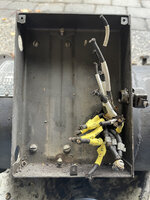
OP
G

Grant Gunderson

Well-known member
Joined
May 17, 2013
Messages
2,320
Location
Bellingham, WA
It also had a bushing on the inboard side.
IMG_3768.jpeg
That oil seal was completely toast. When I tried cleaning it, it came apart in my hands.
IMG_3779.jpeg
I have no idea what one it is other than it says Victor on it. It looks like it had some sort of spring system to hold in a shield on the inboard side. So I'll have to figure out a replacement is.
I then used the arbor press to press out the tapper pin holding the selector arm on to the selector shaft.
IMG_3773.jpeg
Well ****, that pin was so stuck, it caused my Starrett pin punch to snap! There goes $10 for a replacement.
I then used some wooden blocks and my bench block, to press the shaft out.
IMG_3774.jpeg
The selector arm is Monarch part EE224
IMG_3776.jpeg
On another note, here is there AC motor stator after I applied the insulating varnish to it.
3PhaseACStatorDipped.jpg
I'll re-test it with the Megger once its back in the motor housing.
 
Last edited:

Steve from Socal

Well-known member
Joined
Jan 27, 2009
Messages
3,499
Location
Hutchinson Ks.
Grant,

I think the "bearings" you mention with no balls are oil seals, The shaft is in the plain bearings, there is no radial load on the shaft. It has been a long time since I had a backgear box apart, are the clutch dogs sharp square edges?

There would be evidence of bearing failure in the case IF the seals were bearings. Keep up the good work, you are going to be a hard act to follow!

Steve
 
OP
G

Grant Gunderson

Well-known member
Joined
May 17, 2013
Messages
2,320
Location
Bellingham, WA
Grant,

I think the "bearings" you mention with no balls are oil seals, The shaft is in the plain bearings, there is no radial load on the shaft. It has been a long time since I had a backgear box apart, are the clutch dogs sharp square edges?

There would be evidence of bearing failure in the case IF the seals were bearings. Keep up the good work, you are going to be a hard act to follow!

Steve
Ahh, oil seal would make sense. Been dealing with trying to track down so many bearings lately, thats all thats on my mind. I domino think I have ever bought oil seals for anything besides a vehicle before. I'll have see if I can find one on McMaster or order directly from Monarch.

The clutch dogs seem to be in really good shape. looking at the gearing, it doesn't appear that the back gear saw much use on this lathe.

Looking forward to seeing the progress on yours.
 
Last edited:

Craftfab

Well-known member
Joined
Sep 19, 2018
Messages
411
Location
Garage
Haven't posted yet, but very much enjoy reading and following along this rebuild. Would you mind sharing where you got the bench block? I am rebuilding a Rotex and need something just like that to help drive out a lot of roll pins. Thank you
 
OP
G

Grant Gunderson

Well-known member
Joined
May 17, 2013
Messages
2,320
Location
Bellingham, WA
Haven't posted yet, but very much enjoy reading and following along this rebuild. Would you mind sharing where you got the bench block? I am rebuilding a Rotex and need something just like that to help drive out a lot of roll pins. Thank you
Here you go:

Starrett small bench block

Starrett Large bench block

I have the small one, but am planning on ordering the large one at some point for the arbor press.
 
OP
G

Grant Gunderson

Well-known member
Joined
May 17, 2013
Messages
2,320
Location
Bellingham, WA
Well, not a lot of progress to post the last few days.... not that I haven't been busy on the lathe, but posting photos of the painting process is pretty boring. I did get a bunch of parts primed and painted.
IMG_3808.jpeg
So I can start working on the body filler for the pieces that go on the exterior tomorrow. While I was waiting for paint to dry, my new Traeger Ironwood 650 smoker finally showed up.
65826337723__D1F6EF9C-EE3F-4F60-8817-1C0508663498.jpeg
That is a massive upgrade from my gas webber. The webber still has its uses, but the meat off f the Traeger just tastes way better.
IMG_3803.jpeg
Anyways back to the lathe.
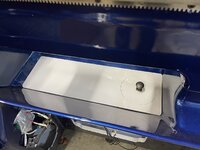
I painted the chip pan with the same single stage poly I used on the inside of the lathe. I chose not to use the blue exterior as I figured its only going to get scratched from hot chips and coolant. Plus having white bellow the bed, will reflect some light back up so its not such a dark hole.
IMG_3811.jpeg
I also used a left over cabinet pull from my garage cabinets to help aid in the lifting the smaller panel. Once the lathe is done a first project might be making a more industrial knob for this.

I also got the bracket to lock the DC panel painted and back in. I blued the knob for it as well.
IMG_3850.jpeg
I also got the 3 tabs to mount the gear end cover installed as well.
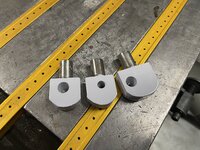
IMG_3814.jpeg
The rest of the painted parts needed to cure for at least 24 hours, so I started working on the DC portion of the Generator unit.
If you remember it was a filthy mess. Here it is after 4 cans of electrical cleaner. Still filthy.
IMG_3816.jpeg
Since I needed to replace all of the leads any ways, I took it all apart and cleaned it piece by piece. Here is one of the coils broken down.
IMG_3817.jpeg
I was able to get 90% of the gunk off of all of the parts. So I call that a success. I then applied new insulating varnish to all of the components. While that was drying I reinstalled the AC portion. There is a set screw hole that needs to get aligned with the case, so I marked its location with a black sharpie (top of frame). and then lowered it into the case.
IMG_3833.jpeg
It slipped right in smoothly under its own weight. I then flipped the unit on its side to further check the alignment. I was just a hair off, but it was enough to keep the setscrew from threading in. While the stator slid in easily, it didnt want to rotate. So I had to use an alignment punch to line it up. None of mine where thick enough. So I had to go purchase a new one for it.
IMG_3835.jpeg
A couple of taps on the alignment punch and it centered the hole perfectly!
 
OP
G

Grant Gunderson

Well-known member
Joined
May 17, 2013
Messages
2,320
Location
Bellingham, WA
I could then focus on the DC side of things. There is a shim stack behind each of the coils. I placed the blued bolts though the case holes and slid the shims on.
IMG_3841.jpeg
I then laid all 4 for the coils out according to the marks I hade made on them during disassembly.
IMG_3842.jpeg
The units at the top and bottom of the previous photo have to get installed first. as the other two sit proud of them.
Here is a shot of everything installed.
IMG_3845.jpeg
IMG_3843.jpeg
I am now at a stand still on the motor and gear box. I am waiting for my bearing order to arrive along with the EPDM grommet I ordered. The EPDM grommet is supposed to be Ozone stable so should be a good fit for this. I also used up my supply of wire crimps and apparently I have boughten the entire supply the local store had. So I have to order more form McMaster.

I also need to order the Bijur oil meters for the carriage. The lathe uses 4 MJC-00 metering valves. These are for 3/32 tubes and I believe the new replacement is a FJC-00. It also uses one MJB-00 which is for 5/32 tube and the new replacement is FJB-00. In typically McMaster car fashion they dont list the true part numbers. From what I can deduce from the catalog all of theirs are the FJB type. So I need to find a source for the FJC ones. Ill probably order them from https://www.fluidlinesystems.net unless someone has a better source.
 
To avoid these ads, REGISTER NOW!
Top Bottom