goneracin
Active member
Cool, thanksprinting 2 color
im going backwards through this thread. I have a K1 creality, and looking into doing a multi color printer.

Cool, thanksprinting 2 color
Are you looking for multi material? Do you care about a 250mm vs 220mm build plate?has anyone seen or used the Creality Hi bed slinger.
the auroratech review looks pretty good, and id prefer not using the bambu deal, but the a1 combo is option 2. I cant bring myself to spend almost 3 times as much on the prusa mk4s for a hobby situation.
not necessarily multi material, but multi color. I have a Creality K1 im using, but it doesnt do multi colorAre you looking for multi material? Do you care about a 250mm vs 220mm build plate?
ill have to look into it. thanksThere is an upgrade kit to run the Creality CFS system on the K1 series printers.
CFS for K1
I'm running 2 CFS units for 8 Colors on a K1 Max, works great!
so the adapter and cfs are roughly 400There is an upgrade kit to run the Creality CFS system on the K1 series printers.
CFS for K1
I'm running 2 CFS units for 8 Colors on a K1 Max, works great!
good planTo your point, I actually have 2 K1 Max units, each with the upgrade kit to run CFS units.
I can run each printer with its own CFS or gang the CFS units to one printer.
BTW, there is an Android app that lets you make RFID tags for the CFS units to read filament types and colors.
Filament management is so much improved with the CFS attached. No more manual filament loading. Great system.
Once you get the HI with CFS, buy just the $60.00 upgrade kit for the K1, you will want to run the CFS, even if you aren't changing colors mid print.
Installing the CFS kit does not mean you cant just run a single filament just like normal. Creality Print handles the single filament or CFS choices.

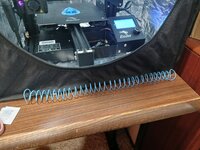




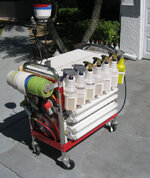
@Bessy, I permanently mounted some fluorescent fixtures to my 1-drawer cart. I can move the light to wherever I need it most.I'm already thinking up V3 which could incorporate a slot-in feature for lights that you only need occasionally. Use case for those would be for buffing the hull of the boat, when you want wall mounted lights to ensure an even finish.
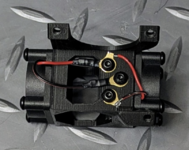

One for X, and one for Y!Why two linear rails that cross each other?
Two side rails for x and one cross rail for y is all that’s needed.One for X, and one for Y!
I couldn't figure out how to do it with just one.



come on big boy printer.

So....ya buy one yet?
Spec's look solid and to me the $1,499 price tag doesn't seem to bad for the features and size...
2 lol
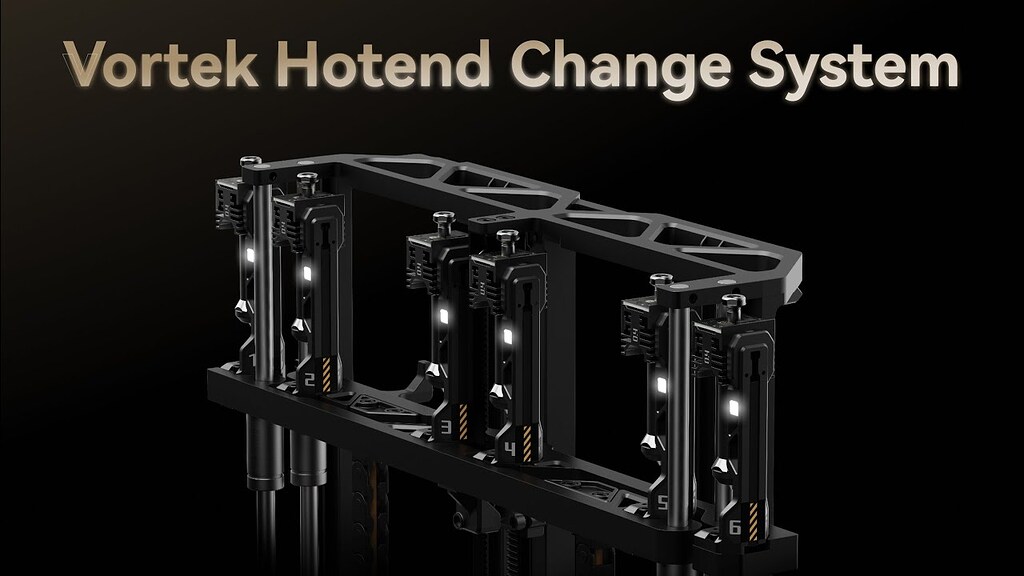
 forum.bambulab.com
I read your link, but I must be missing something. Can you outline the difference between the H2D and this new C model please? Both are larger than the P and X1 models and both have dual heads right?
I read your link, but I must be missing something. Can you outline the difference between the H2D and this new C model please? Both are larger than the P and X1 models and both have dual heads right?
The website shows minor size differences with the HS and HD machines. Both are larger than the others but apparently not the same if the website descriptions are to be believed.So the H series as I understand it are all the same "platform" and have the same rough build volume of 320 x 325 x 325 mm. The X/P/A series all have 256mm envelopes so H is significantly larger
S model is single extruder
D is dual extruder
C is Cingular or changeable nozzle where it has a single extruder but fancy new tech that allows to swap the nozzle only to minimize the color change waste(should be nothing) while not being as big and bulky as multi tool heads or multi extruder designs
The build volume between the HS and HD are technically the same. Where the HD is 'smaller' is that the Dual head system takes up extra space, meaning a single nozzle can't go the full width of the bed. You lose a little print volume in the Y axis because of this. I don't know whether they have special logic so that if you load the same filament in both nozzles if it's smart enough to print the full width. You'd just lose the ability to switch colors on the full width.The website shows minor size differences with the HS and HD machines. Both are larger than the others but apparently not the same if the website descriptions are to be believed.
Is the C faster than the D then? I am not seeing the benefit of it over the D at the moment. A guy like me doesn't need the laser and all that ****, just a larger footprint and quick/wasteless color changes would be nice. I do see benefits for other use-cases.
The website shows minor size differences with the HS and HD machines. Both are larger than the others but apparently not the same if the website descriptions are to be believed.
Is the C faster than the D then? I am not seeing the benefit of it over the D at the moment. A guy like me doesn't need the laser and all that ****, just a larger footprint and quick/wasteless color changes would be nice. I do see benefits for other use-cases.
The website shows minor size differences with the HS and HD machines. Both are larger than the others but apparently not the same if the website descriptions are to be believed.
Is the C faster than the D then? I am not seeing the benefit of it over the D at the moment. A guy like me doesn't need the laser and all that ****, just a larger footprint and quick/wasteless color changes would be nice. I do see benefits for other use-cases.
I assume the C is the quick answer to the snapmaker kickstarter possibly?
@loganb How much for the P1? I need to get a relatively inexpensive printer to one of my employees and you’re close enough that I can run up and grab it. Plus, I believe we have a mutual friend (initials “RW”) that we could swap stories about…. Lol