To avoid these ads, REGISTER NOW!

The Everything 3D Printer Thread

Poolshark314

Well-known member
Joined
Jul 5, 2021
Messages
658
Location
MD
Anyone here, in and around NJ that makes Makita 18v Battery storage slides - both Battery and tool side?
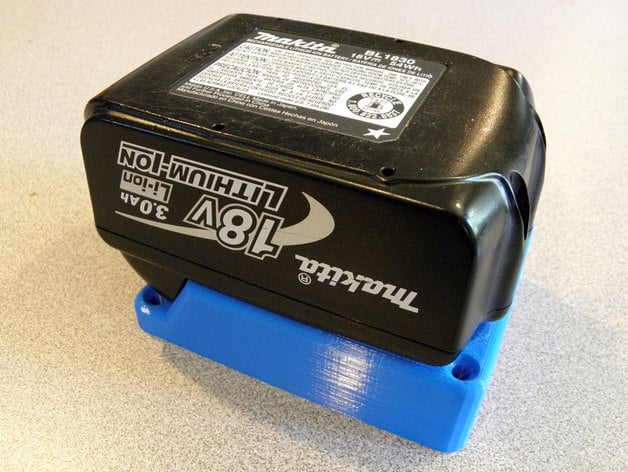
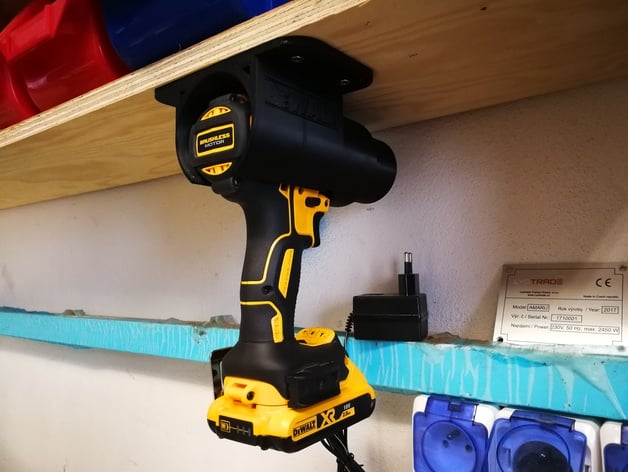
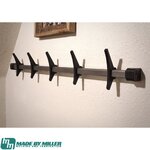
Are you asking for a design or for someone with a printer to print them for you? There are a few designs out now:


To avoid these ads, REGISTER NOW!

vertguy

Well-known member
Joined
Apr 6, 2010
Messages
1,259
Location
SE WI
Surprisingly enough, mine hit Memphis last night, cleared customs in <1 hour and arrived at the MKE hub with a Monday eta. So hopefully I will be printing next week!
 

Bad Habit

Well-known member
Joined
Mar 19, 2014
Messages
1,971
Location
Chumstick WA
Yeah, my shipment had 2 boxes, the first one was actually delivered yesterday (shipped Monday to Seattle). Of course the main unit was the one held up a little. It showed up and they put in on the truck for delivery yesterday afternoon but it got too late I guess. Should be here today. Pretty amazing times to be able to get things from across the world so fast.
 

PelicanPines

ALLIANCE MEMBER
Joined
Apr 30, 2014
Messages
38,104
Location
New Jersey, USA, Earth, My own reality
I get a monthly "grab bag box" from Alien3D. I got it yesterday... it had a 2day priority ship label on it... date stamped 12-2-21... instead of 2 days... it took 20. Apparently "the entire" shipment was misplaced.

**** happens. Nice filaments in the grab bag box tho... very happy...
 

vertguy

Well-known member
Joined
Apr 6, 2010
Messages
1,259
Location
SE WI
I noticed a Fedex truck leaving my driveway around 1 yesterday and was surprised to find 2 boxes from CZ. Amazing shipping times as they were delivered within 48 hours of receipt by Fedex in Prague and considering the distance, the packaging looked untouched. But we had a small gathering yesterday and the larger family coming over today, so no time to check out the new toy until tomorrow.
 

loganb

ALLIANCE MEMBER
Joined
Dec 29, 2011
Messages
5,494
Location
Omaha, NE
I noticed a Fedex truck leaving my driveway around 1 yesterday and was surprised to find 2 boxes from CZ. Amazing shipping times as they were delivered within 48 hours of receipt by Fedex in Prague and considering the distance, the packaging looked untouched. But we had a small gathering yesterday and the larger family coming over today, so no time to check out the new toy until tomorrow.

It shipped FedEx? That's a change, everything I have ordered from them including the printer, filament etc always came DHL but the shipping time was similar

Enjoy the new tool!
 

klindstedt

Well-known member
Joined
Jan 10, 2016
Messages
56
Hi all, I've been considering the purchase of a 3D Printer for the last year. Got a new influx of cash following birthday and Christmas. How important is build volume? I realize this is determined by what I want to print, but I don't yet know what all I might print. Starting off with some wrench and socket organization, but I'm sure I will find lots of other uses as I learn. Can larger builds be broken into smaller prints and be assembled later?

I'm down to either the Prusa Mini+, the Creality Ender 3 V2, or the Voxelab Aquila X2. The Prusa Mini gets good reviews and, as I understand it, just works without a lot of modifications. The drawback is the 7"x7"x7" build area, hence my earlier question. Any other printers I should be looking at? I'm not opposed to something used either. Willing to spend up to $350.00 at this time.
 

Poolshark314

Well-known member
Joined
Jul 5, 2021
Messages
658
Location
MD
Hi all, I've been considering the purchase of a 3D Printer for the last year. Got a new influx of cash following birthday and Christmas. How important is build volume? I realize this is determined by what I want to print, but I don't yet know what all I might print. Starting off with some wrench and socket organization, but I'm sure I will find lots of other uses as I learn. Can larger builds be broken into smaller prints and be assembled later?

I'm down to either the Prusa Mini+, the Creality Ender 3 V2, or the Voxelab Aquila X2. The Prusa Mini gets good reviews and, as I understand it, just works without a lot of modifications. The drawback is the 7"x7"x7" build area, hence my earlier question. Any other printers I should be looking at? I'm not opposed to something used either. Willing to spend up to $350.00 at this time.
Yeah ultimately it's going to come down to what you are printing, but I would say if 90% of the things you want to build are within a certain size, just stick with that. Larger builds can be broken up depending on how it was designed.

The Aquila X2 is a clone of the Ender 3 v2. Most of the troubleshooting and mods are going to be applicable to both because of that. If you have a Microcenter retail location near you, the Ender 3 Pro has been going on sale for $99 for new customers a lot recently. You could easily upgrade that to be a v2 clone for a lot less than purchasing a v2 or clone even if you weren't happy with what the Pro has.

At the end of the day, you kind of need to decide what level of printer you want to be. Do you want it to be like a desktop paper printer that you just click print and it does what you want, or do you want to be someone that tinkers with printers and knows exactly how they function? If you choose Creality, prepare to tinker. I have disassembled both of my Ender 3s for various troubleshooting/upgrades and because of that, I fully understand how it works. There are many people that don't care how it works and just want it to print. Creality is generally not for those people lol.
 

Cruzan80

Well-known member
Joined
Jul 22, 2015
Messages
4,155
Location
Denver, CO
If you can stretch the budget a bit, I have used multiple Flashforge Creator Pro's. Right now on Amazon for $449, they have dual nozzle extrusion (which can be helpful at times, and other times just saves the hassle of swapping), and the extruders run on the X/Y instead of the bed moving. Heated bed (easy to add a sheet of single-pane glass to print effortlessly), and comes enclosed, which allows ABS printing out of the box. Print volume is 9" wide, 6" deep and 6" high. From what I remember, the Creator Pro 2 isn't worth the extra $$$.

Right now I have a Creator at home (older version with plywood frame) and two Creator Pros I run at school for our Engineering dept. While you can tinker, they also work well out of the box. Only oddity is they run an old version of Makerbot's G-code called X3g, but there is a pre-built extension in Cura that translates for you.
 

nicholam77

Well-known member
Joined
Dec 18, 2016
Messages
2,655
Location
Minneapolis, MN
@klindstedt I dipped my toes in about a month ago with an Ender 3v2. It's been a mixed bag for me.

How important is build volume?

I personally wouldn't want smaller than what the Ender 3 v2 is capable of (220mm x 220mm x 250mm). You could potentially split up larger models, but if they weren't designed that way already, you'll need some CAD skills to edit the files.

I'm down to either the Prusa Mini+, the Creality Ender 3 V2, or the Voxelab Aquila X2.

I got the Ender 3 v2 mainly due to price, and out of the box it printed quite excellent. For several weeks. And then I had a weird issue during a print, and ever since have had issues with it (motors overheating, layer shifting, print defects, warping). Despite using the same settings, I can't get it back to how it was initially. That's not to scare you off, but I think (in my limited experience) what @Poolshark314 said is good advice — be prepared to do some tinkering with a lower end model.
 

Vette60

Well-known member
Joined
Mar 15, 2006
Messages
447
Location
Glen Allen, VA
Hi All.

I'm really pumped to join the 3D printing world. I decided after getting my Christmas bonus to order a new home PC and a 3D printing. I decided after reading reviews to get a Prusa Mini+. Thought it would be a good entry into this abyss. LOL.

I'm looking forward to learning much more and seeing all the cool stuff we can make!
 

Poolshark314

Well-known member
Joined
Jul 5, 2021
Messages
658
Location
MD
Hi All.

I'm really pumped to join the 3D printing world. I decided after getting my Christmas bonus to order a new home PC and a 3D printing. I decided after reading reviews to get a Prusa Mini+. Thought it would be a good entry into this abyss. LOL.

I'm looking forward to learning much more and seeing all the cool stuff we can make!
Congrats!
 

vertguy

Well-known member
Joined
Apr 6, 2010
Messages
1,259
Location
SE WI
Now that the house is back to normal (and empty) after a hectic holiday weekend, I finally had the time to get the printer fired up. The first print was a test Prusa logo and it went perfect. So I quickly loaded up a simple small combo square wall mount I designed and in another 75 minutes we will see how I did. But I do have to say, this MK3 seems like a great unit and just watching it print is so cool :cool:
 

AffableCurmudgeon

Well-known member
Joined
Jan 26, 2009
Messages
1,906
Location
Triad Area NC
I'm down to either the Prusa Mini+, the Creality Ender 3 V2, or the Voxelab Aquila X2.

I have an Ender 3 Pro. I am using Marlin firmware on it. I print PLA and PETG. I am very happy with it.

Only modifications I have made to the printer are superficial; I printed and added cable chains, a flashlight holder to illuminate the bed, filament guides, etc.

I do not use BLTouch; leveling the printer bed is very easy with a post-it note as a feeler gauge. I do that every 10th print or so.

Build volume is not an issue at all at 235x235x250 mm. With Fusion 360, I can design pieces that fit together to form larger objects when needed.

Just keep the filament dry in a sealed container with plenty of desiccants, use quality filament, stick to a brand, get to know the temperatures it likes and learn Fusion 360 and Cura very well.

Have fun and good luck with whatever you buy!
 

loganb

ALLIANCE MEMBER
Joined
Dec 29, 2011
Messages
5,494
Location
Omaha, NE
I'm down to either the Prusa Mini+, the Creality Ender 3 V2, or the Voxelab Aquila X2. The Prusa Mini gets good reviews and, as I understand it, just works without a lot of modifications. The drawback is the 7"x7"x7" build area, hence my earlier question. Any other printers I should be looking at? I'm not opposed to something used either. Willing to spend up to $350.00 at this time.

I have a Prusa Mini's bigger brother the MK3s+ and love it, don't have any personal experience on Mini's but the internet feedback I hear and from a few folks I know with both say they're not as trouble free as the MK3 but still very good

Creality makes a nice machine and has a HUGE internet community so the great thing with that is you'll never have a problem someone else hasn't had and the aftermarket/hodrod part shops for printers almost all start with components for Ender/Creality machines so add on potential is as endless as the bduget. the Ender vs Creality is a bit like Chevy vs GMC....Creality generally gets more options/features than Ender but similar platform to both.

No experience or knowledge of the Voxelab, but I'd recommend sticking to something with a larger community/support of the Prusa or Creality/Ender as those are the 2 biggest names in the home hobbist/maker 3d FDM printer space at this time and appear to have the scale and size to stick around.

The build envelop can be a pain but isn't that hard to work around and helps improve your CAD skills when you have to think thru how to make it work in your print envelop or how best to split it up! You may be able to find some gently used ones on FB Marketplace in the coming months from Xmas gifts that weren't used...again as always with used Buyer Beware as they're getting rid of it for some reason...may be machine may be the man(or woman) using it!
 

Poolshark314

Well-known member
Joined
Jul 5, 2021
Messages
658
Location
MD
I have a Prusa Mini's bigger brother the MK3s+ and love it, don't have any personal experience on Mini's but the internet feedback I hear and from a few folks I know with both say they're not as trouble free as the MK3 but still very good

Creality makes a nice machine and has a HUGE internet community so the great thing with that is you'll never have a problem someone else hasn't had and the aftermarket/hodrod part shops for printers almost all start with components for Ender/Creality machines so add on potential is as endless as the bduget. the Ender vs Creality is a bit like Chevy vs GMC....Creality generally gets more options/features than Ender but similar platform to both.

No experience or knowledge of the Voxelab, but I'd recommend sticking to something with a larger community/support of the Prusa or Creality/Ender as those are the 2 biggest names in the home hobbist/maker 3d FDM printer space at this time and appear to have the scale and size to stick around.

The build envelop can be a pain but isn't that hard to work around and helps improve your CAD skills when you have to think thru how to make it work in your print envelop or how best to split it up! You may be able to find some gently used ones on FB Marketplace in the coming months from Xmas gifts that weren't used...again as always with used Buyer Beware as they're getting rid of it for some reason...may be machine may be the man(or woman) using it!
Not sure if you meant Creality/Prusa as a comparison but Ender is a product line of Creality.
 
To avoid these ads, REGISTER NOW!

vavet

Well-known member
Joined
Mar 6, 2012
Messages
5,318
Location
Ashland, VA
Perhaps I’ve just been lucky, but my ender 3 v2 I’ve had for a year has been great. I haven’t done a lot of tinkering with it. If I get a misprint, that usually indicates I need to relevel the bed, which takes less than 5 minutes now that I’ve done it a few times.
A filament runout sensor would be nice so you don’t have to constantly check when you know you’re running low.
 

ekuhn

Well-known member
Joined
Jun 7, 2010
Messages
223
Location
08873
Are you asking for a design or for someone with a printer to print them for you? There are a few designs out now:


Looking to see if anyone prints these on here. I don't have a 3D printer, and i'm not ready to make that jump.
 

rlitman

Well-known member
Joined
Oct 18, 2010
Messages
24,576
Location
Long Island
Looking to see if anyone prints these on here. I don't have a 3D printer, and i'm not ready to make that jump.
Just look for injection molded ones on Amazon. The'll be cheaper than 3D printed ones, and will be stronger too, and the market is flooded with this sort of stuff now.

edit: The above applies if you're looking for one of the more common uses, such as a screw down mount, or a battery attachment with wires included to run something like a powerwheels or perhaps a soldering iron. If you need something unusual, then 3D print it by all means.
 

ekuhn

Well-known member
Joined
Jun 7, 2010
Messages
223
Location
08873
Just look for injection molded ones on Amazon. The'll be cheaper than 3D printed ones, and will be stronger too, and the market is flooded with this sort of stuff now.
Thanks for the input! I'll take a look
 

banjopete

Well-known member
Joined
Oct 5, 2014
Messages
300
Location
Edmonton, Alberta, Canada
Build volume has never been an issue for me and my ender 3, printing anything takes a long time and if I were to print something that used the entirety of the possible size it would be days, for an empty box. It takes no effort on my part to wait but I've been days into parts that have failed and that's not super fun. 90% of the stuff I print at this point is typically well within 150x150x150.
 

Poolshark314

Well-known member
Joined
Jul 5, 2021
Messages
658
Location
MD
Perhaps I’ve just been lucky, but my ender 3 v2 I’ve had for a year has been great. I haven’t done a lot of tinkering with it. If I get a misprint, that usually indicates I need to relevel the bed, which takes less than 5 minutes now that I’ve done it a few times.
A filament runout sensor would be nice so you don’t have to constantly check when you know you’re running low.
Yeah quality control is hit or miss with Creality, which is why their price point is so much lower than others. I have an Ender 3 that has needed nothing and prints fine and I have had an Ender 3 where the hotend fan died within 2 weeks. They are crappy quality oiled bearings so I have swapped it out with dual ball bearing fans. I had another friend who's extruder cracked on the first print he ever did. This is a very common issue on Ender 3 printers because it's plastic and not well made. But again, if I didn't run into any issues, I wouldn't know half of what I know about my printers now
 

Cruzan80

Well-known member
Joined
Jul 22, 2015
Messages
4,155
Location
Denver, CO
I have a Prusa Mini's bigger brother the MK3s+ and love it, don't have any personal experience on Mini's but the internet feedback I hear and from a few folks I know with both say they're not as trouble free as the MK3 but still very good

Creality makes a nice machine and has a HUGE internet community so the great thing with that is you'll never have a problem someone else hasn't had and the aftermarket/hodrod part shops for printers almost all start with components for Ender/Creality machines so add on potential is as endless as the bduget. the Ender vs Creality is a bit like Chevy vs GMC....Creality generally gets more options/features than Ender but similar platform to both.

No experience or knowledge of the Voxelab, but I'd recommend sticking to something with a larger community/support of the Prusa or Creality/Ender as those are the 2 biggest names in the home hobbist/maker 3d FDM printer space at this time and appear to have the scale and size to stick around.

The build envelop can be a pain but isn't that hard to work around and helps improve your CAD skills when you have to think thru how to make it work in your print envelop or how best to split it up! You may be able to find some gently used ones on FB Marketplace in the coming months from Xmas gifts that weren't used...again as always with used Buyer Beware as they're getting rid of it for some reason...may be machine may be the man(or woman) using it!

Not sure if you are confused. Voxelab is simply the seller, and Flashforge is the maker. Not nearly as big of a name as they were 6-8 years ago (when it was basically Makerbot or ...) and this is far from their most recent design (hence why it still runs x3g). However, the support is amazing, as people have had literally 8+ years to figure out this printer. This is essentially a clone of the old Makerbot Replicator 2.

All depends on what you are looking for. Something to tinker with, or something to work almost right out of the box, that gives stability and ABS printing to start. With under two hrs of adjustment from the initial (out-of-the-box assembled), I have had these going 20hrs on a print.
 

loganb

ALLIANCE MEMBER
Joined
Dec 29, 2011
Messages
5,494
Location
Omaha, NE
The Aquila X2 is a clone of the Ender 3 v2...they're identical specs and have the exact same design...just compare the pictures of them. From what I've read the slicer profiles for the machines are even interchangeable without issue. I'd be surprised if they're not built in the same factory or at least by the same private label manufacturer

So I go back to my prior point....when price point is similar, you can buy a clone(the Aquila) with a smaller community or the original(Ender) which has dramatically larger current support & adoption? If I was making the choice between those 2 machines I know what I'd go for

As mentioned by others, the Ender line does seem to have greater issues with quality control/consistency. Many have great success with it, others have issues that they get resolved and there are examples of both here on this group.
 

Cruzan80

Well-known member
Joined
Jul 22, 2015
Messages
4,155
Location
Denver, CO
I think we are getting confused. I am referring to the Flashforge, not an Aquila. Which is radically different design than an Ender/Prusa/etc. When new, these printers were closer to $1250-1500.

Kind of like you are referring to a new Chevy, and I am sayjng there is an older Audi at the close to the same price point. Not a direct comparison at all, just a different choice. The "lack of community" is simply because A)these need less tinkering, and B) it is an older product, so the "active community" has shrunk, but left behind huge resources from when it was new and shiny.
 

loganb

ALLIANCE MEMBER
Joined
Dec 29, 2011
Messages
5,494
Location
Omaha, NE
I think we are getting confused. I am referring to the Flashforge, not an Aquila. Which is radically different design than an Ender/Prusa/etc. When new, these printers were closer to $1250-1500.

Got it, yes I was referring specifically to the Aquila X2 as that was what was originally referenced as the possible choice
 

Cruzan80

Well-known member
Joined
Jul 22, 2015
Messages
4,155
Location
Denver, CO
Got it. And I was confused as apparently Voxelab is the current "Seller" on Amazon for the Flashforge I mentioned. No wonder it seemed like we were talking at cross-purposes. We were!
 

Bessy

Well-known member
Joined
Dec 18, 2012
Messages
992
Location
Ontario, Canada
Hello All,

I hope everyone has been enjoying the holidays (*especially any of the newbies out there who received their first printers!). Wondering if I could hear from some of the seasoned pros on the board here, who may be able to school me on settings I may need to change to run a larger (0.8-1mm) nozzle size on the Ender 5 Plus (and any other modifications that might need to be completed to optimize large nozzle printing (volcano hotend I've heard may be a mod I should consider?) ). I have got the Ender 3v2 (my second printer - all stock for the moment) more or less dialed in, running a 4mm nozzle to do smaller prints for now, so I'm hoping to convert the 5+ over to do some larger parts more quickly.

My first foray into the 1mm world, ended up in carnage (print corners curled, bed dislodged clips on the floor and bent BL touch probe) and I've left it alone since then. With that said, my settings in Cura were as follows:
1) .32 layer height
2) 3 walls, 0.0 horizontal expansion
3) 1mm top and bottom thickness, 4 top and bottom layers
4) 2% infill density - line pattern
5) 200 nozzle temp, 65 bed (I have since read that I should likely up the hot end to about 230-250 for a 1mm nozzle???)
6) 100mm/s print speed, 100% fan speed, skirt adhesion.

And with that unless there is any other information you require, let the class begin!
 

Attachments

  • Battery Box.png
    Battery Box.png
    1.1 MB · Views: 52

02camaro86

Well-known member
Joined
Dec 20, 2014
Messages
310
Location
New Jersey
I get a monthly "grab bag box" from Alien3D. I got it yesterday... it had a 2day priority ship label on it... date stamped 12-2-21... instead of 2 days... it took 20. Apparently "the entire" shipment was misplaced.

**** happens. Nice filaments in the grab bag box tho... very happy...
how do you like those boxes? worth the price? seem like a great way to test stuff before buying a full spool. they have some nice colors im thinking about just buying while they have 25% off.
 

PelicanPines

ALLIANCE MEMBER
Joined
Apr 30, 2014
Messages
38,104
Location
New Jersey, USA, Earth, My own reality
how do you like those boxes? worth the price? seem like a great way to test stuff before buying a full spool. they have some nice colors im thinking about just buying while they have 25% off.
The 25 off does NOT include these UFO boxes. I get the delux box that includes an electronics project, 4 x 20+foot spools and some kind of tool. The tools are random... Novembers was a set of Metric sockets from a company that's going under. October was a nice but cheap soldering iron. I also got a freaking great 3rd hand thing with flexible grippers... I use it almost every day.

The filaments are great... I have had a chance to do some great prints with some high quality filaments. Cool colors too. I pay $35/mo... to me... it's not so much a "Value" tho... it's more of an experience. The electronics projects are interesting and I plan on making several of them for my Great Nephew in time. THOSE have value because they include all the electronics etc. Novembers is a digital hourglass that has a motion sensor... pretty elaborate.

Found a link to someone who already made it.
 
Last edited:

02camaro86

Well-known member
Joined
Dec 20, 2014
Messages
310
Location
New Jersey
The 25 off does NOT include these UFO boxes. I get the delux box that includes an electronics project, 4 x 20+foot spools and some kind of tool. The tools are random... Novembers was a set of Metric sockets from a company that's going under. October was a nice but cheap soldering iron. I also got a freaking great 3rd hand thing with flexible grippers... I use it almost every day.

The filaments are great... I have had a chance to do some great prints with some high quality filaments. Cool colors too. I pay $35/mo... to me... it's not so much a "Value" tho... it's more of an experience. The electronics projects are interesting and I plan on making several of them for my Great Nephew in time. THOSE have value because they include all the electronics etc. Novembers is a digital hourglass that has a motion sensor... pretty elaborate.
i was aware of the discount not appling to the ufos. i think ill go ahead and sign up. like you said its an experience and if i dont like cancel it. alot worse things i could be spending money on.
 

vertguy

Well-known member
Joined
Apr 6, 2010
Messages
1,259
Location
SE WI
I stayed busy printing this week and successfully printed a number of self created and borrowed items from Thingiverse. But I hit my first snag today and could use some guidance. One of several items I downloaded from Thingiverse was saved in the wrong orientation (laying vertical and needs to be horizontal to print) in the STL file. I have tried countless times in Fusion and the Prusa slicer app to square it up. I thought it was squared up after my efforts with the slicer, but it was obvious once I started the print that is still a little off square.

Open to suggestions. Also included a link https://www.thingiverse.com/thing:3821350
 
To avoid these ads, REGISTER NOW!
Top Bottom