To avoid these ads, REGISTER NOW!

Tech Guy

Well-known member
Joined
Dec 17, 2008
Messages
828
Location
Ontario Canada
I like my setup better its enclosed away from all the metal, wood and paint dust!!

232323232%7Ffp635%3A9%3Enu%3D%3B6%3C9%3E%3B6%3A%3E258%3EWSNRCG%3D349%3A3647%3B7349nu0mrj


232323232%7Ffp635%3C%3A%3Enu%3D%3B6%3C9%3E%3B6%3A%3E258%3EWSNRCG%3D349%3A3647%3B4349nu0mrj

Nice Setup Thunder ! Where do you keep the tower, down below ? :thumbup:
 
To avoid these ads, REGISTER NOW!

nisreo

Well-known member
Joined
Jul 16, 2010
Messages
118
Here is my setup. Bought the laptop with a bad hard drive for $50 then put an $80 hard drive in it. Use it for most of my research, all data, identifix, Google, slacker radio, etc... Then I have the nook color running a modified version of Android. Only thing I use it for is if I need to take a wiring diagram in a car with me.
47c0bda4-c37e-3ff7.jpg


Sent from my ADR6400L using Tapatalk
 
Last edited:

nisreo

Well-known member
Joined
Jul 16, 2010
Messages
118
Oh and my son poured a cup of soda on the keyboard that I tried to clean off with electronics cleaner and ended up lighting it and myself on fire in the kitchen. 2ND degree Burns... True story. So that's why there is an external kb.

Sent from my ADR6400L using Tapatalk
 

Mr.Mix

Active member
Joined
Feb 3, 2012
Messages
35
Location
Vermont
I have an older netbook that I use in the garage when needed. Has a 9-cell battery for long battery life and is small enough to be set anywhere, perfect solution for what I need and I get use out of something that was just sitting around.
 

AustinMiniMan

Active member
Joined
Jul 29, 2009
Messages
34
I think my set-up is a little unique, possibly. My shop is divided in two areas, the main 3-bay work area, and the lift bay. I wanted to be able to control music and look up things in both areas. So, the main computer is in a cabinet in the main room running a monitor (which happens to be mounted on BMW e39 hinges) and plugged into the stereo. The stereo is set to have two zones, one for each room. There's about 250ft of speaker wire all said and done. :lol_hitti

The computer has a dual-output video card, running in mirror mode. That outputs to a 50ft VGA cable and a 50ft USB cable. Those two wires run into the lift bay, feeding another monitor and a USB hub with a keyboard and mouse. So, it becomes a console. You can control the computer equally from both as they're receiving identical inputs and outputs. It's a pretty handy set-up so I don't have to walk between the rooms when I want to change a song on Grooveshark.


Last edited:

Gixerfixer

Well-known member
Joined
Dec 18, 2011
Messages
156
Location
England
Older small-ish form factor PC in a cabinet with an old LCD monitor mounted on an adjustable arm. Add a wireless mouse/keyboard combo and you're done. That's a hell of a lot less money than an iPad and you never have to worry about it getting dropped/spilled on/etc. I can't stand typing on anything other than a full size keyboard so an iPad is out. I know you can get bluetooth keyboards, but where would you set the device itself?

-Brian
Yep, that will do for me :thumbup: I use this set-up too :beer: SFF HP Compaq with some diagnostic software.
 

mrgm

Well-known member
Joined
Dec 13, 2010
Messages
199
Location
TX
their you go. that with wireless keyboard/ mouse and a cheapo monitor. great for garage
 

geologist

Well-known member
Joined
Dec 14, 2011
Messages
5,326
touchpad-review.jpg


HP Touchpad (discontinued) w/ charging dock and bluetooth keyboard. I can take the keyboard anywhere in the garage and it still picks up. I can pick up the touch pad and take it all over the garage, snap pictures, etc. I've got something like $175 in all of it.
 

peelman

Well-known member
Joined
Jan 13, 2011
Messages
198
Location
Seymour, Indiana
That's a good idea, but wont it restrict the air, cause a little more heat?

Depends on how well designed the fan grate is and just how polluted your air is. Temperatures continue to go up, wherever the dust collects, be it in a filter outside the hardware, or blanketing the circuitry and heatsinks themselves. Personally I'd rather do a filter, and change it when I change the furnace filters in the house (or thereabouts).

One thing to stay away from is Small Form Factor (SFF) or Mini PCs, and be weary of anything passively cooled. Smaller fans and cases are quicker to clog. And less surface area for dust to settle means it will gather and blanket things faster. Plus they typically run hotter anyway.

Truly passive systems that are encased in Aluminum or some other sealed enclosure would be fine, as long as you can keep the case itself cleared of any significant accumulation. But cheaper systems will run hotter than hell and dust & dirt accumulation will run them into the red much more quickly.

This still requires a hard drive, ram and an operating system.

You still get a fully functional computer for < $200, sans monitor. I have two of those (RS233s, older models) running in my office right now doing various lightweight server duties. 1.6Ghz Atom's, 2GB of RAM, and 500GB hard drives, and they draw less than 30W of power (the newer ones draw much less). I'd be hesitant to put them in a shop unless they were well filtered, but throw Ubuntu Linux on them and they'd make great little research tools in a pinch.

And for anybody wanting to mimic AustinMiniMan's setup, I highly recommend Monoprice.com for your cabling needs. They are hands down the best place to get cabling for just about anything.
 
Last edited:

AustinMiniMan

Active member
Joined
Jul 29, 2009
Messages
34
And for anybody wanting to mimic AustinMiniMan's setup, I highly recommend Monoprice.com for your cabling needs. They are hands down the best place to get cabling for just about anything.

That's where I got them. The VGA cable was something like $15 and the USB was around $20. The USB cable is pretty trick, as it has a signal repeater built in halfway. Monoprice is without question the cheapest, and their quality is shockingly good.
 
To avoid these ads, REGISTER NOW!

shopnut

Well-known member
Joined
Feb 22, 2006
Messages
4,237
Location
Florida
This is still a work-in-progress, but let me explain what I'm doing for a computer in the shop...

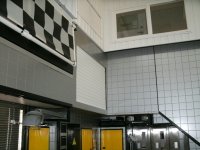
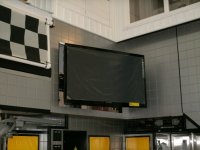
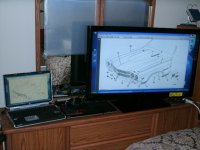
For viewing shop manuals (exploded views, schematics and such), I plan to send the video signal from my HP laptop to my newly installed big screen TV, using it as an auxilary monitor. Here are some shots of the video signal piped to the TV during my initial test session.

1151-Shop-TV-153.JPG 1152-Shop-TV-144.JPG 1153-Shop-TV-159.JPG

For protection, the laptop will reside in a protected spot and basically won't even be touched once booted up. A wireless mouse and keyboard will be used at my island workbench in a pull-out drawer. They are relatively cheap items to replace if they get messed up.

For protection of the 42" display monitor when the going gets really rough, it stores away, complete with a garage style rollup door.

X55-Shop-TV-393.JPG X56-Shop-TV-400.JPG

The latest posts in my Asylum thread tell the whole (ongoing) installation process. I have yet to install the laptop on its articulating arm. The story really starts here: Asylum Thread Reply #1033
EDIT: Specifics on the TV hook up to the computer is here: Asylum Thread Reply #1114


Here's a VIDEO on how TV will store away (click on picture):


And before you think "This guy is crazy", consider the name of shop I work in! :)
 
Last edited:

Deckape

Member
Joined
Mar 23, 2012
Messages
8
Location
Kansas
I have a "Garage Sale Special" computer. Desktop IBM clone, I gave $20 for it, installed XP & a Wi-Fi USB doobie, works great, I keep it covered with plastic, and blow the dust out every so often (be sure it is turned off) wired Keyboard & mouse, cheapie printer also available. I think I might have $40-45 in the whole thing.
 
Last edited:

sports.racer

Active member
Joined
Jun 3, 2009
Messages
37
Location
Near KAFW
I'd prefer an iPad over that, too. And eventually, I'll finally pony up and get one instead of waiting for the next best version to come out. I like keeping things as long as possible and seeing the growth/improvement over the last few years has me in a holding pattern, for sure.

Plus, I'm too worried about my MacBook Pro inhaling some metal dust or getting greasy or worse - dropping it, to bring it into that environment.

I have a first gen iPad and it's perfect in the garage. $299 refurb in the Apple store with full warranty.
 

NUTTSGT

Super Moderator
Staff member
Joined
Sep 14, 2009
Messages
50,849
Location
Northern Central Ohio
This is still a work-in-progress, but let me explain what I'm doing for a computer in the shop...

For viewing shop manuals (exploded views, schematics and such), I plan to send the video signal from my HP laptop to my newly installed big screen TV, using it as an auxilary monitor. Here are some shots of the video signal piped to the TV during my initial test session.

1151-Shop-TV-153.JPG 1152-Shop-TV-144.JPG 1153-Shop-TV-159.JPG

For protection, the laptop will reside in a protected spot and basically won't even be touched once booted up. A wireless mouse and keyboard will be used at my island workbench in a pull-out drawer. They are relatively cheap items to replace if they get messed up.

For protection of the 42" display monitor when the going gets really rough, it stores away, complete with a garage style rollup door.

X55-Shop-TV-393.JPG X56-Shop-TV-400.JPG

The latest posts in my Asylum thread tell the whole (ongoing) installation process. I have yet to install the laptop on its articulating arm. The story really starts here: Asylum Thread Reply #1033

Here's how TV will store away: Video - New ASYLUM Shop TV System (wait about 10 seconds for something to happen)

And before you think "This guy is crazy", consider the name of shop I work in! :)

Crazy ? Freaking awesome and well thought out.
 

scottybaccus

Well-known member
Joined
May 13, 2006
Messages
120
Location
Davilla, Tx
I've used a laptop, closed and with an external keyboard and LCD monitor. There are some sweet silicone keyboards available now, impervious to dust and liquids. Some even roll up for easy storage in a Koozie or cup holder on the bench. The LCD monitors are pretty resistant to the elements these days, though some have open vetilation on the back.
 

Cobra6

Well-known member
Joined
Oct 23, 2007
Messages
1,380
Location
Tennessee
I just scored this Gladiator workstation for $99 - haven't put it up yet, but should do fine for what I need.
 

Attachments

  • gladiator workstation1.jpg
    gladiator workstation1.jpg
    25.2 KB · Views: 150
  • gladiator workstation2.jpg
    gladiator workstation2.jpg
    35.9 KB · Views: 262

AndreGT6

Member
Joined
Jul 12, 2010
Messages
10
Location
Ottawa Canada
I have an old iMac G3 in the garage. Seems to handle the cold temps well.
Bose speakers do well.

I had a better laptop, but I dropped a 3/4" long wrench on it and skipped the HD. D'oh.

Tip. I wrap the keyboard in plastic cling wrap to keep it clean.

IMG_2391.JPG
 

Ascinder

Well-known member
Joined
Jan 5, 2012
Messages
54
Location
Reno, NV
I have an older water cooled small form factor PC I built years ago. It's about to be sent to the garage. Since the case is pretty well sealed up, I just have to blow out the external radiator occasionally and the case itself annually. I have one of those rubber spillproof keyboards for out in the shop and while not optimal, it gets the job done. The monitor is a projector which was an old govliquidation auction find. I can sit it up high and out of the way and the screen lets me visualize what I'm doing lifesize.
 
Joined
Apr 28, 2010
Messages
6
Location
South Carolina
I use my laptop for the shop. Same one I use for everything else because I've got everything saved on it including HP Tuners. I do have a dedicated keyboard and trackball for garage use. It gets greased up like the edges of my repair manuals and don't sweat it. The other part of that is the Ram mount in the truck... goes with using HP Tuners more easily. Also good for the long trips as we program it up with routes, attractions, etc and have the GPS running through it. Anyway, biggest thing is probably the shop dedicated keyboard and trackball.
 

Zebu Fellenz

Well-known member
Joined
Aug 3, 2010
Messages
1,687
Location
Phelps, NY
I use a Panasonic Toughbook CF-18 in the shop, it's not a fast laptop but it's nearly unbreakable, I take it right to the work, flip it into tablet mode and use the touchscreen to navigate service manuals.

Its been dropped, kicked, had chemicals spilled on it, been left in the rain and it just keeps going.

I've had desktops with touchscreens and regular laptops before and now that I'm using the Toughbook I'll never go back.
 

gahrajmahal

Well-known member
Joined
Dec 12, 2008
Messages
2,515
Location
Cincinnati, Ohio
Back in the day when laptops were quite new I worked in a fab shop writing PLC (programable logic code) for industrial dry cleaning equipment. It was already a secondhand laptop from the sales guys, so I just set it on box and worked with it that way. It was a pretty small space so we were grinding, spray painting and throwing cutting chips from drilling holes. I guess occasionally we blew it out with a blow gun, but it never got more consideration than any of the other tools. I did back up my programs on floppy discs (remember those?) in case it took a dump. I did carry it to and fro from shop to office in a padded bag.
 

jethro29

Well-known member
Joined
Apr 7, 2010
Messages
1,407
Location
central delaware
i have two old clunkers,both windows me or 2000.lol but they work one is for basic web searches and the other has my automotive info systems downloaded into them and also serves as my invoice and estimate printer in my home shop.

021.jpg


020.jpg
 

vlpronj

Well-known member
Joined
Nov 28, 2008
Messages
263
Location
Wharton State Forest, NJ
I've got a couple of old Dell laptops (Latitude D510) running WinXP. I've got one with lines on the LCD out in the garage, hooked up to a printer, USB trackball, and USB keyboard w/ 2 USB ports. I can connect my iPhone to get quick pics of something, print out manuals/ how-tos, and check prices for parts or materials for projects. I've had it in different spots, and my garage is just getting usable (I'll have another thread posted soon), so nothing is set in stone.

The keyboard and trackball aren't spill-resistant, but I've got half a dozen or more to replace them. I love the feel of this trackball, but the lack of scrollwheel on this model annoys me, so I don't have it on my main PC. The external keyboard is often flipped up out of the way, since I can just use bookmarks for most of the sites I go to.

The laptop has both VGA and S-Video out; I've got a 15" LCD TV I'll probably mount on the other side or back wall, and connect through that. I've also got an old 32"-37" CRT (can't be bothered to measure it right now) that I've run it to when the laptop was closer. I'll probably get a long S-Video to go up and over to it again, and possibly do what others have mentioned - get an active USB repeater cable and connect a mouse & keyboard on that side. The other option is to use an IR wireless keyboard and mouse. Downside is that it requires line of sight.

I've got a laser printer hooked up; an HP LJ 1022. It's great for small biz use, and aftermarket toner is dirt cheap - I've got 3 or 4 of these around the house.

I don't have a CD drive in the laptop right now, so I just threw on an external CD-RW.

Biggest issue is the wireless - it's on the far side of the house from the router, and the signal drops frequently. I just haven't decided whether to move the router to a central location in the house, set up a repeater, or run cable the whole way out.
 

Attachments

  • 032012 114.jpg
    032012 114.jpg
    146.7 KB · Views: 154
  • 032012 120-b.jpg
    032012 120-b.jpg
    37.4 KB · Views: 157
  • 032012 047.jpg
    032012 047.jpg
    149.9 KB · Views: 141

autox320

Active member
Joined
Feb 8, 2012
Messages
40
Location
NC, FL, IRQ, AFG
The PC is a great tool for the garage. Display wiring schematics, ordering parts, or just searching Google. With today's tech you can do a lot with very little.


We use; lenovo Q150 with matrox DualHead2Go into 2x22" led screens. Wireless key and mouse. Access to upstairs QNAP server for database, printer, and internet via wireless.
Laptop duty is a lenovo s10-2 for editing in car ecu maps.

If need cables or accessories check out www.monoprice.com
 

dkGoodrich dot com

Active member
Joined
Sep 24, 2010
Messages
36
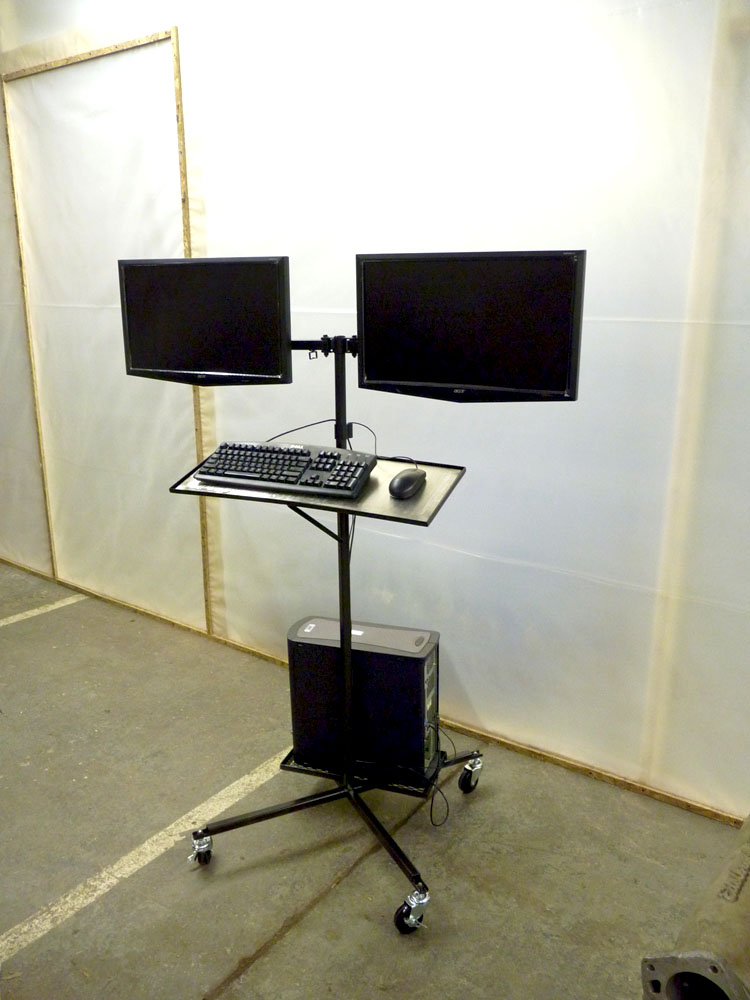
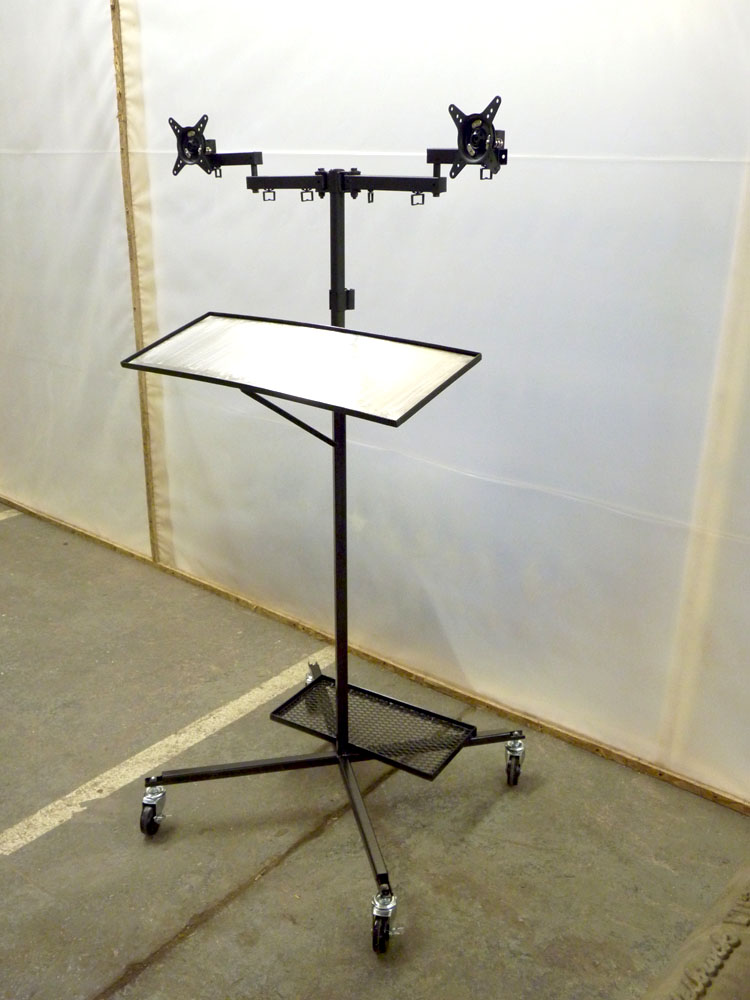
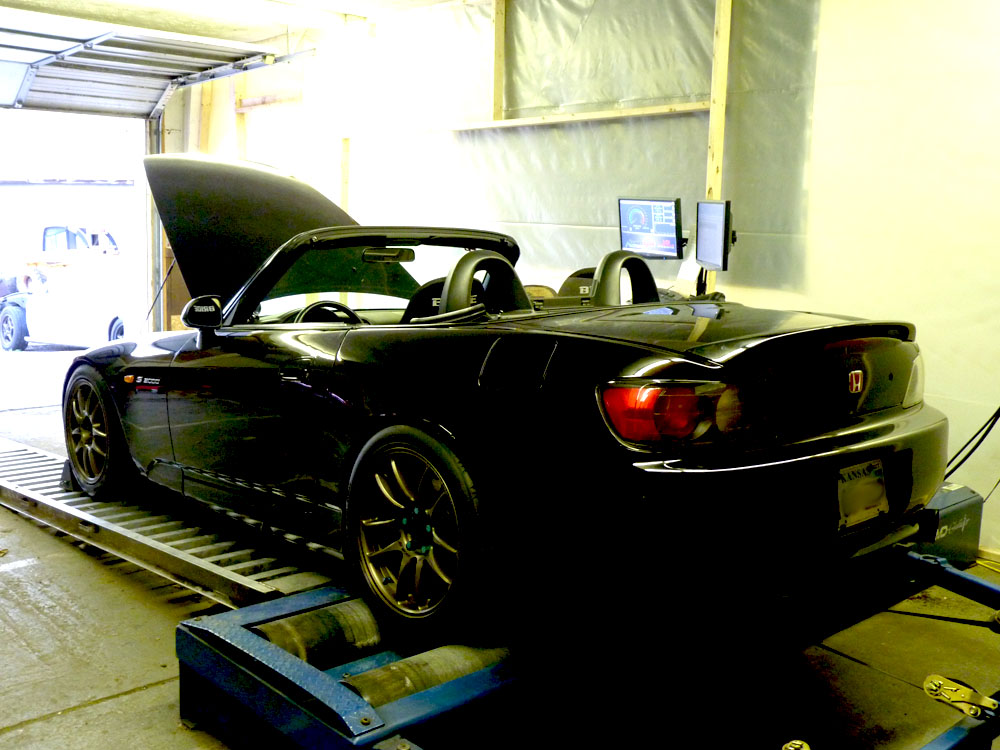
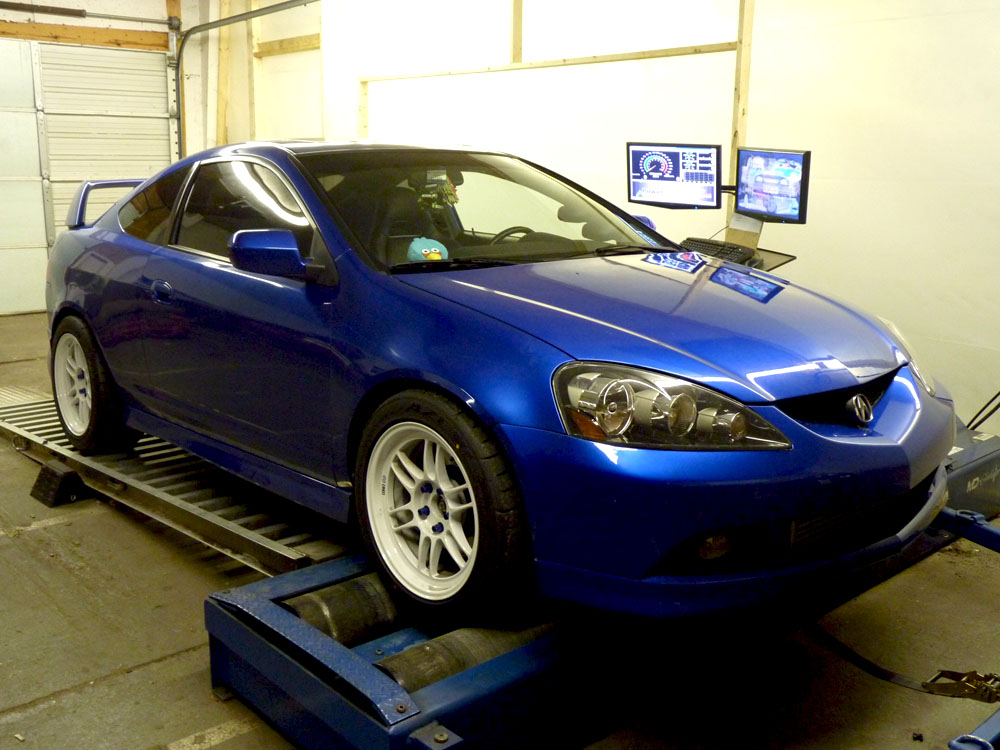
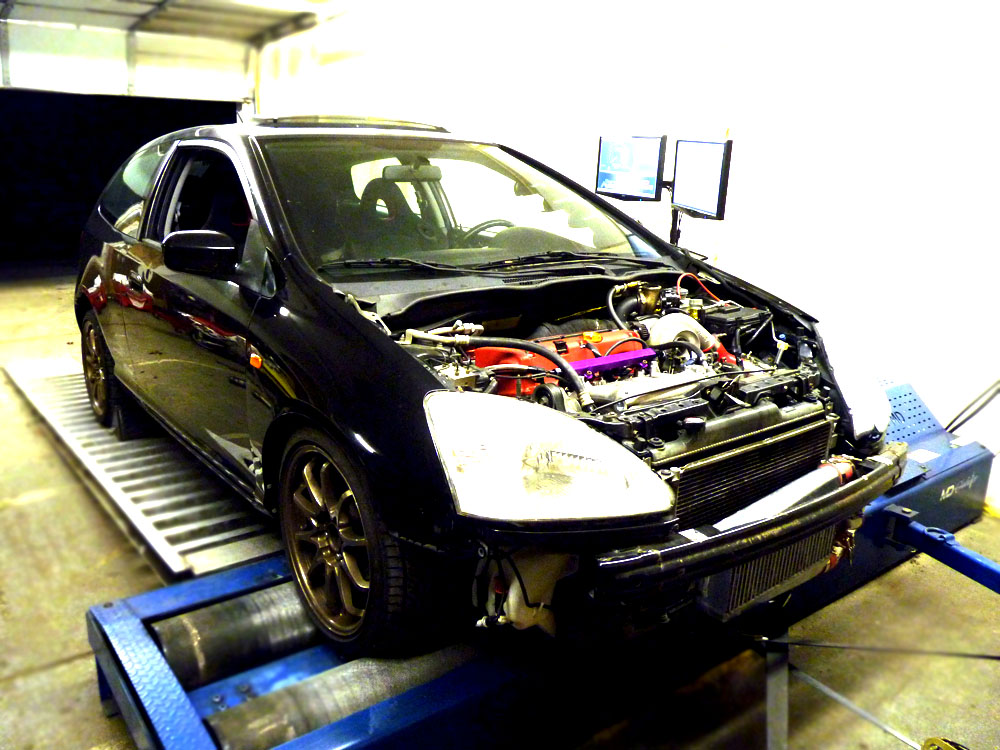
This is my chassis dyno computer cart I made. Everything was tig welded. Keyboard/mouse area is stainless. Also has a wireless dinovo mini keyboard/trackpad. The lcd mounts are adjustable, I normally keep them side by side and not spaced apart. There is a 3rd 22" lcd in the customer waiting room, its a clone of the lcd on the right, to display the power graphs to the customers.

I want to make another one of these for mechanic use. Single adjustable lcd panel, bigger offroad wheels, adjustable keyboard/mouse mount, ups battery backup for wireless use, loaded with ALLDATA and other shop management software utilities.

Computers in the shop are a must have, when its all said and done, we will have 4 computer systems and 8 lcd panels up and going at all times.

Thanks for your time
DK

fabrication-dyno-computer-cart-loaded.jpg


fabrication-dyno-computer-cart-bare.jpg


Please don't mind our temporary dyno area, just a few more odds and ends need to be taken care of and we can move the dyno into the new dyno cell.

And also we do high whp muscle cars as well, I love muscle cars too, not just the imports. We love anything that's fast around here. And yes, those imports are fast, a lot of them are 500-1000whp @ an average of ~2500lbs.

march-15-12-update-5.jpg

march-15-12-update-8.jpg

march-12-update-5.jpg
 
Last edited:

projectPONY

Well-known member
Joined
Sep 25, 2008
Messages
83
Location
Dallas, TX
I believe that a computer in the home garage/shop is a must nowadays, but its storage is different in every home garage/shop. For example, someone that just does mechanical stuff on their cars can have the computer out in the open. But for someone that does woodwork or bodywork, like myself, the computer has to be enclosed in something to keep dust out of it. I keep a lot of auto paint formulas and vehicles frame dimensions on my computer in the garage so I keep it in a computer cabinet from LISTA. My particular model is sealed to the elements and has ventilation fans to keep it cool. It's a $1500 cabinet that I scored on Craigslist for $40 from a cabinet making company. My plan is to paint it flat black and get something pin striped on it. I'll post pics when I get it done.
 

BHR4CE1

Well-known member
Joined
Sep 13, 2010
Messages
952
Location
Long Beach, CA
I use a MAC Mini in my garage, which is hooked up to the 65" TV. It has a wireless keyboard and trackpad, so it is tucked neatly in the media cabinet with the Apple TV unit and all the other electronic goodies. Works like a charm!
 
To avoid these ads, REGISTER NOW!
Top Bottom