To avoid these ads, REGISTER NOW!

Truss Design

OP
M

Medeek

Well-known member
Joined
Jan 13, 2013
Messages
550
Location
Copalis Beach, WA
Starting to work on the straight skeleton algorithm today, complex roofs have got my attention.

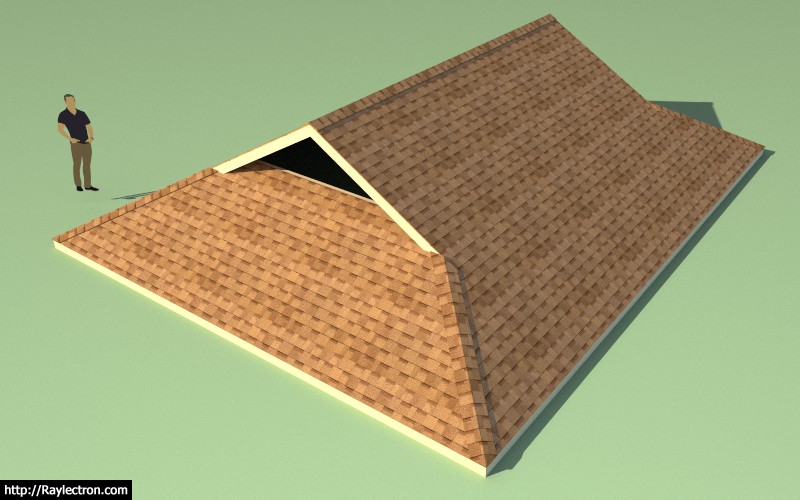
The model below has a saddle point and this lends itself to some rather complex framing:
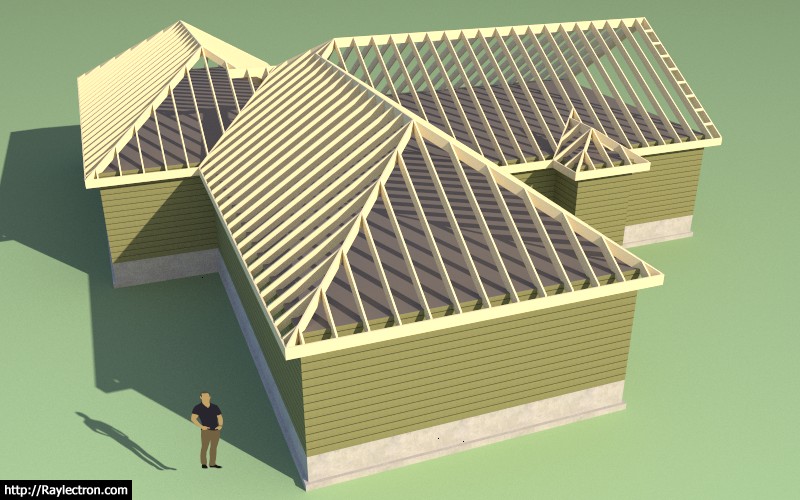
truss_su268_800.jpg


Even with the roof primitives and trim tool, which helped out tremendously, it still took me almost an hour to fully generate the roof framing.
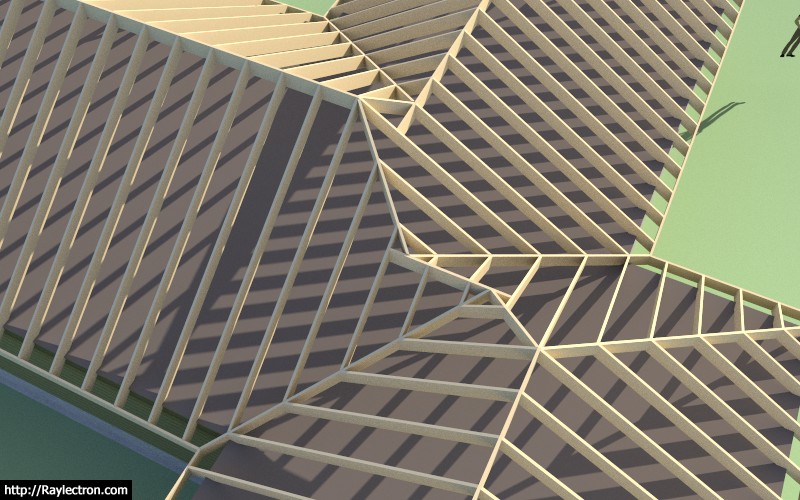
truss_su269_800.jpg


The goal is to turn hours into seconds.

View model here:

https://3dwarehouse.sketchup.com/model/a2b2efad-71a5-4982-b40b-e7057dd7edf7/Complex-Roof-3
 
To avoid these ads, REGISTER NOW!
OP
M

Medeek

Well-known member
Joined
Jan 13, 2013
Messages
550
Location
Copalis Beach, WA
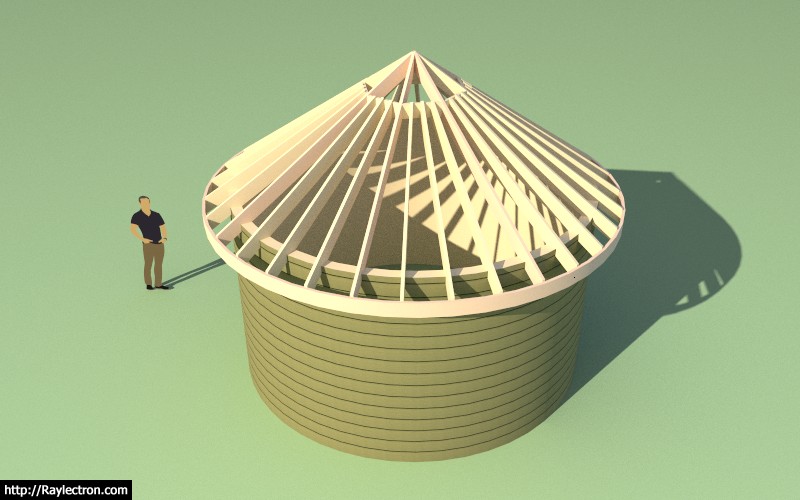
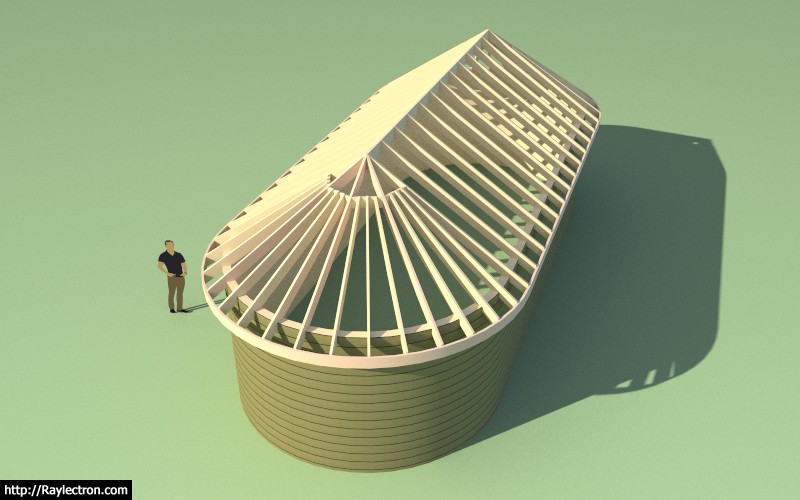
Needing a break from the rigors of the straight skeleton code I realized that I have still not implemented the octagon hip roof yet. On a related note the circular roof could also use my attention:

truss_su271_800.jpg


View model here:

https://3dwarehouse.sketchup.com/model/1cf9c6bc-46fd-47c6-8aa3-49a8536dc2be/Circular-Roof

The number of rafters can be given by this equation N = 8 + 8n where n = 0,1,2,3,4 etc...

In this model n = 3

People do actually build these things:

3705-Dscn4931.jpg
 
OP
M

Medeek

Well-known member
Joined
Jan 13, 2013
Messages
550
Location
Copalis Beach, WA
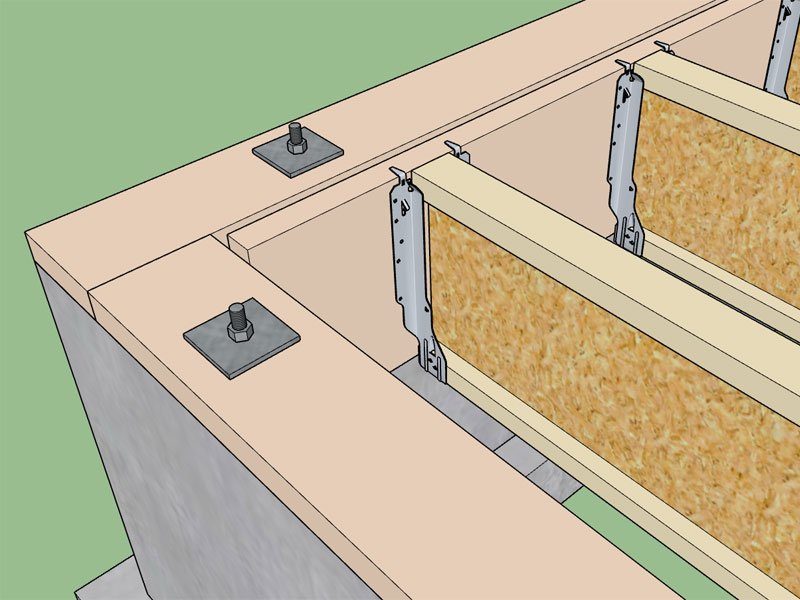
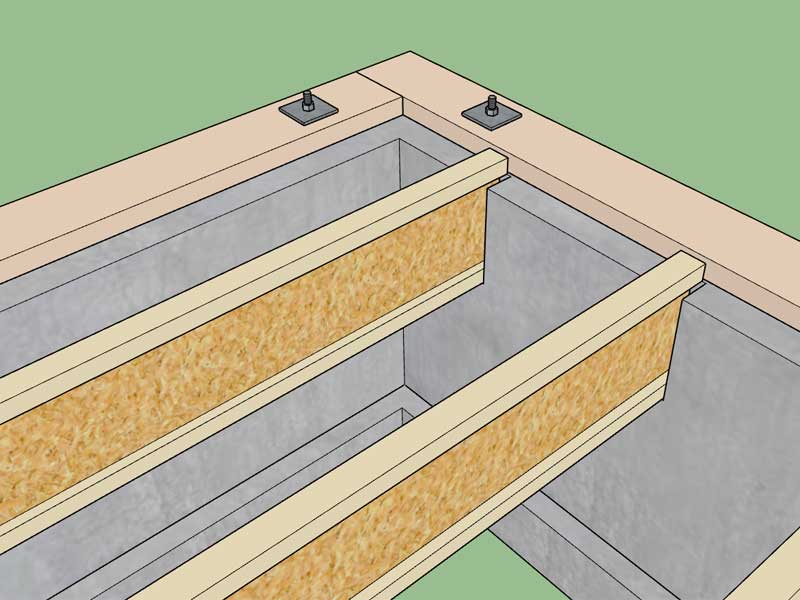
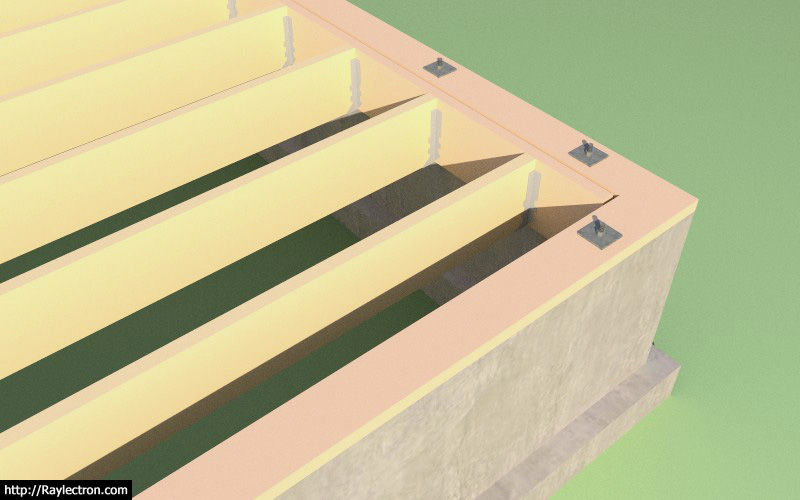
Working on adding in the inset floor joists per the details given by dpaul:

Parameters are the following:

1.) Stemwall Thickness (inset amount)
2.) Ledger Option: Yes or No
3.) Ledger Height
4.) Ledger Width
5.) Hanger Option: Yes or No

I'm still waffling on what to do if the hanger option is "yes". I was considering having the option of selecting one of the many Simpson-Strongtie hangers from a long list of hangers. However, no models exist for the bulk of these hangers and I don't have the time or data to try and model a bunch of them. Item 5 may not be feasible.

I also have a question on the ledger board option:

truss_su274_800.jpg


As you can see in the image the 2x12 PT dimensional lumber ledger is smaller in height (11.25") than the 11-7/8" TJI. In this case would the ledger be run flush to the bottom of the TJI or is this not a concern? I was thinking that one would probably call out an LVL or LSL ledger with felt backing between the ledger and the concrete so that the ledger matches the height of the I-joist. Additional information when the floor joists are I-joists or EWP would be helpful here.

View model here:

https://3dwarehouse.sketchup.com/model/754bd742-3505-45d4-9941-5f445b49542a/Inset-Floor-Joist-Study
 

RickP

Well-known member
Joined
Jan 15, 2013
Messages
1,550
Location
Annapolis, MD
Nice work on the software and thanks for sharing your journey. I had to laugh when I saw your 26 pages of hand calcs on the same green paper I use. I hope all of this work is enjoyable to you, because it is definitely a labor of love to do all this work! Your sketchup models look great -- and good luck with the Patreon web site.
 
OP
M

Medeek

Well-known member
Joined
Jan 13, 2013
Messages
550
Location
Copalis Beach, WA
Version 2.0.1 - 10.04.2017
- Added (FULL) roof return option within the advanced options menu for common, scissor and vaulted trusses.

truss_su277_800.jpg
 
OP
M

Medeek

Well-known member
Joined
Jan 13, 2013
Messages
550
Location
Copalis Beach, WA
Version 2.0.2 - 10.07.2017
- Added the option to inset floor joists with ledger.
- Added the option to inset floor joists without ledger.

I just realized that today is the two year anniversary of the Truss Plugin, crazy to think that I've already been working on this thing for two years. Progress has been incremental but fairly steady. There are still some big obstacles and goals ahead.

The new inset option also works well if you are using joist pockets in the foundation:

truss_su281_800.jpg


This model was created with the Truss Plugin and the Foundation Plugin. Foundation wall is 8" thick with the pockets set at 2.25" deep and the bearing length of the joists set at 2". The floor sheathing layer is turned off for clarity.

View model here:

https://3dwarehouse.sketchup.com/model/cfa8f834-6a60-4175-b393-cfa39223c244/TJI-Floor-and-Foundation
 
OP
M

Medeek

Well-known member
Joined
Jan 13, 2013
Messages
550
Location
Copalis Beach, WA
This morning I've spent some time reviewing my roadmap and my "todo" list. I'm still working on the straight skeleton implementation, and that is the big one right now. The small upgrades and fixes I've released over the last few days have been some low hanging fruit that I've gravitated towards to break up my heavier coding sessions. Its rewarding to achieve a few small victories and push them out when your bogged down and progress seems retarded.

The plugin as a whole has quite of bit of functionality but it also is very limited in many respects. This really jumps out at me when I try to model up some recent homes that I did structural work on a few months ago. The biggest issues seem to be:

- Inability to cut holes in floors or create polygon floor outlines.
- The same issue with roofs in that the plugin is only really good at rectangular roof outlines. The straight skeleton implementation will address this, at least for rafter roofs initially, truss roofs will be a much bigger problem.
- There is no function for editing a roof or floor assembly, it's fire and forget. This feature would be particularly useful when you botched one parameter and just need to go back and edit something minor rather than recreating the entire assembly (not that this is too difficult).
- I'm missing a good staircase creator/editor.
- Not all of the truss types are up to speed with all the recent advanced options, so much to do.
- The manual is almost non-existent.

The list of limitations goes on. The plugin has potential but its certainly a work in progress and far from the polished gemstone it needs to be.

With all that being said I feel like moving my price to $40.00 was and is probably a bit of an over reach. Personally I would not pay that amount for the functionality offered, its too much. I've dropped my price back down to $30.00 and the renewal price is now $20.00, hopefully this is more commensurate with the amount of functionality and utility offered.

At some point in the near future when I have fully addressed most if not all of the above issues then I will look at raising the price to its former level.

For those users who purchased the plugin at the $40.00 price I have no problem in extending your license a pro-rated amount. Please feel free to email me with your request for the license extension.
 
OP
M

Medeek

Well-known member
Joined
Jan 13, 2013
Messages
550
Location
Copalis Beach, WA
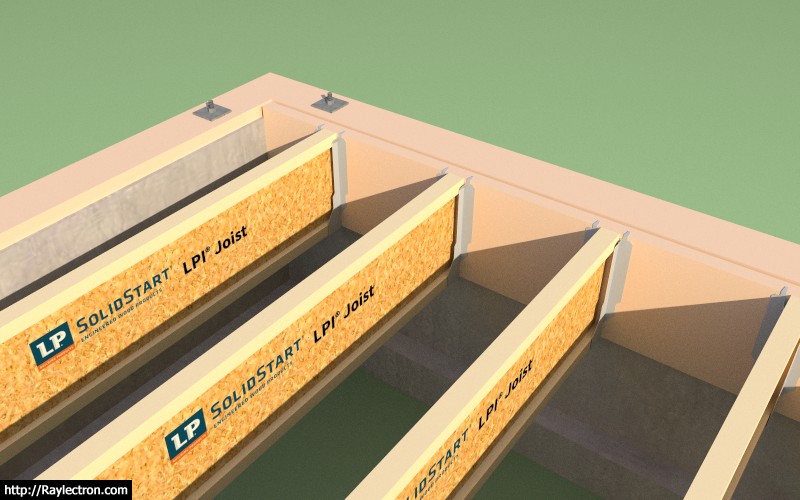
With the inset joists I thought it would be really cool to have the plugin be able to auto-select the correct joist hanger and insert it at both ends of the I-joist or sawn lumber. I quickly modeled up a simplified version of an IUS1.81/11.88 Simpson Face-Mount I-Joist hanger and with the addition of one simple function I was able to do this:

truss_su283_800.jpg


View model here:

https://3dwarehouse.sketchup.com/mo...5c0526d/TJI-Floor-and-Foundation-with-Hangers

I haven't yet released this most recent addition because I only have two sizes of hangers created so far. There are five typical flange widths and the following typical I-joists depths: 9.5, 11.875, 14, and 16. So if you do the math I need to model 20 different face mount I-Joist hangers and 20 top flange I-joist hangers (IUS and ITS series). For sawn lumber a similar situation exists for 2x6, 2x8, 2x10 and 2x12 joists.

I was considering using the official Simpson models from the 3D Warehouse but they are too complex, a minimalistic hanger gets the point across just as well.

When I get home from work I usually only have a couple hours to hammer away at things so some more low hanging fruit gets picked.
 
OP
M

Medeek

Well-known member
Joined
Jan 13, 2013
Messages
550
Location
Copalis Beach, WA
After giving it much thought I've decided that selling my plugins would be a bad idea. They've literally become a part of me, who I am and what I do. To part with them would leave a hole, so in the end this becomes an emotional decision for me rather than one that is solely based on monetary gain.

The Medeek plugins will continue as they are for the foreseeable future.

I've also noticed sales of the plugin has completely dried up over the last two weeks, I don't know if this because I was considering the sale of my plugin or if is indicating a saturation point. It does make me wonder if lowering the plugin price even further would drive a larger volume of users.

Lets say for example I lowered the price to $10.00, would I then expect a double or triple increase in sales? When I look at the number people who have actually installed the plugin it is well over 10,000 now, and I only started keeping track about a year ago, so the number could easily be double that. If the price was lower ($10.00) could I get at least 10% of the installed base to upgrade to a registered version, if so this type of marketing makes sense.

But then again perhaps I have hit an actual saturation point, where "real" users have all been potentially exposed to the plugin and everyone else is just testing it out but never will purchase it for serious use.

Ultimately, I am just trying to find a way to monetize my efforts more and somehow enable myself to spend even more time developing this plugin and all of others I've started cooking up.
 
OP
M

Medeek

Well-known member
Joined
Jan 13, 2013
Messages
550
Location
Copalis Beach, WA
Version 2.0.3 - 10.13.2017
- Added the option to provide a face mount hanger for inset floor joists with ledgers.
- Added the option to provide a top flange hanger for inset floor joists without ledgers.
- Added an option in the global settings to enable or disable manufacturer's logos.
 
OP
M

Medeek

Well-known member
Joined
Jan 13, 2013
Messages
550
Location
Copalis Beach, WA
Version 2.0.3b - 10.14.2017

- Face mount hangers added for solid sawn floor joists.

truss_su285_800.jpg


LUS24
LUS26
LUS28
LUS210 (this hanger used by both 2x10 and 2x12 joists)
 
OP
M

Medeek

Well-known member
Joined
Jan 13, 2013
Messages
550
Location
Copalis Beach, WA
Version 2.0.3d - 2017.10.15
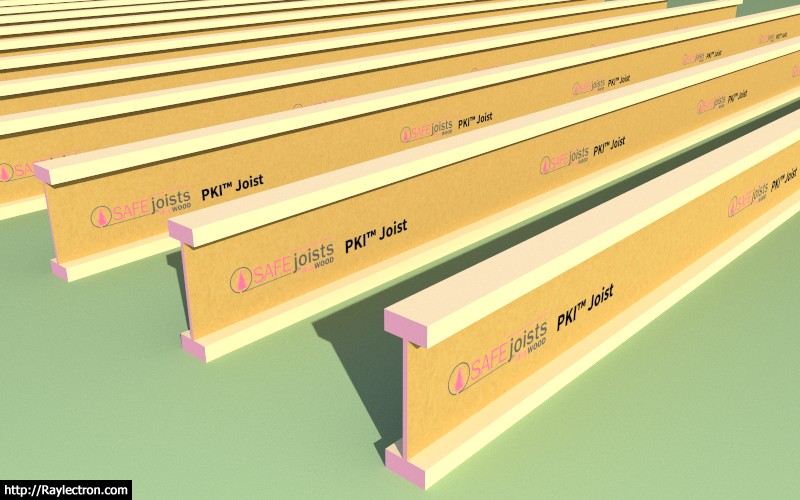
- Added PinkWood SAFEjoists™ I-joists: PKI 10, PKI 20, PKI 23, PKI 35Plus, PKI 40, PKI 50.

truss_su288_800.jpg


This I-joist manufacturer has a pink protective coating on the ends. The purpose of the end coating is to protect the joist against moisture penetration.

In addition, PinkWood offers Class A and Class B Fire Rated joists often referred to as "SAFEJoists". These joists are protected with an intumescent Fire Rated Coating, and have tan colored coating on the web.

Manufactured in Calgary, Alberta, Canada.
 
To avoid these ads, REGISTER NOW!
OP
M

Medeek

Well-known member
Joined
Jan 13, 2013
Messages
550
Location
Copalis Beach, WA
Version 2.0.4 - 10.21.2017
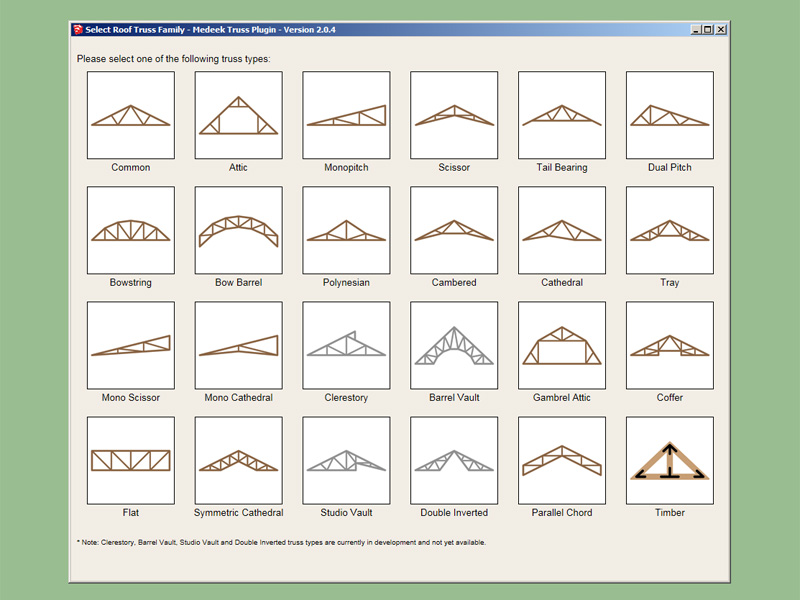
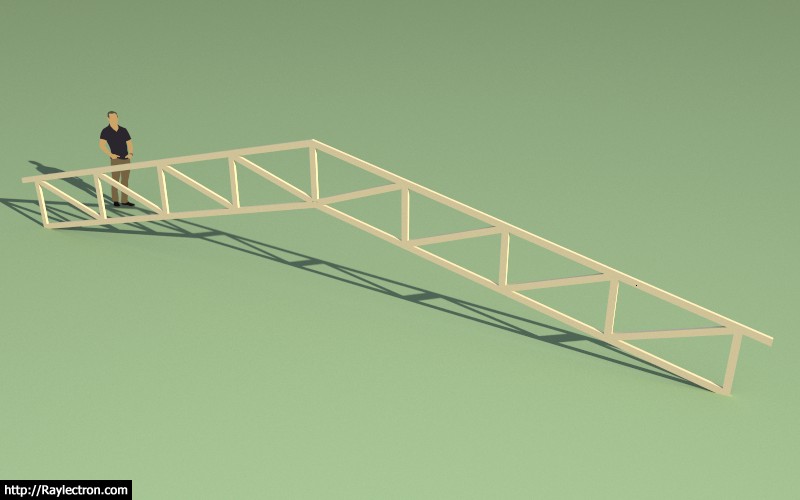
- Added Parallel Chord (vaulted) truss type, configurations: (2/2, 4/4, 6/6).

truss_su291_800.jpg


truss_su292_800.jpg


truss_su294_800.jpg


I will still need to enable structural outlookers and plates for this truss type, but everything else should be there:

- Roof Cladding
- Roof Sheathing
- Gable Wall Cladding
- Gable Wall Sheathing
- Ceiling Gypsum
- Ridge Cap

etc...

View model here:

https://3dwarehouse.sketchup.com/mo...b2408185555/Parallel-Chord-Truss-Roof-Vaulted
 
Last edited:
OP
M

Medeek

Well-known member
Joined
Jan 13, 2013
Messages
550
Location
Copalis Beach, WA
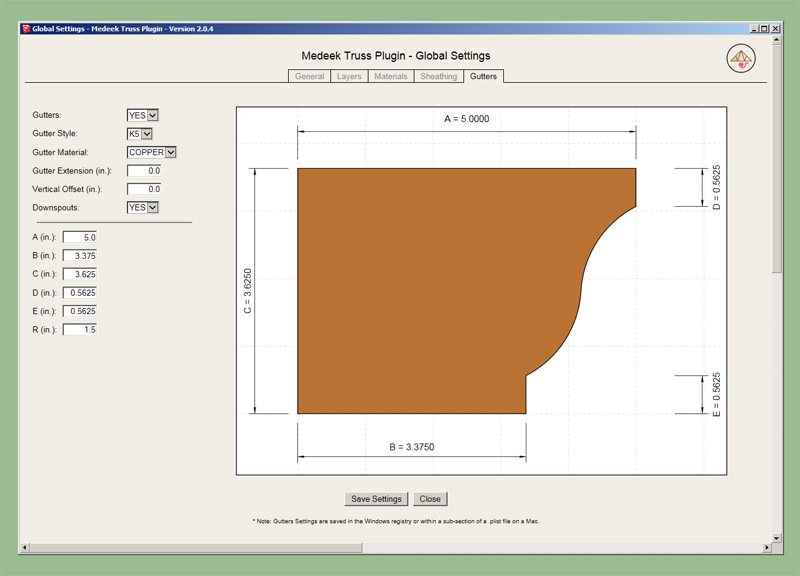
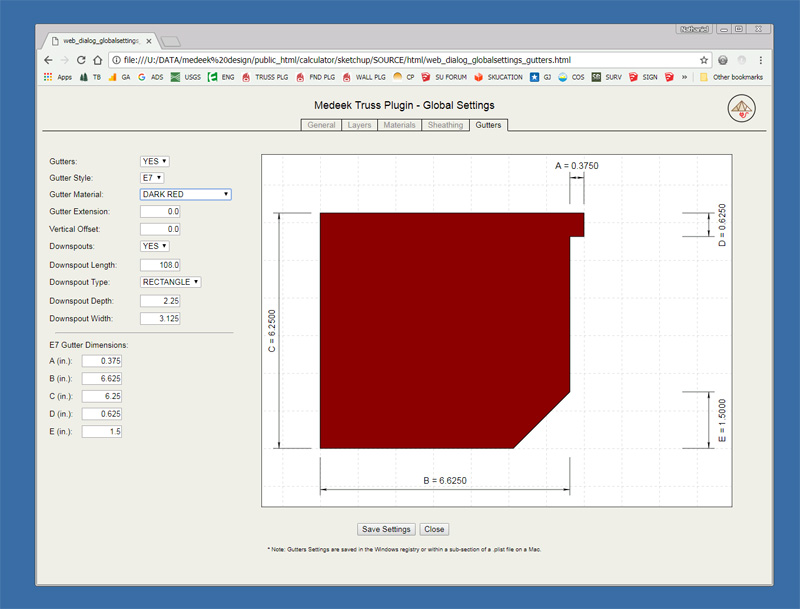
Preview of the E-Style or "Box Gutter":

truss_su301_800.jpg


Note that I've also added the downspout options and parameters. The units don't show in this screen shot but they will within the plugin.

This type of gutter is probably more common in commercial applications.
 
OP
M

Medeek

Well-known member
Joined
Jan 13, 2013
Messages
550
Location
Copalis Beach, WA
Version 2.0.5 - 11.05.2017
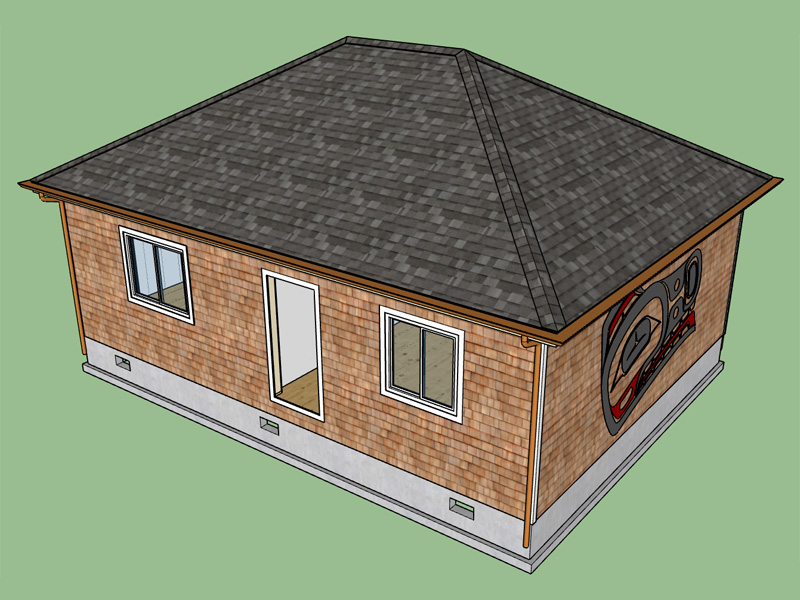
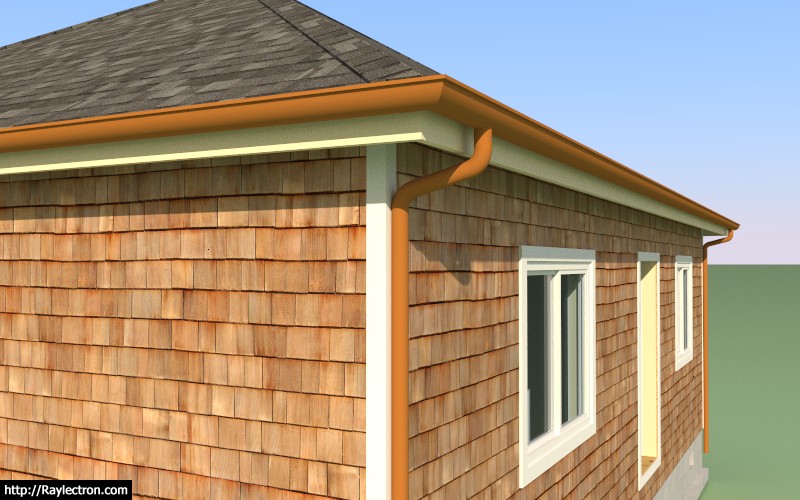
- Added gutters and downspouts for rafter and truss hip roofs.
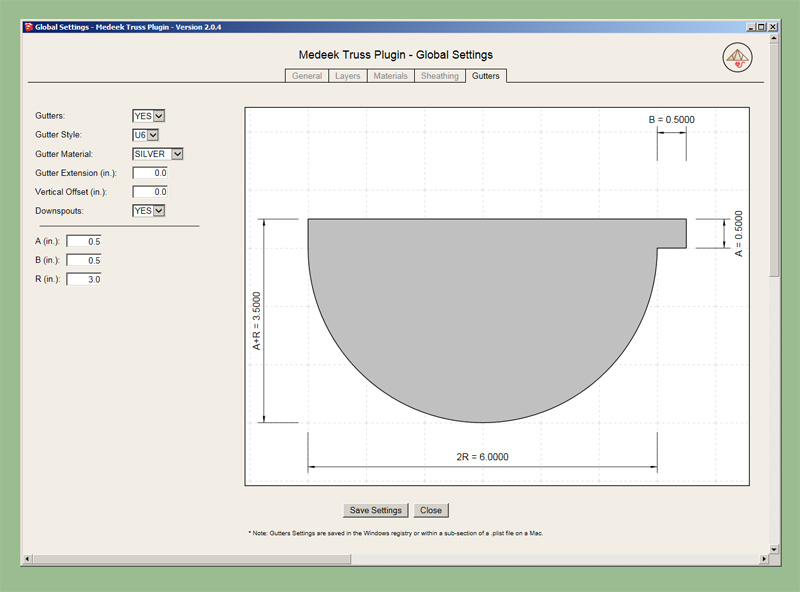
- Gutter menu added to the global settings.
- Custom roof layer added for gutters in the layer menu within the global settings.

truss_su302_800.jpg


truss_su303_800.jpg


I still need to add gutters and downspouts to the gable roofs (truss and rafter).

Four gutter types with two different downspout types.

This is a new feature so please send me your feedback and I will try to address all of the issues.
 
OP
M

Medeek

Well-known member
Joined
Jan 13, 2013
Messages
550
Location
Copalis Beach, WA
Version 2.0.5b - 11.06.2017

- Fixed a minor bug with the downspout module, downspout solid is now a uniform extrusion with no unnecessary seams or edges.
 
OP
M

Medeek

Well-known member
Joined
Jan 13, 2013
Messages
550
Location
Copalis Beach, WA
Version 2.0.6 - 11.10.2017
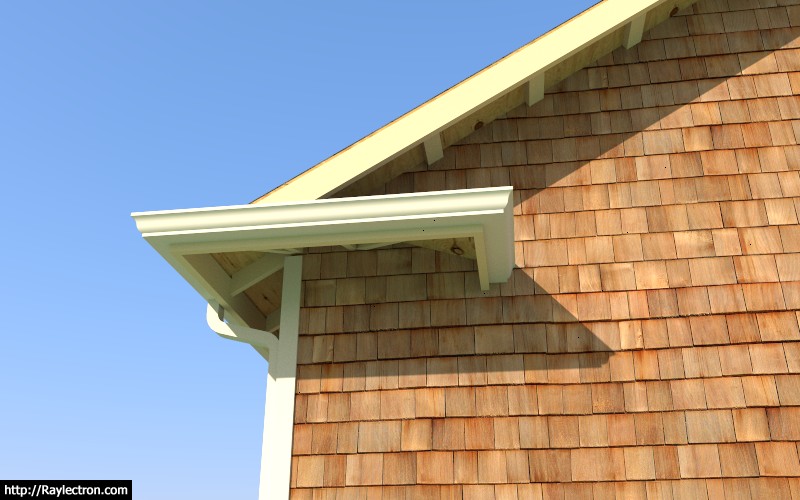
- Added gutters and downspouts for rafter and truss gable roofs.
- Added gutters and downspouts for dutch gable rafter roofs.

I still need to add gutters to monoslope truss roofs, shed roofs and some other specialized truss roofs. Adding the gutters to the common truss roof became slightly more complicated when I realized I also had to deal with roof returns and their various configurations.

truss_su305_800.jpg


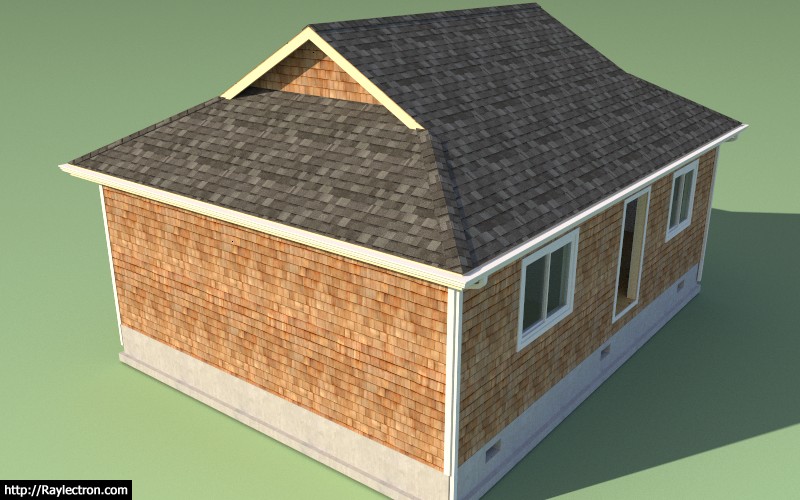
This gable roof has a hip return with fully wrapped gutter, you can also choose to half wrap or no wrap (linear gutter only at eaves, does not wrap around corner).

truss_su306_800.jpg


The dutch gable is really no different than the regular hip roof, when it comes to the gutter and its configuration, but internally it is a completely different set of advanced options.
 
OP
M

Medeek

Well-known member
Joined
Jan 13, 2013
Messages
550
Location
Copalis Beach, WA
Version 2.0.7 - 11.16.2017
- Added license tab to the global settings.
- Minor updates to the licensing system.

I've spent a couple days on adding language support but was unable to roll it out with this latest release. I will keep working on this in the next few days and hopefully have something to show for my efforts with the next major release.

As far as languages go I am planning on producing language files for each of the SU supported languages.

Any help with translating some of these very construction specific terms and phrases would be greatly appreciated. Google translate seems to work quite well but I don't completely trust some of its translations.
 
OP
M

Medeek

Well-known member
Joined
Jan 13, 2013
Messages
550
Location
Copalis Beach, WA
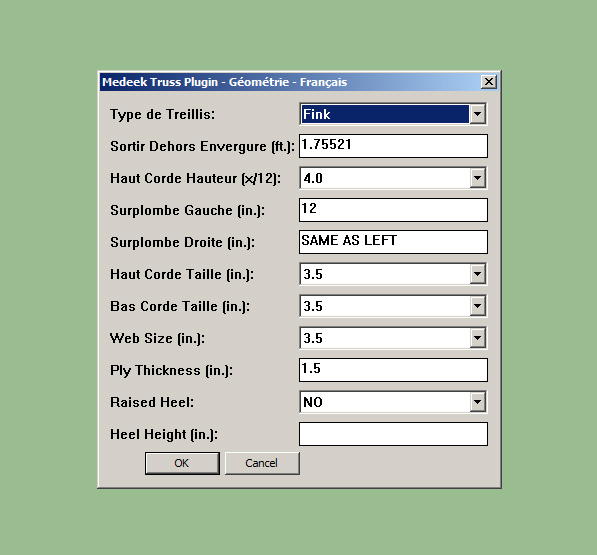
Starting to make some head way on the translation / language support:

truss_su309_800.jpg


I've decided to devise my own language handler since I could not get the built in one to work.

The upside is that this allows me so support any language I choose, not just the languages supported by SketchUp. I will be adding in an option in the general settings where the user can select their language of choice.

I will also be storing the language data in a new sub-folder "lang". My intent is to be able to make it possible for the user to add their own language file and translations if they need to.
 
OP
M

Medeek

Well-known member
Joined
Jan 13, 2013
Messages
550
Location
Copalis Beach, WA
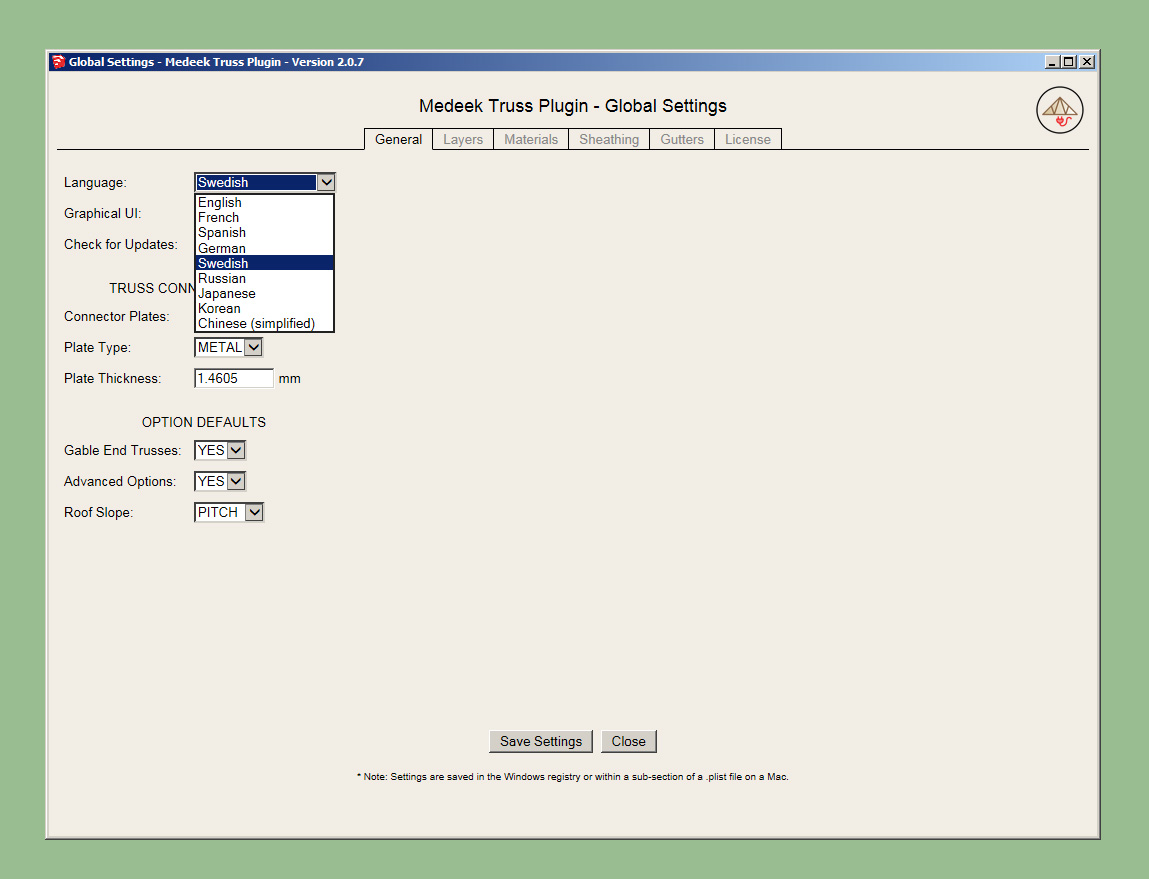
I've added in a language option into the General tab of the Global Settings:

truss_su311_800.jpg


I currently have nine languages that I will support however if there are any others that you would like to see added please feel free to suggest one.

I think this method is preferable over using the locale of the installed plugin since someone that is running a french version of SketchUp may want to run the plugin in English or some other combination. This allows the user to customize their user experience exactly.
 
OP
M

Medeek

Well-known member
Joined
Jan 13, 2013
Messages
550
Location
Copalis Beach, WA
I apologize Version 2.0.8 had a fatal flaw in it that thankfully someone pointed out to me this morning. Please re-download sub-rev. 2.0.8b which addresses this issue immdediately.

The problem is that I am encrypting the .rb files into .rbs when I sign the plugin. I don't want to encrypt the language files in the "lang" folder however the signing page did not know to discriminate so it encrypted those files as well and hence broke my links to them from the plugin load module.

Once I sign the extension and encrypted it I had to re-open the .rbz and put back in the unencrypted language files, problem solved.
 

Homerr

Well-known member
Joined
Mar 16, 2012
Messages
379
Location
Seattle, WA
Thanks Medeek for the Truss Designer tool! I just needed to figure out the top chord size for my preliminary design. YES, it matters in some instances despite some of the comments I read. I have a height restriction and every inch matters.
 
OP
M

Medeek

Well-known member
Joined
Jan 13, 2013
Messages
550
Location
Copalis Beach, WA
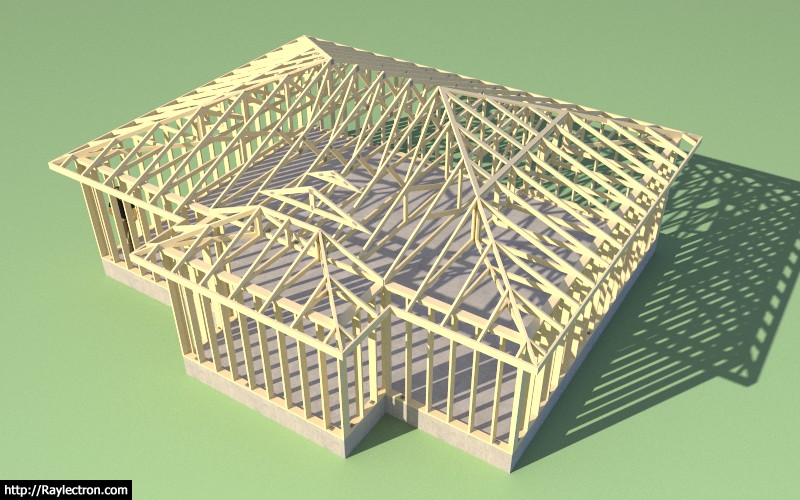
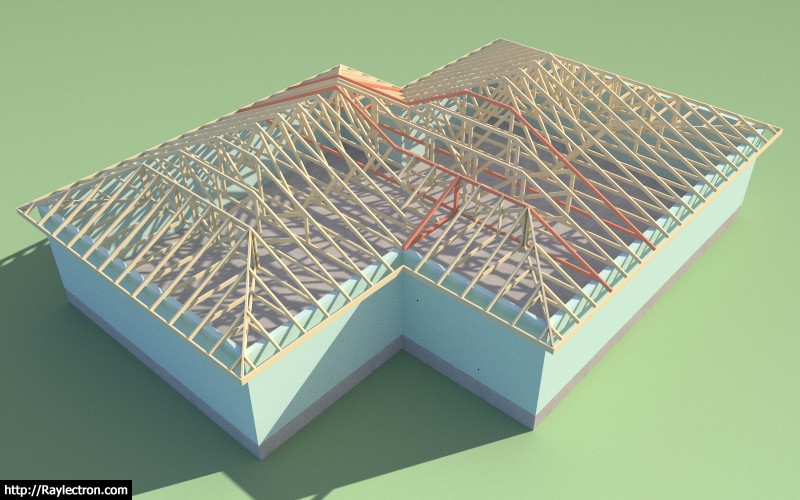
Valley sets can get a little interesting when you start dealing with intersecting hip roofs. If the width of the projection were to increase the valley set would become a combination of standard valley trusses and flat top or hip valley trusses.

truss_su316_800.jpg


View model here:

https://3dwarehouse.sketchup.com/model/9bf5fd1a-e2db-4346-9596-d044bf4a1cd7/Complex-Roof-6

With the projection width extended:

truss_su317_800.jpg


View model here:

https://3dwarehouse.sketchup.com/model/8b18063b-18cb-4107-84f0-3834c1fe8b3e/Complex-Roof-7
 
Last edited:
OP
M

Medeek

Well-known member
Joined
Jan 13, 2013
Messages
550
Location
Copalis Beach, WA
Thanks Medeek for the Truss Designer tool! I just needed to figure out the top chord size for my preliminary design. YES, it matters in some instances despite some of the comments I read. I have a height restriction and every inch matters.

Comments like these is what keeps me excited about this plugin and even though some of the work is tedious and boring responses like this make it all worth the trouble.
 
OP
M

Medeek

Well-known member
Joined
Jan 13, 2013
Messages
550
Location
Copalis Beach, WA
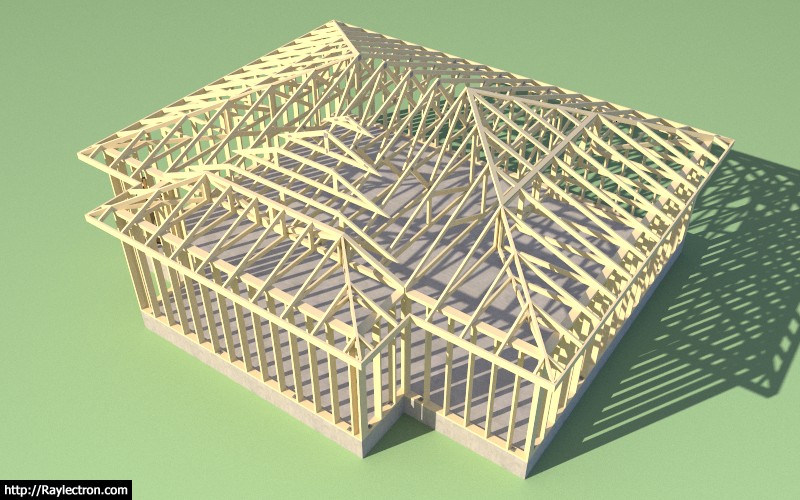
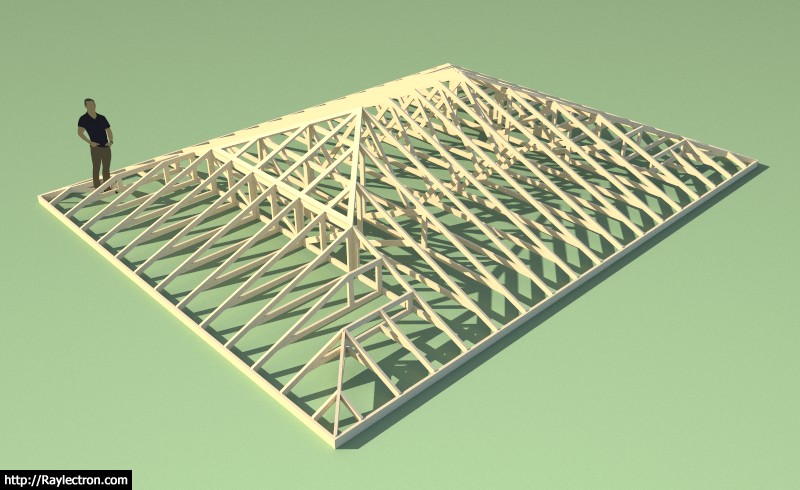
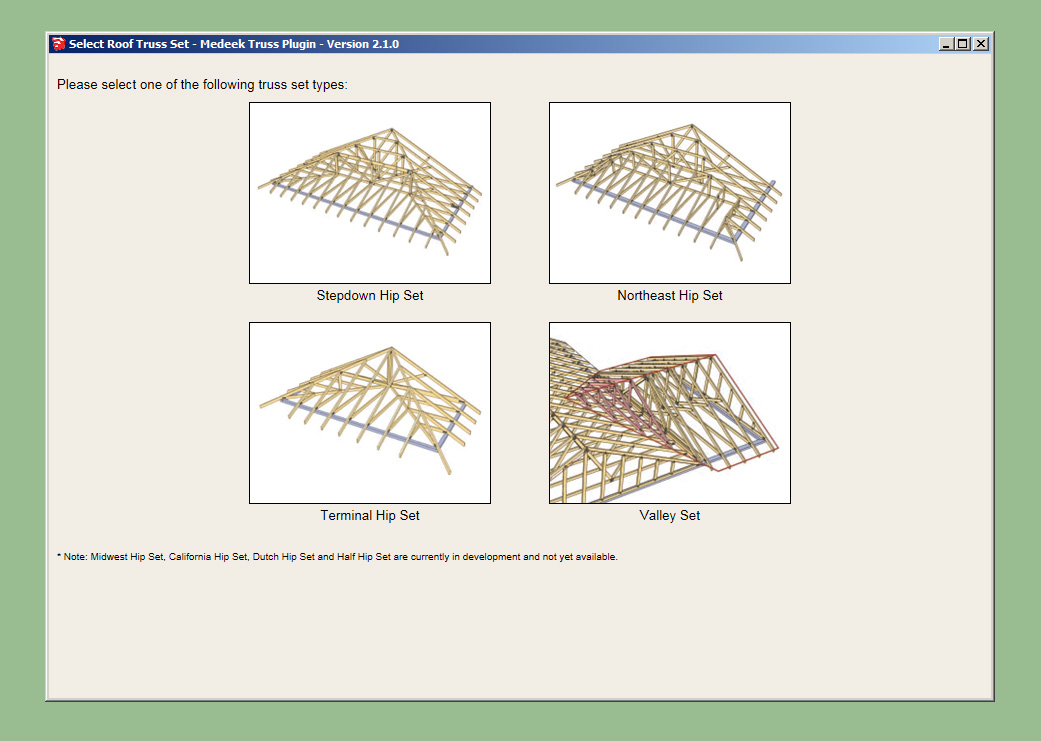
Version 2.1.0 - 11.28.2017
- Added Northeast hip set trusses.
- Enabled advanced options for northeast hip sets.
- Added energy/raised heels for northeast hip set (3 variants: wedge, slider and vertical w/ strut).
- Added the option for open vs. closed end jacks.
- Added the option for a drop in purlin frame.
- Enabled a graphical user interface for Truss Set selection.

truss_su319_800.jpg


truss_su320_800.jpg


I only plan on adding the midwest and california variants if requested.
 
OP
M

Medeek

Well-known member
Joined
Jan 13, 2013
Messages
550
Location
Copalis Beach, WA
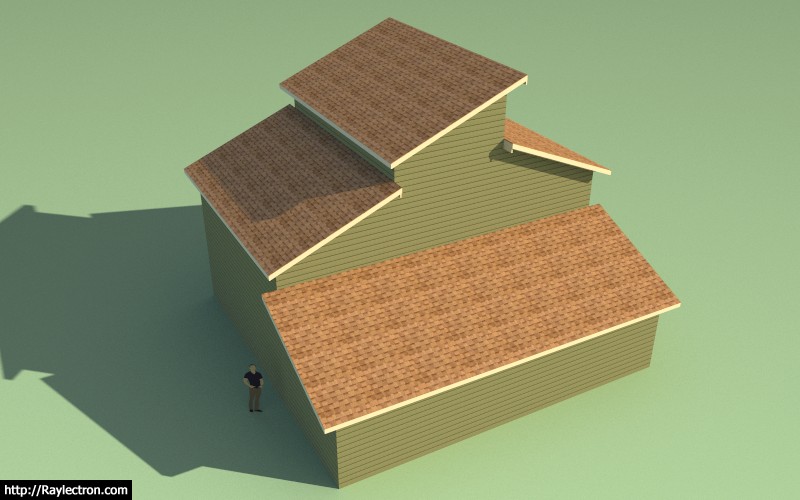
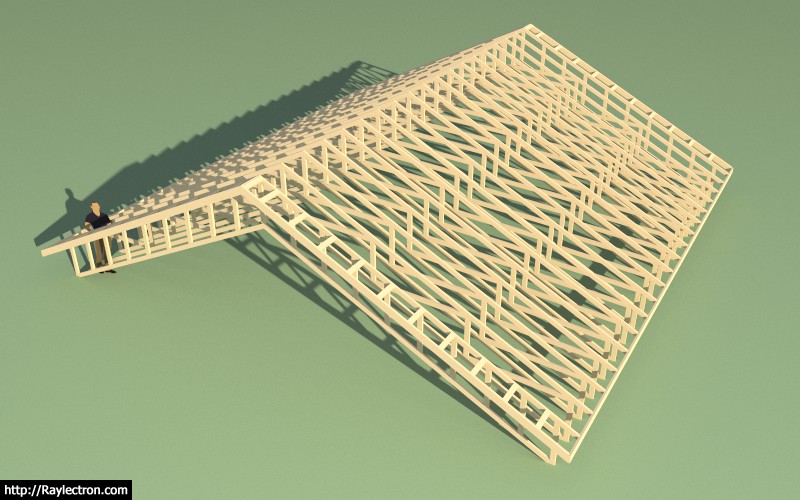
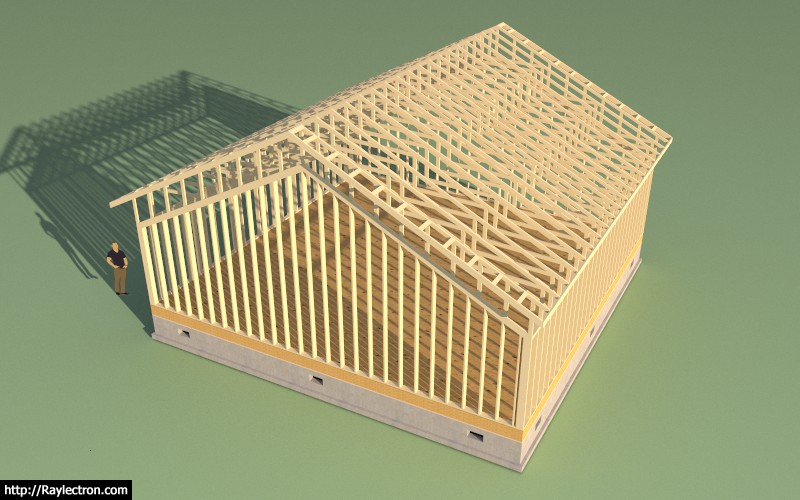
The reason I am taking so long with complex rafter and truss roofs is the possible permutations is making things very challenging.

For example take the truss roof below:

truss_su321_800.jpg


I'm assuming there are no interior bearing walls and we want to clearspan the entire building outline. I can get the basic roof and truss layout by creating to hip truss sets as primitives but that is where it then becomes very interesting.

As you can see there are two mid-building girder trusses that then catch the mono pitch sub-girders which are each supporting two common trusses. Next to the sub-girders is a small valley set (half valley) that fills in the roof behind the sub-girders.

The largest span is 36', which is reasonable. This appears to be the simplest way to truss this roof out but is probably not the only solution. A good truss technician could tell me how close I am to the optimal solution.

Granted the complex rafter roof is not IMHO as hard a problem but it also has similar difficulties and issues.

View model at this link:

https://3dwarehouse.sketchup.com/model/24c19aa6-814a-4e9e-aa42-a0e0de1ba74c/Complex-Truss-Roof-8
 
OP
M

Medeek

Well-known member
Joined
Jan 13, 2013
Messages
550
Location
Copalis Beach, WA
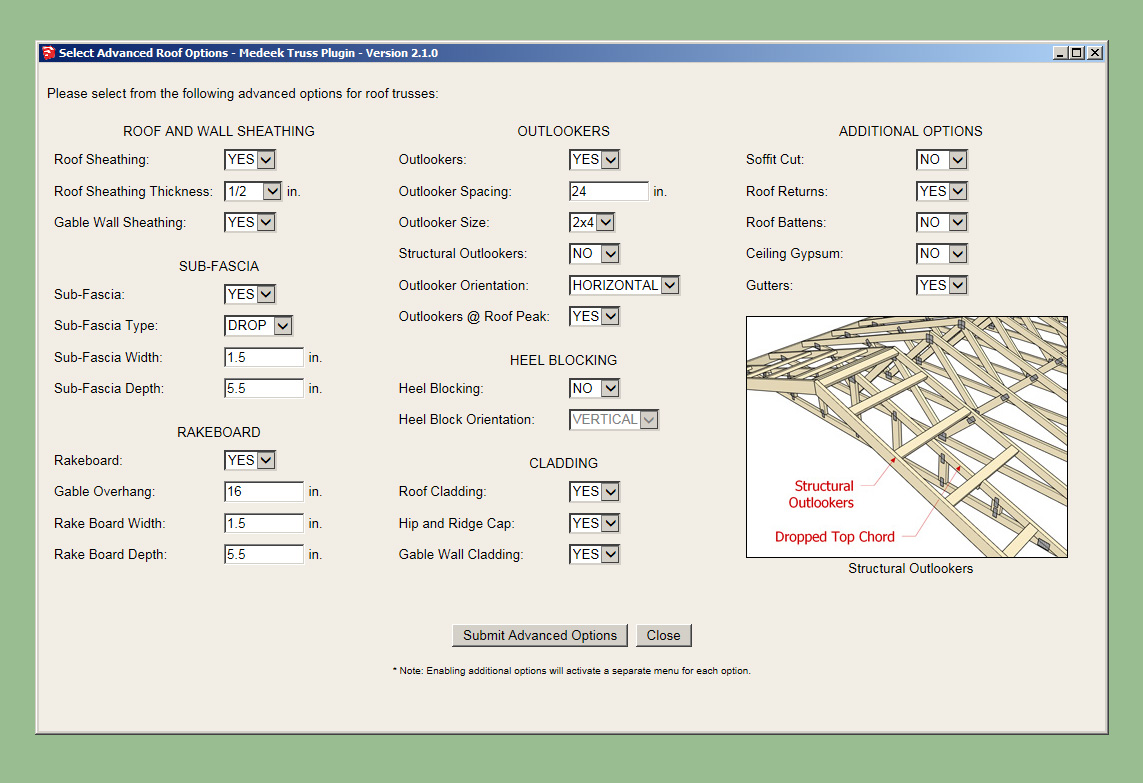
As the number of advanced options have increased (common trusses) the user input menu has slowly grown in size until it is so large that it often does not fit the screen of many laptops and smaller screens.

This problem has been well documented by a number of users for quite some time.

This weekend I spent some time putting together a new HTML menu for advanced options for roof trusses:

truss_su323_800.jpg


I still need to work out the metric version and also all of the language translations but otherwise I think it is almost ready to roll out.

As you mouse over each of the options a 320x240 image will display as shown, hopefully clarifying the meaning or usage of each parameter/option.
 
To avoid these ads, REGISTER NOW!
Top Bottom