
You are using an out of date browser. It may not display this or other websites correctly.
You should upgrade or use an alternative browser.
You should upgrade or use an alternative browser.
V3 Bug/Suggestion Box
- Thread starter Ryan
- Start date
ddawg16
Well-known member
Disregard....Home works as expected on another puter.mine does. Strange… I’ll investigate.
Mac or pc?
Must be a loose nut behind my home computer keyboard
nicholam77
Well-known member
@Ryan
I completely understand your reasoning for wanting to limit the editing of past posts. However... for those of us with longer threads and who "play by the rules", being able to edit old posts is really helpful. I'm mainly thinking Gallery threads, here. Some of which are years old, and occasionally need links updated, photos fixed, table of contents updated... this all benefits people who visit the thread. Nothing more frustrating than visiting one of your favorite threads you've bookmarked to reference something and one day all the pics or links are dead and the OP has no option to correct it.
Just an idea, (and I have no idea what's possible), but what if you gave infinite editing permissions for the Gallery forum only? Seems the least likely to to be abused there, and perhaps the most useful. And then cap it at 24 hrs or whatever for the other forums that don't "need" it as much.
If that's not possible, I get it, just throwing it out there!

I completely understand your reasoning for wanting to limit the editing of past posts. However... for those of us with longer threads and who "play by the rules", being able to edit old posts is really helpful. I'm mainly thinking Gallery threads, here. Some of which are years old, and occasionally need links updated, photos fixed, table of contents updated... this all benefits people who visit the thread. Nothing more frustrating than visiting one of your favorite threads you've bookmarked to reference something and one day all the pics or links are dead and the OP has no option to correct it.
Just an idea, (and I have no idea what's possible), but what if you gave infinite editing permissions for the Gallery forum only? Seems the least likely to to be abused there, and perhaps the most useful. And then cap it at 24 hrs or whatever for the other forums that don't "need" it as much.
If that's not possible, I get it, just throwing it out there!
Trapps
ALLIANCE MEMBER
Unrestricted Edit time of a week would be ok, 2 would be ideal. At least in my case. I’ve hade a couple of posts that took over an hour to find the right, or close enough, picture and repair the links.
As for a permanent solution, I guess I didn’t realize the level of issues ‘edit’ ability created. 48-72 hours seems fair if it needs to be limited.
What about an alternative: leave the edit function intact , post the rules for use and then for abusers, a simple press of the ban button? There appear to be some zero-tolerance topics here; add editing buttheads to that list.
The rules of this site are quite clear and one of the reasons I love it here is the relative lack of drama that in other places stems from too much religion, politics and other highly controversial discussion. I come to GJ knowing it an escape from drama; if that’s what I want I’ll go watch TNT, Troll FaceBook or NextDoor.
I scroll on by most topics that might be controversial, and even when I do succumb to my inner masochist, it’s mostly to see who the buttheads are. The tone is usually kept in check by the members and/or Admin staff and that’s one of the big items that makes this joint so cool.
As for a permanent solution, I guess I didn’t realize the level of issues ‘edit’ ability created. 48-72 hours seems fair if it needs to be limited.
What about an alternative: leave the edit function intact , post the rules for use and then for abusers, a simple press of the ban button? There appear to be some zero-tolerance topics here; add editing buttheads to that list.
The rules of this site are quite clear and one of the reasons I love it here is the relative lack of drama that in other places stems from too much religion, politics and other highly controversial discussion. I come to GJ knowing it an escape from drama; if that’s what I want I’ll go watch TNT, Troll FaceBook or NextDoor.
I scroll on by most topics that might be controversial, and even when I do succumb to my inner masochist, it’s mostly to see who the buttheads are. The tone is usually kept in check by the members and/or Admin staff and that’s one of the big items that makes this joint so cool.
OP
@Ryan
I completely understand your reasoning for wanting to limit the editing of past posts. However... for those of us with longer threads and who "play by the rules", being able to edit old posts is really helpful. I'm mainly thinking Gallery threads, here. Some of which are years old, and occasionally need links updated, photos fixed, table of contents updated... this all benefits people who visit the thread. Nothing more frustrating than visiting one of your favorite threads you've bookmarked to reference something and one day all the pics or links are dead and the OP has no option to correct it.
Just an idea, (and I have no idea what's possible), but what if you gave infinite editing permissions for the Gallery forum only? Seems the least likely to to be abused there, and perhaps the most useful. And then cap it at 24 hrs or whatever for the other forums that don't "need" it as much.
If that's not possible, I get it, just throwing it out there!
For now, I am going to take the time limit off of editing posts. Just know, the first time we have some ******* that goes crazy we will have to reinstate it... and come up with something else...
Cool?
Using Google will always work better than any built in search engine.
Just enter your search terms then site:garagejournal.com
I do use google to search specific sites but it's not always better. There are times when I want to search specific threads, or just titles, or posted by a certain user. Google can't do that.
That is awesome Ryan. Thanks!!For now, I am going to take the time limit off of editing posts. Just know, the first time we have some ******* that goes crazy we will have to reinstate it... and come up with something else...
Cool?

Ban the assholes, don't punish us that are trying to make our threads as navigable as possible over the years.
OP
That is awesome Ryan. Thanks!!
Ban the assholes, don't punish us that are trying to make our threads as navigable as possible over the years.
Oh we do. But we also have to keep account on the time required to fix those issues... They've been bad enough in the past that we've had down time...
OP
I do use google to search specific sites but it's not always better. There are times when I want to search specific threads, or just titles, or posted by a certain user. Google can't do that.
I don't think our search engine is working as designed quite yet. That's one of the big things I'm addressing this week.
I don't think our search engine is working as designed quite yet. That's one of the big things I'm addressing this week.
Ok cool, thanks!
mobiledynamics
Well-known member
I dunno if I'm just too overly sensitive, but with the recent upgrade, the font IMO is way too huge ? Like it could be at least 50-66% smaller , IMO. Takes up too much real estate...relatively speaking
ddawg16
Well-known member
Hold down the control key and spin the wheel on your mouse to adjust the screen size to what you want.I dunno if I'm just too overly sensitive, but with the recent upgrade, the font IMO is way too huge ? Like it could be at least 50-66% smaller , IMO. Takes up too much real estate...relatively speaking
Mine is at 80%
You should see what it looks like when you have 27" monitors. Hence, I toss this page over to a side 24" monitor I use for misc views
Attachments

mobiledynamics
Well-known member
Well aware on zoom in/out on a browser setting. Just saying the -default- at scale seems too large...
Not sure if it's been posted yet or not, but I'm randomly unable to see pictures.
It just shows the file name, but that's it (see screenshot).
But it doesn't do that with every post or thread or picture, just seemingly random unless I'm missing the connection between the times I come across it.

It just shows the file name, but that's it (see screenshot).
But it doesn't do that with every post or thread or picture, just seemingly random unless I'm missing the connection between the times I come across it.
OP
Not sure if it's been posted yet or not, but I'm randomly unable to see pictures.
It just shows the file name, but that's it (see screenshot).
But it doesn't do that with every post or thread or picture, just seemingly random unless I'm missing the connection between the times I come across it.
This is probably due to us working on both search engine and image locations... Should be fixed this week.
JJ13
Well-known member
Does the member box have to be so damn large? I used to read this forum in a half window. Now, 25% of the width is member info. The actual text doesn't start near enough to the left edge. I for one am really disliking this change and it's not that I'm set in my ways and inflexible. I looked through settings and don't see a dark mode. As somebody else stated, in the short time it took to find the suggestion thread and type this I have a headache from eye strain...no, my screen isn't too bright. I guess I'll be checking in less often and probably slowly drift away from the site.
OP
Does the member box have to be so damn large? I used to read this forum in a half window. Now, 25% of the width is member info. The actual text doesn't start near enough to the left edge. I for one am really disliking this change and it's not that I'm set in my ways and inflexible. I looked through settings and don't see a dark mode. As somebody else stated, in the short time it took to find the suggestion thread and type this I have a headache from eye strain...no, my screen isn't too bright. I guess I'll be checking in less often and probably slowly drift away from the site.
Sorry to hear that man... but I wish you nothing but the best.
Dark mode will come... but I am pretty happy with layout at this point.
mobiledynamics
Well-known member
Just duplicated this on OS X in Safari and Chrome. When you scale out, it scales just the forum page. The background stays static. It's not like the entire (page) scales. So the white part will scale out but it also widens the background wallpaper image of the site.
I'll have to re-red all 10 pages of this thread to see if I'm the only one thinking the default scaling is way off the mark
I'll have to re-red all 10 pages of this thread to see if I'm the only one thinking the default scaling is way off the mark
Maybe this will help... Narrow the window even more and the member box shrinks and moves to a narrow band at the top of each reply (at least it did on my Windows 10 laptop):Does the member box have to be so damn large? I used to read this forum in a half window. Now, 25% of the width is member info.

APEowner
Well-known member
Is there a way to tell what threads I've posted in besides filtering the view? I really liked the icon from the old site. That's also the only thing I'm missing from the old site.
Old Man Roger
Well-known member
If you subscribe/watch a thread, there should be a bell to the right of the thread.Is there a way to tell what threads I've posted in besides filtering the view? I really liked the icon from the old site. That's also the only thing I'm missing from the old site.
Is there a way to tell what threads I've posted in besides filtering the view? I really liked the icon from the old site. That's also the only thing I'm missing from the old site.
When viewing the thread list, the OP's avatar is shown to the left of the thread title. If you've posted in that thread you will see a small version of your avatar at the bottom right corner of the OP's avatar.

Is there a way to tell what threads I've posted in besides filtering the view? I really liked the icon from the old site. That's also the only thing I'm missing from the old site.
If you posted in it, your member avatar (picture) will appear in the lower right of the thread icon (see my circles in this image). And if you hover over it, it will tell you how many times you have posted in that thread.

Old Man Roger
Well-known member
If you aren't seeing the bell, or your avatar in threads you've posted in, you might need to go to your settings and check ''Automatically watch content you interact with…''
Click on your name in the top right corner then hit ''Preferences''
Looks like the bell means you're watching a thread, and the avatar means you've posted in a thread.
Click on your name in the top right corner then hit ''Preferences''
Looks like the bell means you're watching a thread, and the avatar means you've posted in a thread.
APEowner
Well-known member
If you subscribe/watch a thread, there should be a bell to the right of the thread.
If you posted in it, your member avatar (picture) will appear in the lower right of the thread icon (see my circles in this image). And if you hover over it, it will tell you how many times you have posted in that thread.
Thanks guys! Now that it's been pointed out to me that's pretty obvious. I also see that if you hover your mouse over your avatar it tells you how many times you've posted in a thread. Very cool.If you aren't seeing the bell, or your avatar in threads you've posted in, you might need to go to your settings and check ''Automatically watch content you interact with…''
Click on your name in the top right corner then hit ''Preferences''
Looks like the bell means you're watching a thread, and the avatar means you've posted in a thread.
I love the way the new multi quote works! I never did figure it out with the old setup and it was simple with the new one.
FrankLee
Well-known member
I'm receiving the above message in a migrated thread/post that already has 186 images. Can this limit be increased please? 250?Please enter a message with no more than 30 images.
Last edited:
Desktop site looks great. Like others I would like a dark mode but i see you are working on that.
Im not a fan of the mobile site though. I dont like how you cant click on what page you want to go to, either first post or last post. It would be nice if you could add page numbers.
Im not a fan of the mobile site though. I dont like how you cant click on what page you want to go to, either first post or last post. It would be nice if you could add page numbers.
OP
I'm receiving the above message in a migrated thread/post that already has 186 images. Can this limit be increased please? 250?
I'm on it.
OP
I'm receiving the above message in a migrated thread/post that already has 186 images. Can this limit be increased please? 250?
This is done.
OP
Desktop site looks great. Like others I would like a dark mode but i see you are working on that.
Im not a fan of the mobile site though. I dont like how you cant click on what page you want to go to, either first post or last post. It would be nice if you could add page numbers.
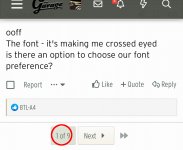
See the red circle below? Tap on that box, enter the page number you want...
I totally get it and from both sides.For now, I am going to take the time limit off of editing posts. Just know, the first time we have some ******* that goes crazy we will have to reinstate it... and come up with something else...
Cool?
As an option, if it goes back in effect, is it possible to limit "Edits and/or Deletes" to like a max of 4 per 24 hours ?
I think that would solve the issue why it was put in place... kinda keeping an honest member honest, if you know what I mean.
I meant from a subforum, not within the thread, sorry. Would be nice to be able to click page 10 and jump to the top of page 10 instead of clicking either of the red boxes in this pic and end up at first or last post.See the red circle below? Tap on that box, enter the page number you want...

OP
I totally get it and from both sides.
As an option, if it goes back in effect, is it possible to limit "Edits and/or Deletes" to like a max of 4 per 24 hours ?
I think that would solve the issue why it was put in place... kinda keeping an honest member honest, if you know what I mean.
That's the capability we really need. Once I get through this, I'm gonna see if I can't figure out some code that will do that...
OP
I meant from a subforum, not within the thread, sorry. Would be nice to be able to click page 10 and jump to the top of page 10 instead of clicking either of the red boxes in this pic and end up at first or last post.
Humm... Subforum should act the same way. On iOS it does anyway... I just gave back my Android test phone damnit. You don't have a pagination on the bottom?
Pntyrmvr
Well-known member
Ryan,
I hit the pink “Build it now for free” button and I’m still waiting for the six, bikini clad construction professional ladies to arrive with a tractor trailer full of materials and build build my garage.
Can you look into that before I wake up?
“Talk is cheap. Whiskey costs money.”
I hit the pink “Build it now for free” button and I’m still waiting for the six, bikini clad construction professional ladies to arrive with a tractor trailer full of materials and build build my garage.
Can you look into that before I wake up?
“Talk is cheap. Whiskey costs money.”
Crazyhorse
Active member
Correct.That sounds good. So, if I've got this right, if I don't click either box the message is only accessible by the recipient and me, yes?
Crazyhorse
Active member
It may already exist as a plug in, as VerticalSuck limits to 10 posts edited in 7 days IIRC in their XenForo systems.That's the capability we really need. Once I get through this, I'm gonna see if I can't figure out some code that will do that...
Old Man Roger
Well-known member
My filter setting wont stick. I keep removing the ''unread threads only''filter, but it keeps coming back when I click new threads.
Old Man Roger
Well-known member
Nevermind, had to save it as default.
OP
Holy hell... I got something right today.
As of now, you have UNLIMITED time to edit your posts... However, you can only edit 3 times per 24 hour period.
Super easy implementation because Xenforo rules. I didn't even have to use the plug-in from those forum assholes.
As of now, you have UNLIMITED time to edit your posts... However, you can only edit 3 times per 24 hour period.
Super easy implementation because Xenforo rules. I didn't even have to use the plug-in from those forum assholes.