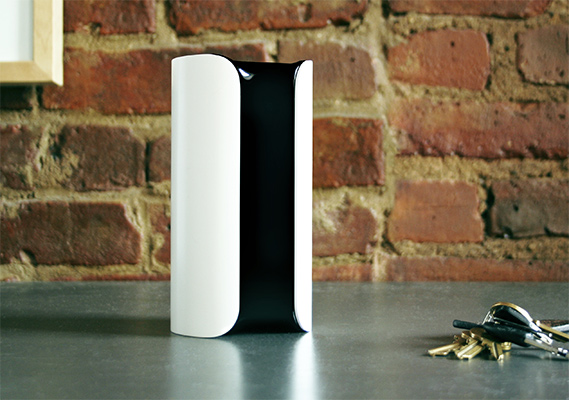
A few weeks ago, I mentioned how I felt like the home security industry was lagging to adopt modern technology. Afterwards, a few guys mentioned the Canary All-In-One. It sounded interesting, so I bought one.
Now, I’ve been over my security system before. I have your typical old school wireless unit with sensors for every opening, plus motion and sound sensors as well as a few other nameless tricks. The whole thing is also monitored. BUT, what I don’t have is something that alerts me instantly to any activity in the shop. For instance, if one of these sensors is tripped the monitoring service is notified and they call me. If they don’t get an answer, they call the police. Pretty standard stuff.
What I’ve learned about the Canary is that it’s not really an active security device at all. Instead, it’s more of a passive monitoring system. Here’s how it works…
The Canary, at it’s core, is just a camera with a motion sensor. That’s it. When it sees motion, it starts recording and saves the video into the cloud. The power of the unit really comes from it’s configurable modes: home, sleep, and away. Through these modes, you can setup an almost infinite numbers of scenarios. Just to give you an idea of how it all works though, I’ll go over my settings.
Sleep Mode. I have the sleep mode completely turned off. This unit is in my shop, so I want it active all of the time.
Home Mode. When in home mode, I have it record when it sees motion, but not notify me. I do this because it it actually kind of helpful to be able to play back some of your work day if you need too. For instance, I lost my 7/16 wrench… AGAIN. I can go back through the footage (to a point) and see where I put it earlier in the morning. That’s handy…
Away Mode. This is where the magic happens. I have the Canary set to record and notify my iPhone if it sees motion. When I get a notification, I can open the Canary app on my phone and watch live feeds of exactly what’s going on. On top of that, there are two buttons laid over the video – one to engage a surprisingly loud alarm and another to call 911. Video quality is bordering on good and very good.
So, at this point you are probably wondering how you engage each of these modes. It’s actually quite brilliant. You can do it manually through your phone, but I prefer to do it autonomously. See, the Canary knows when my phone is “home” or not because both are on my wifi network. Given that, if my phone is in the shop the mode automatically sets to “home.” However, if I leave the Canary senses that the phone is no longer in the area and automatically sets itself to “away.” It’s quite senseless and so far, very reliable.
At the end of the day, this unit is far from a full on security system… But it is just another layer to an existing security system that is actually quite useful – if only for piece of mind. You can pick one up for about $160 here. That being said, you might want to wait a couple of months. Everything I’ve read says they are bringing out a new model soon.
My conclusion? I dig this thing and while it is a bit of an unnecessary toy, it is one that I find to be quite useful in my shop. Here’s a quick and really dirty video showing my setup: