Finallygotit
ALLIANCE MEMBER
I like that idea!Something like this would be pretty cool...


I like that idea!Something like this would be pretty cool...
I've enjoyed back n leg pain since I was 19. It's one of the many gifts that keep on giving.I've been to PT on and off, so I have some exercises in the repertoire that I still regularly do. Less than a full program, but some basic core ones. Stretching is tricky... I have a ton of tightness, but lately I've found some stretching maneuvers seem to make things worse.
My latest thought is I have Piriformis Syndrome, which is a chronic tightness or injury of the piriformis muscle. It completely aligns with my current symptoms, including my sciatic-like symptoms. In an effort to try to help myself I made the mistake of using the foam roller too aggressively this weekend, and now it's extra sensitive. I did a lot of reading this weekend, and I think as much as I DON'T want to give up walking, I think I need to give it a break and rest the muscle for a month or so. Even in the two days I've stopped walking it's helped.
I did get the New Balance shoes and I like them, so hopefully I can *slowly* work back up to my walking routine after it's had a chance to calm down and heal.
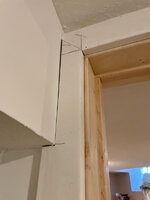
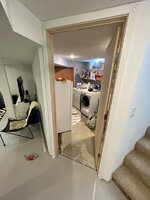
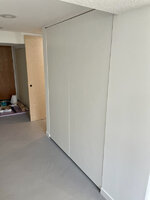
Doors look great. You nailed the gaps.

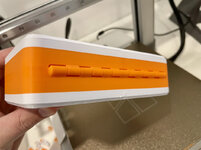
I would either go with your idea of some type of push button closure or some really simple but large bar pulls. I know its two ends of the spectrum but I think with the modern look of the doors one of those two options would look the best.
Something like this would be pretty cool...
https://www.amazon.com/dp/B07V2LWKGM?tag=atomicindus08-20
I've enjoyed back n leg pain since I was 19. It's one of the many gifts that keep on giving.
I know back pain too. In fact, I have avoided surgery for a long time. But it may be in my very near future.


 Stage 2? Big Turbo? Water-Meth injection? Gotta keep 'em guessing
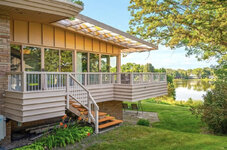
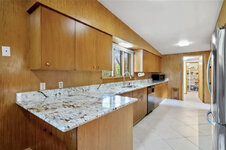
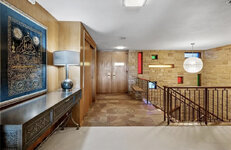
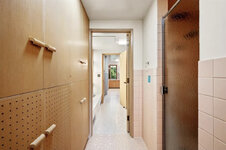


LOL, that same house came across my Facebook feed today:This past Wednesday I toured a Modernist house on a small lake somewhat near me, and let me tell you, it was HUGE. Like 6,300 sq ft huge.
On the flip side, as someone one who does DIY housework but also has a full-time job and young family, I recently enjoyed this video quite a bit (despite not being a builder!):
It made me feel a little better about slow progress.
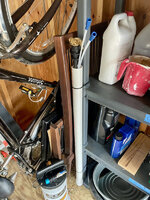
I had a chance this weekend to do a bit of work around the house and on the basement. One odd end that I've had on the back burner for months is a storage solution for my oil change pump tubes. Now they have a home.

Thanks for sharing the pic's of that house....that level of built in's in functional useful locations is hard to find anymore!
OK this is a great idea... stealing it!!








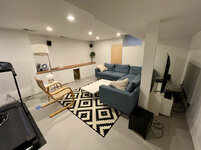




I finally finished your entire thread. Great stuff. Your floating nightstands have been added to my list of projects to make. My son needs a nightstand in his bedroom and has drawers under his bed so floating it is!
Multi-room remodels take forever and drag out even longer when you have young kids. We had our floors redone 2 years ago on our main floor and half our basement. I had the baseboards up the following weekend or two. Anddddddddddddd then I spent the next 2 months patching holes, sanding, caulking painting etc. After losing all motivation, approximately 6 months after I finished the last pieces.
It's so hard to start working on things at 8:15-8:45 when our kids go to bed now. Usually that's time to start the dishes not fire up a nail gun and risk waking them up.
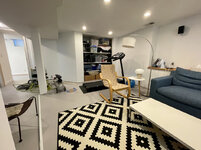
The basement looks great! We had all flat panel doors in our house but we changed them and now I feel a bit guilty.
I like your couch where it originally was. You could make some shelves in that niche being the sofa instead of putting the TV there. The columns in basements make it hard to place things where you want them at times. I usually find myself wishing I had 2 more feet of space in one direction.


I'm always amazed at how much time I have anytime our kids sleep over at one of our parents. Besides the ~ 5-6 hours at night after work we usually end up getting ready for work and sitting around for an hour before work.Yes, the current phase of life I'm in is making it very difficult. Technically I could work after they go to bed, but most days I struggle to find the motivation or energy and am not in the right headspace.
I don't think anyones floors are perfect. Ours have some issues but you get used to them. Carpets and furniture cover up a lot of our issues.I'm still kinda angry about the floors (waviness, not color), but I think I'll be able to get to 90% of my vision for it, which is good enough.
When we first set up our basement we went back and forth where to put the projector 'screen'. I wasn't sure if I should keep the couch where it is now, flip it and the screen or even move it to 90* and have the screen be where the movies are on the wall. Putting it at 90* would mean I could set up bar seats like in your render but would have you sitting your back to the entrance.Thanks for the input.

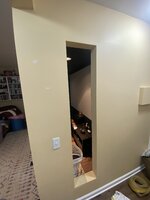
When we first set up our basement we went back and forth where to put the projector 'screen'. I wasn't sure if I should keep the couch where it is now, flip it and the screen or even move it to 90* and have the screen be where the movies are on the wall.
Your Sketchup skills are quite impressive. I've been needed to learn how to do it for a while but can't seem to motivate myself to sit in front of a computer more at night.
What if you walled off that section between the column and the wall and made that your TV wall? I'd be tempted to install the wall flush with the backside of the column to create a similar nook like you already have behind where the couch used to be. This might restrict TV size down the road, so keep that in mind if you are ever thinking of going bigger someday. Install a door on that end that faces the hall so you can still access the space behind as a long, narrow storage closet. You could even leave the backside of the new wall where the TV mounts unfinished so you have easy access for connecting wires to speakers and equipment. Maybe it would make sense to even extend the wall past the column a foot or two, but flush with the front of the column so it feels more intentional. The couch gets swapped back to the spot you prefer it. Install shelving in the nook behind the couch for books or display.


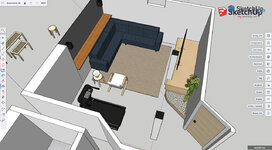


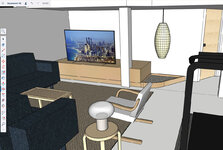


Building on that idea. If he moved the recess for the TV flush to the column and wrapped or enclosed the center column into a cabinet could improve the look?Tossing it out there, with a quick phone doodle:
One option, if you want the TV to feel more intentional, is to build a nook and cubby system surrounding the TV. You could sandwich it between the wall and the pillar and recess the TV a few inches so it’s framed by the cubbies. Would this be a pain in the *** to build? Probably. Does it limit your flexibility for a bigger TV down the road? Absolutely. Do you get mid-century modern vibes and a ton of storage and some nice cable management? Sure.
Advice worth as much as you’re paying for it.
Since it's not my money, I think you just need to get rid of that column!
In all seriousness, I like where you're headed with that design. I think you need to embrace the fact that it won't be symmetrical. If you're able to mount the TV you could keep it centered when it's not on and pull it out towards the column when you want to watch something.
One option, if you want the TV to feel more intentional, is to build a nook and cubby system surrounding the TV. You could sandwich it between the wall and the pillar and recess the TV a few inches so it’s framed by the cubbies. Would this be a pain in the *** to build? Probably. Does it limit your flexibility for a bigger TV down the road? Absolutely. Do you get mid-century modern vibes and a ton of storage and some nice cable management? Sure.


Building on that idea. If he moved the recess for the TV flush to the column and wrapped or enclosed the center column into a cabinet could improve the look?
Nick, I'm with Jake and @Tommo3 but I would build the cabinets to fit a larger TV. I don't recall know how big your current TV is but I would size the cabinets for an 84" TV. The platform you show in your rendering could include a slim cabinet to the right of column and disguise the column with doors that close over the column. If the cabinets also went all the way to that dropped ceiling it would hide the column even more.
Maybe this was tossed out back at the last planning phase but what if you put a projector screen where the treadmill is and put the treadmill where the TV is. Now you back is never to the door you have gotten the post out of your view. High end in ceiling front speakers have come a long way and there are some really great ones out there with square boxes that angle the speakers towards the sitting area. Obviously this involves basically pulling all the ceiling drywall down to get it wired but it could give you the best result and use of your space and would be cheaper than trying to get rid of the post.
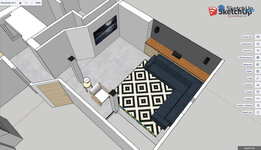


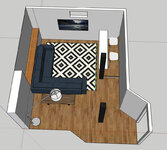


That said I like the other option as well where you put it on the outside wall. It seems to center the TV on the couch even better than layout #2 but the only issue then becomes is that wall drywall or a block wall and thus what do you do with cables if it is block wall.


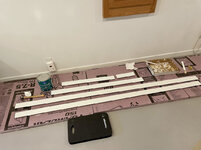
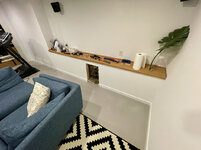
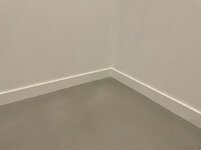

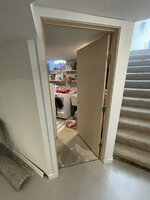
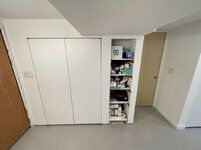
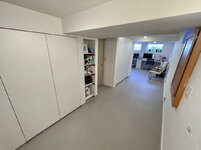
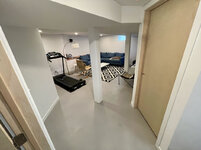
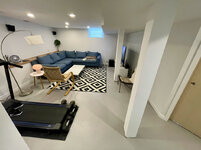
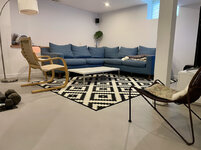
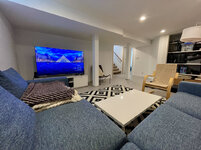
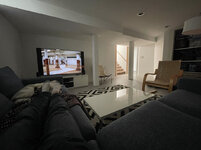


 but just need to collect the images and find time to write them up.
Looking good! Hope the flare up symptoms ease soon....
Your basement looks really good!
The before/after comparison is incredible.
(sorry to hear about the resulting aches & pains)
The basement is looking great. Sorry to hear about your pain flairups. Can't imagine dealing with not being able to sit for a day job since I am sitting all day for mine.
The transformation from where you were in the basement 9 months ago is huge. What a drastic improvement.

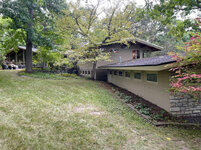
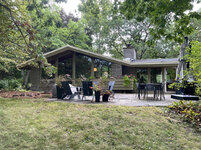



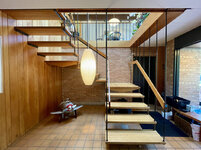


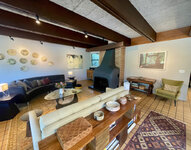
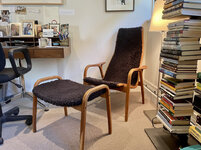


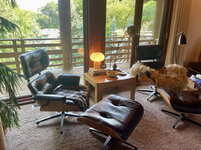

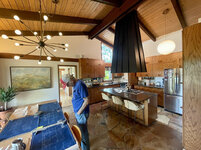
I laughed when I saw the Eames chair in the 1st house....then laughed more when another showed up in house 3!
That staircase/lightwell detail in the Leighton house(house 2) is really cool! Thanks for bringing us along!
Alway appreciate the photos from your house tours. I love architecture and don't do enough to see it. The design detail in those houses is cool. I particularly like that staircase.
Thanks for sharing. I appreciate this style of architecture and design more and more.
Wish I had known. That would have been a great experience
Nick, that basement is looking pretty awesome...way to hang in there.
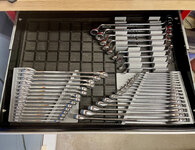
The ratched holder looks good and it seems to hold them in a very compact space.Being away some time means I have a lot of catching up to do!
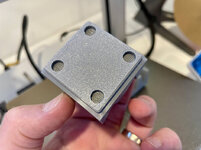
Waiting on the updates on the 3D printer. If I get a job, I´ll probable get a new one here, 3D printers are just fun_and_useful