Merry Christmas to all! Not a white one here but that's OK. Living room is a mess from today's activities, wife and I are tired, but kids are asleep and I've got a book to read and a drink that needs a refill while we try and relax


Got to put the new M12 stubby impact to work
Family member called with nail in a sidewall in a parking lot and they're not physically able to change it themselves and too late to drive it to a shop. So stubby, floorjack and a couple blocks for tire chocks and off I went. Easy swap then rewarded myself with a new set of impact 3/8 drive metric deep well sockets
My mom (while driving with my MIL) got a flat leaving the hospital last week. Would have been a perfect time use my new mid tq. It was slightly worse than a nail, a entire brake pad went into the tire, with just the tip sticking out. I left the hospital to change it but amazingly AAA had a truck there and gone in under the 15 minutes it took me to make it drive there.

Which restaurant?
Oh, and happy birthday!
Martin
Happy New Year Logan! All the best in 2025!



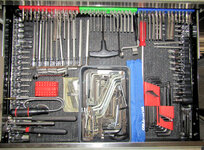

I really want to get the fireplace(gas log with a low voltage switch for the gas valve) but haven't found a cheap enough alexa/google home compatible relay and a bit skittish on voice activated control on the fireplace.
For example the passage/entryway off the garage into the house is a bit dark and when entering at night can be stumbly, especially with little kids sometimes leading the way. But replacing the switch with a motion sensor that is right in the path of the door swing so as soon as the door starts to open the lights come on, but only between 5pm and midnight and at 50% brightness has made coming into the house more civilized when lights just work.
One of the common complaints/gripes I hear about HA is on documentation, or lack of accurate/current documentation. Any places you'd suggest to start my learning journey?
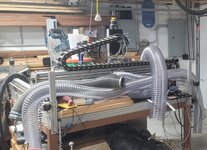
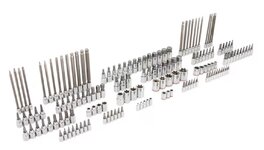
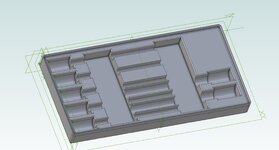
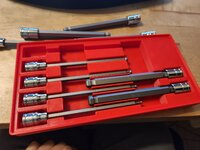
Apparently I need a bunch HA hardware to go with my new, as yet unacquired, 3d printer. Also, five or more links in one post exceeds my personal rabbit hole Bandwidth. Eff it, I'll clean the shop tomorrow...I've got my surfboard, where do I catch this zwave?Happy New Year Logan. Great continuation of all your projects. Love the 3d printed hex organizers. Do you publish your models anywhere?
Now that you've got a Home Assistant install on the horizon, I'd seriously consider a Zigbee or Zwave antenna, and pair devices through Home Assistant and then exposing them to other services like Alexa.
Zigbee sensors are plentiful and are often cheap.
Unfortunately Alexa and Google Home voice services are not super easy to configure with Home Assistant without their paid Nabu Casa subscription. To control Home Assistant devices directly. However, I believe there are ways around this. I don't use voice commands personally so it's no big deal to me, but if you rely on them and end up liking Home Assistant, their subscription may be worth it. It also gives you easy remote access. There are plenty of free solutions to that, too, (I use the Cloudflare Tunnel integration) but one thing at a time.
Awesome! Automations like that are so convenient and actually improve quality of life.
Arrival lights are tricky, but magical. Mine include some form of geofencing and a Home/Away status. Otherwise you run into the scenario where you're leaving the house after 5pm and the motion sensor fires and turns the lights on when you don't want it to.
Changing the 5pm time restriction to "sunset" with an offset of your choosing would account for different times of the year.
There is actually a Wiki, and a decent amount of documentation. The Home Assistant website itself is a good place to start. The problem, as you stated, is it can be outdated or inaccurate for more advanced topics. That's because for better and for worse, Home Assistant development moves at a fast pace. But considering the scope of the project, it's not that bad.
For anything I can't figure out, I post on the community forums, Google, or ask Chat GPT (any of which can also give bad info). But eventually I've always figured it out.
I don't know what you bought for hardware, but depending on that, the first thing would be to review some installation videos. Just find something current for the type of hardware and installation you're doing. I would watch a few.
Smart Home Solver is a great channel for automation ideas, and recently came out with an up-to-date Home Assistant overview for beginners that might help give you the broad strokes.
Everything Smart Home is a good resource and has lot's of overviews that are current, like best practices for beginners.
Home Automation Guy is another.
Honestly I don't think there's one great resource that explains it. It's going to be an adventure. But I believe in you!
And also feel free to send me a PM if you get stuck with something! I'm deep in it at this point!
Happy New Year Logan. Great continuation of all your projects. Love the 3d printed hex organizers. Do you publish your models anywhere?
Now that you've got a Home Assistant install on the horizon, I'd seriously consider a Zigbee or Zwave antenna, and pair devices through Home Assistant and then exposing them to other services like Alexa.
Zigbee sensors are plentiful and are often cheap.
Unfortunately Alexa and Google Home voice services are not super easy to configure with Home Assistant without their paid Nabu Casa subscription. To control Home Assistant devices directly. However, I believe there are ways around this. I don't use voice commands personally so it's no big deal to me, but if you rely on them and end up liking Home Assistant, their subscription may be worth it. It also gives you easy remote access. There are plenty of free solutions to that, too, (I use the Cloudflare Tunnel integration) but one thing at a time.
Arrival lights are tricky, but magical. Mine include some form of geofencing and a Home/Away status. Otherwise you run into the scenario where you're leaving the house after 5pm and the motion sensor fires and turns the lights on when you don't want it to.
Changing the 5pm time restriction to "sunset" with an offset of your choosing would account for different times of the year.
There is actually a Wiki, and a decent amount of documentation. The Home Assistant website itself is a good place to start. The problem, as you stated, is it can be outdated or inaccurate for more advanced topics. That's because for better and for worse, Home Assistant development moves at a fast pace. But considering the scope of the project, it's not that bad.
For anything I can't figure out, I post on the community forums, Google, or ask Chat GPT (any of which can also give bad info). But eventually I've always figured it out.
I don't know what you bought for hardware, but depending on that, the first thing would be to review some installation videos. Just find something current for the type of hardware and installation you're doing. I would watch a few.
Smart Home Solver is a great channel for automation ideas, and recently came out with an up-to-date Home Assistant overview for beginners that might help give you the broad strokes.
Everything Smart Home is a good resource and has lot's of overviews that are current, like best practices for beginners.
Home Automation Guy is another.
Honestly I don't think there's one great resource that explains it. It's going to be an adventure. But I believe in you!
And also feel free to send me a PM if you get stuck with something! I'm deep in it at this point!
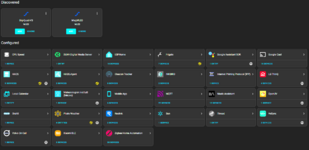
I've got a Zigbee coordinator coming with the mini PC for the system, along with a couple of plug in outlets and some door contact sensors to start playing with. Eventually I'll expect I end up with some Zwave stuff as well
I end up using voice in the kitchen pretty often via Alexa...so thanks for the heads up on this as that will definitely be something I want to figure out....or I just leave the Alexa controls on those applicable light switches working and have it in tandem?
This is what I had in my head with geofencing based off phone location and time of day to trigger light actions....now to find out how to actually get it done!
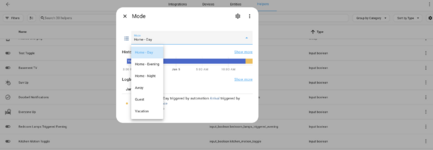
The current one that causes us the most headache is turning off the garage lights after the wife's car leaves. The lights are on Kasa switches so the ability to remotely control is there, and with either the MyQ app or a contact sensor on the door should be able to do that automatically. Risk is if I'm in the garage doing something it then shuts it off on me....so might have to pair a motion sensor with that one or logic to not turn the light off if the state of the garage lights was already on when the walk door into the garage was opened
Don't be afraid to ask this forum for home assistant questions... some of us love it!


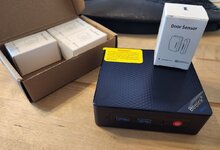
Nice, that mini PC is overkill (in a good way!). Especially if you install HA bare metal and nothing else.

Home automation, eh? Hmm.
"Unlock the refrigerator, HAL." "Sorry Logan....you've had several beers already....I sense your blood/alcohol level rising....locking all vehicles for 4 hours....."
ONE time I got away with replacing just the cold control in a Kenmore fridge that was in the garage. I doubt if the newer ones allow you to do anything....except buy a new one.
Check out all the options before you stick with Proxmox - consider VM vs Containers.At this point I'm planning to install with Proxmox instead of baremetal install. I don't know what else I may run on it, I don't need a Plex server, but I do have BlueIris running the existing cameras on a desktop so that could move to this new homelab type box. Adblocker would be nice....sure there are other things I can find down the road
Check out all the options before you stick with Proxmox - consider VM vs Containers.
Home assistant does very well on it's own device or VM with HAOS the way it looks. I took the docker container route as I knew I could easily migrate them from host to host and haven't regretted it yet.
HAOS makes installing all sorts of things easy since it is itself essentially a hypervisor.
@loganb bummer about the mini pc! I’m sure whatever replacement you have coming will be great.
FWIW I’m using a used Lenovo ThinkCentre M73 I got on eBay for $56 shipped. Core i5, 8gb ram, 128gb SSD came with it. For Home Assistant alone it’s been fantastic.
My co-worker did the Proxmox thing. Seems to be a popular route. I just didn’t know what else I would run, am unfamiliar with VMs or docker, and wanted my Home Assistant to be overpowered and future-proofed.
FYI like @iced98lx said you can install “add-ons” in Home Assistant itself. I know very little about the whole docker and/or VM thing, but I assume these are the type of things one might set up in Proxmox or similar. The main add-on I am running is Adguard ad blocker, and all my DNS traffic routes through the Home Assistant machine.
Before you commit to something that needs a windows machine... as a former BI licensee... take a look at frigate (https://frigate.video/)thanks for chiming in and offering feedback guys!
When I think about it honestly.....the BI server just fine as it is right now so there isn't a pressing need to move it...just be nice to get it off that desktop that is used for other things. But it wouldn't be a top priority and I'd much rather get an adblocker going before I tackle moving BI....after I get some of the automation stuff done....more to think about....
Before you commit to something that needs a windows machine... as a former BI licensee... take a look at frigate (https://frigate.video/)
It can run as an "add on" to HAOS, has deep, meaningful integration with HA and will use the built in graphics of an intel chip for AI detection acceleration. I use a USB Coral device, but the GPU driven detection is really taking off, negating the need for a TPU.
I jumped from BI to Synology Surveillance station (completely fine, would continue to use if it had better AI detection etc) and then to Frigate. If I were buying all new hardware right now it'd be a toss up between Frigate and just unifi stuff (Their cameras and DVR have gotten fantastic, including support for 3rd party cams) but no one is net-newing very often.
Anyway, I know a move of a NVR is a lot of extra work you didn't sign up for but might be worth checking it out!
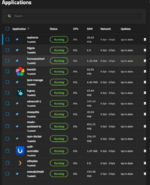
I think I have mentioned in the past, I ended up on TrueNas simply because storage and backup (Plex media included) was one of our primary drivers. The app system in their scale OS resembled a bit the apps available in synology store which I was used to, so it seemed like a fit. I didn't spend much time with proxmox simply because nearly all the NAS OS's I looked at (Truenas Scale, Unraid) had support for VM's and Container execution.
Like anything, upsides and downsides, the K3s implementation of Containers in Truenas scale has been replaced by strait docker, which, is great, but makes migrating for me a PITA. The OS is super stable and there aren't any apps out there that don't have docker instructions for the most part. That said I'm running individual groups of containers for all these things:
The ones with icons (immich, logseq, unifi, plex) are "managed" packages by truenas where I don't much with mutch to keep them running, the rest are just container images running in K3s, same as they would be in dockage, portainer etc.
The one thing that really turned me off of VM's was trying to share hardware resources. I do have a NVIDIA gpu in this system being used by frigate, plex and immich, that seemed like it was going to be much harder with VM seperation. That said, if you go one VM for HAOS it all just.... works and you get VM level backup/restore etc.
All that to say, good luck, don't install HAOS bare metal imho, put it in a VM on proxmox if that is how you want to go, or do something specifically meant to deal with containers (portainer, dockage etc).
What is your overall goal with installing the home automation?
All this automation talk, I'm just happy to have a digital thermostat in the house/shop and steering wheel controls for the stereo in my Tundra
I've read 1984, watched the Terminator movies, etc...John Connor would not approve
. It's this kit with the NVR hard drive upgrades. 

Need any more POE cameras and a 16 channel NVR with a 6TB HD? I've got 8 cameras. Everything is brand new in the box never opened. Sounds like to much work at this point in time. I was more optimistic when I spent $2,100 on it all

8 TB, sheesh! Are you gonna keep your recordings forever?!
I have a WD Purple in my old Amcrest NVR and I just recently heard it making some suspicious noises. It was set to overwrite recordings and lasted 7-8 yrs probably.
Lol yeah....it's way too big
However manuf recommendation was a 7200 rpm drive and 8tb was the smallest option in their purple series that offered 7200 rpm, all the smaller sizes were 5400 rpm. I expect the 5400 would have been fine for the smaller qty of data and in this situation were hdd failure is an annoyance not a critical event would have saved a few bucks....overkill strikes again
This was the main driver for our smart lights -- my wife likes the automation, but doesn't want to think about it. So we just keep it simple: several schedules for lights on/off, and then multiple lights tied to one switch for outdoor lighting.I do have similar concerns with the rest of the house....the wife is very competent with tech, but she doesn't want to screw with this type of of stuff. She's already the defacto "computer person" in her 15 person office so when she comes home she doesn't want light switches to not work cause I'm screwing with them. She does like the motion sensors and some of the schedules/voice ability now with the newer switches so that's a plus.
Home automation, something that has crossed my mind, but I put it off due to cost and time.
What is your overall goal with installing the home automation? I know if I was to install a fully automated system in the house, my non-tech wife will be pushed to the edge of a break down. But I have thought about just making the shop automated so I can check on things in the garage without going into the garage.

Just have to work on sensor placement/setup so that it's triggering when someone is coming down the stairs vs my daughter getting out of bed and going to the bathroom