My Grandpa will text me back, that's about the extent of his tech lol. His let's see what's going on out on the street is probably a rifle scope knowing him haha. That's awesome that they will let you do some things like that, most are very anti tech and push back when trying to be introduced to "whipper snapper" things like that lol. I know mine are.
Well I've got polar opposites on the 2 different sets. My mom's mother has never used and never will use a computer, had a rotary phone till I was in high school and still uses the original stove in the house circa 1969. She lost most of her eyesight in the last year from a medical condition made worse by stubbornness and some of the technology could make her life simpler but too late to go down that path. She's been widowed since '78 or '79 and has a strong since of independence so isn't interested in any of that computer stuff
The set of grandparent on today's project have adapted pretty well but struggle like many do when things change or do something unexpected. They're both using dual monitors, and are generally pretty good as long as nothing changes...well minus the dozen or so duplicated shortcuts on the desktop and some other things we fix for them periodically. But they're both 90 yrs old give or take a bit, and having the computers help keep them in touch with family and friends and keeps them inside during the winter when they shouldn't be out and about.
And the rifle scope comment is spot on here too...25 yrs ago there was a brief battle for the flower beds against the bunnies and a scoped Remington fed many neighborhood cats and scavengers until the bunnies wised up. They're now past the point where they can garden like that anymore so the bunnies are safe from both them and the overfed cats that hang around the back step
@loganb
I am not camera savy, but......
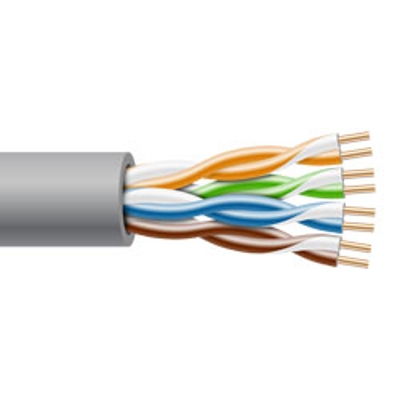
When we built out house I did pre-wired for 7 exterior cameras, but have never got around to doing anything. What cameras do you recommend, do you have a preference? They all run through my "tech" box in the closet and then make their way to the kitchen desk. So I can cut those wired and terminate them in the closet if I choose. If I have a box of sorts in the closet is there a way to broadcast that signal to any TV via Ethernet. So I can view the camera signals on any screen in the house? That same closet is where my satellite internet comes into and then goes back out to each TV / computer via hard line. I'm not a huge fan of wifi if I don't have to be.
I'm knowledgeable enough to be dangerous, hopefully we get a couple others to chime in....calling @iced98lx or @jblnut possibly? Based on your description of cabling adding its network cable/CAT 5(or 6) you've prepped, wholeheartedly agree to keep the cameras off wifi as that's a ton of congestion on the network that doesn't need to happen. If the devices isn't made to walk around and always sits in the same place or worse yet is screwed to the wall...it should be hardwired!
First decision is how to record, store and access the data. 2 main choices as I'm aware are a Network Video Recorder(NVR) or PC that is always on. We had the PC so went that route and use a software package called BlueIris to control the cameras. Add on as many external hard drives as you want for more storage, but for your just household perimeter and animal cam there isn't a reason to maintain it for long term so storage doesn't have to be huge.
For the cameras I bought about 5 years ago and went with Dahua dome cameras from one of the Chinese eBay like markets. At that time there wasn't a lot of hardware differences in the sub $150 a camera market and went with Dahua as they had the least cited issues of hardware attempting to "phone home" to China. I had the cameras "walled off" on the network though and the cameras were blocked from outside access so I wasn't concerned with that. 2 of those same cameras now are ceiling mounted for baby cams in the kids room, getting the rest back outside(with probably a few new ones added in) is on the list to do before snow falls. IPcamtalk.com was where I gleaned most of my initial knowledge on the subject
Probably biggest thing I learned with those wasn't as much about the cameras as it was about placement. If you want to get good face shots...mounting them all on the soffit doesn't work...its handy and generally convenient but ***** for recognition if something happens and you need the footage. I'll still have some soffit mounted ones, but they won't be the only ones.
As for popping it on tv's, my solution isn't fancy or elegant but it works and that's just to open the BlueIris app on the phone and "cast" or "mirror" it to the desired TV. With that we can display a tiled view of all cameras or a single camera zoomed in as tight as hardware allows. We only have 2 tv's I ever need it displayed on and both are smart tv's so pushing the phone display to them is easy. We have the apps on the tablets as well so it's easy for grandparents or babysitters to monitor as well or for us to push it to the TV without the phone being "hostage" by the app.

 .
. 


 .
.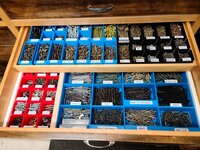

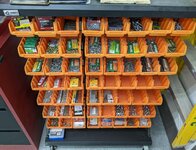
 Now I feel like your just showing off. Haha. Those will be sweet for those don't need to have 100 on hand kind of parts as those always waste bin space and make me angry haha!