To avoid these ads, REGISTER NOW!

The Everything 3D Printer Thread

jeepxj

Well-known member
Joined
Mar 2, 2008
Messages
17,831
I'm sure this has been discussed on this thread previously, but in my fooling around in the 3D printing world, it isn't so much the printer itself that makes the difference (until we're talking batch printing and such) but rather the quality of the design. Most of the designs that are available in the "free" market, well, they ****. Even many of the paid models are just freeware that someone "licensed", and as such, not much better.

There are a few folks really doing good design work, but I see things like model makers not considering the medium when they lay out the model, thus you have shear lines that run parallel to print lines, and as soon as you exert any energy into the part, it separates. So they say things like "Well, print it out of ABS, or CF, it will be stronger". Maybe. BUT, you could get a lot more out of WHATEVER medium you use if you design the parts right to start with. Now I know that can be changed in the slicer or in the CAD software if you use it, but the reality is that most people don't.

When I first got started, it didn't take me long to realize that this is similar to track saws and garage routers (which people seem to think only exist to make shop parts and shop cabinets); most people are just using them to make more things for the printers. I'm using a Bambu P1S with AMS, and I too find it very useful for little things, not taking into account the time it takes to generate them. Once you figure out that the design is where the rubber meets the road, you realize that you will need SOME level of CAD or 3D design knowledge to get anywhere. This is my focus these days.

It's really rare to find genuinely functional and well-designed models for printing. How many folks on here make (design) their own models?

I am in the process of going through this whole almost 200-post thread, and as I find things that contradict or support what I've said, I'll link them in this post.

100% you need to design with the printing limitations in mind.
 
To avoid these ads, REGISTER NOW!

WildBill

ALLIANCE MEMBER
Joined
Aug 20, 2021
Messages
1,976
Location
PNW
Got started with the Flashforge Adventurer 5M, but had a few headaches (plus somewhat pricey, and hard-to-find parts that only came from a couple of places--can't easily find some of them), and I hated the amount of cheap Dollar Tree grade plastic everywhere. I've had a number of problems with it--mostly owing to its cheap build quality. I also never got along with their software.


Since a buddy of mine has a Bambu (he mostly prints nylon CF--so I assume it's a higher-end model), I'm looking at the A1s. I also hear Bambu printers are more idiot-proof....


I'm leaning more towards the A1 Mini--I rarely needed the entire 250mm build surface of the AD5M, and it gives me more room to work around. It's also only about $250--barely more than I paid for the AD5M. $260 counting shipping from Bambu... Anything more is a bit more of a dent in my current budget than I'd like.


Lower maintenance, and an easier to work on design--plus no strangely placed LCD....

The purge wiper alone is a nice feature--as is the fail detection. The lack of both led to most of my problems with the AD5M. I had to partially disassemble it to get a piece of support got stuck under the bed, and that led to one problem after another.

Camera was something I was looking at for my AD5M, but it's included.


I am wondering about going with a basic model and adding AMS vs. just spending the extra cash on an AMS-capable A1 Mini. It's a feature I can see useful for adding detail to miniatures without painting--as well as making tags and such. I'd prefer to just add the feature later on.
What parts are pricey and hard to find for the 5M? Maybe the nozzles? You can get aftermarket ones for like $8. I have four of the 5M and a 5MPro and besides one bad nozzle that was rapidly replaced under warranty they have been great. I have thousands of hours on them. For a camera almost any cheap USB webcam works fine. At the risk of sounding like a fanboy I can't think of anything even close to their speed and print quality for the $165 or so you can get them for now. It's fine if you don't like it for whatever reason, but they are good printers and your description makes them sound like total junk. Also not sure about the cheap plastic comment, the whole frame is metal, just have the usual parts that are plastic on all printers.
 

sh944

ALLIANCE MEMBER
Joined
Jan 1, 2014
Messages
291
Location
Linwood, KS
I’m printing 99% my own designs, and probably 70% of the stuff goes out in the field on installation projects my company is performing. For the most part, they are brackets, holders and small parts related to IT and structured cabling installs, and while nothing is “structural” or load bearing, if I send something out that can fail, I’ll usually hear about it pretty fast, so I try to take my time and look at the stuff I am drawing. If it has to handle some stress, I’ll do a FEA in the CAD program, but usually just making sure the layers are aligned with the stresses and increasing the wall thickness covers it.
 

loganb

ALLIANCE MEMBER
Joined
Dec 29, 2011
Messages
5,496
Location
Omaha, NE
Still struggling with the new H2S to start prints but manufacturer customer support is responding. Manually warming up then feeding filament via machine controls, them immediately starting the print seems to work...so far at least

Little 3 drawer box to fit on top of it and hold the tray of tools/parts that comes with the machine.
20250919_165834.jpg

Printed in Bambu ASA to resist the heat from the machine when printing the materials that require chamber heat


The other 2 drawers printed last night so it's now done

Up now are dessicant containers for the AMS 2, again in ASA. This version has a small heater in the AMS to help keep filament dry but extra dessicant won't hurt

Screenshot_20250920_103809_Bambu Handy.jpg
 

ER70S-2

Well-known member
Joined
Jan 2, 2015
Messages
796
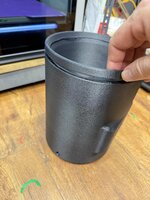
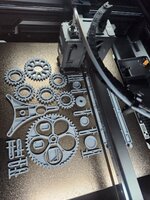
If anyone's wondering if you can print PET-CF on a Prusa MK3/4, you can. I made a quick filament profile based on the filament manufacturer's recommended specs and it worked great. This piece is 1.000' x 2.000" x 0.100" and I can't break it with my hands. It just bends a very little bit. It also looks amazing :love: This is some pretty serious stuff and it's not even expensive.
https://siraya.tech/products/siraya-tech-fibreheart-pet-cf-filament


jeepxj

Well-known member
Joined
Mar 2, 2008
Messages
17,831
everyone cry with me. 1.1kg of 30 a kg PETG-GF

bambus own dumb programming did this. requiring the tool head to cool down to 42c when the chamber temp is set to 60c will never happy. so i had to use a fan on the hot end to cool it down... causing the cold joint

2025-09-19 18.42.00.jpg
 

jeepxj

Well-known member
Joined
Mar 2, 2008
Messages
17,831
UPS time. I saw a craft show booth with 2 Bambu A1 printers running off a big UPS/power bank. In the middle of a field. They were doing custom prints while you waited. I was amazed at the speed. I can't push my Ender like that. It gets all wonky.

we do that at trade shows too. gowatt power bank will run an A1 for a whole show day no problem.
 

loganb

ALLIANCE MEMBER
Joined
Dec 29, 2011
Messages
5,496
Location
Omaha, NE
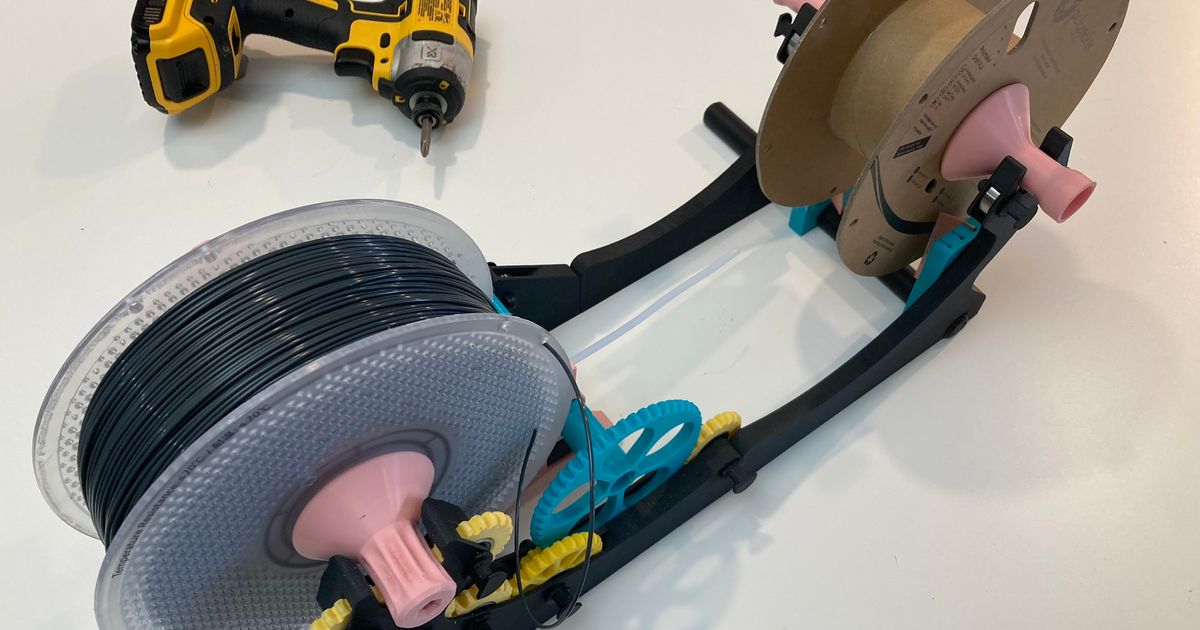
Have 8 or 10 rolls of good PETG that doesn't work in either of the bambu machines without annoying adapters because of spool sizes so printing a spool winder so I can transfer to an empty Bambu spool

20250921_123149.jpg

Link to model


loganb

ALLIANCE MEMBER
Joined
Dec 29, 2011
Messages
5,496
Location
Omaha, NE
Have 8 or 10 rolls of good PETG that doesn't work in either of the bambu machines without annoying adapters because of spool sizes so printing a spool winder so I can transfer to an empty Bambu spool

20250921_123149.jpg

Link to model


Well this isn't how it's supposed to look:

1758579640327.png

That rectangle that's laying on it's side came "unstuck" from the bed but things kept printing. The software allows you to skip parts mid print on prints like this where individual pieces have defects, so I was able to skip those parts while not impacting the rest of the run.

This morning when it finished up:

1758579765292.png

There is some ringing or banding in those taller parts in the back corner which is generally a result of the tall/skinny part getting a little wobbly as it gets taller. They're functional though so I'm not going to reprint those

Reprinted the failed parts, they came out better the 2nd time:

1758579881102.png

Bad picture but parts look much better....none of that whole spagetti stringy stuff helps that :)

Bearings showed up today....so maybe it gets assembled tonight....not sure I'd put bets on it though
 

ER70S-2

Well-known member
Joined
Jan 2, 2015
Messages
796
How common are failed prints and other printer issues on Bambus? I feel like I see a LOT of failed prints and problems here and on other forums. I had kind of decided to get a H2D next, but I'm starting to wonder if it's not a great idea. I can't remember the last time I had a failed print or a problem with my printer and it's got a lot of print days on it.
 

loganb

ALLIANCE MEMBER
Joined
Dec 29, 2011
Messages
5,496
Location
Omaha, NE
How common are failed prints and other printer issues on Bambus? I feel like I see a LOT of failed prints and problems here and on other forums. I had kind of decided to get a H2D next, but I'm starting to wonder if it's not a great idea. I can't remember the last time I had a failed print or a problem with my printer and it's got a lot of print days on it.

Even though I've got a failed print above on a Bambu H2S...and am having issues getting it to operate properly....I still think they're one of the more reliable options out there. That failed print above that detached from the bed plate....could blame operator on it as well as I didn't wipe the bed down before hitting start on that print. My A1 and prior P1 just work...they're fast, reliable and have pretty low issue rate. I'm confident that once I get the H2 issues on the filament feeding figured out it'll work just as well.

My brother just sold an X1 with over 4k hours on it and the only thing it needed over that time which wasn't a wear part like a nozzle was one of the drive belts snapped at 2k hours....then again at 4.1k hours....print quality was going down a bit.....but it's a $1,000 dollar machine with 4k hours on it....depreciation of 25 cents per print hour if you assume a 4k hour lifespan...pretty good in my book. Their spare parts in my book are fairly priced and ship quick....so it doesn't feel like they're gouging you on parts cost when you do need them.

I'd also remember that negative experiences/issues are more likely to be shared then positive. I don't post all my successful prints here or on 3d focused forums...but do post a higher percentage of my issues/failures as I'm looking for help/assistance/insight etc....when it works right I don't always do that.
 

Cruzan80

Well-known member
Joined
Jul 22, 2015
Messages
4,163
Location
Denver, CO
How common are failed prints and other printer issues on Bambus? I feel like I see a LOT of failed prints and problems here and on other forums. I had kind of decided to get a H2D next, but I'm starting to wonder if it's not a great idea. I can't remember the last time I had a failed print or a problem with my printer and it's got a lot of print days on it.
Not an issue. Night and day compared to any other older printer I have used. These seem to just work, right out of the box, without tweaking.
 

niget2002

Well-known member
Joined
Oct 2, 2012
Messages
11,115
Location
Josephine, TX
I finally got one of those articulating prints to finish. 3 of the pads still popped, but they stayed close enough that the print kinda self recovered.

1000004272.jpg

Then I designed a new screen mount for the octoscreen that I finally got working. I should have had this working sooner, but RTFM and all that.

1000004271.jpg
 

ER70S-2

Well-known member
Joined
Jan 2, 2015
Messages
796
I'd also remember that negative experiences/issues are more likely to be shared then positive. I don't post all my successful prints here or on 3d focused forums...but do post a higher percentage of my issues/failures as I'm looking for help/assistance/insight etc....when it works right I don't always do that.

Thanks. I do think about this often and that's probably what it is.
 
To avoid these ads, REGISTER NOW!

jeepxj

Well-known member
Joined
Mar 2, 2008
Messages
17,831
How common are failed prints and other printer issues on Bambus? I feel like I see a LOT of failed prints and problems here and on other forums. I had kind of decided to get a H2D next, but I'm starting to wonder if it's not a great idea. I can't remember the last time I had a failed print or a problem with my printer and it's got a lot of print days on it.

We run 65 bambu lab printers across the fleet right now. Some with over 13,000 print hours on them. we treat them very very poorly. Imagine a car with oil changes every 80,000 miles, bald tires and the windows are just left down year round.
Failed prints are usually from a few causes in our experience:

1: poor bed plate cleaning
2: poor bed leveling. a little bit of gunk on the nozzle tip causing the first layer to not adhere.
3: PTFE tube worn thru causing under extrusion due to slipping on feed wheels.
4: extruder wheels gunked up
5: Nozzle worn out/partial clog
6: micro SD card failure

thats it for us really.

roughly speaking we're sub 5% on failed prints overall. We will continue to buy bambulab machines, just purchased more today actually.
 

jayz66ragtop

Well-known member
Joined
Sep 11, 2009
Messages
1,521
Location
SoCal
How common are failed prints and other printer issues on Bambus? I feel like I see a LOT of failed prints and problems here and on other forums. I had kind of decided to get a H2D next, but I'm starting to wonder if it's not a great idea. I can't remember the last time I had a failed print or a problem with my printer and it's got a lot of print days on it.
Compared to the PRUSA (I think they are mostly 3's and one 4) we have at work my X1C blows them away in the failed print department, not to mention blows them away in speed.

Most of my print failures are self induced or neglecting to clean the print bed properly. Self induced because I knew I should have printed with a raft or printing something thin and tall at the highest speed. Some times I can get away with four or five prints without cleaning the bed and others one maybe two prints. I get lazy sometimes and see how far I can push it and get bit.

I have had a few failed prints due to bad filament, at least that's what I blame it on because I took the same type of filament and swapped to the same AMS spot and it printed just fine. That has only happened three times and it was all the same manufacturer from the same batch of filament from the same retailer. All of it was returned no questions asked for a full refund.
 

niget2002

Well-known member
Joined
Oct 2, 2012
Messages
11,115
Location
Josephine, TX
I have two printers. One is ancient and highly modified from the original design. It has very few 'failed' prints, but it's prints tend to be a little on the ugly side. The newer, faster, printer has a few more failed prints on it.

Both of my printers would run significantly better if I'd do more tuning on them. When it gets cooler out, I may spend an entire Saturday just tuning both printers. I know it's a combination of slicer settings and printer config settings that causes all my issues.

On both printers I had a very low MVP to getting them up and running during the initial setup. They 'work', but both could be better.

The older printer has ringing issues. It's a bed slinger and I really just think I have it running too fast. The newer printer has bed adhesion issues and I think it's really just temperature settings.

I also recently made a complete switch from simplify3d to orca slicer. I don't think all the settings transferred over smoothly from one to the other, so I think I have some more tuning because of that.
 

loganb

ALLIANCE MEMBER
Joined
Dec 29, 2011
Messages
5,496
Location
Omaha, NE
Putting the H2S thru it's paces....customer support thinks it's the buffer assy causing problems but right now I've got it working reliably thru the external spool(skipping the multi-spool AMS). Means it's limited to single color but that's ok

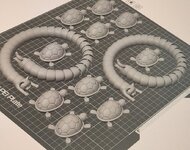
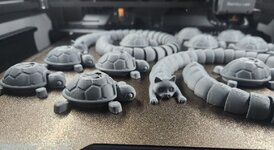
Some foolish flexible turtles and a snake-cat(cake....snat....caaaaaaaattttttt???)

print1.JPG

This morning....wife thought the cat snake was dumb last night and this morning she's sure her coworkers will love it so I need to make some more...go figure

print2.JPG
 

LS1-IROC

Well-known member
Joined
Aug 6, 2011
Messages
173
Location
Grand Rapids MI
How common are failed prints and other printer issues on Bambus? I feel like I see a LOT of failed prints and problems here and on other forums. I had kind of decided to get a H2D next, but I'm starting to wonder if it's not a great idea. I can't remember the last time I had a failed print or a problem with my printer and it's got a lot of print days on it.
As others said, non-issue. I've had my X1C for over a year and half and all my failed prints were self inflicted. **** just works. I work with some major OEM's in the aerospace world and it's awesome to see these billion dollar companies running Bambu's for proto work.
 

gte718p

Well-known member
Joined
Mar 12, 2009
Messages
3,950
I have two printers. One is ancient and highly modified from the original design. It has very few 'failed' prints, but it's prints tend to be a little on the ugly side. The newer, faster, printer has a few more failed prints on it.

Both of my printers would run significantly better if I'd do more tuning on them. When it gets cooler out, I may spend an entire Saturday just tuning both printers. I know it's a combination of slicer settings and printer config settings that causes all my issues.

On both printers I had a very low MVP to getting them up and running during the initial setup. They 'work', but both could be better.

The older printer has ringing issues. It's a bed slinger and I really just think I have it running too fast. The newer printer has bed adhesion issues and I think it's really just temperature settings.

I also recently made a complete switch from simplify3d to orca slicer. I don't think all the settings transferred over smoothly from one to the other, so I think I have some more tuning because of that.

RatRig V4?
 

LeonardY

Well-known member
Joined
Apr 16, 2011
Messages
5,022
Location
Southern California
I'm sure this has been discussed on this thread previously, but in my fooling around in the 3D printing world, it isn't so much the printer itself that makes the difference (until we're talking batch printing and such) but rather the quality of the design. Most of the designs that are available in the "free" market, well, they ****. Even many of the paid models are just freeware that someone "licensed", and as such, not much better.
You're absolutely correct.

I do. I don't download anything.

I am a retired Industrial Designer. I spent years studying design. Both aesthetics and functional aspects of designs. I started on boards designing products. Transitioned to AutoCAD. Moved on to modeling and sculpting software.

All but the simplest things take time to design. Then take more time to prototype. Multiple iterations or irritations as I call them.
Testing of the prototype. Working out the bugs. Most don't want to spend the time.

That doesn't include working with the printer. Designs change simply because the printer can't make the part to my satisfaction. Test prints to find the best way to print the item.

If I spend that much time, I'm not going to give the design away. (That doesn't mean, I won't help someone out.)

The old adage, "You get what you pay for." is appropriate when downloading free models.
 

loganb

ALLIANCE MEMBER
Joined
Dec 29, 2011
Messages
5,496
Location
Omaha, NE
Polymaker is currently running 35% off their filament if anyone needs to restock:


If you're not familiar with them, they make quality stuff with a wide range of both aesthetic and functional filament lines. Shipping has also been prompt when I've ordered from them in the past as well
 

pwhittle

Well-known member
Joined
May 9, 2011
Messages
252
Location
Woodstock, GA
Polymaker is currently running 35% off their filament if anyone needs to restock:


If you're not familiar with them, they make quality stuff with a wide range of both aesthetic and functional filament lines. Shipping has also been prompt when I've ordered from them in the past as well
Thanks!

I print almost everything with Polymaker ABS.

I ordered 6 rolls for the price of 4.

Pauk
 

loganb

ALLIANCE MEMBER
Joined
Dec 29, 2011
Messages
5,496
Location
Omaha, NE
Thanks!

I print almost everything with Polymaker ABS.

I ordered 6 rolls for the price of 4.

Pauk

Nice!

Curious...what drives you to ABS? It prints beautifully for me, but do recognize it's more work to print with than PLA/PETG so always interested to hear/see what others are doing with the filaments not named PLA or PETG
 

Yankeefarmer

Well-known member
Joined
Jul 25, 2011
Messages
1,169
Location
Connecticut
I too am curious why someone would choose ABS. I tend to print a fair bit with ASA to produce functional bits that can work outside. In fact, right now my machine is doing a batch of parts for my son to attach PVC conduit to an outdoor batting cage with supports made of 2” steel tubing.IMG_1703.jpeg
 

pwhittle

Well-known member
Joined
May 9, 2011
Messages
252
Location
Woodstock, GA
I initially bought my first 3D printer a few years ago to print enclosures for an electronics control board I sell for RV and boat electronic toilets.

Some of my designs since then are for outside use, so I worked out how to print ABS reliably. I have just stuck with what works for me.

I do not notice any smell when printing, but I only have experience with Polymaker ABS.

I still have my first Ender 3 and an Ender 3 V2. They are slow, but fast enough for my needs. They are upgraded to the same configuration, so use the same gcode files. I sometimes run them both to print a batch of toilet controller boxes.

I think about a K2 or a Bambu, but then I would have to re-slice everything.
 

loganb

ALLIANCE MEMBER
Joined
Dec 29, 2011
Messages
5,496
Location
Omaha, NE
I initially bought my first 3D printer a few years ago to print enclosures for an electronics control board I sell for RV and boat electronic toilets.

Some of my designs since then are for outside use, so I worked out how to print ABS reliably. I have just stuck with what works for me.

I do not notice any smell when printing, but I only have experience with Polymaker ABS.

I still have my first Ender 3 and an Ender 3 V2. They are slow, but fast enough for my needs. They are upgraded to the same configuration, so use the same gcode files. I sometimes run them both to print a batch of toilet controller boxes.

I think about a K2 or a Bambu, but then I would have to re-slice everything.

I suspect if you printed the same part you're making today on the Ender in a Bambu P1S or the K2 you'll be impressed. I know for me, the difference in print quality and the "set and walk away" factor on printing ABS on a Prusa mk3 vs the Bambu P1S was night and day. The improvement with print quality on a truly enclosed machine is huge...and the speed and quality improvement vs what you're using today should be significant. If you're making these parts today with (2) Enders, I would be surprised if a single Bambu P1S or X1C would need to run more then 50% of the time to outperform both of the current machines. Make it one of the newer, larger and faster H2s/H2d and the speed improvement will be more, especially if the larger bed size allows more pieces to be nested
 

pwhittle

Well-known member
Joined
May 9, 2011
Messages
252
Location
Woodstock, GA
@loganb I know you are correct.

By the time I get mine upgraded to where they are now, I am at around $400 each.

- Printer $120
- Enclosure (fabric) $50
- Machined aluminum magnetic print base $60
- 120V bed heater (with SCR) $40
- flexible steel print bed with PEI $30
- Camera $40
- Raspberry Pi OctoPrint $50

But they have kept on working for the cost of consumables for three years now, and when something needs replacing, it is never very much.

I’ll make the move one day.
 

loganb

ALLIANCE MEMBER
Joined
Dec 29, 2011
Messages
5,496
Location
Omaha, NE
@loganb I know you are correct.

By the time I get mine upgraded to where they are now, I am at around $400 each.

- Printer $120
- Enclosure (fabric) $50
- Machined aluminum magnetic print base $60
- 120V bed heater (with SCR) $40
- flexible steel print bed with PEI $30
- Camera $40
- Raspberry Pi OctoPrint $50

But they have kept on working for the cost of consumables for three years now, and when something needs replacing, it is never very much.

I’ll make the move one day.

Yup. You've upgraded them nicely though so if it work and is meeting the needs can't fault ya for not screwing up a good thing!
 

Citation

Well-known member
Joined
Jan 20, 2016
Messages
3,209
Location
Indy
@loganb I know you are correct.

By the time I get mine upgraded to where they are now, I am at around $400 each.

- Printer $120
- Enclosure (fabric) $50
- Machined aluminum magnetic print base $60
- 120V bed heater (with SCR) $40
- flexible steel print bed with PEI $30
- Camera $40
- Raspberry Pi OctoPrint $50

But they have kept on working for the cost of consumables for three years now, and when something needs replacing, it is never very much.

I’ll make the move one day.
If you are reluctant to spend the Bambu money and willing to risk some of the alternative online sellers, the Flashforge 5M and 5M Pro are running ~$170 and $260 these days (look at the deal websites for links). I've been very happy with my FF 5M. The speed difference between it and the Ender 3 or even the faster Ender 3V3SE is huge.

The 5M for under $200 is a really great printer but it's an open frame setup. I bought mine instead of the 5M Pro because at the time the cost difference was a lot more than $90. I ended up doing the enclosure kit in part to keep dust off the print bed. That upgrade cost me about $40. Otherwise my printer is stock. The Pro model has a few upgrades beyond being enclosed. It also includes a camera (a USB camera can be added to the 5M), auxiliary part cooling, and a temperature controlled fan/filter system for the print chamber. It doesn't have active heating but can either circulate the air internally or draw in fresh air (and carbon filter the expelled air) while printing. All of that is stuff I would have paid $100 (not the $200 at the time I bought my printer).

I think I've run parts sliced for one of the Enders in the FF but I don't recall for certain. There are a lot of good printer options/deals these days and if you aren't an eco system person (ie, slice your own stuff) then BL looses one of it's big advantages vs much of the competition.
 
To avoid these ads, REGISTER NOW!
Top Bottom