To avoid these ads, REGISTER NOW!

The Everything 3D Printer Thread

To avoid these ads, REGISTER NOW!

56Safari

Well-known member
Joined
Jun 3, 2016
Messages
130
Interesting about your experience with Baileigh. The Uni where I taught as adjunct had a lot of Baileigh equipment and it all worked very well.

To be clear the equipment has been fine, it was the customer service, or lack there of that I found the be the problem.

Are you regulating your air at the tank or at the input? Some tools recommend running full pressure down the line and regulating pressure at the tool input... or you will have a drop in CFM / pressure.
 

56Safari

Well-known member
Joined
Jun 3, 2016
Messages
130
I re-leveled about 4 more times today and I think I finally got it dialed in... I leveled the outside corners, then came inward on the bed about 50% of the way and leveled each corer again. I repeated this process until it was damn near the same no matter where the nozzle was on the bed.. My current schaller style bin print is looking pretty good, the bottom of the bin has a weird pattern in it, but the walls look great.. I also pulled the trigger on the bondtech extruder and micro swiss hot end... Sold some stuff on craigslist yesterday, so I didn't feel too bad about spending the $$$.


View media item 89855

Here's my all in one print test from yesterday.. It still had a lot of stringing but the overhangs and bridging were quite good up to 70 degrees. Later I used a small stringing test to minimize the printing time (lower right corner).. Finally diled it in with 6mm of retraction and 170mm travel speed for non print moves seemed to get rid of almost all of it.


View media item 89857
View media item 89856
 

56Safari

Well-known member
Joined
Jun 3, 2016
Messages
130
https://www.mosaicmfg.com/products/palette-2

I'm definitely keeping an eye on the Palette 2 Pro. The extra $200 gets you the extended warranty included so that's a $99 adder on the regular P2, but the all metal fuser and faster speed is the main reason I would go Pro.

That's pretty slick, I'll have to keep an eye out as well.. Not interested in being an early adopter, but if it works well I would definitely be interested in one
 
OP
B

BoilermakerFan

Well-known member
Joined
Apr 17, 2006
Messages
2,188
Location
Indianapolis, Indiana
Are you regulating your air at the tank or at the input? Some tools recommend running full pressure down the line and regulating pressure at the tool input... or you will have a drop in CFM / pressure.

I'm starting the test with the rod in contact with the steel plate and 0psi, then I regulate the pressure up. The regulator is in line with a hose form the regulator to the cylinder for safety... I have full pressure in the hose to the regulator. Pressure drop is just the nature of the beast with the setup... With a bigger hose and the regulator coupled right to the cylinder I could pick up 5psi, but the test configuration achieved my desired results so I'm good with it.

Once I get the Dake I'll have TSLOTS cut a frame for a guard for me, then I can use the hydraulic press to take them to failure and I will modify the air cylinder with a directional valve and quick dump fittings so i can hammer the cubes with full force impacts... just to see what happens.

That's pretty slick, I'll have to keep an eye out as well.. Not interested in being an early adopter, but if it works well I would definitely be interested in one

Oh, it works. The new piece to the puzzle is the Canvas slicer that integrates the Palette to the printer. I'm waiting for better infill patterns in the Canvas slicer before I jump in. No 3D honeycomb in Canvas *****.
 
OP
B

BoilermakerFan

Well-known member
Joined
Apr 17, 2006
Messages
2,188
Location
Indianapolis, Indiana
I re-leveled about 4 more times today and I think I finally got it dialed in... I leveled the outside corners, then came inward on the bed about 50% of the way and leveled each corer again. I repeated this process until it was damn near the same no matter where the nozzle was on the bed.. My current schaller style bin print is looking pretty good, the bottom of the bin has a weird pattern in it, but the walls look great.. I also pulled the trigger on the bondtech extruder and micro swiss hot end... Sold some stuff on craigslist yesterday, so I didn't feel too bad about spending the $$$.


View media item 89855

Here's my all in one print test from yesterday.. It still had a lot of stringing but the overhangs and bridging were quite good up to 70 degrees. Later I used a small stringing test to minimize the printing time (lower right corner).. Finally diled it in with 6mm of retraction and 170mm travel speed for non print moves seemed to get rid of almost all of it.


View media item 89857
View media item 89856

Nice work! The overhang results match all the prints I've seen in reviews. they're good up to 70deg.

It will be nice to see how your tests improve with the BondTech and Swiss...

I'm seeing an odd thing happen with the Canvas slicer when I start a print. It drops the nozzle temp to 170 even though I have it set for 215. It also didn't keep my 'cellular" infill selection and went back to rectilinear. I reset it all and saved it again. Starting a test print now.

I emailed Mosaic asking for them to add 3D honeycomb and Gyroid infill patterns ASAP. Otherwise it's worthless as a slicer to me and will delay my purchase of a Palette 2 Pro until it's added.
 

56Safari

Well-known member
Joined
Jun 3, 2016
Messages
130
Thats cool, I'm sure they're probably working on adding the honeycomb.. It sounds like they're really trying to make their product work and work well for the end users needs... I'm going to keep it in the back of my mind for sure.

The Micro swiss arrives Saturday and the Bondtech will be here monday.. (I'm impressed that both manufacturers have shipped this quickly... especially bondtech since its coming from across the pond).

I was playing around in sketchup today because I wanted to create a lens filter adapter for an old ND filter I had... It's true what they say, sketchup isn't the best for creating 3d models for printing.... After one failed (that was my own fault) print I was able to make a slip fit lens filter adapter for my Canon 6D.. After using sketchup I decided I'm going to attempt to start learning fusion 360 over the next few weeks, I think it'll help a lot.

View media item 89861
View media item 89862
 
Last edited:
OP
B

BoilermakerFan

Well-known member
Joined
Apr 17, 2006
Messages
2,188
Location
Indianapolis, Indiana
The Micro swiss arrives Saturday and the Bondtech will be here monday.. (I'm impressed that both manufacturers have shipped this quickly... especially bondtech since its coming from across the pond).

Have you seen this video? Check out his tip at the end on adding the BondTech to his E3... same for your E5.

3D Printer Extruders - Ender 3 - Chris's Basement

And here is a great resource for E3 upgrades... again, most apply to the E5:

Design Prototype Test YouTube Channel
 
OP
B

BoilermakerFan

Well-known member
Joined
Apr 17, 2006
Messages
2,188
Location
Indianapolis, Indiana
With the Ender 5 sold out on Amazon, and not wanting the hassle of dealing with Creality3D's slow shipping or GearBest's crappy customer service; I started looking at other options to see what was available besides the Ender 3 or Ender 3 Pro.

I really liked a few of the features of the TEVO 3D FLASH, especially their end stop sensors and the option to get it with the BL Touch and TMC 2100 stepper drivers. I watched several YT vids on it and mods guys did... But, it's still a TEVO and they just aren't as reliable as Creality printers. The Flash is a great looking printer and it's TEVO's answer to the Ender3... except it's $400 with the two options. For that money I could buy the Ender 3 Pro, upgrade to the Duet3D WiFi board and add the BL Touch.

I was about to order the Ender 3 Pro when I saw the CR-10 Mini. :headscrat

I looked at the dimensions and the build envelope... Wait a minute...

The CR-10 Mini will fit in my steel enclosure! It's the largest printer that will fit, and it's unique build envelope size is perfect foe my enclosure. I'm pretty sure I shared the pics of the box a while back, but here they are again.

As it was when received:

20180325_153212.jpg


20180325_153238.jpg


20180326_165514.jpg


I had to drill out the locks and I removed the lower shelf, but I kept the shelf:

20180326_181120.jpg


Then I cleaned it up a little more and added some stickers. I may add a window in the lower door so the stickers are around the perimeter:

20180404_222908.jpg


The box interior dimensions for the lower section are 23-1/4" H (590mm), 21-1/2" W (546mm), 17-1/4" D (438mm). The short depth has been the killer.

The assembled CR-10 Mini is 490mm x 420mm x 500mm! It's print volume is 300mm x 220mm x 300mm.

The separate, external PS/control box is a PITA to most guys, but for me it absolutely perfect! Since I kept the shelf I took out, I can reinstall it low in the cabinet and put the external PS/control box under the printer in an isolated section. Then I can have the printer enclosed above and put my filament in the upper section of the cabinet so it's out of the heat too! I'll insulate under the shelf with rigid foam and put sound deadening mat inside the printer chamber. I can mount a HEPA circulating air filer on the outside of the cabinet and install cooling fans on the lower PS section. When I decide to add the Palette 2 Pro, I can hang it on the outside of the box or put it in the upper section with the spools.


The upper section can hold a crazy number of spools, 14 or 16 1Kg spools if nothing else is in there:

20180326_170042.jpg


20180326_170016.jpg


Since Creality uses so many common parts between the CR-10 and Ender 3, I can use a large majority of the upgrades and tweaks for both models that are out on Thingiverse and YT on the Mini.

One upgrade I will be implementing on the CR10 Mini that I liked on the TEVO Flash is dual Z with a timing belt tying the two together. The CR-10S has dual Zs so Creality offers an upgrade kit to add the second Z stepper/leadscrew. I found a 3rd party kit for the CR10/Ender 3 that includes the mounting bracket, stepper leadscrews, top plate with bearing AND the timing belt/pulleys to tie the 2 together for less than $100. I may go a step further and replace both Zs with the integrated stepper screw units to eliminate the couplers and get even better Z axis performance.

I'm also going to change to the proximity sensors for the end stops instead of the contact switches.

After I implement the Duet control board, ABL, Filament runout sensor, Micro Swiss hotend, BondTech extruder upgrades, and thermocouple upgrade; I will probably switch the entire printer over to linear rails. The linear rail upgrade may allow me change the bed over to a 300mm x 300mm standard CR10 bed and pick up another 50mm-60mm in Y-axis travel/build volume. I'm hoping I'll have room for the bigger bed just to make converting to a silicone AC heater easier.

I'll be printing the Petsfang cooling upgrade for the hotend and upgrading all of the fans to Noctua as well.

I have a few details to sort out yet, mostly related to WiFi and if it will even work with the printer in a steel box... I may go Ethernet (thankfully, I pulled two runs of CAT5 out to the garage 19 years ago) on the Duet and figure out how to integrate a web cam. Worst case I will have to drill a hole in the door for a small window and mount the web can on the outside of the box, then tie that in to the Octoprint or Canvas Hub.


There you have it guys. I'm going with the CR-10 Mini for my next printer simply because they work great. it will fit in my enclosure, and I gain 50mm in build volume on the X & Z axis over the Ender 3.
 
OP
B

BoilermakerFan

Well-known member
Joined
Apr 17, 2006
Messages
2,188
Location
Indianapolis, Indiana
PSA:

Splitting 1Kg rolls of filament with a friend is a good way to get new colors or types of material to try... BUT do not do this until you have an empty spool ready to directly transfer the filament onto. Unless you're crazy and enjoy untangling Christmas lights, in that case you might enjoy dumping filament in a bag until you have an empty spool.

My half of solid blue PLA+ had been in a ziplock bag. I was very careful when putting it in the bag, carrying it, and removing it. It still tangled into a bird's nest. It took me almost 2 hours to untangle and rewind 500g of filament.
 

Attachments

  • 20190123_235521.jpg
    20190123_235521.jpg
    80.1 KB · Views: 32
  • 20190123_235605.jpg
    20190123_235605.jpg
    152.2 KB · Views: 27
OP
B

BoilermakerFan

Well-known member
Joined
Apr 17, 2006
Messages
2,188
Location
Indianapolis, Indiana
OctoPrint runs on the Raspberry Pi board. The Pi board has WiFi so you can connect your 3D printer to the internet.

OctoPrint acts like a remote computer for your printer. The printer is connected to the Pi board. The OctoPrint runs the printer. You access the OctoPrint from a web browser. You can hook up a USB web cam to the Pi board and OctoPrint will show you real time video or you can capture time lapse footage.

It's not required, it just gives you remote access to your printer. Then you can add plug ins for more advanced functions or customization.

Oh, personally, I wouldn't upgrade to the Titan Aero extruder/V6 hot end that was also in that Top 20 list. It adds weight to the x axis gantry and takes away a fair amount of z printing height, more than 1/2".
 
OP
B

BoilermakerFan

Well-known member
Joined
Apr 17, 2006
Messages
2,188
Location
Indianapolis, Indiana
A Pi board and Octoprint came with my Prusa Mk2 when I bought it. I'm not using it right now because I work from a home office and I just print from the SD card.

When my garage is insulated and finished, I will probably enable the Octoprint when I move the printers out to the garage.

I'll use a second Pi board and web cams to monitor the garage too, not just individual printers.

The Duet3D WiFi control board for the RailCore will cover my wireless/remote access for the Railcore so I'd just need the Octoprint on the Prusa.
 

penright

ALLIANCE MEMBER
Joined
Dec 27, 2016
Messages
618
Location
SW of Mustang, OK
I'll use a second Pi board and web cams to monitor the garage too, not just individual printers.
I have a spare, actually more than one, Pi board. Sounds like it makes interfacing with the printer easier. You can load g-code via wifi? Stop and start the printer? Look at g-code (for whatever that is worth)?
Is OctoPrint worth time since I have the parts?
 

penright

ALLIANCE MEMBER
Joined
Dec 27, 2016
Messages
618
Location
SW of Mustang, OK
Now that I pulled the trigger on getting a printer. Ender 3-Pro.
I know what I want to do for my first project.

I know first I need to get the printer, that should be early next week.
I need to assemble and configure the printer.
I need to print a hello world, which in the 3D printer world looks like Benchy?
https://www.thingiverse.com/thing:763622
Or I found this one, they said it will test the calibrations of the printer?
https://www.thingiverse.com/thing:1363023
https://thingiverse-production-new.s3.amazonaws.com/assets/51/3c/59/5d/2b/testIII.png

Assuming the printer it up and I have my hello world stl file. The next thing is to slice it?
For the beginner any recommendations for 3D modeling software? Slicer? I am still googling, but is there any steps that I am missing?


Since I know it will be some time before I can start my first project, but for now, let us assume I have the above done.

I am including several pictures. One is what I want to do. The rest is to help describe how I think I can do it with 3D printer. The project I want to duplicate, he used a laser cutter for the parts.

What I want to try ....
IMG_20170723_115105-L.jpg


Here are some pictures to try and help articulate my thoughts.
IMG_20170110_143124_zpsusime3q7.jpg


20180611_195341_zpsmpeovl8m.jpg


20190105_150233_zps3gdlddqr.jpg


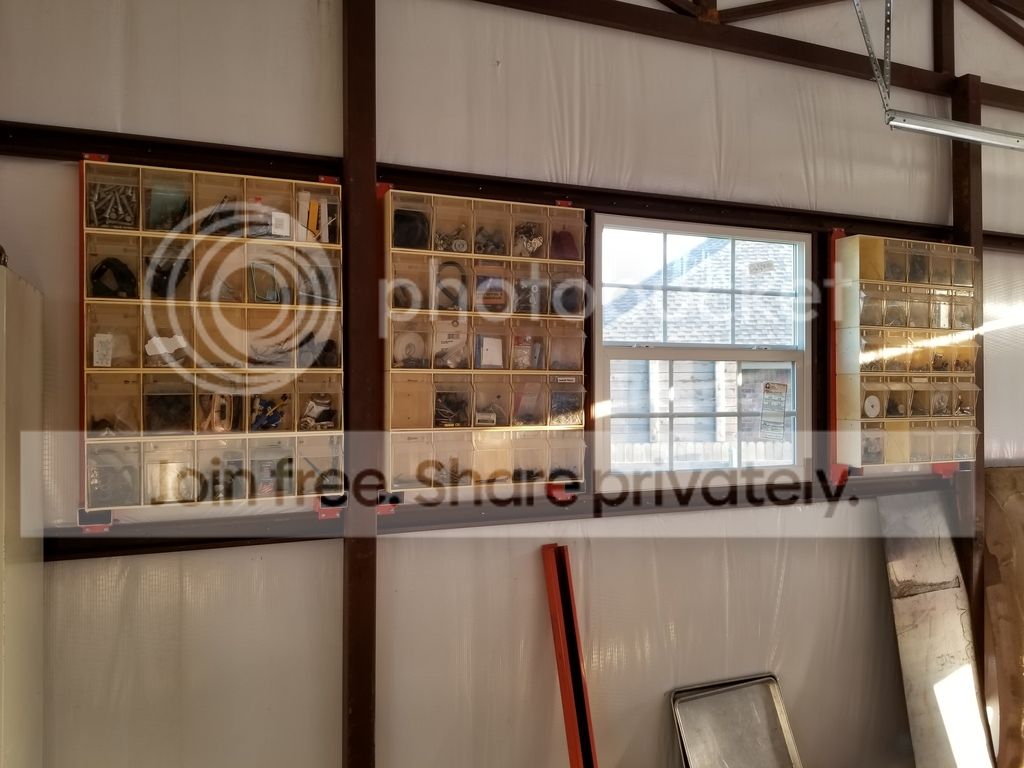
The first picture is the holder I want to end up with. The second picture is some C-channel I bought at the scrap yard. I think it was for palette shelf. I thought I would use to make shelves. Then a friend gave me some really good ones but they were out in a field and are rusted. Anyway enough down that bunny trail. So now I am using it to span grits. These are really lightweight but really strong.
The third pictures show how I used them to mount some bins on the wall. BTW, another project is print some ends to plug the bottom that is kicked out. It's kind of hard to tell from the picture, but if you look closely at the far left where the end is sticking out, you can see the C shape.
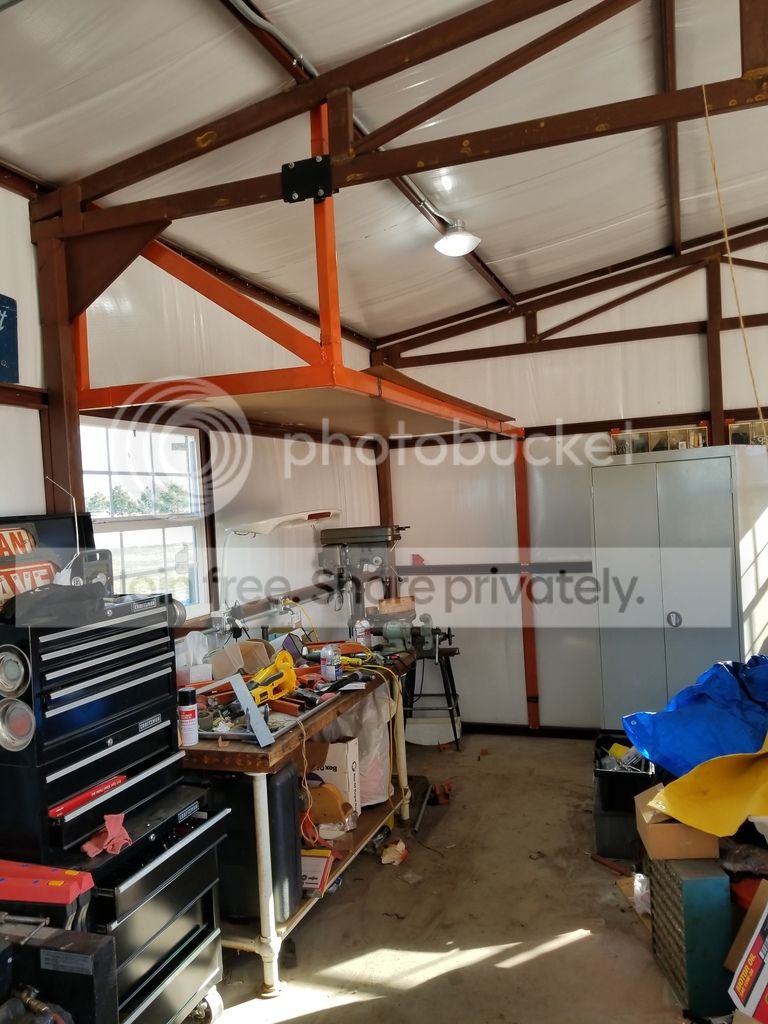
The last picture is some structure that will hold a shelf. Post 31 and Post 32 from my build string will explain that in more details.

Now that there is some context, back to the project. There will be support running horizontally parallel to the front of the shelf. By the toolbox will be a post carrying the weight down to the floor. Then on the other end, between the drill press and cabinet, will be a piece of c-channel between the girts running vertical, carrying the weight to the floor. So if in 3D printing I can print a piece that is about .5" wide, with two slots that are 3/16". One is at an angle forward from bottom to top. The second slot comes straight out and will hold the floor. Then by cutting pieces of 3/16" hardboard they create the front and floor. It would be nice if the top of one fit the bottom of the other so you could make it as long as you want. As far as the vertical pieces, I see just cutting slots on a table saw. So the only 3D printed part is what goes on the edge and screws to the wall or in my case the vertical pieces between the grits.

So for the question, how do you start something like this?
Any thoughts on making it better?
 
To avoid these ads, REGISTER NOW!

jwmelvin

Member
Joined
Oct 21, 2014
Messages
17
I have a spare, actually more than one, Pi board. Sounds like it makes interfacing with the printer easier. You can load g-code via wifi? Stop and start the printer? Look at g-code (for whatever that is worth)?
Is OctoPrint worth time since I have the parts?

For me, OctoPrint is great. I have a Prusa mk2S and not having to mess with the SD card is great. Slic3r can load files directly to OctoPrint over the network. And it does a great job of making time lapse videos if you want them (like this).
 

56Safari

Well-known member
Joined
Jun 3, 2016
Messages
130
I finally got the Hero Me Gen 2 dual 5015 fan assembly printed. I wanted to get it finished before I started installing the micro swiss hot end and bondtech extruder on my printer in case I screwed up the print quality for a while until I dialed it in. I had some issues in Slic3r, but once I changed over and used CURA I got much better results in overall print quality. I'm sure it's probably just a difference in baseline settings that I haven't yet tweaked in Slic3r, but I'm going to switch to CURA for now until I see a reason to use something else. The holes were more accurate in terms of roundness, edges seemed more square, and the layers seemed to be adhered to one another better.

I'm going to start installing the micro swiss hot end today, I pre-lubed every screw for the hot end in permatex anti-sieze. Its good up to 1600 deg F so hopefully I won't have any issues with screws breaking off in the hot end. I still need to pick up some hardware for the fans, I'll try to do that today.


View media item 90132
View media item 90133
View media item 90134
View media item 90135
 

56Safari

Well-known member
Joined
Jun 3, 2016
Messages
130
Micro swiss hot end is installed, fit perfectly and only took ~10 min.

View media item 90138
Bondtech Extruder installed, also only took ~10 min.

View media item 90139

Now I'm trying to set the E-steps and I quickly realized that loading filament with the current firmware is going to be a PITA because it doesn't advance the filament quickly at all, and you can't just slip the filament past the gears. No one has anything listed yet for the Ender 5, so I want to make sure that I have the original firmware in-case I screw something up and need to backtrack. I found a file Ender5.ini on the SD card that shipped with the printer, I opened it up with text wrangler and the following G-code appears. Can anyone help me out and here? I'm assuming these are the basic default settings for the printer should I need to revert although the machine name is listed as CR20 Pro.

View media item 90140
I haven't finished installing the Hero me 2 duct yet, I want to just get these 2 mods up and working and then I will install the fans.
 
OP
B

BoilermakerFan

Well-known member
Joined
Apr 17, 2006
Messages
2,188
Location
Indianapolis, Indiana
Penright, I'll answer your questions later. Right now I'm on my phone so it's a PITA.

My laptop is currently capturing video from our old miniDV camcorder. Finally digitizing our old movies... can't risk jeopardizing the quality or crashing the program.
 

56Safari

Well-known member
Joined
Jun 3, 2016
Messages
130
BT has a slicer/firmware setting card in the box. IIRC it's like 417... you should be able to access the setting from the E5 under settings or tuning.


Yeah, I know the e steps I need to change it too. But I would like to load a firmware onto the ender that will accept and store those changes permanently. Otherwise I have to put it in the start of the Gcode when I go to print, and that doesn’t help me when I’m changing/loading filament because it will have the old E-steps in the printer firmware.
 
OP
B

BoilermakerFan

Well-known member
Joined
Apr 17, 2006
Messages
2,188
Location
Indianapolis, Indiana
Yeah, I know the e steps I need to change it too. But I would like to load a firmware onto the ender that will accept and store those changes permanently. Otherwise I have to put it in the start of the Gcode when I go to print, and that doesn’t help me when I’m changing/loading filament because it will have the old E-steps in the printer firmware.


Aye... I posted this vid already... BUT, he covers how to tune your e-steps and save it permanently in the firmware at the beginning of the video BEFORE moving on to tuning the slicer...

The Ender 5 uses the same basic firmware as the Ender 3 so this process will work for you.

How to tune your slicing settings featuring Ender 3
 
OP
B

BoilermakerFan

Well-known member
Joined
Apr 17, 2006
Messages
2,188
Location
Indianapolis, Indiana
Now that I pulled the trigger on getting a printer. Ender 3-Pro.
I know what I want to do for my first project.

I know first I need to get the printer, that should be early next week.
I need to assemble and configure the printer.
I need to print a hello world, which in the 3D printer world looks like Benchy?
https://www.thingiverse.com/thing:763622
Or I found this one, they said it will test the calibrations of the printer?
https://www.thingiverse.com/thing:1363023
https://thingiverse-production-new.s3.amazonaws.com/assets/51/3c/59/5d/2b/testIII.png

Assuming the printer it up and I have my hello world stl file. The next thing is to slice it?
For the beginner any recommendations for 3D modeling software? Slicer? I am still googling, but is there any steps that I am missing?

<snip>

So for the question, how do you start something like this?
Any thoughts on making it better?

Does anyone have experience with Clara.io?

Sorry for the big snip, but I wanted to boil the quote down...

And, as always, this is just my opinion... there are many ways to skin a dead cat, this is just what I would do...

First, assemble the printer and tram the bed manually so it's as level as possible. Then you need to adjust the first layer Z height. I don't know if the E3Pro has a dedicated function built in to the Settings or Calibration menus in the controller. If it does, run the first layer calibration.

If it doesn't, grab this calibration test print *MICRO* All In One 3D printer test and adjust the first layer Z height when the E3Pro is printing the first layer. You will probably have to stop the print and pull that first layer off a few times for inspection as you dial it in. Search YouTube for Z first layer calibration videos on Ender 3, E3Pro, or even a Prusa MK2/MK2S/MK3 so you can see what the first layer should look like.

Then run the Micro All in One test and the demo print that should be in a director on the SD card when you receive the printer. You will probably have to move the demo print to the root on the SD card so it can find it to print it.

After those two prints, watch the How to Tune your Slicer Settings video linked above and calibrate the extruder. Then follow the steps in the video for tuning the slicer.

That brings me to your next question.. Which slicer? Start with Slic3r and Cura. If you want to spend ~$150 on Simplify3D, you can buy that one too. I own S3D and while it has some very powerful features, and features I needed when troubleshooting the POS GeeeTech i3 ProB, IMHO, it's prints aren't as nice as the prints on my Prusa MK2 that are sliced in Prusa's Slic3r. The Prusa version of Slic3r is heavily modified or pre-tuned for the Prusa printers though, and I haven't spent any real time in S3D tuning the settings. Mainly because I'm just lazy and the Prusa Slic3r works. Prusa Slic3r also has the 3D honeycomb infill pattern and S3D doesn't...

I haven't used Cura in almost 2 years, but I will be installing it soon too. Cura can make prints look even better on a Prusa than the Prusa Slic3r.

Maker's Muse has a video on ending stringing on the E3 and he references Cura, S3D, and another slicer. All 3 have strengths and weaknesses. He boiled it down the best when he noted that which slicer is best depends on what you're printing and what the goal is for that particular print. I'm pretty sure I linked that video a page or two back, or I posted it in your thread. I can't remember.

EDIT: Here you go, said Maker's Muse Video: Stop Ender 3 Stringing with this One Weird Trick! (ok but seriously)

So now you have your printer setup, calibrated, and tuned. You have a slicer or two installed and tweaked the settings for your Ender 3...

Now print that Micro All in One test and the demo print from the E3Pro again and see how much better they are. Then print your Benchy! It is a right of passage, the Hello World as you said. Then grab a 40mm test cube and see how that prints for dimensional accuracy. The small cubes kind of **** because they are too small. You need at least 40mm to really see how your dimensional accuracy is.

The V29 Whistle is another fun one to print. But note, that SOB is LOUD! I love it though, it winds up like a turbo and gets louder as you keep blowing through it. I made the mistake of putting my full lungs into it inside my house which has plaster walls. My ears were ringing for almost an hour. I bring it to archery and lacrosse practice... I give the kids a warning that if they don't listen, I will blow the V29. I've only had to blow it once in lacrosse. The kids on the archery team that play lacrosse for me warned the archery kids to shut up and listen, they did not want to hear that whistle again. I printed two more for the gym teachers at the middle school.

Clara.io. I hadn't even heard of it until you posted it. Feel free to try it, but Fusion360 is an AutoDesk program and it's free. It can export to Inventor, STEPS, and a few other formats so the bulk of the 3D printing community uses it. That means LOTS of how-to videos and support from other users online. Again, IMHO, just go with Fusion360 and put the time in to learn it. I have the entire AutoDesk Suite including Inventor, Fusion360 and a ton of their other programs. I will be investing my time to learn Fusion360 first simply because it works great and the support out there for it is bar none the best since so many others use it. And again, it's free.


And now I will comment on your first planned project. Can the E3Pro print dividers like that? Maybe 2 or 3 at a time; or 2 to 3 rows at 2 or 3 wide (4 to 9 at a time). You'll be printing for days and using a lot of filament. Even at $15 a Kg spool, that's a lot of material cost. Personally, as simple as that divider is, I'd just buy 1/4" ply or hardboard and use that to make the dividers for spray can storage. 3D printing really shines in making things that are difficult to make with traditional tools or materials. Making things that are complex, require precise tolerances, or in some cases even impossible to make any other way. A grid of squares isn't difficult. Tool chest organizers printed to hold wrenches, sockets, etc.; that's not easy to make with conventional tools. You can make them, but it's not easy... that's where the 3D printer makes it easy.

I would print upgrades for your E3Pro first... then search Thingiverse for tool chest organizers and other useful things you can use around the garage, in the house, fun trinkets for your family, and things for your hobbies.

My main use for my 3D printers will be making prototypes of custom parts for my motorcycle builds, DIY audio projects, and other outdoor related hobbies. And I print a lot of trinkets and things just for fun. The Fortnite Llama Cowbell is the latest example of that that I printed in GITD filament for my son.

For the motorcycles, I'll be able to design the part, 3D print it for test fitting, then have it CNC'ed out of steel or aluminum for the finished part. I could also print the part in a stronger material with finer layers then properly finish it with paint to protect it. My main goal is to eventually 3D print the inner support structures that will be covered with fiberglass, CF, or CF/Kevlar to be a finished part for fenders, seat pans, electronics trays, battery trays, side covers, and fairings. Using the 3D printer makes the core much more even/accurate and I won't have the mess of cutting/sanding foam or MDF. In theory, with a release film, I could even 3D print the plugs/molds to make my own CF fuel tanks. :thumbup:

If you want to see an apex use of 3D printing in this type of application, check out 3D Magic Mike on InstaGram. The dude is freakin' amazing. Mike even 3D printed a mold and core to form sheet metal for custom turbo clearance openings in the hood of his Datsun truck project. He used the mold and plug with his shop press to form the sheet metal. :bowdown:

MatterHackers Minute // 3D Printed Car Parts from 3D Magic Mike

3D Printed Custom Car Parts

https://www.instagram.com/3d_magic_mike/
 
Last edited:

penright

ALLIANCE MEMBER
Joined
Dec 27, 2016
Messages
618
Location
SW of Mustang, OK
Thanks, everyone and especially you @BoilermakerFan for the detail instructions. I know it takes a lot of time. It is great that all this wisdom gets documented.
Once I get the printer assembled, I will come back for the suggestions.

A couple of notes, my preference is to snip quotes down to the context of the answer. If doing that is bad etiquette then I learned something. @BoilermakerFan snipe away. :)

As far as my future project, I was just printing the end caps. The back, bottom, and front would be 3/16" mica board. Only the endcaps will be printed. Maybe I can learn enough 3D modeling to give some idea what I am picturing. I am not sure if I need the dividers if I do I will use the same 3/16" mica and cut the slots with a saw.

I can not wait to print the V29 whistle for my pre k grandson. :)
 
OP
B

BoilermakerFan

Well-known member
Joined
Apr 17, 2006
Messages
2,188
Location
Indianapolis, Indiana
Thanks, everyone and especially you @BoilermakerFan for the detail instructions. I know it takes a lot of time. It is great that all this wisdom gets documented.
Once I get the printer assembled, I will come back for the suggestions.

A couple of notes, my preference is to snip quotes down to the context of the answer. If doing that is bad etiquette then I learned something. @BoilermakerFan snipe away. :)


You're welcome. I'm still learning too, but I've got a lot of time invested in researching many of those questions you've had already. I'm a bit stubborn and I look at everything I see or read online with a technical, critical eye to form my opinion. Others may not agree, or want to do things a different way. And that's perfectly fine with me as long as it works for them.

I'm just trying to share my experiences and hopefully get others involved. The testing of the infill patterns was a really fun experience and it had results I wasn't expecting. Now when I see guys printing parts with cubic or rectilinear infill at high infill percentages, i know I can probably cut the infill percent in half if I use 3D honeycomb. Saving print time and material but still getting a strong, or stronger, part.

I am planning to revisit the Hilbert Curve infill to see how it scales and how it performs on all 3 axis. I think it's going to be weaker in the X and Y axis, but I want to test it. The Gyroid infill was neat in that it prints quickly and scales linearly. I will never use rectilinear infill again.

I snip quotes down for specific answers too, but I applied a pretty harsh snip to your posts because I knew my response was going to be lengthy... so that's why I apologized in advance. Mostly because others would have to go back to your original post to see what is relevant.
 
OP
B

BoilermakerFan

Well-known member
Joined
Apr 17, 2006
Messages
2,188
Location
Indianapolis, Indiana
Oh, I forgot to mention that the first layer Z height may need to adjusted as you change materials, even within the same brands of PLA. Whenever I change materials or after the printer has sat dormant for a few weeks, I run the first layer calibration.

I also let the printer sit in preheat for a good 15 minutes after it's up to temps. I've discovered that it really helps print quality, especially the first layer. The extra time really stabilizes the hot end and heated bed so everything works great once the printing starts. I've never had a failed first layer doing those two things when using material that I have dialed in for my MK2. The only time I get first layer issues is when I haven't doubled checked the first layer Z via the calibration print, or I don't wait for the temps to be fully stable when preheating.
 

brawls43

Well-known member
Joined
Aug 29, 2012
Messages
133
Location
Minneapolis
Wow, some of that stuff Magic Mike has made is pretty awesome! I need to see if he'll share some of his 1UZFE files for a project I have too.
 

penright

ALLIANCE MEMBER
Joined
Dec 27, 2016
Messages
618
Location
SW of Mustang, OK
And now I will comment on your first planned project. Can the E3Pro print dividers like that? Maybe 2 or 3 at a time; or 2 to 3 rows at 2 or 3 wide (4 to 9 at a time). You'll be printing for days and using a lot of filament. Even at $15 a Kg spool, that's a lot of material cost. Personally, as simple as that divider is, I'd just buy 1/4" ply or hardboard and use that to make the dividers for spray can storage. 3D printing really shines in making things that are difficult to make with traditional tools or materials.

As I said, I was not planning on printing the whole piece, but to your point, there may be other options.
https://www.garagejournal.com/forum/showpost.php?p=7687461&postcount=699
I bet there is something like those wireframe things in Walmart. Right now the focus on finishing the shop is on organization. I am still building shelves, so I am a long way from such detailed. On the other hand, I do look for those nooks and crannies.
Back to your point, you might climb a mountain "just because it's there" what I hear you saying, you don't have to print a part "just because you can". :)
 
OP
B

BoilermakerFan

Well-known member
Joined
Apr 17, 2006
Messages
2,188
Location
Indianapolis, Indiana
As I said, I was not planning on printing the whole piece, but to your point, there may be other options.
https://www.garagejournal.com/forum/showpost.php?p=7687461&postcount=699
I bet there is something like those wireframe things in Walmart. Right now the focus on finishing the shop is on organization. I am still building shelves, so I am a long way from such detailed. On the other hand, I do look for those nooks and crannies.
Back to your point, you might climb a mountain "just because it's there" what I hear you saying, you don't have to print a part "just because you can". :)

I'm all for trying to climb a mountain, but that's more like walking to a golf course 2 cities away to play 9 holes while carrying your clubs on your back the whole time. :bounce: Why? Why walk? Why walk 2 cities over carrying your clubs? Why waste that much time for... golf? Especially when you can drive to the local Putt-Putt and have more fun. :spit:

OK, maybe that example was a little harsh compared to your plan for the spray cans, but I think that once you have the printer working and see how long it takes to print some things, you'll find other things to use it for that will better serve you and not tie up so much time and money on the printer. Especially when Masonite board is cheap and a 4x8 sheet would be enough material to make like 3 full panels worth of dividers in an afternoon. Even more so if you have a table saw and router table. A jig or two for the router table and you can bevel the edges, cut the alternating notches to interlock the dividers, then just drop them in the shadow box frame. All while your printer is busy printing 3D models of 1/3 scale engines and an engine stand!

https://www.thingiverse.com/ericthepoolboy/designs
 
Last edited:
OP
B

BoilermakerFan

Well-known member
Joined
Apr 17, 2006
Messages
2,188
Location
Indianapolis, Indiana
penright,

I hope I didn't offend you... I was just kidding with you. I figured somebody would have jumped in to defend golf already. But if not, then the guys in this thread are my kind of guys. :)
 

penright

ALLIANCE MEMBER
Joined
Dec 27, 2016
Messages
618
Location
SW of Mustang, OK
penrightI hope I didn't offend you...
No way, I was laughing.

Between time and the corporate culture does not embrace golf where I have worked for the last 20 years, bottom line, I really don't get to play it.

Now add 3D printing to my list of hobbies, I just don't see the time. :)

I am expecting to pick the printer up today. Someone at work is exploring the adventure with me. It may be some time before we can get together and assemble the printer. I committed to being a Lay Director for "Walk To Emmaus". Too much to explain, for the curious, WTE is a 3-day retreat. Point is my life is full till after February.
Don't be surprised if there is not some playing around before then.:)
 

stioc

Well-known member
Joined
May 2, 2005
Messages
1,317
Location
SoCal
Guys been thinking about a 3D printer (I did a CNC mill conversion so fairly familiar with the overall idea). What's a good bang for the buck printer these days for the occasional use? I'm guessing I might want to make things that are 7"x8" ? I'm not really sure what's considered a standard size if there is one. Lastly, what CAD/CAM package is typically used, like for CNC Fusion 360 is pretty much the standard.
 
To avoid these ads, REGISTER NOW!
Top Bottom