To avoid these ads, REGISTER NOW!

The Everything 3D Printer Thread

draco_1967

Well-known member
Joined
Jan 3, 2021
Messages
205
Location
Utah
I just got an alert that the Ender3 V2 price dropped. It's currently at $196.79 on Amazon. It's a pretty good price on a decent machine.
 
To avoid these ads, REGISTER NOW!

ArcReactorKC

Well-known member
Joined
Jun 1, 2019
Messages
2,237
Location
Out in the county NE of KCMO
3-D Masters,
I have a problem that I believe this forum can solve quite easily. I’m on the tail end of an extensive remodel of the main floor of my home. Part of the remodel Required me to move several electrical outlets. What has transpired is that I have placed two three gang electrical switch boxes side-by-side.

This is where the need for a solution comes in. I cannot find a six switch cover plate that spans two 3 gang electrical switch boxes. The spacing between the third switch and the fourth switch is greater than the spacing between the other switches. I have tried connecting 23 switch cover plates but that did not work.

Would it be possible to 3-D print a six switch cover plate with wider spacing between switch three and four for a reasonable amount of money. I believe I assume correctly that using a CAD program It could be designed quite simply but that is a comment from someone who knows nothing of 3-D printing.

What are your thoughts?
Thanks much,
Griff
If you can get me a picture of the switches, with a ruler or measuring tape above or below them I can print this on my big printer.
 

F-22

Well-known member
Joined
Jan 23, 2022
Messages
1,830
BTW for electrical stuff, you can get fire retardant self-extinguishing ABS.
 

LeonardY

Well-known member
Joined
Apr 16, 2011
Messages
5,020
Location
Southern California
Recently purchased an Oneida Mini Gorilla for the larger woodshop tools, and it's amazing, but the supplied 5" hose fits absolutely nothing.
I agree! I have a first generation Mini Gorilla. I use NordFab quick connect fittings.
1664024440694.png
I'm in the midst of fixing my dust collector fittings for my tools. The flanges for Nordfab are big and expensive. I modeled this up the other night.
1664024593970.png
1664024628355.png
If your interested in the full story.


cycle61

Well-known member
Joined
Apr 5, 2020
Messages
500
Location
Middle of Oregon
Starting to get all the components laid our for our van's electrical system. Packaging everything necessary into a fairly small space and retaining access and serviceability is going to be a challenge. Doodled up and printed a prototype mounting bracket for the main DC disconnect for the 3kVA inverter. This piece will likely end up made out of .125 aluminum or some such, but this will do for a while.

1664074605578.png

1664074559054.png
 
Last edited:

cycle61

Well-known member
Joined
Apr 5, 2020
Messages
500
Location
Middle of Oregon
Still working on super basic fusion 360 skills, things like dimensional constraints and rectangular patterns, etc. Printed a sample switch plate including mounting holes using measurements from Blue Sea's data sheet and it fit perfectly.
 

F-22

Well-known member
Joined
Jan 23, 2022
Messages
1,830
Still working on super basic fusion 360 skills, things like dimensional constraints and rectangular patterns, etc. Printed a sample switch plate including mounting holes using measurements from Blue Sea's data sheet and it fit perfectly.
I generally liked Solidworks when I started off in CAD programs. Very intuitive and very capable (but gets a bit more problematic with large assemblies).

At work we currently use Creo (Proengineer). Not my favourite UI and feels limited in many ways (very "dumb", a bit harder to define things, need to use the keyboard more...). But once you get used to it it's also quite capable and does not need as much performance for larger assemblies. What I do hate is that you can't make proper 3D sketches. Also, selecting things like various points or curves is a lot more limiting - SW is a lot smarter about that. And minor things like how you can use a single sketch in SW to perform multiple tasks from, how you can extrude on offset surfaces from the one where the sketch is, how easier it is to assemble things in assembly, and how easier it is to do small changes in drawings (creo does mot recognise diameters and you can't just draw on centerlines, everything needs to be defined from the model etc...). Also, section views are so much easier to make in SW. It's not that hard in creo, but you need to go through a bunch of menus, define them on the model and then go back to the drawing and apply them there... In SW it's just so much simpler. And for 3D printing, a nice thing with SW is how you can throw images in the sketch, scale and position them and then sketch on top of them. A nicely scanned contour can be drawn easily with splines in the sketch using this method. You can't do that in creo...
 

cycle61

Well-known member
Joined
Apr 5, 2020
Messages
500
Location
Middle of Oregon
Dang, picture didn't load from mobile.

Made another one, this time with a filament change for the top few layers. Most equipment we deal with at work has engraved nameplates, typically dual color phenolic plastic, with black or red over a white base. Simple, permanent, and easy with an engraver. This seems to work quite nicely as well.

Other than playing around with Sketchup for maybe an hour a few years ago, this is my first foray into any CAD program. I don't anticipate any large, complex models, just using it to make up fairly simple bits and pieces for now.

1664322599159.png
 

ER70S-2

Well-known member
Joined
Jan 2, 2015
Messages
796
I found a new use for my printer. Making templates. It was so much easier to use Fusion 360 to design the layout of these holes than it would have been to do it some other way. I made the holes 1/16" which fit a fine point Sharpie perfectly. To layers of PETG is all that was required. I'll center punch on the marks and then drill to size.

tt1.PNG

tt2.PNG
 

F-22

Well-known member
Joined
Jan 23, 2022
Messages
1,830
I also have it, but tbh prefer to just use the SD card and not fiddle with it. My MK3 just works :)
 

Jehannum

Well-known member
Joined
May 3, 2012
Messages
1,348
Location
Albuquerque, NM
Finally dug out the Raspberry Pi I bought last year and installed OctoPi on it. Not sure how lomg before the ~2 hours invested in this make up for the time spent running an SD card back and forth, but it's good to have it operational now.

1664342717964.png
One of my friends set up a punching nun using a relay and a motor actuator on a GPIO line from the RPi so that in the case of rapid fire multiple prints, they'd get punched off between jobs.

index.jpg
 

cycle61

Well-known member
Joined
Apr 5, 2020
Messages
500
Location
Middle of Oregon
I'm not sure that would actually work well, but it's hilarious. I was just happy this morning to be able to check my print without getting out of bed.
 
To avoid these ads, REGISTER NOW!

nicholam77

Well-known member
Joined
Dec 18, 2016
Messages
2,655
Location
Minneapolis, MN
Finally dug out the Raspberry Pi I bought last year and installed OctoPi on it. Not sure how lomg before the ~2 hours invested in this make up for the time spent running an SD card back and forth, but it's good to have it operational now.

Octoprint fan here. Not just to avoid the SD card (which is awesome in and of itself), but there are a ton of useful ways to control and monitor the printer. The Terminal is super handy for manual entering G-code or doing things like a PID autotune without the need for extra software. I find the temperature graphs useful as well as the camera monitoring. There are also a tone of cool plugins. I don't have a bed probe (ender 3v2) and manual level, and there is a great bed leveling plugin. There's an awesome plugin I haven't tried yet that captures a thumbnail of your print and stores it along with notes and basic settings and if it was "successful" or not in case you want to know info about a past print. You can also use plugins to link various smart home devices (like smart plugs) if you want an LED light to turn on when printing, or for the printer to automatically turn off after a successful print.

If you have iOS, check out Octopod. It's a free app with corresponding Octoprint plugin. You can configure push notifications for many, many printer events.

Also like @slodat said, you can link Cura to Octoprint (if that's your slicer, others may work too), and send a sliced file directly to the printer right from the slicer software.

I could go on and on... but I think you'll find it's worth it!
 

F-22

Well-known member
Joined
Jan 23, 2022
Messages
1,830
I set up all of that, the webcam and a pi3b+ with a touchscreen and it was cool for a week, but then I just didn't use it anymore.
 

kppolich

Well-known member
Joined
Apr 7, 2020
Messages
344
Location
Eastern Iowa
Picked up a ReqTec Bullseye last weekend, local FB Marketplace, half price, yippie! Anyway, noticed the meat probe didn't have a place to live when not being in use and when in use it would be nice to have somewhere to wind up the slack.

Here's the original:

I edited that file to house 1 magnet and not 6 because it's super light and my 1 magnet was super strong. I also printed the hook for the pellet hopper, but will be reprinting that in PETG with some tweaks to length.

Mine:
 

Attachments

  • okI2YqB.jpg
    okI2YqB.jpg
    242.6 KB · Views: 76
  • Lfqfw5p.jpg
    Lfqfw5p.jpg
    308.3 KB · Views: 58

HPRifleman

Member Emeritus
Joined
Nov 18, 2019
Messages
767
Location
Wayne, IL
My Harbor Freight vacuum pump came with 1/4" I.D. tubing and various fittings for this size. But many of the vacuum hoses on my Corvette are a larger diameter. This meant that I didn't have a good way to make an air-tight seal to troubleshoot vacuum problems.

My solution was to 3D print some barbed connectors with the 1/4" size on one side and the larger size on the other.

Here are two copies of the fittings as they came off the printer. They're encased in support material that gets removed using any sharp tool for the large bits and then a water jet to clean things up.
gj_136.JPG


On the left is one of the 1/4" x 1/4" connectors that came with the vacuum pump. The two white ones are the 3D printed custom versions.
gj_137.JPG


Here is one of the new connectors in action, bridging the gap from the 1/4" clear tube to the larger diameter tube on the car.
gj_138.JPG
 

bj383ss

Well-known member
Joined
Sep 29, 2011
Messages
3,166
Location
TX
My Harbor Freight vacuum pump came with 1/4" I.D. tubing and various fittings for this size. But many of the vacuum hoses on my Corvette are a larger diameter. This meant that I didn't have a good way to make an air-tight seal to troubleshoot vacuum problems.

My solution was to 3D print some barbed connectors with the 1/4" size on one side and the larger size on the other.

Here are two copies of the fittings as they came off the printer. They're encased in support material that gets removed using any sharp tool for the large bits and then a water jet to clean things up.
gj_136.JPG


On the left is one of the 1/4" x 1/4" connectors that came with the vacuum pump. The two white ones are the 3D printed custom versions.
gj_137.JPG


Here is one of the new connectors in action, bridging the gap from the 1/4" clear tube to the larger diameter tube on the car.
gj_138.JPG
Those are awesome. Do you have them uploaded anywhere? Those could be very useful.

Bret
 

HPRifleman

Member Emeritus
Joined
Nov 18, 2019
Messages
767
Location
Wayne, IL
Those are awesome. Do you have them uploaded anywhere? Those could be very useful.

Bret
Not uploaded. They're just something I modeled up in SolidWorks in about 5 minutes.

I used them again last night trying to confirm function in some vacuum components. I'm really happy with how they balance holding a seal with being able to remove the hose. I left the barbs sharp in SolidWorks knowing the Objet printer would print them with a slight radius anyway.
 

rpcraft

Well-known member
Joined
Aug 14, 2014
Messages
1,057
Location
Waco
I just got an alert that the Ender3 V2 price dropped. It's currently at $196.79 on Amazon. It's a pretty good price on a decent machine.

I would probably consider one of the ender 3 NEO units for a little more, or the v2 neo for 100 more to be honest. They have the upgrades you would want to print PLA, TPU, and Nylons with fewer issues than the standard units.
 

Jehannum

Well-known member
Joined
May 3, 2012
Messages
1,348
Location
Albuquerque, NM
I'm moving all my networking gear into my office/spare bedroom. Thus far, the users of the spare bed haven't been really appreciative of all the blinkenlights, so I got one of those fancy Leviton "structured media cabinets" that fit between stud bays and close up with a venting cover.

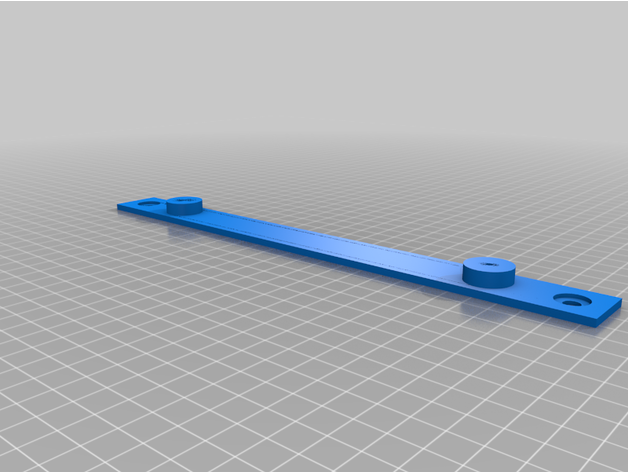
I didn't realize, but there's a whole ecosystem of consumer-grade networking gear that you're supposed to be using in order to leverage the peg-mounting system. I wasn't really that interested in re-buying all my stuff, so I bodged up a parameterized adapter that will accept the Leviton push-lock pins, and pop up some blocks for #6 screws so I can use the wall mounting bosses on the gear I already own.

Bridge in place with the push-lock pins:
IMG_20221006_180903981.jpg

Holding up my D-link switch:
IMG_20221006_180928448.jpg

The way I made it makes it easy to customize 1) which holes in the enclosure you want to use, and 2) how far apart the wall-mounting bosses are. So, I made parts to hold my switch, my PoE switch, my router, my modem, and my cable amplifiers. All that's left in there is the patch panel and the UPS, but those should be fairly easy to work out.


AffableCurmudgeon

Well-known member
Joined
Jan 26, 2009
Messages
1,906
Location
Triad Area NC
I had not done the extruder and XYZ steps calibration in a couple of years. Oh my god! what a difference that made when I did that now.
If you all have not it ever or have not done it in a long time, do it. My tolerances are sooooo tight now.
 

kppolich

Well-known member
Joined
Apr 7, 2020
Messages
344
Location
Eastern Iowa
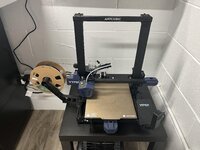
Need to do the calibrations above now that I have octoprint running, but figured I'd share my setup here.
Anycubic Vyper, RaspberryPi Zero W with camera bottom right. So far, so good! Heated/Textured bed, self leveling, quiet, accurate, and affordable.
 

Attachments

  • 30J44E9.jpg
    30J44E9.jpg
    505 KB · Views: 55

BeansBaxter

Active member
Joined
Jun 3, 2008
Messages
33
I had not done the extruder and XYZ steps calibration in a couple of years. Oh my god! what a difference that made when I did that now.
If you all have not it ever or have not done it in a long time, do it. My tolerances are sooooo tight now.
What printer are you using that needs XYZ steps calibration? Extruder calibration makes sense, especially for single-gear extruders, but I'm trying to understand what kind of motion system would require it for XYZ. Shouldn't it be the result a mathematical formula based on the screw or belt pitch, number of leads or pulley teeth, and step angle?
 

AffableCurmudgeon

Well-known member
Joined
Jan 26, 2009
Messages
1,906
Location
Triad Area NC
What printer are you using that needs XYZ steps calibration? Extruder calibration makes sense, especially for single-gear extruders, but I'm trying to understand what kind of motion system would require it for XYZ. Shouldn't it be the result a mathematical formula based on the screw or belt pitch, number of leads or pulley teeth, and step angle?

I am using an ender 3 pro. Basically, you print a 20mm calibration cube, measure it, make the appropriate adjustments to the XYZ steps to compensate for the actual vs. the design (20mm) variance. The goal is to get the actuals as close as possible to design.

Hers is a good guide for it.
 

BeansBaxter

Active member
Joined
Jun 3, 2008
Messages
33
I am using an ender 3 pro. Basically, you print a 20mm calibration cube, measure it, make the appropriate adjustments to the XYZ steps to compensate for the actual vs. the design (20mm) variance. The goal is to get the actuals as close as possible to design.

Hers is a good guide for it.
I notice on that page it says the opposite:
It is common practice for 3D printer users to measure a 20mm calibration cube to see how dimensionally accurate their machine is. While this is a very valid test to measure the accuracy of their printed parts, it is not a suitable measurement to base adjustments of the X, Y and Z steps per mm.
He also said:
these values should already be correct because they are based on the characteristics of your machine
I agree with him, and with Andrew Ellis who said this in his print tuning guide (which I recommend as a good companion to Teaching Tech)
Don't mess with your steps_per_mm/rotation_distance. Deviations are almost always from material shrinkage, bulging, layer inconsistencies, etc, NOT issues with your axes. Tinkering with these values will usually only add another variable.
 

BeansBaxter

Active member
Joined
Jun 3, 2008
Messages
33
@BeansBaxter, not sure what to tell you other than the fact that my tolerance for the parts I have printed after the adjustment, have never been better. The printed threads particularly fit well.
I'm sure you're getting good results. My point isn't that it won't work. It's that doing it that way creates a less stable equilibrium. And people with much more 3D printing knowledge and experience than me have said it's not the best approach because of that.
 

Keyblazer

Well-known member
Joined
Jul 30, 2009
Messages
1,471
Location
Irvine, CA
Wow, some great stuff being shared here!

I am stuck on my printer, and need some help!

I have a Creality Ender 3 v2...
My extruder quit working... I was getting no output from the board...
My board was the 4.2.2...
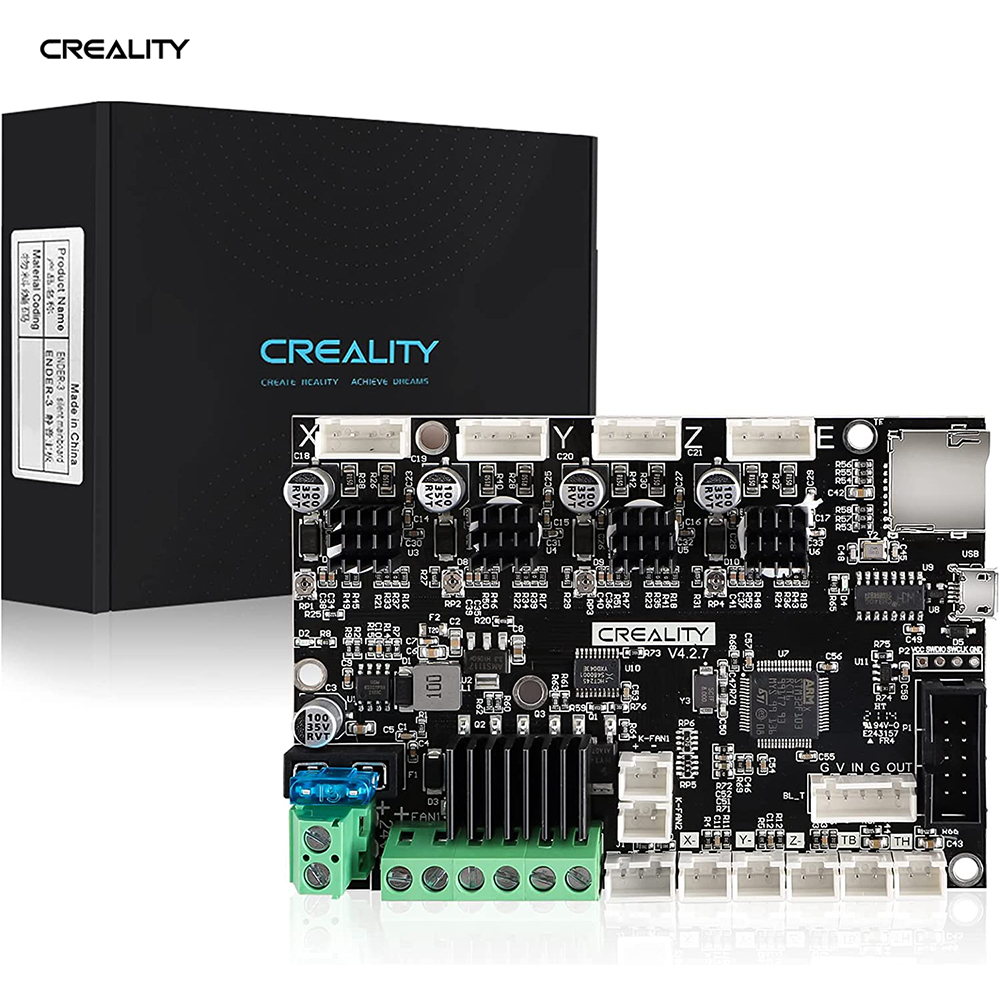
Bought a new board, and decided to get the newer 4.2.7..

Installed it, but have not fired it up yet, because i'm completely lost on what software I need to put on the SSD card to run it...

I just dont understand what software I need to download... its confusing... They talk about Firmware, and Marlin... Im lost...
I also bought a CR Touch and Filament runout sensor...

Anyone care to explain it in simple English????
 

kppolich

Well-known member
Joined
Apr 7, 2020
Messages
344
Location
Eastern Iowa
Saving this Irwin Quick-Grip clamp from the recycling bin after I gorilla gripped it using it as a lever.

Prototype in white PLA at 10% in fill worked out fine.
Wish I had ABS, but PETG @100% infill will have to do.
 

Attachments

  • eP6iLGD.jpg
    eP6iLGD.jpg
    192.5 KB · Views: 30
To avoid these ads, REGISTER NOW!
Top Bottom