To avoid these ads, REGISTER NOW!

Rebuilding a monarch 10ee lathe

OP
G

Grant Gunderson

Well-known member
Joined
May 17, 2013
Messages
2,320
Location
Bellingham, WA
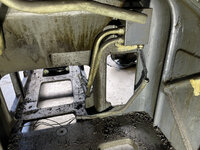
I could then fully remove the main contractor with the wires attached from the machine.
IMG_2289.jpeg

I then removed the remaining conduit ends form bellow the contactor panel.
IMG_2488.jpeg
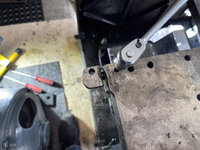
I used a ⅜ extension to remove the pipe plug, as I do not own any pipe plug sockets.
IMG_2490.jpeg
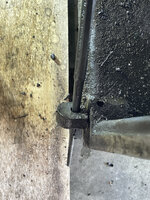
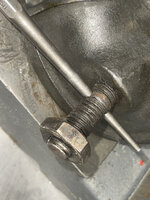
There are 3 dog tabs that the head stock end covers rest on. They are each held in by a set screw.
IMG_2484.jpeg
With it removed, Used an alignment pin and a hammer to tap them loose, then used the alignment pin to pull them out.
IMG_2485.jpeg
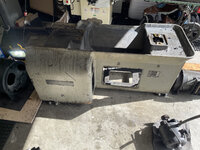
The machine is now completely stripped.
IMG_2493.jpeg
 
To avoid these ads, REGISTER NOW!
OP
G

Grant Gunderson

Well-known member
Joined
May 17, 2013
Messages
2,320
Location
Bellingham, WA
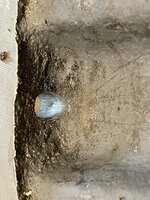
The lathe has a total of 5 drain holes on the head stock end. Two are under the gear housing, two are under the main contactor housing and one is dead center under the spindle. The problem is none of them have their openings flush with the surface above them, so oil build up behind them.

To fix this, I use an 11/16th drill on the two holes on each side and a ⅜ drill in the center. I'm guessing that is only a size or two larger than factory.
IMG_2528.jpeg
I then used a hand reamer to clean up the holes.
IMG_2529.jpeg
I finished, beveling the bottom of the holes flush with the surface with a round file.
IMG_2530.jpeg
And a half round.
IMG_2531.jpeg
IMG_2532.jpeg
You can now clearly see all 5 drains.
IMG_2534.jpeg
 
OP
G

Grant Gunderson

Well-known member
Joined
May 17, 2013
Messages
2,320
Location
Bellingham, WA
I then took a flat file and cleaned up some flashing that the factory had left on the castings. You will never see these with the covers on, but it makes it nicer on my arms when working on it.
IMG_2541.jpeg
To remove the old paint, I applied a pretty wet coat of lacquer thinner over the entire machine. Left for a bike ride, came back and scraped it.
IMG_2544.jpeg
It got the majority of the rattle can paint job off of the machine. It didn't touch the factory paint. Whatever the used at the factory was damn good.
The machine was pretty disgusting with oil and grease all over the inside.
IMG_2464.jpeg
I used a full gallon of degreaser at full strength on the inside and exterior of the base casting. IT was a never ending job. Soon as you thought you had it all, and hit it with degreaser one last time, more oil would appear. I fill like the machine has a ton of nooks and crannies it keeps seeping out of. Plus it seems to come right out of the paint.

I then resorted to socking the entire casting in break cleaner. That got 90% of it!
65543750133__C9CFB432-1437-4065-BCE6-37995F552912.jpeg
My next step is to rough sand the entire casting, Obviously avoiding and precision ground surfaces. I will then most likely hit it with break cleaner again after that, followed by one more cycle of lacquer thiner. After that it will hopefully be ready for the first stage primer, which will be a two part epoxy.
IMG_2547.jpeg

After the epoxy, the inside gets a single stage polyurethane paint. The exterior will get some bondo work, followed by a highbuild primer, then a color coat and finely 3-4 coats of a 2K clear top coat.
 
OP
G

Grant Gunderson

Well-known member
Joined
May 17, 2013
Messages
2,320
Location
Bellingham, WA
Cleaning out the sump on my lathe was a real pain in the ***.
IMG_2550.jpeg

Since chances are, the next guy thats going to have to clean it out is going to be myself, or possibly my son some day, I figured now is the time to make life easier going forward.
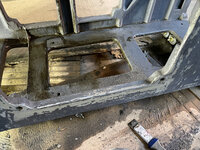
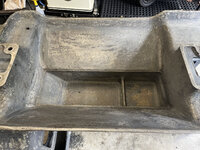
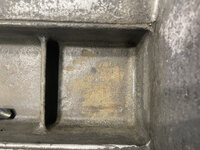
On the back of the lathe, there is an access panel for where the sump pump would have been installed at the factory. You can see the round area in the casting is where they would have taped it for the inlet.
IMG_2562.jpeg
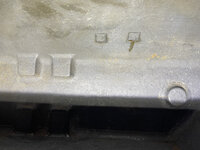
Thats too high in the sump to drain its, as its designed just to pull fluid, leaving the sediment in the bottom. (Above it are two metal tabs attached to the late via pins. You can barely make those out on the top of the catch basin. Anyone have any idea what those where for?)
IMG_2564.jpeg
Anyways, I decided to add drains to the sumps to add in cleaning them out in the future. With the bed off of the lathe, now is the easiest time to do this.
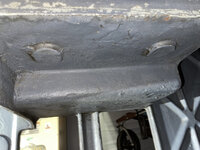
Underneath the sump there is two bump outs in the casting. I assumed thats where the factory had intended drains to go.
IMG_2549.jpegI scribed the center of each and then taped it with a center punch.
IMG_2553.jpeg
Next, I used a ¼" drill to punch a hole all the way through the casting. There isn't a ton of room to work bellow it.
IMG_2556.jpeg
Now, I have a hole in the center of each sump.
IMG_2557.jpeg
Since it is way easier to push down and hold the drill vertical, I then drilled the holes out with a hand full of drills gradually progressing up to the full diameter of 59/64"
IMG_2558.jpeg
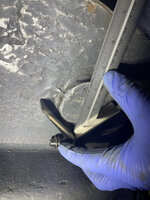
I surprisingly do not own any countersinks large enough to demure this. But I do own a Rigid pipe reamer and that worked perfectly.
IMG_2559.jpeg
I then tapped the hole with a ¾ NPT pipe tap. Since pipe taps are tapered, you have to tap from the side you intend the fitting to enter, so in this case from the bottom.
IMG_2560.jpeg
Despite own a large selection of Starrett tap handles, none of them where large enough for this tap, and I didn't really want to buy one, for a single project. Luckily a 21mm 12point socket, just so happened to fit the tap perfectly and allowed me to use a ½ ratchet. Since these taps are tapered the deeper in the hole you go, the progressively hard it is to tap. So lots of forward and back to break the chips as I went. You do not want to break a tap here! Also lots of cutting fluid is a good idea!
 
OP
G

Grant Gunderson

Well-known member
Joined
May 17, 2013
Messages
2,320
Location
Bellingham, WA
I now have two tapped holes in the bottom of the sump.
IMG_2563.jpeg
I then test fit a pipe plug in each.
IMG_2561.jpeg
Since these are tapered you can adjust how far the fitting goes in by how deep you run the tap into the hole. Since I am going to have to clean the threads out after painting, I will wait to do the final adjustment then. I am hopefully there will be enough space here after the generator is reinstaleed to run the lines to access door above the generator and put a valve on them. Worse case I'll just install the pipe plugs.


Now I can finish prepping the lathe for paint. First step after having used lacquer thinner and degreaser on the lathe is to sand down all of the surfaces that are to be painted. I hate sanding, but its a necessary evil if you want superior end results.

So I have invested in some Festool Sanders.
IMG_2567.jpeg
Those guys are insanely powerful and made quick work of sanding. Another advantage of the Festool sanders is they have superior dust collection when attached to my dust collector, which is a really good idea as I am sure the factory paint is full of lead.

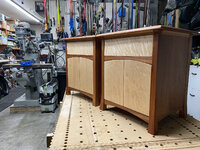
When sanding its important to not skip grits. It is way more efficient to start with say 40 grit, and then do 60 and then do 80, then 120, 220, 320, 400, etc than it is to say go straight from 80 to 220, etc. Plus you get a better end result. For example here are some night stands I made my wife, that I progressively anded up to 1200
IMG_1992.jpeg
IMG_2001.jpeg
IMG_2012.jpeg
IMG_1997.jpeg
Most people will say to you dont need to sand to that high of a grit, but I would disagree, with wood it brings out an almost translucent effect.

For the lathe, I started with 40 grit to knock down as many highspots in the casting as possible, then did 60 and finally 80. By the time the top coat gets sanded (yes after it cures) I will finish sanding the lathe to a 5000 grit.

Here it is after sanding to 80.
IMG_2568.jpeg
Thats one ugly looking casting.
 

American Locomotive

Well-known member
Joined
Jan 8, 2017
Messages
10,966
Location
Rhode Island
Ugly indeed. I can tell you I was quite dismayed when I discovered that so many beautiful classic American machine tools I had lusted over were actually just covered in 1/2" of Bondo straight from the factory. You should have seen my face the first time I saw a Bridgeport with the factory body-filler chipping off the head. I probably looked like a kid learning that Santa wasn't real.
 
OP
G

Grant Gunderson

Well-known member
Joined
May 17, 2013
Messages
2,320
Location
Bellingham, WA
Ugly indeed. I can tell you I was quite dismayed when I discovered that so many beautiful classic American machine tools I had lusted over were actually just covered in 1/2" of Bondo straight from the factory. You should have seen my face the first time I saw a Bridgeport with the factory body-filler chipping off the head. I probably looked like a kid learning that Santa wasn't real.
I was the same way when I redid my Bridgeport. It must have taken me half a week to get the head right with filler. I think the Monarch casting is especially bad as it was at the hight of the war, and they where clearly more concerned about productivity then cosmetics.
 
OP
G

Grant Gunderson

Well-known member
Joined
May 17, 2013
Messages
2,320
Location
Bellingham, WA
I spent a good chunk of the day, making sure there was no oil left on the machine, checking all of the nooks and crannies. I used a bunch of break cleaner, when I ran out of that I used some Maxxium suspension cleaner. I then wiped everything down with denatured alcohol twice, blowing it off each time with the air compressor. So fingers crossed I didn't miss any!

I then took my time taping off the areas that I dont want to get paint on, such as the scraped portions of the base casting, the ways, etc. I found when I did my Bridgeport that the Automotive grade tape that 3M sells works a hell of a lot better than the painters tape you get at the local hardware store. Once everything was taped, I then used a razor blade to follow the edges.
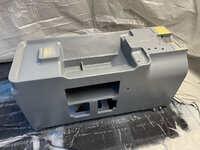
IMG_2579.jpeg

Its now ready for paint.

IMG_2580.jpeg

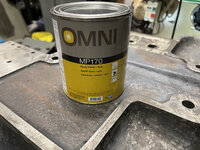
For the base primer coat, I am using a PPG Two part epoxy primer called Omni 170. You mix it two parts paint, one part catalyst. I am using this to seal the bare metal, prior to doing any body work. I am also hoping if there is any issues with residual oil on the machine I can spot it at this stage before getting too far along with the rest of the painting process.
IMG_2547.jpeg
Epoxy's are sensitizers and the more you are exposed the more likely you are to have a severe allergic reaction. So I wore a full tyvek suite, some old shoes, a hat, gloves and most importantly a good 3m Respirator with brand new organic vapor cartiges. Those cartridges are only really good for a few days, So its best to use fresh ones. The less skin you have exposed and the less time you spend around the fumes the lower and safer your exposure is going to be.

I used my Iwata LPH80 spray gun.
IMG_1768.jpeg
That gun makes a really big difference in the quality of the end project. I have been practicing with it a bit this summer, and for a painting hack like me, its made my paint projects look 10X nicer than before. Plus even my tiny Makita nailing compressor is adequate enough to keep up with it.
IMG_1767.jpeg

I mixed the paint using some disposable mixing cups that mount directly on the gun. It makes clean up go way quicker.IMG_2593.jpeg
For the first coat I used a quart size mixing cup, not wanting to have to stop to remix part way through. That was a mistake, that cup on the gun, was just way to big to get access to most of the interior of the lathe. For the second coat I switched to a much smaller cup, and that just worked way better overall.

IMG_2583.jpegIMG_2586.jpeg
IMG_2587.jpeg
IMG_2588.jpeg
 
OP
G

Grant Gunderson

Well-known member
Joined
May 17, 2013
Messages
2,320
Location
Bellingham, WA
IMG_2589.jpeg
IMG_2591.jpeg
One of the nice things about this epoxy primer, is that it flashes in only 15 minutes, and you then have a 3 day window to paint.

I started to cool off quite a bit this evening, so I turned the garage heater on, and will then spray the single stage polyurethane paint for the inside of the lathe in the am. I can then start to do the body filler work on the exterior.
 
OP
G

Grant Gunderson

Well-known member
Joined
May 17, 2013
Messages
2,320
Location
Bellingham, WA
Today was a bit slow going. The guy at the automotive paint shop, must have been a bit high on fumes when I picked up my order for the single stage poly paint for the inside of the lathe. Not only was it quite a bit lighter in color than the paint chip I had selected, but I had also asked for 50 degree activator and upon reading the technical sheets for the paint, it turns out he sold me the 60 degree activator. So I cranked the heat in the garage, and waited all morning for the outside temp to hit 50. Once that happened, I opened the garage door, set my plastic sheeting up for my paint booth and went to work.

I used a single stage polyurethane paint for the interior of the lathe. It gets mixed 6:1:1 with an activator and hardener.
IMG_2599.jpeg
This should prove to be extremely durable, oil and chemical resistant and very easy to wipe down. I ended up spraying two coats, and had to wait an hour between coats VS the specified 10 minute due to the slower activator. Once the second coat was one, I let it set for an hour to get most of the fumes out, then closed the. garage door, cranked the heater and went for a much needed EMTB ride.

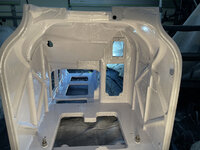
Here is what the inside of the lathe looks like after two coats of Poly.
IMG_2598.jpegIMG_2601.jpegIMG_2611.jpeg
The one good side to the lighter paint color for the interior, is when I am working in there there will be more light to see what I am doing.

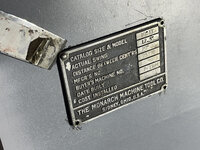
The only part of the lathe that I didn't strip was the factory ID plate. I was totally stumped on getting those drive screws out as they where two rounded to grip with my screw extension pliers. It was suggested that I try to pry the plate up a bit with a putty blade first. That was excellent advice.
I used a small dead blow to tap the putty blade under each drive screw.
IMG_2613.jpeg
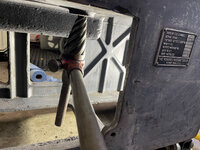
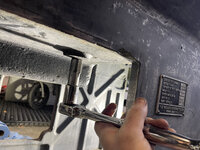
That raised the plate about 1/16" I then taped the plate back down, leaving the drive screw proud. I then was able to grip it with my screw extraction pliers, and pull it out while rotating it counter clockwise.
IMG_2614.jpeg
Drive screws actually have a thread on them, so you can't just pull them straight out, you need to unthread and pull.

I then worked my way around the plate to the last drive screw.
IMG_2619.jpeg
Once that was out, I was left with an oily mess.
IMG_2621.jpeg
I'm going to let the lathe "bake" in the garage with the heater cranked tonight to fully cure the polyurethane paint and will start on the body work tomorrow. I plan to use Bondo body filler, unless someone has something better to suggest. For now, it's time for a beer.
 

csp

Well-known member
Joined
Mar 23, 2010
Messages
5,719
Location
Franktown, CO
Many times there's a through hole for those drive screws and you can drive them out from the back side. But on the other hand, they're not always accessible.

I've seen people struggle to figure out how pull them from the front side, not realizing they could push them from the back side, or at least get them started. I'm included in that list of people.
 

Southern83

Well-known member
Joined
Jun 15, 2017
Messages
193
Location
North Carolina
I have had luck using a cut off wheel to cut a small groove across the head of the rivet, then use a flathead screwdriver and back them out.
 
OP
G

Grant Gunderson

Well-known member
Joined
May 17, 2013
Messages
2,320
Location
Bellingham, WA
Many times there's a through hole for those drive screws and you can drive them out from the back side. But on the other hand, they're not always accessible.

I've seen people struggle to figure out how pull them from the front side, not realizing they could push them from the back side, or at least get them started. I'm included in that list of people.
In all of the drive screws I have had to remove, I have unfortunatly only been lucky enough one, time for them to have access from the back side. The first time I came across them on my Bridgeport, they had me quite stumped.
I have had luck using a cut off wheel to cut a small groove across the head of the rivet, then use a flathead screwdriver and back them out.
That was going to be my next option, I like starting with the less destructive and less likely to damaged the plaque option first.

I spent a big chuck of time today, tapping off the inside of the casting. I used the yellow 3M automotive tape first around all of the edges. I then, taped painters paper behind each opening.
IMG_2623.jpeg

Next, I went back and used blue painters tape between the yellow 3M tape and the paper. Its probably overkill, but I dont want to take any chances with over spray on the freshly painted interior.
IMG_2624.jpeg
In hindsight, it may have been easier to paint the interior of the lathe last, but too late for that now.

When working on smoothing out the casting, light is critical. I learned a long time ago when I got into shooting a lot of flash images, things becomes way more dramatic, when you can place light at perpendicular angles to what your are viewing, or better yet, fully back lit.
201312299712.jpg
So in order to better see what I am working with, I positioned my work lights to my left and right at either end of the lathe. This allows the light to rake across the surface, highlighting any areas that will need attention.
IMG_2625.jpeg
When viewed without the raking light, those imperfections are really hard to see.
IMG_2627.jpeg
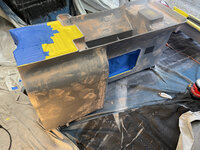
I then went to work, using very small amounts of Bondo at a time, only focusing on the deepest areas first.
IMG_2628.jpeg
I back scraped as much of the excess off as possible, and stoped as soon as I could feel it start to kick. I learned on the Bridgeport, less is more with the filler. Its seems more efficient to do multiple very thin coats slowly building up the low spots, as aposed to trying to sand down a ton of filler at once. I'm not an auto body guy, so no clue if thats the best approach, but it seems to work for me.

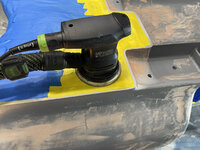
For the sanding I used my small, Festool detail sander with 80 grit paper. It's really nice having the dust collection to help with the particles form the Bondo.
IMG_2631.jpeg
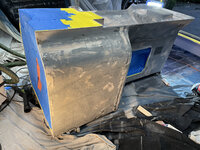
Here is what it looked like after the first pass.
IMG_2632.jpeg
I then did a second coat of Bondo, once again only focusing on the lowest areas. I would have sanded that today, as well, but ran out of paper. Tomorrow I will probably do one more pass once again focusing on the lowest areas, before attempting to do a skim coat and starting to work on correcting the panels for flatness with the longer elbow grease Mirka sanding block I ordered. The Mirka is 2.75x7.75 inches, so I hope its long enough to get consistent flat results. I thought about ordering the 16" one, but figured that would probably be too long to be useful on a lot of the lathe. I guess we will see.
81czwr4jPYL._AC_SL1500_.jpg
 
Last edited:
OP
G

Grant Gunderson

Well-known member
Joined
May 17, 2013
Messages
2,320
Location
Bellingham, WA
I got my brushes and way wipers ordered from Monarch this am. Here are all of the part numbers:
(4) R-1017 motor brushes $15.00 ea. – in stock
(4) R-1019 generator brushes $6.00 ea. – in stock
(4) R-1021 exciter brushes $3.00 ea. – in stock
(6) EE-1845 lower wipers $3.50 ea. – in stock
(6) EE-1403 flat wipers $4.00 ea. – in stock
(2) EE-1431 vee wipers $4.50 ea. – in stock
(2) EE-1685 vee wipers $5.15 ea. – in stock
(1) EE-2033 bottom slide wiper $7.50 ea. – in stock
(1) EE-1369 spindle wiper $6.00 ea. – in stock


They also provided me with the original build sheet for the lathe.
attachment.jpg
I do not have the tapper attachment for it. IF I am reading this correctly, it didn't come with one.

I do not know what the aligners parts and testers parts are that the specified on the build sheet.

I believe I have everything else they listed on that sheet, including the tool cabinet.
 
Last edited:

Steve from Socal

Well-known member
Joined
Jan 27, 2009
Messages
3,499
Location
Hutchinson Ks.
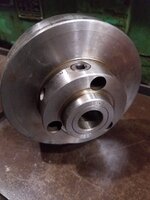
The multiple thread indexing adapter is pretty rare in the wild. My lathe came with one and it was the second or third one known on the Monarch forum at the time 2006. The indexing is done by turning the face of the adaptor with the chuck mounted to do 2-3 or more start threads. Here are a few pics, the adaptor mounts on the spindle and the chuck mounts to the face of the adaptor, the three nuts loosen and allow the face to turn in relation to the body.

Steve
 

Attachments

  • 20211014_211039.jpg
    20211014_211039.jpg
    169.3 KB · Views: 24
  • 20211014_211030.jpg
    20211014_211030.jpg
    120.3 KB · Views: 19
  • 20211014_211045.jpg
    20211014_211045.jpg
    267.3 KB · Views: 20
  • 20211014_211110.jpg
    20211014_211110.jpg
    199.4 KB · Views: 21
OP
G

Grant Gunderson

Well-known member
Joined
May 17, 2013
Messages
2,320
Location
Bellingham, WA
The multiple thread indexing adapter is pretty rare in the wild. My lathe came with one and it was the second or third one known on the Monarch forum at the time 2006. The indexing is done by turning the face of the adaptor with the chuck mounted to do 2-3 or more start threads. Here are a few pics, the adaptor mounts on the spindle and the chuck mounts to the face of the adaptor, the three nuts loosen and allow the face to turn in relation to the body.

Steve
That’s really cool. Don’t know when I’d ever need to do multi start threading.
 
OP
G

Grant Gunderson

Well-known member
Joined
May 17, 2013
Messages
2,320
Location
Bellingham, WA
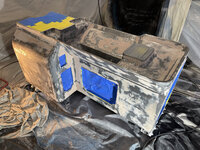
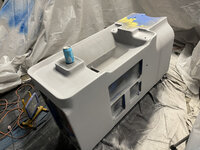
After the better part of the week applying Bondo, sanding, then applying more, I think I got the castings mostly corrected. That felt like a never ending job!
IMG_2646.jpeg
IMG_2648.jpeg
IMG_2649.jpeg
In a few areas, I had to build it up quite a bit to make everything flush and smooth.
IMG_2644.jpeg
In order to find the bolts holes that I buried in the filler, I aligned the various plates with the known holes, and then used an alignment punch to find the centers of the missing holes.
IMG_2645.jpeg
Once that was done, it was simply a matter of chucking a counter sink in the drill and exposing the factory bolt holes. That works really slick, as long as you are close to the factory hole, it automatically aligns it's self with the centers.

I could then finally spray a "guide coat" of two part epoxy primer.
IMG_2651.jpeg
It amazing how all of the filler areas show threw with it. I will let it cure over night with the garage heater on. In the am, I will sand it with 180, and then add more filler to any low areas. If you have ever owned a black vehicle, you will understand the advantage of using black primer for this... It will show every defect! Once that is done, it will get a sand with 220, and then the next step will be the high-build primer.
 
OP
G

Grant Gunderson

Well-known member
Joined
May 17, 2013
Messages
2,320
Location
Bellingham, WA
I sanded the epoxy guide coat this am. I was quite surprised that I only had a couple of low spots. There are a few high-spots that I dont think will be too noticeable, and the only way to have gotten rid of them, would have been to be pretty aggressive with a grinder. At the end of the day, It turned out 10X better than it did when it left the factory, so I am happy with it.
IMG_2657.jpeg
I did a quick fill, and then sanded everything at 220 and then to 280. I'm at the point, that its going to be diminishing returns on the time invest to take the body work much further. It's also one of those things that at the end of the day, chances are I will be the only that knows some of the imperfections are there.

After wiping it all down with a tack cloth, I then wiped it all down again with wax and oil remover to chemically clean it.

It was then time to spray the 2K high build primer.
IMG_2659.jpeg
IMG_2661.jpeg
Thats where everything started to go wrong. As soon as I started to spay it, I felt like the gun was having a really hard time to push the material through. The primer came out of the gun super thick, and while it eventually covered everything evenly. It looks and fills like 80 grit sand paper. I should have stopped there, but instead pressed on.
IMG_2662.jpeg

I had read the data sheet last night. This afternoon, I was in a bit of a hurry to get it sprayed so I could take my 4 year old on a bike ride. So just mixed it 4:1 with the activator as the label stated. I totally forgot that the Tech Sheet for it called for a 4:1:1 ratio with reducer. No wonder it came out so damn thick. I guess that will be a good learning mistake to remember to RTFM (read the Fu(King manual) or in this case tech sheet again before mixing.

It is also borderline with the ambient temps this week being only a high fo 50. So once I got done spraying, I let it off gas for 45 minutes to get most of the fumes out. I then closed the garage door, cranked the heater and took the kid for a much needed father son bike session.

My plan of attack tommrow is to see how the primer sands out. Hopefully, I can get it to nicely sand down to 400, and then hit it with the sealer coat tomorrow afternoon. I have a feeling I am going to have to do another primer coat tomorrow after sanding.
 
Last edited:
OP
G

Grant Gunderson

Well-known member
Joined
May 17, 2013
Messages
2,320
Location
Bellingham, WA
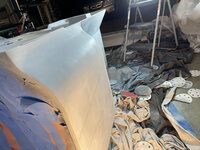
I got that rough coat of high build primer sanded down. I then sprayed two more wet coats of it properly reduced. That turned out way better! After letting it bake in the garage for 4 hours with the heat cranked, I then used a sanding block and hand sanded it first at 320 then at 400.

The high build primer seemed to do a great job of making sure even the small areas that where a bit high / low are now totally even. Hand blocking it, was a good choice as it allowed me to see exactly what areas needed more sanding to be smooth and totally flush. Hopefully when its all said and done I didnt miss anything! Although, I am sure the gloss clear coat will bring out more imperfections that I knew where there... so hopefully none of them are too major. I left the sump area a bit rough as you will never see it in daily use.

IMG_2667.jpeg
IMG_2674.jpeg
IMG_2665.jpeg

I cleaned up my mess from sanding, blew it off numerous times with compressed air, then vacuumed everything.
I then wiped it all down with tack cloths until the cloths stayed clean.

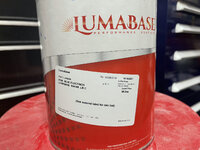
In the am, I will do one more wipe down with the tack cloths and then chemically clean it with the Lumabase wax and grease remover.

My goal tomorrow is to spray the Sealer coat. I am a bit unsure what to do after that. The TDS for it states you can either paint directly on it within 12 hours, or let it cure overnight then sand it to 1200 before painting. I'm guessing that will depend on if there is any issues with the Sealer coat application. If anyone has any feedback or advice with the sealer coat step, I'm all ears.

If I dont let the sealer coat sit overnight and then sand, I will apply the color coat and the clear coats all tomorrow.
 
Last edited:
To avoid these ads, REGISTER NOW!
OP
G

Grant Gunderson

Well-known member
Joined
May 17, 2013
Messages
2,320
Location
Bellingham, WA
My plan this am was to get at least the Sealer coat done. I got everything setup to paint and the castings chemically cleaned with the wax and oil remover. I got the sealer mixed and ready to go.
IMG_2791.jpeg
The sealer gets mixed 4:1:1 with activator and reducer.

Thats when I noticed a ton of air was leaking out of the inline filter at the gun. ****. Off to Lowes for a replacement. Luckily they had them in stock.
IMG_2676.jpeg

Thankfully that only took 30 minutes. So I then sprayed the casting and the bed with the sealer.

IMG_2677.jpeg
At this point I had a choice to make. Let it set and sand it again in the am, or complete the entire color and top coats in one go. The sealer coat looked good so I went for it.

I applied 3 coats of color, followed by one wet coat of color to hopefully get the metal flakes to stand up a bit. I ended up going with Blue Electrico. This come form the paint shop premixed with the reducer so its ready to spray.
IMG_2789.jpeg
Its the same paint I used on my Vidmar cabinets and I really liked how it turned out on them.

I then applied 4 coats of the 2K polyurethane top coat. The stuff gets mixed 1:1 with the activator.
IMG_2790.jpeg

It all went really smooth other than one **** up. I got a bit greedy and though that I had given the bed enough time to fully flash. I then rolled it over to paint the bottom and sides of it. When I did that I had to lift and pivot the tail end. I completely had a brain fart and grabbed it between the ways right where I had just put my clear down and realized it was way to wet! So once it fully cures, I'll have to sand down and reduce the area between the ways. I should have just wanted to do that last in the first place.

The ambient temp today was only 60 degrees. All of the flags times are based on 75 degrees, so I more or less need to double the flash and cure times of the paint. Once it had off gassed for 2.5 hours, I pulled my make shift paint booth down. I then closed the garage door and cranked the heat to get it to cure faster. It should be ok to lightly handle by the am, but won't fully cure for a few more weeks, so I won't be able to get the bed back on the lathe for at least that long.
 
OP
G

Grant Gunderson

Well-known member
Joined
May 17, 2013
Messages
2,320
Location
Bellingham, WA
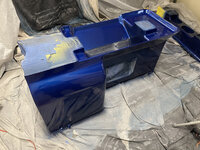
Here is a few shots in its new color.
IMG_2751.jpeg
IMG_2750.jpeg
IMG_2754.jpeg
IMG_2756.jpeg
IMG_2759.jpeg

I'm really glad that part of the project is mostly done now. Once the top coat has had a chance to set up, I'll sand it with 1000 grit to knock down any dust nibs, etc that formed. I dont think I had too many of them, which is good considering I was painting in the same area I had just sanded it. After thats done, It will have to sit for 1-2 weeks before I finish sand it to 5000 and then do the finally buffing.
 
OP
G

Grant Gunderson

Well-known member
Joined
May 17, 2013
Messages
2,320
Location
Bellingham, WA
Since our forecasted rain for today never materialized, I then went to work on the DC Exciter.
IMG_2682.jpeg
First step is the remote grease line for the rear bearing needs to be removed. It has a bracket and one screw that hold it on. It then just unscrews. It was only on snug. The grease in it was fully solidified, so it was pretty much useless as is.
IMG_2694.jpeg
I then pulled off the end bearing cover. Its just held on by 4 screws.
IMG_2687.jpeg
And the grease in the bearing is fully solidified. As is the grease in its cap.
IMG_2688.jpeg

I bet they haven't seen any service in decades.

The cotter pin in the castle nut then gets removed.
IMG_2719.jpeg
The castle nut was just a bit more than hand snug. So no major torque on it, just enough to preload the bearings a bit.
Before we remove the bell housing ends, its important to note there is allignment marks for both ends and the casting. This is critical so that the field is in the proper orientation when reassembled. The shaft end has two lines that line up and the other end has 2 dots on the main housing that line up with a single dot on the bell housing.
IMG_2712.jpeg
Next, the sheave gets removed from the shaft end. Its just held on by a set screw that puts pressure on to the key way.
IMG_2699.jpeg
IMG_2700.jpeg
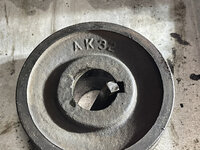
It is stamped Browning Maysville on the inner side and AK32 on the outside.

Its also worth noting that they drilled the sheave.
IMG_2698.jpeg
I googled it, and turns out they are still in business, and you can even order a new one if needed.
https://www.motionindustries.com/products/sku/00733563
 

Attachments

  • IMG_2703.jpeg
    IMG_2703.jpeg
    262.2 KB · Views: 8
OP
G

Grant Gunderson

Well-known member
Joined
May 17, 2013
Messages
2,320
Location
Bellingham, WA
The bearing cap on the shaft side then comes off next.
IMG_2706.jpeg
The grease in there was only slightly better than the other side.
Before the shaft end bell housing gets removed, the wires for the brushes need to get removed. Since there was no room in there to get a heat shrink label on them, I used color zip ties to mark each side.
IMG_2716.jpeg
IMG_2717.jpeg
I then used a long brass drift to tap the bell end housing off.
IMG_2718.jpeg
On the opposite end, I found a screwdriver sized slot, and then inserted a screwdriver and used that to tap that end off.
IMG_2723.jpeg
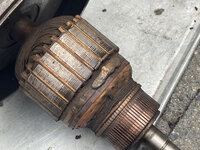
The fields are filthy!
IMG_2726.jpeg
The rotor core is also dirty, but looks to be in pretty good shape otherwise.
IMG_2729.jpeg
Notice the lump of weight that was added to balance it. This was a good learning moment for my son, I dragged him outside and showed him all of the parts to the motor. He was really exited to get to spin the core.

I then used my arbor press to press the rotor core out of the end bell housing.
IMG_2730.jpeg
Next the brush holder gets removed from the shaft end bell housing. Its important to note the side with the red zip ties goes near the grease port so that I can keep them the same when reinstalling. Also the brush housing has a small crack right through the dog point setscrew hole on this side. I dont think it will have any major impact on its function.
IMG_2734.jpeg
The dog point setscrew on the other side was really stuck. I ended up using a ratchet on the end of my wear screw driver to get it loose.
IMG_2737.jpeg
 
OP
G

Grant Gunderson

Well-known member
Joined
May 17, 2013
Messages
2,320
Location
Bellingham, WA
Here is what the brush holder looks like.
IMG_2744.jpeg
I then used a bearing drift in my arbor press to press the bearings out of the bell end housings.
IMG_2770.jpeg
The bearings are SKF 6204 Z. Turns out new sealed ones are only $18 a pop, so I think I'll just replace the factory ones with sealed versions on each end and ditch the grease injection system unless you guys have a good reason for keeping it factory.

Underneath the bearings on each end is a flat retaining ring with a felt wiper under it.
IMG_2774.jpeg
IMG_2776.jpeg
I can oder new felt and cut it to fit for a replacement, or I can mostly likely just ditch the felt all together if I replace the bearings with the newer sealed variety. Thoughts?

Lastly, I removed the belt tension bolt from the bell end using an alignment pin.
IMG_2781.jpeg
It's worth noting that it is reverse threaded.
IMG_2782.jpeg
I'll work on cleaning everything up tomorrow once the garage has less paint fumes in it.
 

Steve from Socal

Well-known member
Joined
Jan 27, 2009
Messages
3,499
Location
Hutchinson Ks.
Grant,

That is going to real eye candy when you finish. That color or close AKA as "flag blue" is one of my favorites. I am getting ready to strip down my 10EE and mate my 30 bed, I was thinking lab white but that looks fantastic.

Steve
 
OP
G

Grant Gunderson

Well-known member
Joined
May 17, 2013
Messages
2,320
Location
Bellingham, WA
Grant,

That is going to real eye candy when you finish. That color or close AKA as "flag blue" is one of my favorites. I am getting ready to strip down my 10EE and mate my 30 bed, I was thinking lab white but that looks fantastic.

Steve
Thanks! I was debating to keep the color original like I did on the Bridgeport but decided grey is to damn boring. That being said I hope it’s not too dark but will be installing a light over it anyways. At least with white you will always have plenty of light. I’m sure it will look good with whatever you select.
 

vekster

Well-known member
Joined
Sep 26, 2013
Messages
405
Location
Ontario, Canada
Wow. stumbled across this thread today. read it all. Thank-you, and please keep posting.

I've been the maintenance guy at a machine shop for 22 years. I really do enjoy the older machinery over anything made today.
 
OP
G

Grant Gunderson

Well-known member
Joined
May 17, 2013
Messages
2,320
Location
Bellingham, WA
Wow. stumbled across this thread today. read it all. Thank-you, and please keep posting.

I've been the maintenance guy at a machine shop for 22 years. I really do enjoy the older machinery over anything made today.
Thanks. I'm sure you have a few tricks for working on these.

Peeling the tape today felt a bit like a kid at Christmas.
IMG_2793.jpeg
IMG_2794.jpeg

Looking it over, there is only minimal orange peel and very few dust nibs. So I think I am going to let it fully cure before I attempt to tackle buffing those. I also had a hand full of spots where the yellow 3M automotive painters tape, lifted the grey interior paint. Next time I am using that paint, I will use a detail brush and touch those areas up. Otherwise, this maybe one of the best paint jobs I have been able to accomplish so far. Al loo the time spent on the various stages of prep really paid off!

Its really tempting to start to reassemble some of it. However, that has to wait at least two weeks for the poly to fully cure and harden. Its too easy to damaged until that occurs. Plus I have plenty of other projects for it to work on in the time being.
 
OP
G

Grant Gunderson

Well-known member
Joined
May 17, 2013
Messages
2,320
Location
Bellingham, WA
Love my old 10ee. 1939 model with a DC conversion. Wish I had your skills...

lathe%20006-L.jpg
Thanks! I see you have a back splash on yours. Mine also came with one, but I dont see how they originally mounted it. Mind taking a pic for me?


Back to the Exciter. The field windings are held in by two bolts on each side. The field winding that is on the same side as the mounting ears is stamped 7763. Note the black electrical tape on the wires... thats a red flag to me and we will be addressing it.
IMG_2808.jpeg
It is also worth noting that the 7763 winding side also uses shorter bolts. I'll need to pay attention to that when I reasemble.
IMG_2809.jpeg
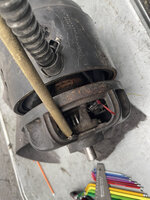
This is how the field windings look once the case is slid off of them.
IMG_2820.jpeg
When I removed the electrical tape, I found a wire that appeared intact, but the insulation had been damaged.
IMG_2829.jpeg
We are going to take care of those sections properly. If you recall, I previously labeled the wires and the brushes using collared zip ties.

First step is to do something a bit more permenit with the brushes, to help the next guy out that needs to work in it. Especially since chances are that will be me or my son. I replaced the colored zip ties, with color coded heat shrink on the springs for each brush.
IMG_2830.jpeg
It also just so happens the wire for the yellow side connects directly to E2 on the Generator panel, so I label the brush with it as well using a carbide scribe.

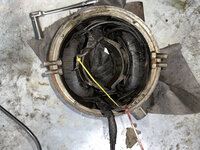
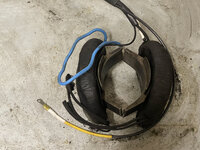
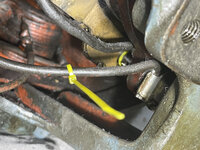
I then replaced the E2 wire entirely with new 12AWG machine tool wire. I used a marine grade solder filled crimp connection on the end, and the added yellow heat shrink and heat shrink label. So no confusing the wires going forward. I then cleaned everything throughly with electrical cleaner, including the remaining wires. The wire going to the other brush, connect directly to the field. I did not want to add a wire splice, so I covered the entire length of the wire in blue heat shrink so its color coded to its brush. The heat shrink also serves as new insulation sheathing over the original insulation. I then covered the remains wires all in black heat shrink.
IMG_2831.jpeg
The exciter case is now ready for new paint. Once I get it painted and the new bearings arrive, it will be ready to get reassembled.
 
OP
G

Grant Gunderson

Well-known member
Joined
May 17, 2013
Messages
2,320
Location
Bellingham, WA
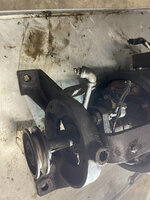
TheDC Generator is up next. It is absolutely filthy. Like the rest of the internals from the lathe, it looks like a grease filled bomb had exploded.
IMG_2836.jpeg
IMG_2839.jpeg

First step is to wipe the casing all down with degreaser, so I can actually see what I am dealing with.
IMG_2840.jpeg

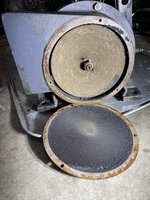
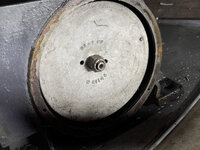
The end cover for the fan is held on by 3 screws. Once off, I was greeted to a rather peculiar looking sight.
IMG_2842.jpeg
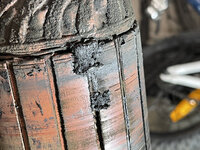
That is grease that the fan has spun out. At least it made for an interesting texture / pattern.
IMG_2844.jpeg
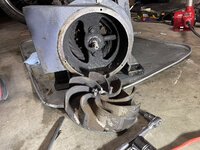
The fan is stamped RE&E Co, W6114B held on by a large lock nut.
IMG_2847.jpeg

The lock nut was on quite tight. Looking at the fan blades they looked fairly substantial, so I used a long piece of wood to block them, so I could remove the lock nut.
IMG_2851.jpeg
Once the nut was off, I used two 5/16 fully threaded bolts to jack the fan off of the shaft. I first learned this trick when dealing with stubborn brake rotors on a car.
IMG_2853.jpeg
That worked really slick, and off came the fan.
IMG_2854.jpeg
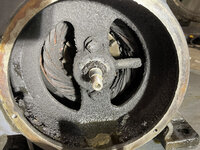
Looking into the motor, it is absolutely filthy. It looks even worse on the inside!
IMG_2857.jpeg
 
Last edited:
OP
G

Grant Gunderson

Well-known member
Joined
May 17, 2013
Messages
2,320
Location
Bellingham, WA
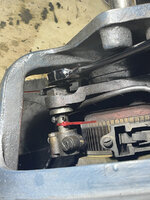
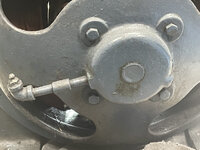
First step to remove the fan housing / end cover is to unscrew, the grease fitting pipe. Technically it doesn't need to come off at this stage, but its easiest to do it now.
IMG_2861.jpeg

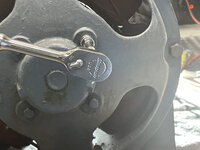
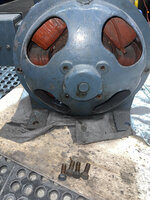
There are 3 bolts around the circumference of the fan housing that need to get removed.
IMG_2858.jpeg
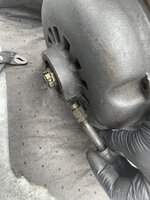
One of them is hiding in the vent for the fan. Unfortunately, my snapon ratcheting wrenches wouldn't fit on the head of the bolt, so I had to do it the slow way one turn at a time.
IMG_2863.jpeg
Next, I removed the two bolts that hold the bearing plate on. Those bolts are longer than the 3 that hold the plate on.
IMG_2864.jpeg
A light tap on the the mounting brackets and fan vent will loosen the end cover form the motor case.

Next, I switched my attention to the other end of the generator.
First I removed the grease port to get it out of the way.
IMG_2867.jpeg
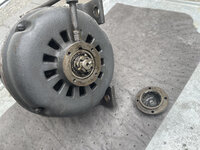
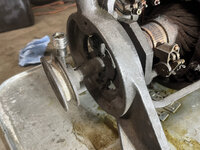
I used a hex socket to remove the set screw holding the sheave on.

IMG_2868.jpeg
I then used a two jar puller to remove the sheave from the shaft.
IMG_2869.jpeg
The sheave is a Browning AK32. Same as the sheave that is on the Exciter.
IMG_2872.jpeg
Next, I labeled the brush holders and the wires with color coded zipties. Same as I did on the exciter. This will get replaced later with color coded heat shrink.
IMG_2873.jpeg
IMG_2874.jpeg
I then removed the wires from the brush holders.
 
OP
G

Grant Gunderson

Well-known member
Joined
May 17, 2013
Messages
2,320
Location
Bellingham, WA
It's worth noting the orientation of the brushes at this point. I have not found any alignment marks yet, but will keep and eye out of them when cleaning.
IMG_2878.jpeg
Next, the two bolts that hold the bearing end cap on get removed along with the end cap.
IMG_2883.jpeg
That grease is rock hard.
IMG_2888.jpeg
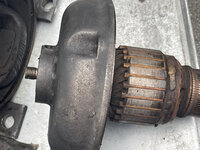
The rotor can now be pulled out the fan side of the motor.
IMG_2898.jpeg
It is massive. Its got some weight to it, but easily managed by one person.
IMG_2900.jpeg
Its covered in grease. Not the best sign.
IMG_2903.jpeg
IMG_2902.jpeg
Argh. I hope that cleans up well using the electrical cleaner I bought. Right now, I'm thinking its really good that I bought a full case.

Now, Lets have a peak inside the generator.
Here is a look at the winding on the fan end.
IMG_2906.jpeg
That does not look good at all. Lets take a look even deeper inside.
IMG_2915.jpeg
At this point I decided I have had enough for the night and cracked a beer. I'm not looking forward to dealign with this shitshow in the am. If there was ever a case for using sealed bearings in a motor / generator, etc. This is it. This reaffirmed my decision to replace the Exciter bearings with newer sealed versions and I think I will do the following with the generator as well. I'm actually at this point quite amazed it even powered up when I bought it!
 
Last edited:

beemerphile

Well-known member
Joined
Jul 9, 2021
Messages
727
Location
Danielsville, GA USA
Thanks! I see you have a back splash on yours. Mine also came with one, but I dont see how they originally mounted it. Mind taking a pic for me?
It is in storage while I am moving and building a new (and much smaller) shop. It has bolts through to two angle iron brackets that attach to threaded holes on the outside of the lube collection sink. The bottom of the backsplash is bent forward to drain inside the lip of the sink. I don't know if it is an OEM mounting scheme or something devised by a PO.
 
OP
G

Grant Gunderson

Well-known member
Joined
May 17, 2013
Messages
2,320
Location
Bellingham, WA
It is in storage while I am moving and building a new (and much smaller) shop. It has bolts through to two angle iron brackets that attach to threaded holes on the outside of the lube collection sink. The bottom of the backsplash is bent forward to drain inside the lip of the sink. I don't know if it is an OEM mounting scheme or something devised by a PO.
Thanks mine catch pan isn’t drilled for any attachments. So still stumped on how they had attached it.
 
OP
G

Grant Gunderson

Well-known member
Joined
May 17, 2013
Messages
2,320
Location
Bellingham, WA
After looking at the Generator again this morning, I decided the best approach to it will be to remove the DC field windings to be able to better clean it. Before I can do that I need the permatex heat shrink labels I ordered to arrive. I also need to order more electrical clean for it.

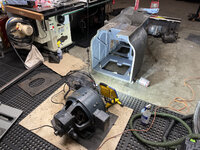
So I moved on to the DC motor. I already drained the gearbox oil, but if that hasn't been done, it needs to be done before proceding.

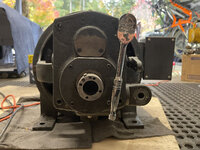
First step, is the Back Gear box needs to be removed. It is held on by 4 long bolts that go all the way through its front plate, body and then into the DC motor plate.
IMG_2980.jpeg
The back gear box is a petty simple affair. Basically there is a yoke that drives the clutch and back gear forward / back.
IMG_2983.jpeg
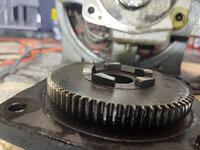
The output gear does not appear to have seen much use. It is in really good shape. Only minor wear on the front of the teeth from engagement and there is some minor wear to the clutch engagement. Thankfully, nothing to worry about.
IMG_2987.jpeg
The main back gear box unit can then be removed. First, it helps to use a small putty knife around its edge to help break the seal from the back gasket. It has two alignment pins in the back that have a very snug fit. I was able to pull it off by wiggling it back and forth as evenly as possible. Once you get it part way out, you can pull the clutch off of the motor's output shaft.
IMG_2989.jpeg
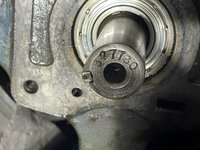
The output shaft of the motor is stamped with 827780. No idea what that correlates too. If anyone has any idea I would love to know.
IMG_2995.jpeg
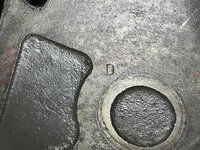
The motor's mount plate also has a "D" stamped in it. I'm guess thats a fitters mark.
IMG_2997.jpeg
We can now tear the back gear box down for cleaning.

First the 4 hex screws that hold the output shaft bearing plate get removed. Note the output shaft was balanced by drilling two holes in it.
IMG_3002.jpeg
Now that the bearing plate is out of the way, I then clamped the unit in the brass soft jaws of my vise and tapped the woodruff key out.
IMG_3004.jpeg
It was very snug! The washer behind the key can then be removed.
IMG_3007.jpeg
The output shaft then slides right out the back.
IMG_3008.jpeg
 
Last edited:
OP
G

Grant Gunderson

Well-known member
Joined
May 17, 2013
Messages
2,320
Location
Bellingham, WA
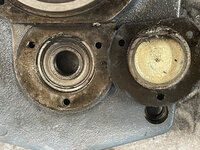
Next, I removed the 3 small hex screws that hold the bearing mount plate in. This plate serves to keep the bearing mounted at the correct depth, so upon reassembly it will need to get installed prior to pressing in the bearing. I then tapped the plate out.
IMG_3009.jpeg
IMG_3012.jpeg
I then took the back gear box's front plate over to the arbor press. I pressed the small bearing out using a socket as a drift first.
IMG_3013.jpeg

The larger bearings get done next. The outer shielded bearing, has a retaining ring on it. So it has to get pushed out from the back. So first I pushed the bearing spacer ring around so it was off set.
IMG_3015.jpeg
I then used a large socket as a drift to press on that spacer ring to press the rear, fully open cage bearing out.
IMG_3020.jpeg
I then flipped the plate over and pressed out the front bearing.
IMG_3025.jpeg
The gear box is designed so the gear box oil lubricates both of the front bearing and the outer shield on the outer bearing serves as its seal. The mounting plate was also stamped with Monarch's part number EE2458 and MT CO. I am guessing MT, is the casting company?

There was a minimal amount of 70's years of sludge in the bottom of the gear box. It has a few metallic particles but not anything to be of concern.
IMG_3028.jpeg
I then removed the bottom drain plug and the top fill plug. It's worth noting that the top fill plug is a vented plug.
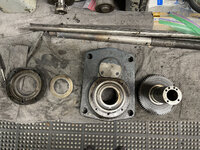
IMG_3031.jpeg
The oil height sight gauge is held on by 3 hex screws.
IMG_3034.jpeg
It is Monarch part number EE2603
IMG_3036.jpeg
 
Last edited:
OP
G

Grant Gunderson

Well-known member
Joined
May 17, 2013
Messages
2,320
Location
Bellingham, WA
I used a parallel ground #4 screw driver to remove the screws so I woundnt mangle them.
IMG_3038.jpeg
To get the retaining plate and glass out, I used a small splunger that has a bent knife edge on it to cut the cork gasket between the glass and the front plate.
IMG_3056.jpegAnd out it came.
IMG_3058.jpeg
 
Last edited:
OP
G

Grant Gunderson

Well-known member
Joined
May 17, 2013
Messages
2,320
Location
Bellingham, WA
Ok, now on to tearing down the DC motor it's self.

First I labeled the brush mount and the brush wires with color coded zip ties.
IMG_3060.jpeg
IMG_3063.jpeg
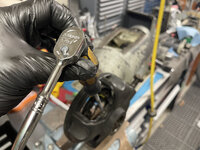
The brush wires get disconnected next. They are held on by two very large nuts. I think I used a 15/16 wrench.
IMG_3062.jpeg
Next, I removed the keyway from the motor's output shaft. It's held in by two small hex screws.
IMG_3061.jpeg
I then removed the grease port from the back of the motor.
IMG_3065.jpeg
It's worth noting there is also a small plug opposite of it that is the grease exit port when greasing the motor.
IMG_3066.jpeg
The front bushing of the motor's front bell actually gets lubed by a small oil passage in the back of the gear box. Clever.

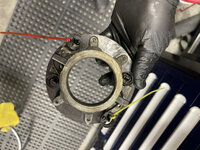
The 4 bolts retaining the rear bearing plate get removed next.
IMG_3068.jpeg
IMG_3077.jpeg
The front and rear of the motor, each have 4 bolts that hold the bells on.
IMG_3075.jpeg
So a total of 8 more bolts get removed. They are all the same size.

Now it a good time to note the alignment marks on the top of the motor near the name plate. There is a single dot on each side to align the front bell and two dots to align the rear bell. The casing is also stamped 47-8069
IMG_3079.jpeg
 
Last edited:
To avoid these ads, REGISTER NOW!
Top Bottom